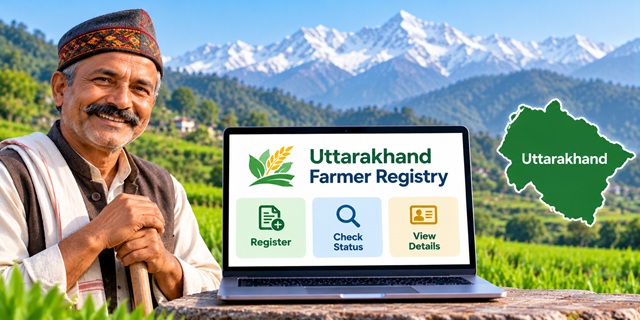
Farmers in Uttarakhand can use the official Farmer Registry portal to access registration-related services and check their enrollment details. The portal provides separate options for checking application status, viewing farmer details and logging in as a farmer or official. This guide explains how to use the Uttarakhand Farmer Registry portal, what to do after registration through a CSC or camp, and where to seek help if your details need correction.
Uttarakhand Farmer Registry: Key Details
Uttarakhand Farmer Registry Overview |
|
|---|---|
| Service Name | Uttarakhand Farmer Registry |
| State | Uttarakhand |
| Related Initiative | Digital Agriculture Mission and AgriStack |
| Main Objective | To create a unique digital identity for farmers |
| Intended Beneficiaries | Farmers with agricultural land holdings, as described by the Uttarakhand Agriculture Department |
| Registration Portal | Official Farmer Registry Portal |
| Enrollment Status | Check Enrollment Status |
| Farmer Details | View Farmer Details |
| Registration Assistance | Nearby Agriculture Department office |
| Official Department Website | Uttarakhand Agriculture Department |
What Is the Uttarakhand Farmer Registry?
The Uttarakhand Farmer Registry is a digital initiative that aims to give farmers a unique Farmer ID. The state is implementing this initiative as part of the wider Digital Agriculture Mission and AgriStack framework.
Think of the Farmer ID as a digital identity connected with a farmer's agricultural records. Instead of relying only on separate records maintained for different agricultural services, the system aims to help authorities identify farmers more easily and improve the delivery of agriculture-related services.
The Uttarakhand Agriculture Department's Digital Agriculture Mission page identifies Farmer Registry as one of the mission's key components. It also lists other components, including crop-sown records, geo-referenced village cadastral maps and agricultural decision-support systems.
However, a Farmer ID should not be confused with a land ownership document. If your name, land details or other records contain an error, you may need to correct the underlying record through the appropriate department.
What Can You Do on the Uttarakhand Farmer Registry Portal?
The official portal provides several options for farmers and officials. You can choose the relevant service according to what you need to do.
- Farmer login: Access the login area intended for farmers.
- Official login: Provides a separate login option for authorised officials.
- Check Enrollment Status: Open the dedicated page to check the progress of your enrollment.
- View Farmer Details: Access the page provided for viewing farmer details.
- Dashboard: Open the portal dashboard, which is labelled for grievance redressal.
- Create New User Account: Set up a portal account where required, including for farmers whose registry was created through CSC or camp mode.
Use the official links below rather than entering personal information on an unfamiliar website.
Who Should Check the Uttarakhand Farmer Registry?
Farmers who have already completed enrollment can use the portal's status and farmer-details options to check their records. Farmers who registered through a Common Service Centre (CSC) or a registration camp should also read the portal's login notice carefully.
The Uttarakhand Agriculture Department identifies farmers with land holdings as beneficiaries of the Digital Agriculture Mission. If you are unsure whether your land and personal records meet the Farmer Registry requirements, contact your nearest Agriculture Department office before assuming that your application will be accepted.
The official portal does not, in the information available on its homepage, provide a complete public checklist of every eligibility condition. Therefore, it is best to confirm any case-specific requirement with the department rather than relying on unofficial claims.
How to Use the Uttarakhand Farmer Registry Portal
You do not need to start by filling in a form immediately. First, identify whether you want to register or activate your login, check an existing enrollment, or view farmer details. The portal has separate options for these tasks.
Step 1: Open the Official Portal
Visit the Uttarakhand Farmer Registry website.
On the homepage, you will find the login area and links for other services. Make sure the website address ends with uk.gov.in as part of the official government domain shown in the portal link.
Step 2: Decide Whether You Need to Log In or Check Your Status
Look at the options available on the homepage. If you want to check an existing enrollment, you can open the status-check page directly. If you want to access your account, use the farmer login option.
These are different tasks: checking status is for tracking enrollment, while logging in is for accessing the portal account.
Step 3: If You Registered Through a CSC or Camp, Read This First
The portal displays an important notice for farmers whose Farmer Registry was created through CSC or Camp Mode. It says that these farmers must create their portal account before logging in.
Follow these steps:
- Open the official portal homepage.
- Select Create New User Account.
- Follow the instructions shown on the screen to complete the one-time account creation process.
- After completing the process, return to the login page.
- Select the farmer login option and enter your account credentials as requested.
This account creation step activates self-login access for the relevant CSC or camp registrations. Do not assume that your Farmer Registry has been cancelled just because you cannot log in before creating the account.
Important: The exact fields and verification steps shown during account creation may depend on the portal's current workflow. Follow the instructions displayed on the official website.
Step 4: Log In as a Farmer
If you already have a portal account, open the homepage and select Farmer under the login options. The portal's login area displays fields for a username, password and captcha.
- Select Farmer, not Official.
- Enter your username using the identification method accepted by the portal. The homepage indicates that the username field can accept a User ID, mobile number or email address.
- Enter your password.
- Type the captcha displayed on the screen.
- Select Log In.
A captcha is a short security check that helps the website distinguish a person from an automated program. Enter the characters exactly as shown.
If you have forgotten your password, look for the Forgot Password? option and follow the instructions on the portal. Never share your password or any verification code with an unknown person.
How to Check Uttarakhand Farmer ID Enrollment Status
If you have already applied or completed your enrollment and want to know its progress, use the official status-check page.
- Open the Uttarakhand Farmer Registry status page.
- Read the instructions and identify the details the page asks you to provide.
- Enter the requested information carefully.
- Submit the form or select the relevant button displayed on the page.
- Read the status shown on the screen and follow any further instructions provided.
Enter only the information requested by the official portal. The exact fields displayed may change, so use the live page as your guide.
If the portal does not show your enrollment or you cannot understand the result, keep any enrollment acknowledgement or reference number you received during registration. Contact the office or registration centre that helped you, or approach your nearest Agriculture Department office for assistance.
How to View Uttarakhand Farmer Registry Details
Farmers who need to view their registry information can use the portal's dedicated Farmer Details page.
- Visit the View Farmer Details page.
- Check the instructions shown on the page.
- Provide the information requested by the portal.
- Submit the details and review the result displayed.
- If the page offers an option to print or save the details, follow the on-screen instructions.
The page is provided for viewing farmer details, but the precise information required to retrieve a record should be confirmed on the live portal. Do not assume that a particular Aadhaar number, mobile number or enrollment number is mandatory unless the page asks for it.
Documents and Information to Keep Ready
Before visiting a registration centre or Agriculture Department office, keep your available identification and agricultural records organised. They can help officials understand your case and identify a mismatch if one exists.
- Aadhaar card or the identification details requested by the official process.
- Available agricultural land records or Record of Rights (RoR).
- Your mobile phone and access to the number used during enrollment, if applicable.
- Any enrollment acknowledgement, reference number or receipt received during registration.
- Relevant land-related documents if the recorded owner's name or land details need correction.
Note: This is a practical preparation list, not a confirmed mandatory document checklist for every Uttarakhand Farmer Registry application. The state's live portal and the responsible department should be treated as the final authority on required documents.
If you need to understand how Aadhaar works in government services, you can also read our guide to the Aadhaar Card and its uses.
What to Do If Your Land Details or Name Do Not Match
Sometimes, a farmer's application may not match the information recorded in the land records. For example, the spelling of a name may differ, a mutation may still be pending, or the land record may continue to show a previous owner.
These issues cannot always be fixed by submitting the same Farmer Registry application again. First, identify which record contains the error.
- Check your land record: Compare the recorded owner's name and land details with your available documents.
- Identify the mismatch: Note whether the problem relates to the name, ownership, mutation or another land detail.
- Contact the appropriate office: Ask the relevant revenue or land-records authority how to correct the underlying record.
- Keep proof of the correction request: Retain any acknowledgement or document you receive.
- Follow up on the Farmer Registry: Once the underlying issue has been addressed, ask the Agriculture Department or authorised registration centre how to proceed with your enrollment.
For general land-record services and department links, visit the Uttarakhand Board of Revenue website. Open the relevant land-record service from the official website and follow its current instructions.
The exact correction process depends on the type of error and the record involved. A Farmer Registry portal cannot necessarily correct an error in a separate land-record database by itself.
What Is the Difference Between Farmer ID and Aadhaar?
Aadhaar and Farmer ID serve different purposes. Aadhaar is an identity system, while the Farmer Registry aims to create a unique digital identity for farmers within the agricultural data framework.
In simple terms, Aadhaar helps establish identity, while the Farmer Registry helps identify a farmer in agriculture-related records and services. The registration process may use identity and land information to verify a farmer, depending on the applicable workflow.
For a broader explanation of the Farmer ID initiative, its purpose and how the system works across states, read our complete guide to Farmer ID in India.
Benefits and Purpose of the Farmer Registry
The Farmer Registry forms part of a wider effort to improve how government departments identify farmers and deliver agricultural services. The official AgriStack framework describes several intended advantages.
- More organised farmer identification: A unique digital ID can help identify a farmer within the agricultural data system.
- Improved scheme delivery: The framework aims to help government departments deliver farmer-focused benefits more efficiently.
- Better coordination: Digital agricultural records can support coordination between relevant programmes and departments.
- Support for digital agricultural services: AgriStack is intended to support the development of services based on agricultural data.
These are objectives of the wider AgriStack initiative, not a guarantee that every Farmer ID automatically qualifies a person for a particular scheme or payment. Eligibility conditions for schemes such as PM-KISAN and crop insurance continue to apply separately.
For more information, read the Uttarakhand Board of Revenue's official explanation of AgriStack.
Where to Get Help With Uttarakhand Farmer Registry
If you are unable to create an account, check your enrollment or understand a mismatch, you can seek help through official channels.
- Uttarakhand Agriculture Department: Visit the official Agriculture Department website and refer to its Digital Agriculture Mission information.
- Nearby Agriculture Office: The department's Digital Agriculture Mission page advises farmers to visit their nearest Agriculture Office for application assistance.
- Registration centre: If a CSC or camp helped you register, contact that centre for guidance on your enrollment and portal account.
- Official Farmer Registry portal: Use the official portal to access the available status, login and farmer-details services.
The Uttarakhand Agriculture Department website also lists the Kisaan Helpline number 18001801551. You may use it to seek agriculture-related guidance, but confirm whether it can resolve your specific Farmer Registry issue.
Do not rely on an unverified phone number or share your password, OTP or other sensitive information with someone claiming to be a registry agent.
Important Links for Uttarakhand Farmer Registry
| Service | Official Link |
|---|---|
| Farmer Registry homepage and login | Open Portal |
| Check Enrollment Status | Check Status |
| View Farmer Details | View Details |
| Portal Dashboard | Open Dashboard |
| Uttarakhand Agriculture Department | Visit Website |
| Digital Agriculture Mission in Uttarakhand | Read Official Information |
| AgriStack information | Read Details |
| Uttarakhand Board of Revenue | Visit Website |
| Farmer ID India: Complete Guide | Read Our Guide |
| Aadhaar Card Guide | Read Our Guide |
Add new comment