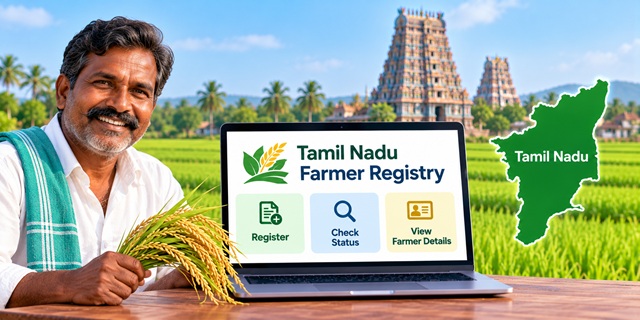
The Tamil Nadu Farmer Registry helps farmers create a unique Farmer ID to access relevant government agricultural schemes and services. Farmers can use the official portal to check enrollment status and view registered farmer details. If you registered through a Common Service Centre (CSC) or a government camp, you may need to create a portal account before logging in. Here is how to use the official portal and what to do if your registration is pending.
Tamil Nadu Farmer Registry – Key Details |
|
|---|---|
| Registry Name | Tamil Nadu Farmer Registry |
| Initiative | AgriStack |
| Purpose | To provide farmers with a unique Farmer ID for relevant agricultural schemes and services |
| Official Portal | Tamil Nadu Farmer Registry Portal |
| Registration Support | Online portal, mobile application and available CSC/camp facilities |
| Status Check | Check Enrollment Status |
| Farmer Details | View Farmer Details |
| Implementing Department | Tamil Nadu Department of Agriculture and Farmers Welfare |
What Is the Tamil Nadu Farmer Registry?
The Tamil Nadu Farmer Registry is part of the AgriStack initiative. It creates a digital identity for farmers and helps connect their details with agricultural land records. The registry can support the delivery of government agricultural schemes and services.
A Farmer ID does not automatically qualify someone for every government scheme. Farmers must still meet the eligibility conditions of the scheme they want to use.
How to Register for Tamil Nadu Farmer ID
The Tamil Nadu government has published instructions for registration through the Farmer Registry TN mobile application. The process involves verifying your identity, entering your details and selecting the correct agricultural land records.
Step 1: Open the Official Registration Service
Visit the Tamil Nadu Farmer Registry portal. Check the available registration instructions and use the official Farmer Registry TN application if you are following the mobile registration process.
Before installing an application, verify its name and publisher. You can refer to the Tamil Nadu Agricultural University registration guide for the documented mobile-app process.
Step 2: Verify Your Aadhaar Details
Follow the instructions shown in the registration application to verify your identity. The published guide describes Aadhaar-based verification through OTP or face authentication, depending on the available option.
If OTP verification does not work because your mobile number is not linked to Aadhaar, check whether the face-authentication option is available and follow the official instructions.
Step 3: Create Your Account and Log In
Complete the account-creation steps displayed in the application. Keep your login details safe. If you have already registered through a CSC or camp, you may need to create a separate portal account before you can log in yourself.
Step 4: Enter Your Agricultural Land Details
Select the relevant district, taluk and village. Then enter or select the survey number and sub-survey number requested by the application.
Check the land details carefully before proceeding. Make sure you have selected the correct record and that the ownership information matches the available revenue records.
Step 5: Review and Submit Your Registration
Review the personal and land details shown on the screen. Complete the required declarations and authentication steps, then submit the application.
Save the enrollment reference displayed after submission. You may need it to check your application status later.
Important: Submitting an enrollment does not necessarily mean that your Farmer ID has been approved. The submitted information may require verification by the designated officials.
How to Log In to the Tamil Nadu Farmer Registry Portal
The official portal provides separate login options for Officials and Farmers. Farmers should select the Farmer option rather than the Officials login.
- Open the official Tamil Nadu Farmer Registry portal.
- Select Farmer under the login options.
- Enter your registered mobile number.
- Enter your password and the captcha displayed on the page.
- Click Log In to continue.
If you cannot remember your password, use the Forgot Password? option on the portal and follow the instructions.
Registered Through CSC or Camp? Create Your Portal Account First
The Tamil Nadu Farmer Registry portal displays an important notice for farmers whose registry was created through a Common Service Centre (CSC) or camp.
If this applies to you, follow these steps:
- Open the official Farmer Registry portal.
- Click Create New User Account.
- Complete the one-time account-registration process shown on the screen.
- After activating your self-login access, return to the login page.
- Select Farmer and sign in using your registered mobile number and password.
This account-creation step is important. If your registration was completed at a CSC or camp, you may not be able to access your registry through self-login until you complete it.
How to Check Tamil Nadu Farmer Registry Status
After submitting your registration, you can use the official enrollment-status service to check its progress.
- Open the Check Enrollment Status page.
- Enter the details requested on the page.
- Submit the information and check the status displayed.
- Keep your enrollment reference available in case you need to contact the department.
If the application is still pending, it does not necessarily mean that it has been rejected. Check the displayed status and contact the relevant local agriculture or revenue office if you need clarification.
How to View Tamil Nadu Farmer Details
Farmers can use the official Farmer Details service to access their registered information.
- Visit the View Farmer Details page.
- Follow the instructions shown on the page.
- Enter the requested information, if prompted.
- Review the farmer details displayed by the portal.
The available options may depend on the portal's current interface and your registration status. Follow the instructions shown on the official page for viewing or printing details.
Documents and Details to Keep Ready
Before starting the registration process, keep the following information available. The exact requirements may depend on the registration route and the instructions displayed by the official application.
- Aadhaar details: For identity verification.
- Mobile phone: For OTP verification or other authentication steps, where applicable.
- Patta information: To help identify the relevant agricultural land record.
- Land details: District, taluk, village, survey number and sub-survey number, as applicable.
- Login details: Your registered mobile number and password for portal access.
Do not share your Aadhaar OTP, password or other authentication credentials with unknown people.
What If Your Name Is Missing From the Patta?
Land-record mismatches can affect the registration process. The official Tamil Nadu Agricultural University guide explains a registration workflow based on the relevant patta and land details.
If your name does not appear in the land record, or the land belongs to a deceased family member, do not assume that the Farmer Registry application will automatically correct the ownership details.
- Check the patta and survey details carefully.
- For incorrect ownership records, contact the appropriate revenue office about correcting the underlying land record.
- For inherited land, ask the revenue office about the current legal-heir or patta-transfer procedure.
- After resolving the issue, confirm the next registration step with the relevant agriculture or revenue official.
You can use the Tamil Nadu land-record services portal to access the available land-record services.
Benefits of the Tamil Nadu Farmer Registry
The Farmer Registry creates a digital record that can help the government identify farmers and support the delivery of relevant agricultural services.
- Unique Farmer ID: Provides a digital identity within the registry.
- Linked land information: Helps associate farmer details with relevant agricultural land records.
- Scheme-related services: Can support the administration of eligible agricultural schemes.
- Digital records: Makes registered farmer information available through the designated system.
A Farmer ID does not guarantee benefits under every scheme. Farmers must satisfy the relevant scheme's eligibility rules and complete any additional application or verification requirements.
Important Links
| Service | Official Link |
|---|---|
| Tamil Nadu Farmer Registry Portal | Open Portal |
| Check Enrollment Status | Check Status |
| View Farmer Details | View Details |
| Tamil Nadu Agriculture Department | Visit Website |
| Farmer Registry Registration Guide | Read Guide (PDF) |
| Tamil Nadu Land Records | Open Land Records |
Contact Details
For general assistance, you can contact the Tamil Nadu Department of Agriculture and Farmers Welfare using the contact details published on its official website.
Department of Agriculture and Farmers Welfare
Chepauk, Chennai – 600 005
Phone: 044-28583323
Email: [email protected]
These are general department contact details, not a separately verified Farmer Registry helpline. For a pending application or land-record issue, explain your situation and ask which local office handles your case.
Add new comment