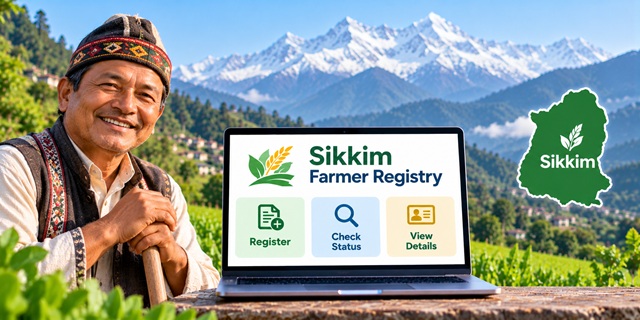
Farmers in Sikkim can use the official Farmer Registry portal to access registration-related services, check enrollment progress and view their farmer details. The state is implementing this initiative under the national AgriStack framework, with agricultural and revenue officials involved in registration and verification. If you want to check your Farmer ID status or understand how to access your account, this guide explains the available services, documents to keep ready and the steps to follow in simple language.
Sikkim Farmer Registry: Key Details
Sikkim Farmer Registry Overview |
|
|---|---|
| Service Name | Sikkim Farmer Registry |
| State | Sikkim |
| Related Initiative | Digital Agriculture Mission and AgriStack |
| Main Objective | To create a unique digital identity for farmers |
| Implementing Departments | Agriculture and Horticulture Department, with involvement of the Land Revenue and Disaster Management Department in land-record verification |
| Official Portal | Sikkim Farmer Registry Portal |
| Enrollment Status | Check Enrollment Status |
| Farmer Details | View Farmer Details |
| Dashboard | Open Dashboard |
| Official Department Website | Sikkim Agriculture Department |
What Is the Sikkim Farmer Registry?
The Sikkim Farmer Registry is a digital initiative designed to give farmers a unique Farmer ID. It forms part of AgriStack, a national initiative that aims to organise agricultural information and improve the delivery of farmer-related services.
Think of a Farmer ID as a digital identity for a farmer within the agricultural data system. The registry aims to connect verified farmer information with relevant agricultural land records, helping government departments identify farmers more efficiently.
The Government of Sikkim has documented registration activities, training programmes and verification work under this initiative. Officials from the Agriculture and Horticulture Department and the Land Revenue and Disaster Management Department have participated in the rollout.
You can read more about the national initiative in our complete Farmer ID guide for India, which explains the wider purpose of Farmer ID and how the registry fits into the national agricultural framework.
Important: A Farmer ID is not a substitute for a land ownership document. If your land records contain an error, you may need to contact the relevant revenue authority to correct it.
What Can You Do on the Sikkim Farmer Registry Portal?
The official portal provides several options for farmers and officials. Each option serves a different purpose.
- Farmer Login: Access the login section intended for farmers.
- Official Login: Provides a separate login option for authorised officials.
- Create New User Account: Create a portal account where required to activate self-login access.
- Check Enrollment Status: Open the dedicated page to check the progress of your enrollment.
- View Farmer Details: Access the service provided for viewing farmer information.
- Forgot Password: Use the available password-recovery option if you cannot remember your login password.
- Dashboard: Open the dashboard labelled for grievance redressal.
Use the following official links to open the relevant service directly:
Who Should Use the Sikkim Farmer Registry?
Farmers who need to register, follow up on an existing enrollment or access their farmer details can start with the official portal and the Agriculture Department.
The Government of Sikkim has reported that field teams and departmental officials are involved in farmer registration and land-record verification. Therefore, farmers should not assume that every registration can be completed independently through an online form.
If you have not yet registered, contact your local Agriculture and Horticulture Department office to confirm the current registration arrangement in your area. Officials can guide you on whether registration is being handled through a field team, a camp or another authorised channel.
Documents Required for Sikkim Farmer Registry
Before approaching a registration team, arrange your available identification and agricultural land documents. An official Government of Sikkim report on the Farmer Registry identified the following items in connection with registration.
- Land Parcha: Keep your available land-related record ready for verification.
- Identity proof: Carry the identity document requested by the registration team.
- Aadhaar-linked mobile number: Keep the relevant mobile number available where the official process requires it.
These items are supported by the state's reported registration activities, but the available public information does not establish a complete mandatory document list for every applicant.
Before travelling to a registration centre, confirm whether you need any additional documents. Do not assume that a bank passbook, income certificate or photograph is compulsory unless an official instruction specifically asks for it.
If you need more information about Aadhaar and its use in government services, read our guide to the Aadhaar Card.
How to Register for Sikkim Farmer ID
The Government of Sikkim has documented registration activities carried out by departmental personnel and field teams. However, the publicly available portal information does not establish a complete, universally applicable self-registration process for every farmer.
Follow these steps to find the correct registration route and prepare for enrollment.
Step 1: Contact Your Local Agriculture Office
Start by contacting the Agriculture and Horticulture Department office responsible for your area. Explain that you want to register for the Sikkim Farmer Registry and obtain a Farmer ID.
Ask whether registration is available through a field team, registration camp or another authorised channel. This is important because the state's documented implementation includes field-level registration and verification.
You can visit the official Sikkim Agriculture Department website to look for departmental information and updates.
Step 2: Keep Your Documents Ready
Arrange your Land Parcha, identity proof and Aadhaar-linked mobile number, as applicable to your registration process.
Keeping these details ready can help the registration team verify your information. If officials ask for additional documents, follow their instructions.
Step 3: Provide Your Information to the Authorised Registration Team
Follow the instructions given by the authorised registration personnel. Enter or provide your details carefully, and check the information before it is submitted.
The state has reported training and demonstrations covering registration and data verification. However, the exact form fields and verification sequence may vary according to the applicable process.
Step 4: Allow the Required Verification
Officials may need to verify your identity and agricultural land information. Sikkim's implementation reports describe coordination between agricultural and revenue officials for this work.
If the name on your identity document differs from the name in your land record, tell the registration team. Do not assume that the system will automatically correct the mismatch.
Step 5: Keep Your Registration Acknowledgement
If the registration team provides an acknowledgement, reference number or other confirmation, keep it safe. You may need the information when following up on your enrollment.
Ask the registration team how you can check your status and whether any further action is required from your side.
Step 6: Check Your Enrollment Status Online
After registration, open the official Sikkim Farmer Registry status page.
Enter the information requested on the page and follow the displayed instructions. If you cannot find your record or do not understand the result, contact the registration team that assisted you.
How to Create a Sikkim Farmer Registry Login
The official portal displays a Create New User Account option. It also includes an important notice for farmers whose Farmer Registry was created through a Common Service Centre (CSC) or Camp Mode.
The notice states that these farmers must first create a portal account to activate self-login access.
Follow These Steps If You Registered Through a CSC or Camp
- Open the Sikkim Farmer Registry homepage.
- Find and select Create New User Account.
- Follow the instructions shown on the screen to complete the one-time account setup.
- After completing the process, return to the homepage.
- Select Farmer under the login options.
- Enter your login details and the captcha requested by the portal.
- Select Log In.
In simple words, your registration and your portal login are not necessarily the same thing. If a CSC or camp registered you, you may need to create your online account separately before you can log in yourself.
The homepage does not establish every field or verification step used during account creation. Follow the instructions displayed on the live portal instead of relying on an assumed process.
What If You Have Forgotten Your Password?
Open the official portal and select Forgot Password? Follow the instructions provided on the screen.
If you cannot recover your account, contact the registration centre that assisted you or ask the Agriculture Department for guidance. Never share your password or verification codes with an unknown person.
How to Check Sikkim Farmer ID Enrollment Status
If you have already submitted your information and want to know what happened next, use the enrollment-status service.
- Open the Check Enrollment Status page.
- Read the instructions displayed on the page.
- Enter the details requested by the portal.
- Submit the information using the available button.
- Read the result and follow any additional instructions shown.
For example, if you want to know whether your enrollment has progressed, this is the page to check first. If the portal asks for a reference number, use the number provided during your registration.
The exact fields and status messages must be checked on the live page because the homepage information does not confirm the complete status-checking procedure.
If your status does not appear, avoid submitting repeated applications without checking first. Contact the registration team and ask them to verify your enrollment details.
How to View Sikkim Farmer Registry Details
The portal also provides a separate service for viewing farmer details. Use it when you need to access the information available in your registry record.
- Open the View Farmer Details page.
- Read the instructions displayed on the page.
- Provide the information requested by the portal.
- Submit the details and review the result.
- If the page provides a print or download option, follow the instructions shown.
The public homepage confirms that the service exists, but it does not establish the exact information required to retrieve a record. Enter only the details requested by the official portal.
What to Do If Your Name or Land Details Do Not Match
A mismatch between your identity information and land records can make verification more difficult. For example, the spelling of a name may differ, or the land record may contain outdated information.
Do not assume that submitting the same details again will resolve the problem. First, find out which record contains the error.
- Compare your documents: Check the name and other relevant information on your identity proof and Land Parcha.
- Identify the problem: Note whether the issue concerns your name, land details or another part of the record.
- Contact the relevant office: Ask the appropriate revenue authority how to correct the underlying land record, if necessary.
- Keep the acknowledgement: Retain any receipt or reference number issued for your correction request.
- Follow up on enrollment: Once the issue has been addressed, contact the registration team to find out how to proceed with the Farmer Registry.
The Government of Sikkim has documented coordination between agricultural and revenue officials to verify farmer information against land records. This makes it important to resolve underlying discrepancies rather than assuming that the registry can correct every record itself.
For official departmental information, visit the Government of Sikkim website or the Agriculture Department website.
What Is the Difference Between Farmer Registry and Digital Crop Survey?
Farmer Registry and Digital Crop Survey are related components of the wider Digital Agriculture Mission, but they serve different purposes.
| Feature | Farmer Registry | Digital Crop Survey |
|---|---|---|
| Main purpose | To establish a unique digital identity for farmers | To record crop and field information digitally |
| Information involved | Farmer identity and related agricultural records | Crops, cultivated areas and field details |
| Typical activity | Farmer registration and information verification | Field visits and digital recording of crop information |
| Role in digital agriculture | Helps identify farmers in the agricultural data system | Helps maintain crop-related information |
The Government of Sikkim has published information about Digital Crop Survey activities, including recording crop details and cultivated areas. However, farmers should not confuse participation in a crop survey with completion of their Farmer Registry enrollment.
Benefits of the Sikkim Farmer Registry
The Farmer Registry forms part of a wider effort to organise agricultural data and improve the delivery of farmer-related services.
- Digital identification: A unique Farmer ID can help identify a farmer within the agricultural data system.
- Better record coordination: The framework aims to connect verified farmer information with relevant agricultural records.
- Support for government services: Organised records can help departments administer farmer-focused programmes more efficiently.
- Improved agricultural planning: Reliable information can support planning and the development of relevant services.
- Digital service development: AgriStack aims to provide a foundation for agricultural services that use verified data.
These points describe the objectives of the initiative. A Farmer ID does not automatically guarantee approval under every government scheme. Farmers must still meet the eligibility conditions of each scheme separately.
How Many Farmers Have Received IDs in Sikkim?
A Government of India release dated 24 July 2026 reported that Sikkim had generated 28,885 Farmer IDs as of 20 July 2026.
This figure is a dated government-reported total, not a live count for the present day. Registration may have progressed since the reporting date, so readers should not interpret this number as the current total.
For the latest available information, refer to the official Sikkim Farmer Registry portal and government announcements.
Where to Get Help With Sikkim Farmer Registry
If you are unable to register, cannot access your account or find an issue with your details, use official channels rather than relying on an unknown agent.
- Agriculture and Horticulture Department: Contact your local office to ask about registration arrangements and enrollment assistance.
- Registration team: If a field team, CSC or camp helped you register, contact them about your acknowledgement and login access.
- Official portal: Use the available enrollment-status and farmer-details services to check your record.
- Revenue authority: If the problem concerns an underlying land record, ask the appropriate revenue office how to correct it.
You can also visit the Sikkim Agriculture Department website and the Government of Sikkim portal for official information.
The official information reviewed for this article did not establish a dedicated Farmer Registry helpline number or a confirmed registration fee. Confirm these details with the department before making a payment or relying on a phone number published elsewhere.
Important Links for Sikkim Farmer Registry
| Service | Official Link |
|---|---|
| Sikkim Farmer Registry Portal | Open Portal |
| Check Enrollment Status | Check Status |
| View Farmer Details | View Details |
| Dashboard / Grievance Redressal | Open Dashboard |
| Sikkim Agriculture Department | Visit Website |
| Government of Sikkim | Visit Website |
| Farmer ID India: Complete Guide | Read Our Parent Guide |
| Aadhaar Card Guide | Read Our Aadhaar Guide |
Add new comment