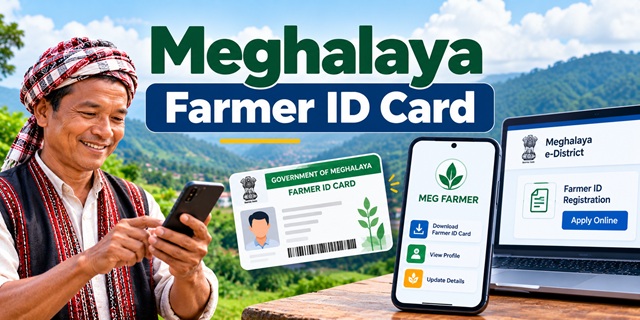
Farmers in Meghalaya can apply for a Farmer ID Card through the state government's e-District portal. If you have already registered, you can also check your Farmer ID online and download the card using the official MEG FARMER mobile app.
This guide explains each process step by step, including how to apply for a new Farmer ID, which documents to prepare, how to find an existing ID using your EPIC number, and how to save the card on your mobile phone.
Use the official links provided below to access the services directly. If you are looking for Farmer ID services in another state, you can also read our complete guide to Farmer ID in India.
Meghalaya Farmer ID: Official Links at a Glance
| Service | Official Link |
|---|---|
| Apply for a new Farmer ID | Farmer ID Registration |
| Open the e-District portal | Meghalaya e-District |
| Find an existing Farmer ID | Know Your Farmer ID |
| Download the Farmer ID card | MEG FARMER App on Google Play |
| Open the Meghalaya Farmer Portal | MegFarmer Official Website |
| Find your PM-Kisan Unique ID | PM-Kisan ID Lookup |
How to Apply for a Meghalaya Farmer ID Card Online
The Government of Meghalaya provides an online service called Registration of Farmers and Issuance of Farmer ID Card. You can access this service through the state's e-District portal rather than searching through unrelated agricultural services.
Click Here to Apply for a Meghalaya Farmer ID
Follow the steps below to submit your application.
Step 1: Open the official application page
Click the application link above. It will take you to the Meghalaya e-District service for Farmer ID Registration. Depending on your session, the portal may first ask you to log in or register.
Step 2: Register on the e-District portal if required
If you do not have an account, open the official e-District registration page and complete the registration form.
The portal asks for details such as your full name, email address, mobile number, password, state and CAPTCHA. Enter the information carefully and submit the form.
After registering, log in with your registered email address and password. If you already have an account, you can skip this step.
Step 3: Select Farmer ID Registration
After logging in, open the section for applying for services. Search for Farmer ID Registration or Registration of Farmers and Issuance of Farmer ID Card.
Select the service and read the instructions displayed on the screen before proceeding.
Step 4: Fill in the application form
Enter the information requested in the application. Keep your Voter ID, agricultural land documents and other supporting records nearby so you can enter the correct details.
Do not guess any information. If a field is unclear or your land documents require a local certificate, confirm the requirement with the relevant service centre or agriculture office before submitting the form.
Step 5: Upload the required documents
Upload clear copies of the documents requested by the application. Check the file size and photograph requirements explained in the document section below. Poor-quality scans or files that exceed the portal's limits may prevent you from completing the application.
Step 6: Review and submit your application
Before submitting, check your name, EPIC number, mobile number and land details. Make sure the uploaded documents are readable and belong to you.
Submit the application and save the acknowledgement or reference number if the portal provides one. You can use the information shown by the portal to follow up on your application.
Important: The official e-District portal lists Farmer ID Registration as an RTPS service with a delivery timeline of 30 days. This is the stated service timeline, not a guarantee that every application will be approved, because the department may need to verify the information and documents.
Documents Required for Meghalaya Farmer ID Registration
Before applying, prepare the documents listed on the official Meghalaya e-District service page. The exact enclosure required for agricultural land may depend on the applicant's circumstances and the documents accepted by the authorities.
| Document | Accepted proof or details |
|---|---|
| Residential proof | Ration Card, land documents, EPIC/Voter ID, electricity bill or telephone bill. |
| Identity proof | EPIC/Voter ID. |
| Agricultural land proof | Land documents or the applicable NOC from the Headman, Nokma, Doloi or KHADC, as listed by the portal. |
| Bank account passbook | First page of a savings bank or Jan Dhan account passbook showing the account holder's name, account number, IFSC and bank branch. |
| Photograph | Passport-size colour photograph. |
| Other supporting documents | Additional documents relevant to the application, where required. |
You can review the document list directly on the official e-District services page.
Photograph and document upload requirements
The portal provides specific instructions for uploading photographs and documents. Follow them carefully to avoid file upload errors.
- Photograph format: Upload a properly cropped colour passport-size photograph.
- Photograph size: The listed size is a minimum of 20 KB and a maximum of 100 KB.
- Document quality: Scan documents clearly so the text, names and numbers are readable.
- PDF size: The maximum permitted PDF size is 1 MB per document, according to the portal's instructions.
- Scanning resolution: The portal recommends 75 or 100 DPI to help keep PDF files within the size limit.
- Additional documents: Use the "Others" enclosure option if the application provides it and you need to upload extra supporting records.
The portal's current document list should take priority if it displays updated requirements while you apply. Do not rely only on an older application form if the online service shows different instructions.
How to Check Your Meghalaya Farmer ID Online
If you have already received a Farmer ID but cannot remember the number, you may be able to find it through the official MegFarmer website. The page is titled Know Your Farmer ID and asks for your EPIC number and mobile number.
Click Here to Check Your Farmer ID
Steps to find your Farmer ID
- Open the official Know Your Farmer ID page.
- Find the field labelled EPIC Number.
- Enter the EPIC number printed on your Voter ID card.
- Enter your mobile number in the next field.
- Look at the CAPTCHA image displayed on the page and type the letters exactly as shown.
- Follow the on-screen instructions to continue and view the available result.
Here, EPIC means Electoral Photo Identity Card. In simple terms, it is the number printed on your Voter ID card.
What if your Farmer ID does not appear?
If the page does not show your ID, first check whether you entered the correct EPIC number and mobile number. Also make sure you typed the CAPTCHA correctly.
If the details are correct but you still cannot find your ID, contact the relevant agriculture office or seek help through an available Rainbow Centre/CSC. The lookup page should not be treated as proof that an application has been approved if no record appears.
How to Download Your Meghalaya Farmer ID Card Using the MEG FARMER App
Meghalaya also provides the MEG FARMER Android app. The instructions on the MegFarmer portal explain that farmers can log in using their existing Farmer ID and EPIC number and then download their Farmer ID Card.
Download the Official MEG FARMER App
Step 1: Install the app
Open the Google Play Store link above on your Android phone. Check that the app is named MEG FARMER and is published by the National Informatics Centre before installing it.
Step 2: Open the app and log in
After installation, open the app. The published instructions say to log in using your Farmer ID and EPIC number.
If you do not know your Farmer ID, use the Know Your Farmer ID page first.
Step 3: Select "Download Farmer ID Card"
After logging in successfully, look for the option labelled Download Farmer ID Card. Select it to download your card.
Step 4: Save and print the card
Once the download finishes, look in your phone's downloads or the location where your device saves downloaded files. Open the card to check that the details are visible and readable.
Keep the digital copy safely on your phone. The portal's instructions also advise farmers to print the card and store it safely.
Can I use the app to get a new Farmer ID?
The published instructions describe using the app to access and download a card for someone who already has a Farmer ID. They do not establish that the app is the route for fresh registration.
If you are applying for the first time, use the Farmer ID Registration service on e-District. Once you have received your ID, follow the app's login and download instructions.
How Long Does Meghalaya Farmer ID Registration Take?
The Meghalaya e-District portal lists the Farmer ID Registration service with an RTPS delivery timeline of 30 days.
RTPS refers to the Right to Public Services framework. The portal marks certain services as time-bound, with a stated service delivery period.
If your application remains pending, keep your acknowledgement number and contact the relevant service centre or district office for guidance. The published timeline does not mean that an incomplete application or one requiring further verification will automatically be approved.
Where Can You Get Help With Your Farmer ID Application?
If you cannot complete the process online, the Meghalaya e-District portal describes three ways to access its services:
- Online: Use the Meghalaya e-District portal to register and apply.
- Rainbow Centre/CSC: Visit an available Common Service Centre for assistance with accessing government services.
- District office: Seek help from the relevant Public Facilitation Centre at a Deputy Commissioner or Sub-Divisional Officer's office, where the service is available.
You can also visit the MegFarmer portal for Meghalaya's farmer services. If you need help with an application, keep your reference number and the documents you submitted ready.
Meghalaya Farmer ID and PM-Kisan ID: Are They the Same?
No. The MegFarmer portal provides separate pages for finding a Meghalaya Farmer ID and looking up a PM-Kisan Unique ID/Registration Number. These pages serve different lookup purposes.
Use the correct official page for the number you need:
- Meghalaya Farmer ID: Know Your Farmer ID.
- PM-Kisan Unique ID/Registration Number: Know Your PM-Kisan ID.
Do not assume that the numbers are interchangeable. If a form asks specifically for a Meghalaya Farmer ID, use that identifier rather than entering a PM-Kisan registration number without confirmation.
Official Websites
For accurate and updated information, use the following government websites:
- MegFarmer - Government of Meghalaya
- Meghalaya e-District Portal
- e-District Online Services and Document Requirements
- MEG FARMER App - Google Play
- Farmer ID in India - Complete Guide
Before applying, check the live portal for any updated instructions or document requirements. If you encounter an issue with your application, use the official service channels rather than relying on unofficial websites.
Add new comment