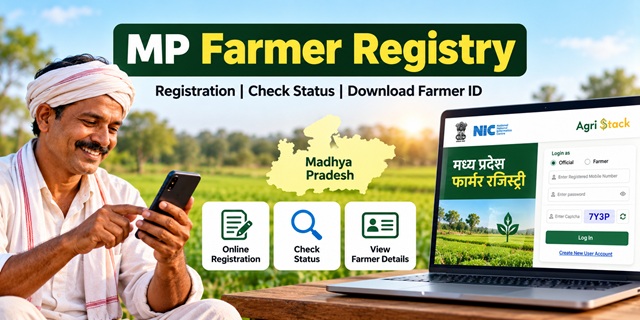
Farmers in Madhya Pradesh can use the MP Farmer Registry portal to access the state's Farmer ID registration system. The portal provides options to check enrollment status, view farmer details, and access other registration-related services. If you want to register for a Farmer ID, check your application, or resolve a problem, this guide explains the process step by step in simple language.
MP Farmer Registry: Quick Details
| Service Name | MP Farmer Registry |
| State | Madhya Pradesh |
| Purpose | To create a unique Farmer ID for farmers |
| Official Portal | MP Farmer Registry Portal |
| Check Enrollment Status | Check Farmer Registration Status |
| View Farmer Details | Open Farmer Details |
| Land Records | MP Bhulekh Portal |
| Registration Method | Use the options available on the official portal or seek assistance through an authorised registration facility. |
What Is MP Farmer Registry?
MP Farmer Registry is the Madhya Pradesh implementation of the Farmer Registry initiative under AgriStack. Its purpose is to create a unique identification record for each registered farmer.
Think of the Farmer ID as a special identification number for your farmer record. It helps connect your registration details with the relevant agricultural records and services.
However, receiving a Farmer ID does not automatically mean that you qualify for every government scheme. Each scheme may have its own eligibility rules, verification process, and application requirements.
If you want to understand Farmer ID services across India, read our Farmer ID India: Complete Guide.
Before Registration: Check Your Aadhaar and Land Records
Before starting your registration, keep your identity and land-related information ready. Correct information can help you avoid errors during verification.
1. Keep Your Aadhaar Details Ready
Keep your Aadhaar card or Aadhaar details available. Enter your personal information carefully whenever the official portal asks for it.
If the registration process requires OTP verification, you will need access to the mobile number specified by the portal. Follow the verification instructions displayed on the official website.
If you need help understanding Aadhaar services, read our Aadhaar Card Guide.
2. Check Your Land Records
If you own agricultural land, keep your land-record details handy. You can visit the official MP Bhulekh portal to access the available land-record services.
Check that the land details you intend to provide match the relevant records. If your name, land details, or ownership information appears incorrect, contact the appropriate revenue office or your local Patwari for guidance.
Important: Do not assume that every land-record problem can be corrected directly on the Farmer Registry portal. The correction process depends on the type of error and the department responsible for that record.
Documents and Details to Keep Ready
The exact information required may depend on the registration method and the instructions shown on the official portal. Before starting, keep these details handy wherever applicable:
- Aadhaar details: For identity-related information and verification when requested.
- Mobile phone: To receive an OTP if the portal requires mobile verification.
- Land-record details: Such as your Khasra or other relevant land information, if applicable.
- Personal information: Your name and other details requested in the registration form.
- Supporting documents: Any additional documents specifically requested by the portal or authorised registration centre.
Do not upload a photograph, bank passbook, or another document simply because you expect it to be required. First check the actual fields and document instructions shown during registration.
How to Register for MP Farmer Registry Online
Follow these steps to start the registration process. The exact form fields may change, so follow the instructions currently displayed on the official portal.
-
Open the official website.
Visit the MP Farmer Registry portal. Make sure you are using the official website rather than an unfamiliar link shared through a message.
-
Look for the farmer login or registration option.
The homepage provides login options and a Create New User Account option. Select the appropriate option according to your situation.
-
Create an account if required.
If you do not already have the portal account needed for login, select Create New User Account and follow the instructions displayed on the screen.
-
Enter the requested details.
Fill in the information requested by the portal. Enter your name and other details carefully. If the website asks for an OTP or another verification step, complete it as instructed.
-
Check your information before submitting.
Read the details once more. Even a small spelling mistake or an incorrect land-record entry may create a problem during verification.
-
Submit the registration information.
Follow the final instructions on the website to submit your details. If the portal displays an acknowledgement or reference number, save it for future use.
-
Check your enrollment status.
After submitting the application, open the Enrollment Status page to check the status using the details requested by the portal.
Please note: The steps above explain the general process, not a guarantee that every applicant will see the same screens. Complete the form according to the current official portal instructions. If you cannot find the registration option or encounter an error, seek help through an authorised registration facility.
Registered Through CSC or a Village Camp? Activate Your Login
Some farmers may have completed their Farmer Registry through a Common Service Centre (CSC) or a registration camp. If your Farmer Registry was created through either of these methods, the official portal displays an important instruction: you must create your portal account before logging in for self-service access.
Follow these steps:
- Open the official MP Farmer Registry portal.
- Find the Create New User Account option.
- Select it and follow the instructions displayed on the screen.
- Complete the one-time account registration process.
- After completing the process, return to the login page and follow the instructions to access your account.
In simple words, getting your Farmer Registry created at a CSC or camp and creating your own portal login are not necessarily the same step. If you cannot log in after registration, check whether you have completed the account-creation process mentioned on the official homepage.
How to Check MP Farmer Registry Status
If you have already submitted your registration, you do not need to start a new application just to check its progress. Use the official enrollment status facility instead.
- Visit the Check Enrollment Status page.
- Read the instructions shown on the page.
- Enter the requested information in the relevant fields.
- Complete any verification step shown on the screen.
- Submit the details and check the result displayed by the portal.
If the page does not show your application, carefully recheck the information you entered. If the problem continues, contact the registration centre that helped you or seek assistance through the appropriate official channel.
Remember: Do not treat a pending application as an approved Farmer ID. Follow the status and instructions displayed by the official system.
How to View or Print Your Farmer Details
If you want to see your Farmer Registry details, use the separate facility provided on the official website.
- Open the View Farmer Details page.
- Read the instructions shown on the page.
- Enter the details requested by the portal.
- Complete any verification required by the system.
- If your details are available and the portal provides a print or download option, use that option to save a copy.
If your details do not appear, do not assume that your registration has been rejected. Check the enrollment status separately and follow the instructions displayed by the portal.
Common MP Farmer Registry Problems and Their Solutions
| Problem | What You Should Do |
|---|---|
| Name does not match | Compare the name entered during registration with the relevant identity and land records. Ask the responsible department how to correct the incorrect record. |
| Land details appear incorrect | Check the available records on MP Bhulekh. Contact the local revenue office or Patwari if the underlying record needs correction. |
| OTP is not received | Check the mobile number you entered, network connectivity, and the instructions on the screen. Retry only as permitted by the portal. |
| Unable to log in after CSC registration | Check whether you have completed the one-time account registration through the portal's Create New User Account option. |
| Registration is not visible | Check the enrollment status using the information requested by the official portal. Contact your registration centre if the issue continues. |
| Application is rejected or requires correction | Read any reason or instruction shown by the portal. Correct the relevant information through the authorised process rather than submitting repeated applications without checking the error. |
| Cannot view or print Farmer Details | Check your enrollment status first, then retry the View Farmer Details facility and follow its on-screen instructions. |
Farmer Registry, Khasra and Girdawari: What Is the Difference?
These terms can be confusing, especially if you are registering for the first time. Here is a simple explanation.
- Farmer Registry: A system for creating a unique Farmer ID and maintaining a farmer's registry record.
- Khasra: A land-record reference used to identify agricultural land and its recorded details.
- Girdawari: The process of recording and verifying information about crops grown on agricultural land.
Think of them as three different types of information: the Farmer Registry identifies the farmer, the Khasra relates to land records, and Girdawari concerns crop information.
If your land details are incorrect, first check the relevant land records. If your concern is about the crop recorded in Girdawari, seek help from the responsible revenue or agricultural authority.
You can visit the official SAARA portal of the Madhya Pradesh Revenue Department to explore its available services, including crop-survey and Girdawari-related information.
Do not assume that creating a Farmer ID automatically verifies every crop or guarantees eligibility for minimum support price (MSP) procurement. Procurement registration, crop verification, and other requirements may follow separate procedures. Check the relevant official instructions for the current season.
What If You Have Multiple Land Parcels or Do Not Own the Land?
Farmers may have different land-related situations. For example, a person may have land recorded in more than one village, share ownership with family members, cultivate land belonging to someone else, or farm land under a special arrangement.
Do not guess how your situation should be entered in the Farmer Registry. Follow the official portal's instructions and ensure that the information matches the relevant records.
- Land in multiple villages: Check how the portal handles the land parcels linked to your record and provide the requested details.
- Joint ownership: Do not assume that one family member's Farmer ID automatically covers every co-owner. Follow the rules applicable to each person's recorded ownership and registration.
- Tenant or sharecropper farmers: If you cultivate land owned by another person, ask the relevant agricultural or revenue office about the applicable registration procedure.
- Forest or other specially recorded land: Seek guidance from the responsible authority before entering ownership information.
The correct procedure can depend on the type of land record and the applicable rules. Confirm your specific case with the responsible authority instead of relying on an unofficial claim.
Important Links for MP Farmer Registry
| Purpose | Official Link |
|---|---|
| MP Farmer Registry Portal | Open Official Portal |
| Check Enrollment Status | Check Status |
| View or Print Farmer Details | View Farmer Details |
| Check Jansamarth KCC Status | Open KCC Status Facility |
| Madhya Pradesh Land Records | Open MP Bhulekh |
| SAARA Revenue Portal | Open SAARA |
| Farmer ID Complete Guide | Read the Farmer ID Guide |
| Aadhaar Card Guide | Read the Aadhaar Card Guide |
Contact and Help for MP Farmer Registry
If you cannot complete your registration or correct a record, use the following approach:
- For Farmer Registry login or status problems: Open the official MP Farmer Registry portal and check the available facilities and instructions.
- For incorrect land records: Visit MP Bhulekh or contact the local revenue office or Patwari, as appropriate.
- For crop-survey or Girdawari-related questions: Check the SAARA portal or contact the responsible local authority.
- For Aadhaar-related assistance: Visit the official UIDAI website or call its helpline at 1947.
When asking for help, explain the exact problem. For example, tell the official whether you cannot create an account, cannot find your enrollment, or have an error in your land details. This makes it easier to identify the correct department.
Add new comment