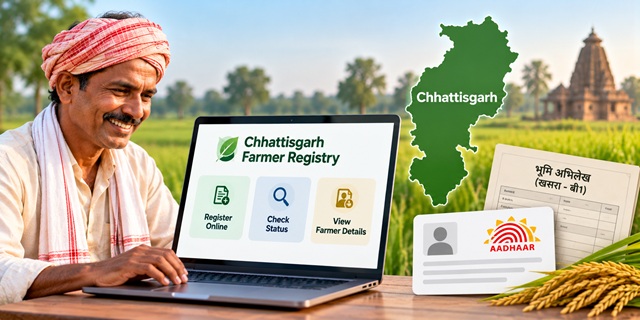
Farmers in Chhattisgarh can use the official AgriStack Farmer Registry portal to register their details and link their agricultural land records with their digital farmer identity. The process involves Aadhaar verification, checking land details and completing e-Sign where required. This guide explains how to apply for a Chhattisgarh Farmer ID, check enrollment status, view farmer details and resolve common land-record issues.
Chhattisgarh Farmer Registry: Quick Details |
|
|---|---|
| Registry Name | Chhattisgarh Farmer Registry (AgriStack) |
| Official Portal | cgfr.agristack.gov.in |
| Registration Mode | Online and assisted registration, where available |
| Key Documents | Aadhaar Card, Aadhaar-linked mobile number, B-1 and Khasra details |
| Status Check | Check Enrollment Status |
| Farmer Details | View Farmer Details |
What Is Chhattisgarh Farmer Registry?
Chhattisgarh Farmer Registry is part of the Government of India's AgriStack initiative. It creates a digital identity for farmers and connects relevant farmer information with digitised land records. The system helps government departments use verified agricultural information when delivering services and implementing schemes.
Chhattisgarh has also used AgriStack Farmer Registry data in its paddy procurement process. However, registration alone does not guarantee eligibility for every government scheme or agricultural benefit. Farmers must meet the conditions applicable to the relevant scheme or service.
If you want to understand how Farmer ID works across India, read our complete guide to Farmer ID in India.
Documents Required for Chhattisgarh Farmer ID
Keep the following documents and details ready before starting registration:
- Aadhaar Card: For identity verification.
- Aadhaar-linked mobile number: To receive OTPs for verification and e-Sign, where required.
- B-1 land record: To verify recorded landholding details.
- Khasra details: To identify the agricultural land associated with your registration.
- Mobile number: For account creation and registration-related communication.
Requirements may vary according to the registration route and the details available in official records. Check the portal's instructions before submitting your application.
You can check your land records through the official Bhuiyan Chhattisgarh Land Records portal. If you need help understanding Aadhaar details or related services, see our Aadhaar Card guide.
How to Register for Chhattisgarh Farmer ID Online
Farmers can begin registration through the official Farmer Registry portal. Follow the instructions displayed on the website, as the available options may change.
- Open the official portal: Visit the Chhattisgarh Farmer Registry website.
- Create your account: If you are a new user, select the account-creation option displayed on the portal.
- Verify Aadhaar: Enter the requested details and complete the prescribed verification process.
- Verify your mobile number: Use the OTP process if the portal asks for it.
- Enter or fetch land details: Follow the portal's instructions to retrieve your land information.
- Check your land records: Compare the displayed Khasra details with your B-1 and other relevant revenue records. Select only the land that correctly belongs to your record.
- Complete e-Sign: If prompted, complete Aadhaar-based e-Sign using the authorised process.
- Save the acknowledgement: Keep the enrollment or registration number provided after submission.
Chhattisgarh Government information has also described registration through Common Service Centres (CSCs) and citizen service centres. Farmers who cannot complete the process themselves can seek assistance from an available service centre or the relevant local revenue officials.
Safety tip: Complete Aadhaar authentication only through the official process. Never share an OTP or Aadhaar authentication details with an unauthorised person.
How to Check Chhattisgarh Farmer Registry Status
After submitting your application, use the official enrollment-status page to check its progress.
- Open the Chhattisgarh Farmer Registry Enrollment Status page.
- Enter the information requested on the page.
- Submit the details to check the status displayed by the portal.
- If the application remains pending, follow the instructions provided or contact the relevant registration or revenue office.
Keep your enrollment number and other registration details safe. The portal's current instructions will determine which information you need to check your application.
How to View Chhattisgarh Farmer Details
If you need to access your Farmer Registry information, use the official farmer-details page.
- Visit View Farmer Details.
- Enter the details requested by the portal.
- Submit the information and follow the on-screen instructions to view the available record.
- Check the displayed information carefully and save or print the details if the portal provides that option.
If the page does not display your record, verify the information you entered and check whether your registration has been completed or approved.
What to Do If Farmer Registry Land Details Are Incorrect
Land-record mismatches can delay verification. If the Farmer Registry displays incorrect Khasra details, a missing plot or a name mismatch, compare the information with your official revenue records first.
- Open the Bhuiyan portal and check your B-1 and Khasra details.
- Confirm that the land selected during registration matches the relevant revenue record.
- If the underlying land record contains an error, contact the appropriate revenue office to understand the correction or mutation process.
- If the revenue record is correct but the Farmer Registry still shows a mismatch, seek assistance from the relevant Patwari, revenue official or registration support channel.
Do not assume that every land-record error can be edited directly in the Farmer Registry. The correction process depends on the type of mismatch and the official verification procedure.
Why Is Chhattisgarh Farmer Registry Important?
The registry helps connect farmer identities with digitised agricultural land information. Chhattisgarh has also used AgriStack registration in its paddy procurement arrangements, including the 2025–26 Kharif marketing season.
Registration requirements and deadlines for paddy procurement can change from one season to another. Farmers planning to sell paddy at the Minimum Support Price (MSP) should check the latest state government instructions instead of relying on an earlier season's deadline.
Important Links
| Service | Official Link |
|---|---|
| Chhattisgarh Farmer Registry Portal | Open Portal |
| Check Enrollment Status | Check Status |
| View Farmer Details | View Details |
| Chhattisgarh Land Records (Bhuiyan) | Check Land Records |
| Farmer ID Guide for India | Read Guide |
| Aadhaar Card Guide | Read Guide |
Add new comment