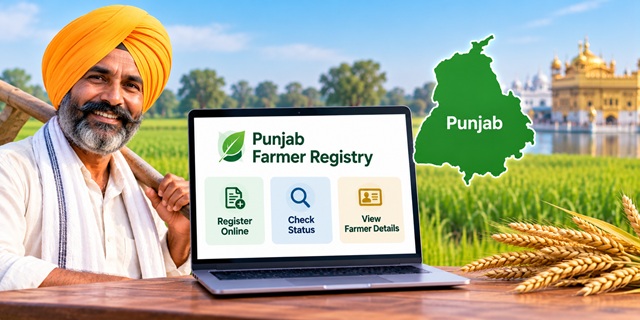
Farmers in Punjab can use the official AgriStack Farmer Registry portal to access registration services, check enrollment status and view their Farmer Registry details. The portal also explains how farmers whose registration was completed through a CSC or camp can activate their online login account. Here is how to use the Punjab Farmer Registry portal, check your application status and resolve common registration issues.
Punjab Farmer Registry: Key Details |
|
|---|---|
| Registry Name | Punjab Farmer Registry (AgriStack) |
| Official Website | Punjab Farmer Registry Portal |
| Registration Purpose | Creation of a unique digital Farmer ID |
| Login Options | Official and Farmer |
| Enrollment Status | Check Enrollment Status |
| Farmer Details | View Farmer Details |
| Dashboard | Open Dashboard |
What Is Punjab Farmer Registry?
Punjab Farmer Registry is part of the Government of India's AgriStack initiative. It aims to create a unique digital identity for each farmer and connect relevant agricultural information with digitised land records.
This digital framework can help government departments verify farmer-related information and deliver agricultural services more efficiently. Farmer Registry data may support services associated with agricultural schemes, crop insurance, credit and minimum support price (MSP) procurement, subject to the rules of each scheme or service.
A Farmer ID does not automatically guarantee approval for every government scheme. Farmers must continue to meet the applicable eligibility conditions and complete any separate application or verification required by the relevant department.
For a broader explanation of the system across different states, read our complete Farmer ID guide for India.
Punjab Farmer Registry Official Website
The Punjab Government's Farmer Registry portal is available at the following address:
Open Punjab Farmer Registry Official Portal
The homepage displays the following options:
- Official Login: Login option for authorised officials.
- Farmer Login: Login option for farmers.
- Login with CSC: A separate option for CSC-related access.
- Create New User Account: An option for users who need to create a portal account.
- Check Enrollment Status: A direct page to check enrollment progress.
- View Farmer Details: A page for accessing available Farmer Registry details.
The portal accepts a User ID, mobile number or email address as the username on its login screen. Use the login type and instructions applicable to your account.
How to Register for Punjab Farmer Registry
Farmers should begin with the official portal and follow the registration options currently displayed there. The available process may depend on whether registration has already been completed through a CSC or camp.
- Visit the official website: Open the Punjab Farmer Registry portal.
- Check the available options: Look for the registration or account-creation option on the homepage.
- Create an account if required: Select Create New User Account and follow the instructions displayed on the portal.
- Enter the requested details: Provide the information required by the registration form and complete the prescribed verification steps.
- Complete the process: Follow the portal's instructions to finish registration or activate your login account.
- Save your details: Keep any acknowledgement, enrollment number or registration information provided by the system.
Important: Creating a portal login account and registering for a Farmer ID are not necessarily the same process. Follow the instructions relevant to your existing registration status.
Already Registered Through CSC or Camp Mode? Activate Your Account First
The Punjab Farmer Registry homepage displays a specific instruction for farmers whose registry was created through CSC or Camp Mode. These farmers must first complete a one-time portal registration before logging in with their own account.
Follow these steps:
- Open the official Punjab Farmer Registry website.
- Click Create New User Account.
- Complete the one-time registration by following the instructions displayed on the portal.
- After activating Self-Login access, return to the login page.
- Select the appropriate login option and enter your credentials.
If your registration was completed through a CSC or camp, do not assume that you can log in immediately without activating your portal account. Follow the notice displayed on the official website.
How to Check Punjab Farmer Registry Enrollment Status
After registration, you can use the dedicated enrollment-status page to check the information available for your application.
- Open the official Punjab Farmer Registry Enrollment Status page.
- Enter the information requested on the page.
- Submit the details to view the status displayed by the portal.
- If the application is pending or requires further action, follow the instructions shown on the website or contact the relevant registration authority.
Keep your enrollment details safe so you can refer to them when checking your application. The information required for a status search will depend on the fields displayed on the official page.
How to View Punjab Farmer Registry Details
If you want to access your registered farmer information, use the dedicated View Farmer Details page.
- Visit the official Punjab Farmer Details page.
- Enter the details requested by the portal.
- Submit the information and follow the on-screen instructions.
- Review the available details carefully. If the portal provides a print or download option, use it to save a copy for your records.
If your details do not appear, verify the information you entered and check whether your enrollment has been completed. If the problem continues, seek assistance through the appropriate official channel.
Documents and Details to Keep Ready
Before starting registration, keep your identity and land-related records accessible. The exact requirements should be confirmed through the current instructions on the Punjab Farmer Registry portal.
- Aadhaar Card: Keep it available if the registration process asks for identity verification.
- Mobile number: Make sure you can access the number used for registration or verification.
- Land records: Keep relevant Jamabandi/Fard and land identification details available if requested.
- Registration information: Keep your enrollment number or acknowledgement if you have already registered.
This is a preparation checklist, not a confirmed exhaustive list of mandatory documents for every Punjab applicant. Follow the official portal's requirements for your particular case.
You can check land records through the Punjab Land Records portal, which provides services for viewing Jamabandi, mutation information and other revenue records.
If you need help understanding Aadhaar-related information, refer to our Aadhaar Card guide.
What to Do If Your Farmer Registry Details Are Incorrect
If the land or personal information shown in your Farmer Registry does not match your records, check the original documents before requesting a correction.
- Check your Jamabandi/Fard through the official Punjab Land Records portal.
- Compare the recorded land details with the information displayed during registration.
- If the revenue record itself contains an error, check the relevant correction or mutation service on the land-records portal.
- If the revenue record is correct but the Farmer Registry still displays a mismatch, contact the relevant registration support channel or revenue official for guidance.
A mismatch in the Farmer Registry does not by itself establish that land ownership is incorrect. The underlying revenue record and the registry entry may need to be checked separately.
Benefits of Punjab Farmer Registry
AgriStack aims to make farmer-related information more accessible for agricultural service delivery. Depending on the applicable government rules and integration of services, Farmer Registry information may support:
- Digital identification of farmers.
- Verification of relevant agricultural land records.
- Delivery of eligible government agricultural schemes.
- Services related to crop insurance and agricultural credit.
- MSP procurement and other farmer-related services where the registry is used.
Registration alone does not confirm eligibility for a particular benefit. Check the rules and application requirements of the relevant scheme or department before relying on your Farmer ID.
Important Links
| Service | Link |
|---|---|
| Punjab Farmer Registry Official Portal | Open Portal |
| Farmer Registry Dashboard | Open Dashboard |
| Check Enrollment Status | Check Status |
| View Farmer Details | View Details |
| Punjab Land Records | Check Jamabandi/Fard |
| Farmer ID Guide for India | Read Complete Guide |
| Aadhaar Card Guide | Read Aadhaar Guide |
Add new comment