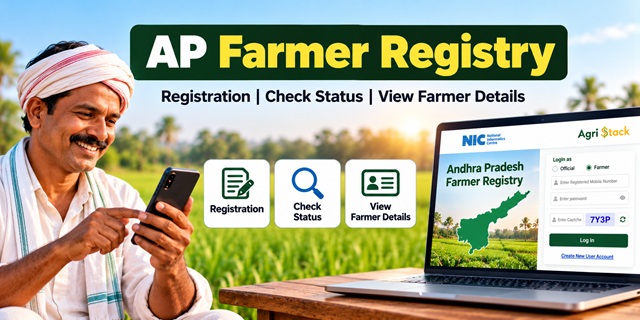
The Andhra Pradesh Farmer Registry portal helps farmers access their Farmer ID records, check enrollment status and view registration details online. However, first-time users may find it difficult to understand where to register, how to activate their login or what to do when their land details do not match. This guide explains the AP Farmer Registry process in simple steps, with links to the official portal and other useful services.
What Is the Andhra Pradesh Farmer Registry?
The Andhra Pradesh Farmer Registry is part of the central government's AgriStack initiative. It creates a digital identity called a Farmer ID for registered farmers and connects relevant farmer information with state-maintained agricultural and land records.
Think of a Farmer ID as a digital identity for your farming-related records. It helps authorised government systems identify farmers and supports the delivery of agricultural services and benefits.
The Ministry of Agriculture and Farmers Welfare explains that Farmer Registry data can support services related to schemes such as PM-Kisan, crop insurance, minimum support price (MSP) procurement, agricultural credit and disaster relief. However, having a Farmer ID does not automatically guarantee eligibility for every scheme. You must still meet the conditions of the particular scheme or service.
The Andhra Pradesh government provides its Farmer Registry services through the official AP Farmer Registry portal.
AP Farmer Registry: Quick Details
| Particulars | Details |
|---|---|
| Service Name | Andhra Pradesh Farmer Registry |
| Purpose | Creation and management of digital Farmer ID records |
| Official Portal | apfr.agristack.gov.in |
| Login Options | Official and Farmer |
| Enrollment Status | Check Enrollment Status |
| Farmer Details | View Farmer Details |
| KCC Application Status | Check Jansamarth KCC Status |
| Land Record Synchronisation | RoR Sync Dashboard |
| Parent Guide | Farmer ID India: Complete Guide |
How Many Farmers Have Received a Farmer ID in Andhra Pradesh?
The Ministry of Agriculture and Farmers Welfare reported that Andhra Pradesh had generated 49,32,802 Farmer IDs as of 19 March 2026. This figure comes from the Ministry's published state-wise data.
The number can increase as the state processes additional registrations. For the latest available figures, visit the official AP Farmer Registry dashboard.
The dashboard provides information about registration progress and other registry-related statistics. Since the figures can change, check the live dashboard rather than relying on an older number published in an article.
Official source: Ministry of Agriculture: State-wise Farmer IDs as of 19 March 2026.
Why Is a Farmer ID Useful?
The government is developing AgriStack to make agricultural services easier to access and to improve the use of verified farmer information across relevant systems.
A Farmer ID can support the integration of services associated with:
- PM-Kisan and other eligible direct benefit transfer services.
- Crop insurance and agricultural support programmes.
- Minimum support price (MSP)-based procurement systems.
- Agricultural credit and related services.
- Distribution of agricultural inputs and assistance during disasters.
Whether you need a Farmer ID for a particular scheme depends on the rules applicable to that scheme and the state. For example, the central government has announced that Farmer ID is mandatory for new PM-Kisan registrations in 14 states, but the cited announcement does not identify those states.
Therefore, Andhra Pradesh farmers should check the latest instructions on the official PM-Kisan portal or ask their agriculture office before assuming that a Farmer ID is either compulsory or unnecessary for their application.
Also remember that a Farmer ID and PM-Kisan e-KYC are different. If you receive PM-Kisan benefits, follow the separate e-KYC requirements applicable to your beneficiary account.
How Can Farmers Register for AP Farmer Registry?
The central government has described several Farmer Registry enrollment methods, including self-registration, Common Service Centres (CSCs), camps and assistance from authorised field officials. The method available to you depends on the state's arrangements.
The AP Farmer Registry portal specifically mentions CSC and Camp Mode in its instructions for farmers who need to activate their portal login. If you have not yet been registered, contact an authorised CSC, ask your village-level agriculture or revenue officials about available registration camps, or follow the instructions provided by the state.
If you are not comfortable using a smartphone or filling in an online form, you can ask an authorised registration operator for assistance.
Documents and Information to Keep Ready
Before visiting a CSC or registration camp, keep the following information available where applicable:
- Aadhaar details: Keep your Aadhaar information ready for identity verification if the registration process requires it.
- Mobile phone: Keep access to the mobile number needed for the portal's verification process.
- Land details: Keep your relevant land-record information available so the operator can enter the correct details.
- Additional supporting documents: Carry any other documents specifically requested by the authorised operator or official instructions.
The exact requirements may depend on your registration situation. Confirm the current list before travelling or paying for document copies.
If you need help understanding Aadhaar, its purpose or its services, read our Aadhaar Card Guide.
How to Create Your Farmer Login After CSC or Camp Registration
This is an important step for farmers whose Farmer Registry was created through a CSC or a registration camp. The AP portal states that these farmers must create a portal account before they can log in for self-service access.
Follow these steps slowly. Keep your Aadhaar-linked mobile phone nearby in case verification is required.
- Open the official portal. Visit the AP Farmer Registry homepage.
- Select Farmer. Under the "Login as" section, choose Farmer rather than Official.
- Read the notice. If a message appears about CSC or Camp Mode registration, read it and tap OK to continue.
- Choose Create New User Account. This option is available on the portal's homepage.
- Enter your Aadhaar details. If the portal opens an Aadhaar e-KYC screen, enter the requested information carefully.
- Give consent if requested. Read the consent statement and select the checkbox only after understanding what you are authorising.
- Submit the information. Follow the instructions on the next screens to complete the account-creation process.
- Complete any verification. If the portal sends an OTP or asks for another verification step, follow its instructions.
After creating your account, return to the login page. Select Farmer, enter the credentials requested by the portal, complete the captcha and tap Log In.
If you forget your password, use the Forgot Password? option shown on the login page and follow the recovery instructions.
Important: Creating a portal login is not the same as registering for a Farmer ID for the first time. If your Farmer Registry has not yet been created, contact an authorised registration facility to find out how to begin enrollment.
How to Check AP Farmer Registry Enrollment Status
Have you already submitted your Farmer Registry details and want to know whether the process is complete? You can use the official status-check page without first logging in to your farmer account.
- Open the Check Enrollment Status page.
- Read the options displayed under Check Status Against.
- Select the available option, such as Aadhaar Number or Farmer ID.
- Enter the requested number carefully.
- Tap OTP if the page asks you to verify your identity.
- Complete the captcha or any other verification step shown on the screen.
- Enter the OTP and check the result displayed by the portal.
If the portal does not accept your information, check whether you selected the correct option and entered the number accurately. Follow the on-screen instructions if the page requires a different verification method.
If you cannot complete verification, check that you have access to the mobile number required by the portal. If the problem continues, seek assistance from the authorised registration operator or relevant official.
How to View or Print Your Farmer Details
Once your registration has progressed, you may want to check the details recorded against your Farmer ID. The AP portal provides a separate View Farmer Details facility.
- Open the View Farmer Details page.
- Read the instructions displayed on the page.
- Enter the requested details, such as your Aadhaar number, if prompted.
- Complete the OTP or other verification step requested by the portal.
- Review the information displayed on the screen.
- If the page provides a print or download option, use it to save a copy for your records.
Check your name and other displayed information carefully. If you find an error, do not immediately submit a second registration. First find out which record contains the incorrect information and ask the responsible authority how to correct it.
How to Check Jansamarth KCC Status
The AP Farmer Registry portal also provides a facility to check Jansamarth KCC status. This may be useful if you have applied for a Kisan Credit Card through a linked process.
- Visit the Check Jansamarth KCC Status page.
- Read the instructions displayed on the page.
- Select the identification option provided by the portal.
- Enter the requested details and complete the OTP or other verification process if prompted.
- Check the result displayed by the system.
This is a status-check facility. It does not mean that a Kisan Credit Card is automatically approved or that every Farmer Registry user qualifies for credit.
What Is the RoR Sync Dashboard?
The AP Farmer Registry portal provides a public RoR Sync Dashboard.
RoR stands for Record of Rights, a land-record term associated with recorded landholding information. The dashboard provides information about the synchronisation of land records with the Farmer Registry.
In simple terms, it helps users understand how land-record information is being processed and reflected in the registry. It is mainly a dashboard for viewing system-level information, not a substitute for correcting an individual land record.
If your land ownership, inheritance or other land details are incorrect, contact the relevant revenue authority to find out how to correct the underlying record. After the record is corrected, follow the official instructions for checking whether the registry information has been updated.
What Should Farmers Do If Their Land Details Are Incorrect?
A Farmer ID may be linked to information maintained in state land records. Therefore, an error in the underlying record can affect the information associated with your registration.
For example, your name may be spelt differently in two records, or a land transaction may not yet be reflected in the record you are checking.
Use the following approach:
- Identify the incorrect detail. Check whether the problem concerns your name, land details or another part of your record.
- Check the underlying land record. Compare the information with the official record available through the relevant Andhra Pradesh revenue service.
- Contact the responsible authority. Ask the local revenue office or relevant official how to correct the original record, if necessary.
- Check your Farmer Registry again. After the correction is processed, use the official status or farmer-details facility to check the information available in the registry.
Do not assume that every error can be fixed directly on the Farmer Registry portal. The correct process depends on which record contains the mistake and which department is responsible for it.
Can Tenant Farmers and Sharecroppers Get a Farmer ID?
The central government's Farmer Registry framework allows states to include cultivators such as tenant and sharecropper farmers. However, each state decides whether and how to include these groups under its policy.
The AP Farmer Registry homepage information provided for this guide does not establish the complete eligibility rules or the documents accepted for tenant farmers in Andhra Pradesh.
If you cultivate land belonging to another person, ask an authorised CSC operator, camp official or district agriculture office about the procedure applicable to your situation. Confirm which proof, if any, the state accepts before travelling or arranging documents.
Do not enter another person's land details as your own unless the applicable process specifically permits it and you meet its requirements.
Common AP Farmer Registry Problems and Their Solutions
| Problem | What You Can Do |
|---|---|
| OTP is not received | Check the mobile number and follow the verification instructions shown on the portal. If you no longer have access to the required number, seek guidance on the appropriate update process. |
| Cannot log in after CSC registration | Check whether you have completed the one-time account creation through the Create New User Account option. |
| Portal opens the Official login by default | Select Farmer under the "Login as" section before entering your credentials. |
| Forgot password | Use the Forgot Password? option and follow the recovery instructions displayed on the portal. |
| Enrollment status is not available | Check the number you entered, choose the appropriate status-search option and complete the requested verification. |
| Name or land details are incorrect | Check the underlying record and ask the responsible authority how to correct the information. Avoid creating a duplicate registration without guidance. |
| Farmer details cannot be viewed | Follow the instructions on the View Farmer Details page and complete the required verification. |
| KCC status is not displayed | Check the information you entered and follow the instructions on the Jansamarth KCC status page. Contact the relevant service provider if the issue continues. |
Important Links for Andhra Pradesh Farmer Registry
| Service | Official Link |
|---|---|
| AP Farmer Registry Homepage | Open Portal |
| Farmer Registry Dashboard | View Dashboard |
| Check Enrollment Status | Check Status |
| View Farmer Details | View Details |
| Check Jansamarth KCC Status | Check KCC Status |
| RoR Sync Dashboard | View Land-Record Sync Dashboard |
| AgriStack | Official AgriStack Website |
| PM-Kisan | Official PM-Kisan Portal |
| Farmer ID India: Complete Guide | Read Our Parent Guide |
| Aadhaar Card Guide | Read Our Aadhaar Guide |
Add new comment