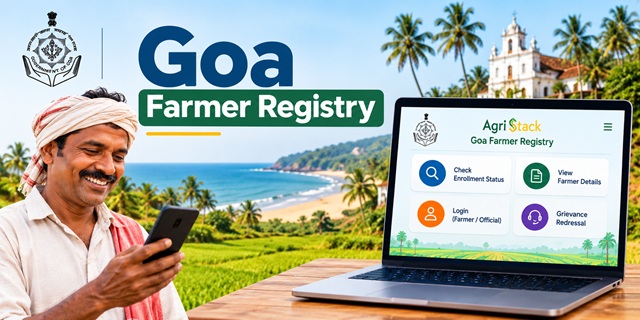
Farmers in Goa can use the official Goa Farmer Registry portal to check their enrollment status, access farmer details and manage their portal login. The website also provides a grievance dashboard and separate login options for farmers and officials.
If you have already enrolled through a Common Service Centre (CSC) or a registration camp, you may need to create a portal account before you can log in yourself. This guide explains how to use the Goa Farmer Registry website, check your enrollment, view or print details, understand the mobile app options and get help if something goes wrong.
What Is the Goa Farmer Registry?
The Goa Farmer Registry is part of AgriStack, a digital agriculture initiative developed to give farmers a unique digital identity called a Farmer ID. The Government of India explains that this registry connects farmer information with relevant agricultural records, including digitised land records.
In simple words, the Farmer Registry helps create a digital record that identifies a farmer and connects relevant farming information in one system. State governments manage their respective Farmer Registries, so farmers should use the portal meant for their own state.
The Farmer ID can support access to agricultural services, depending on how the concerned government integrates the registry with those services. However, having a Farmer ID does not automatically guarantee approval for every government scheme or benefit.
For the broader background, read our complete guide to Farmer ID in India.
What Is the Official Goa Farmer ID Portal?
The Government of Goa provides a dedicated Farmer Registry portal under the AgriStack system. Farmers can visit it to check enrollment status, access farmer details and use the available login facilities.
Official website: Goa Farmer Registry Portal
The homepage displays the following options:
- Dashboard: Opens the grievance redressal dashboard.
- Check Enrollment Status: Helps users check their enrollment information.
- Login with CSC: Provides a login option associated with Common Service Centres.
- View Farmer Details: Opens the page for accessing farmer details.
- Login as Official or Farmer: Allows users to select the relevant account type.
- Create New User Account: Allows eligible users to complete the one-time portal account registration described in the website notice.
Use these direct links to reach the relevant pages:
- Goa Farmer Registry homepage
- Check Enrollment Status
- View or Print Farmer Details
- Grievance Redressal Dashboard
These links lead to the official Goa portal. The information and fields displayed after opening a page may change when the department updates the website.
How Can Farmers Register for a Goa Farmer ID?
The first thing to understand is that registering for a Farmer ID and creating a login account on the portal are not necessarily the same process. The Goa website specifically tells farmers enrolled through CSC or camp mode to create a portal account before using self-login.
If you have not yet enrolled, follow these steps to find the appropriate registration route.
- Open the official Goa Farmer Registry portal.
- Check the options displayed on the homepage and read any instructions about enrollment.
- If you cannot find a fresh enrollment option, contact an authorised CSC or the Goa Agriculture Department to confirm how registration is currently being handled.
- Follow the instructions provided by the authorised registration team.
- Provide the information and supporting documents requested through that process.
- Review your personal and land-related details carefully before the registration is submitted.
- Keep any acknowledgement or reference number provided to you so that you can check your enrollment later.
The portal information available for this guide does not establish a complete, verified list of documents, eligibility conditions or a separate online form for fresh enrollment. Therefore, confirm these requirements with the authorised registration channel instead of relying on an unofficial document list.
Important: Do not assume that creating a portal login account automatically completes your Farmer ID enrollment. Follow the instructions for the stage you have reached.
Can Farmers Apply for a Goa Farmer ID Online?
The Goa Farmer Registry website provides online facilities for enrollment-status checking, viewing farmer details and account login. However, the availability of these features does not by itself confirm that every farmer can complete the entire initial enrollment process independently online.
Your next step depends on your situation:
- If you have not enrolled: Check the official portal and ask an authorised CSC or the Agriculture Department about the current enrollment procedure.
- If you enrolled through CSC: Follow the portal notice and create your user account before using self-login.
- If you enrolled through a camp: Create a portal account as instructed on the website to activate self-login.
- If you already have an account: Select the appropriate login type and enter the requested credentials.
- If you only want to check your application: Open the direct enrollment-status page instead of creating another account immediately.
This distinction matters because a farmer who has already completed enrollment may only need to activate portal access. Submitting another application without checking the existing record could create unnecessary confusion.
How to Check Goa Farmer ID Enrollment Status?
If you have already submitted your Farmer Registry details, you can use the status-check page on the official Goa portal. This is the appropriate place to start when you want to know whether your enrollment information is available online.
Direct link: Goa Farmer Registry Enrollment Status
Follow these steps:
- Click the enrollment-status link above.
- Wait for the page to load and read the instructions displayed on the screen.
- Enter the details requested by the portal.
- Complete the CAPTCHA or any other verification step shown, if required.
- Submit the information and review the result.
- If the portal displays your enrollment details or status, check that the information relates to your application.
The precise fields required by the page should be followed as displayed. Do not enter personal information into a third-party website claiming to check your Goa Farmer ID.
What If the Enrollment Status Does Not Appear?
If the website cannot find your enrollment, do not immediately assume that your application has been rejected. The problem could be related to incorrect information, a record that is not yet available online or a temporary technical issue.
Try these steps:
- Check the information you entered and correct any typing errors.
- Make sure you are using the Goa portal, not the Farmer Registry website of another state.
- If you registered through CSC, ask the centre to verify the enrollment details it submitted.
- If you enrolled at a camp, contact the team responsible for that registration.
- Try again later if the portal is temporarily unavailable.
If the problem continues, contact the Goa Agriculture Department or the authorised registration channel. Keep your acknowledgement or reference number ready if one was issued to you.
How to View or Print Goa Farmer ID Details?
The Goa Farmer Registry homepage includes a View Farmer Details option. Farmers can use the corresponding page to check whether their registry information is available.
Direct link: Goa Farmer Registry - View Farmer Details
Here is how to use the page:
- Open the official View Farmer Details page.
- Read the instructions shown on the page.
- Enter the information requested by the portal.
- Complete any verification step displayed on the screen.
- Submit the details and check the result.
- If the portal displays your record and provides a print option, use that option to print or save the available details.
The exact information displayed and the available print options depend on the portal's current interface. If your record does not appear, check your entries and confirm your enrollment with the relevant registration channel.
A blank result does not necessarily prove that you do not have a Farmer ID. Verify your existing enrollment before applying again.
How to Activate Goa Farmer Registry Login After CSC or Camp Registration?
The Goa portal displays an important notice for farmers whose Farmer Registry was created through CSC or camp mode. It says that these farmers must first create a portal account to activate self-login access.
If you have already completed enrollment through one of these methods, follow these steps.
- Visit the Goa Farmer Registry homepage.
- Look for the Create New User Account option.
- Open the account-creation page and read the instructions carefully.
- Enter the information requested by the portal and complete the required verification.
- Follow the instructions to finish the one-time account registration.
- Return to the login page.
- Select Farmer if you are logging in as a farmer, rather than selecting the official login option.
- Enter the requested login credentials and CAPTCHA, then select Log In.
The homepage shows login fields for a registered mobile number and password, along with a CAPTCHA. Follow the current instructions on the website if the fields or login requirements change.
Remember: This account-creation step activates self-login for the circumstances described in the portal notice. It should not be confused with a fresh Farmer ID application or a guarantee that an enrollment has been approved.
How to Use the Goa Farmer Registry Website on a Mobile Phone?
You do not necessarily need a computer to open the Goa Farmer Registry website. You can try accessing the official portal through the web browser on your smartphone.
Follow these simple steps:
- Open Chrome or another browser on your mobile phone.
- Type or open this official address: gafr.agristack.gov.in/farmer-registry-ga/.
- Wait for the homepage to load.
- Choose the option you need, such as Check Enrollment Status or View Farmer Details.
- Enter the requested information and complete any verification step.
- If you need to access your account, select the appropriate login type and enter your credentials.
If the page does not fit properly on your screen, try rotating your phone to landscape mode or using the browser's desktop-site option. You can also try again later if the portal is temporarily unavailable.
Use only the official government website for these tasks. Avoid downloading an unknown application or sharing your password and OTP with someone who claims they can generate a Farmer ID for you.
Is There a Goa Farmer Registry Mobile App?
Farmers should be careful when choosing an app because some AgriStack applications are designed for government officials or field operators, not for farmers to register themselves.
An Android app named Operator GA (Farmer Registry) is listed on Google Play. Its description says that it enables officials to capture farmer data in the farmer's presence and with the farmer's explicit consent.
View Operator GA (Farmer Registry) on Google Play
This is an operator-oriented application. Its listing does not establish that it is a self-registration app for ordinary farmers. Therefore, farmers should not install it expecting to create their own account or check their Farmer ID independently.
Which Option Should Goa Farmers Use?
- To check enrollment status: Use the official status-check page.
- To view or print details: Use the View Farmer Details page.
- To activate self-login: Use the official portal and follow the Create New User Account instructions when applicable.
- To use a mobile phone: Open the portal in your phone's browser.
- For a farmer-facing app: Check with the Goa Agriculture Department before installing any app that claims to provide this service. A dedicated farmer self-registration app has not been verified for this guide.
Using the website in a mobile browser is the safer starting point when you only need to check your record or access the portal.
How to Submit a Grievance on the Goa Farmer Registry Portal?
The Goa Farmer Registry homepage provides a Dashboard option identified as Grievance Redressal. This indicates that the portal has a facility associated with grievances.
Dashboard link: Goa Farmer Registry Grievance Redressal
If you face a problem with enrollment or your farmer details, follow these steps:
- Open the official grievance dashboard.
- Check the options and instructions displayed on the page.
- If a grievance submission facility is available, enter the requested information and explain your problem clearly.
- Provide supporting details only where the official form asks for them.
- If the portal provides a complaint or reference number, save it for future follow-up.
The current dashboard fields and complete grievance-submission procedure could not be independently confirmed for this guide. If the page does not provide a clear way to submit your complaint, contact the Goa Agriculture Department and ask for the correct Farmer Registry grievance channel.
What Should You Do If Your Land Details Are Incorrect?
AgriStack Farmer ID records are linked with digitised land records. If your land details appear incorrect, first identify whether the error is in the Farmer Registry information or in the underlying land record.
For example, your name may be entered incorrectly in the registry, or the land record itself may contain an error. These situations may require different correction procedures.
- Open the official View Farmer Details page and check the information available.
- Compare the displayed details with your existing land documents and official land records.
- Write down the exact error so that you can explain it clearly.
- Contact the CSC or authorised registration channel that handled your enrollment and ask how to report the discrepancy.
- If the original land record is incorrect, contact the relevant revenue or land-record authority to ask about the official correction process.
- After the responsible authority verifies or updates the information, check your Farmer Registry record again.
Do not assume that editing your portal account will automatically correct the underlying land record. The appropriate process depends on the nature of the error and the authority responsible for maintaining the record.
What If Your Goa Farmer ID Details Are Missing?
If you have already registered but cannot find your Farmer ID details online, check your existing enrollment before trying to register again.
- Open the enrollment-status page and enter the requested information carefully.
- Check the View Farmer Details page for your record.
- If you registered through CSC, ask the centre to verify the details submitted during enrollment.
- If you registered through a camp, contact the team that handled your registration.
- If you cannot log in, follow the account-creation instructions on the official portal where applicable.
- If the problem continues, ask the Goa Agriculture Department for assistance.
Keep your acknowledgement or enrollment reference available if one was issued to you. It may help the responsible team locate your record.
The available portal information does not establish a fixed processing time for every enrollment. Avoid relying on unofficial claims that every Farmer ID must appear within a specific number of days.
Goa Farmer Registry and Krishi Card: What Is the Difference?
Goa's Agriculture Department also has a separate Krishi Card system. Although both systems relate to farmers, you should not assume that a Krishi Card and an AgriStack Farmer ID are the same document.
The department's official Krishi Card information booklet explains that the card identifies farmers and maintains information about farming assets and landholdings. The department also publishes a list of documents associated with the Krishi Card process.
The AgriStack Farmer Registry, on the other hand, is part of a national digital agriculture initiative in which state governments maintain their Farmer Registry records.
Keep these points in mind:
- A Krishi Card is part of Goa's existing agricultural administration system.
- The AgriStack Farmer ID is a digital farmer identity under the Farmer Registry.
- The documents and procedures for the two systems may differ.
- An existing Krishi Card should not be treated as proof that a Farmer ID has automatically been created.
If you already have a Krishi Card, contact the Agriculture Department to confirm whether you need to complete a separate Farmer Registry enrollment or any additional verification.
Where Can You Get Official Help for Goa Farmer Registry?
If you face difficulties with registration, account creation, enrollment status or farmer details, you can contact the Goa Directorate of Agriculture for guidance. The contact information below is published by the department and is not a separately verified Farmer Registry helpline.
Directorate of Agriculture, Government of Goa
- Address: Krishi Bhavan, Tonca, Caranzalem, Goa – 403002
- Telephone: 0832-2465443 / 0832-2465441
- Email: [email protected]
- Official website: Goa Agriculture Department
When contacting the department, explain whether you need fresh enrollment, help activating self-login, an enrollment-status check or correction of your land details. This will help the staff direct your question to the appropriate service.
Important Links for Goa Farmer Registry
| Service | Official Link |
|---|---|
| Goa Farmer Registry homepage | Open Portal |
| Check enrollment status | Check Status |
| View or print farmer details | View Details |
| Grievance redressal dashboard | Open Dashboard |
| Goa Agriculture Department | Visit Website |
| Goa Krishi Card information booklet | Read Booklet |
| Operator GA Farmer Registry app | View on Google Play |
| Government of India information on AgriStack | Read Official Information |
| Complete Farmer ID guide for India | Read Complete Guide |
Add new comment