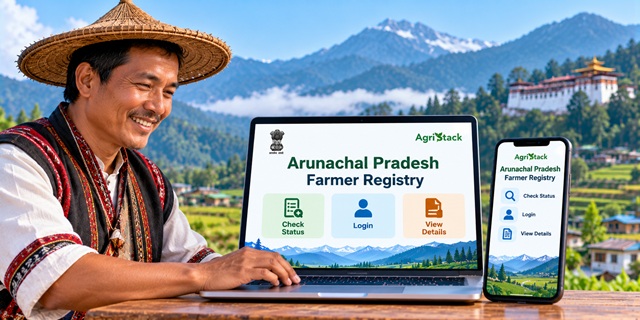
Farmers in Arunachal Pradesh can use the state's Farmer Registry portal to access their Farmer ID-related services, check enrollment status, and view their registered details. The portal is part of the AgriStack initiative, which aims to create a unique digital identity for farmers by connecting their information with agricultural land records.
If you have already registered through a Common Service Centre (CSC) or a government registration camp, you must first create your portal account to activate self-login access. This guide explains how to use the official website, check your enrollment, view farmer details, and understand which mobile app is available for Arunachal Pradesh.
Arunachal Pradesh Farmer Registry: Highlights |
|
|---|---|
| Service Name | Arunachal Pradesh Farmer Registry |
| Implementing Platform | AgriStack |
| Objective | To provide farmers with a unique digital Farmer ID and maintain farmer-related information |
| Official Portal | Arunachal Pradesh Farmer Registry Portal |
| Enrollment Status | Check Enrollment Status |
| View Farmer Details | View Farmer Details |
| Login Options | Farmer and Official |
| Account Creation | Available through the Create New User Account option on the portal |
| Registration Assistance | Common Service Centres (CSCs) and government registration camps may assist farmers with enrollment |
| Mobile App | DCS Arunachal Pradesh — a Digital Crop Survey app intended for field surveys |
What is Arunachal Pradesh Farmer Registry?
The Arunachal Pradesh Farmer Registry is a digital initiative designed to give farmers a unique identity under the AgriStack framework. The state has an official Farmer Registry portal where users can access enrollment-related services and farmer details.
AgriStack is a digital agriculture initiative of the Government of India. It brings together farmer identity, land records, and crop-related information to help government departments manage agricultural services more efficiently.
According to the Ministry of Agriculture and Farmers Welfare's explanation of AgriStack, the Farmer Registry is maintained by state governments and Union Territories. Farmer IDs are created by synchronising farmers' details with digitised land records.
A Farmer ID can help connect farmers with eligible agricultural services and government schemes as the relevant systems are integrated. However, having a Farmer ID does not automatically guarantee approval for every scheme. Farmers must still meet the eligibility conditions of each programme.
If you want to understand how Farmer IDs work across India, read our detailed guide: Farmer ID in India: Registration Rules, Documents and State-Wise Portals.
What are the Benefits of Having Farmer ID
The Farmer Registry creates a digital identity for farmers and helps organise their agricultural information. Its practical benefits depend on the services that the state and relevant government departments connect with the registry.
- Unique farmer identity: The registry is designed to provide each enrolled farmer with a distinct Farmer ID.
- Digital access to records: Farmers can use the state portal's available features to check enrollment status and view registered details.
- Better coordination of agricultural services: AgriStack can help government departments connect farmer information with relevant agricultural programmes.
- Support for scheme delivery: The Government of India has explained that Farmer IDs can support the integration of systems related to schemes such as PM-KISAN, crop insurance, minimum support price procurement, agricultural credit, and disaster relief.
- Land-linked information: The AgriStack framework connects farmer identity with digitised land records, subject to the applicable state processes and available records.
These are intended uses of the Farmer Registry framework, not a promise that every service is currently available through the Arunachal Pradesh portal. Eligibility and access requirements may differ from one scheme to another.
For more information about the national initiative, visit the official AgriStack portal.
Who Can Get the Farmer ID?
The Arunachal Pradesh Farmer Registry homepage confirms the availability of the state's Farmer Registry service. However, the publicly available homepage information does not provide a complete list of the state's eligibility conditions.
Before starting registration, farmers should confirm the applicable rules through the official portal or the agriculture department. The following points can help you understand what to verify:
- Whether your category of farmer is eligible for enrollment under the state's current rules.
- Whether your land records are available in the relevant government database.
- Whether the name and other details in your records match the information submitted during enrollment.
- Whether any additional verification is required for your particular landholding or farming arrangement.
The Government of India has explained that the AgriStack framework can accommodate landholding farmers and has provisions for onboarding tenant farmers and sharecroppers, subject to the relevant state policy. This does not, by itself, confirm the eligibility of every category of farmer under Arunachal Pradesh's current registration rules.
For confirmation, open the official Arunachal Pradesh Farmer Registry portal or seek assistance from the appropriate government registration centre.
Documents Required to Get Farmer ID
The official portal homepage does not display a complete, verified list of documents required for new enrollment. Therefore, farmers should not assume that a particular set of documents is mandatory in every case.
Before visiting a CSC or attending a registration camp, check the latest instructions issued by the state authorities. Depending on the applicable registration process, you may need information or records that help officials verify your identity and agricultural land details.
It is also sensible to check that your name and land information are accurate in the relevant records. If officials request documents, follow the list provided through the authorised registration process rather than relying on an unofficial website or social media post.
Important: Do not upload identity documents or share personal information on unofficial websites claiming to provide Farmer ID registration. Start from the official Arunachal Pradesh Farmer Registry portal.
How Farmers Can Apply to Get Farmer ID
Farmers should first determine whether they need to complete initial enrollment or simply create a portal login account. These are different steps.
The official portal specifically states that farmers whose Farmer Registry was created through CSC or camp mode must first create a user account before logging in. The account creation process activates their self-login access.
Method 1: Register Through an Authorised CSC or Government Camp
If you have not yet enrolled, check with an authorised Common Service Centre (CSC) or the relevant government registration camp about the current enrollment facility in your area.
- Visit an authorised registration centre: Ask whether Farmer Registry enrollment is currently available for farmers in your area.
- Explain that you need Farmer Registry enrollment: The operator or authorised official can guide you through the process available at that centre.
- Provide the information requested: Submit the required details and documents according to the official instructions.
- Complete the required verification: Follow the verification process explained by the authorised operator or official.
- Keep your enrollment information safe: Retain any acknowledgement or reference details provided to you.
- Check your enrollment online: Use the official status-check page to see whether your enrollment details are available.
Please note: This is general guidance for approaching an authorised registration facility. The exact enrollment steps, documents, and verification method must be confirmed with the centre or the state authorities.
Method 2: Create a Portal Account After CSC or Camp Registration
If your Farmer Registry has already been created through a CSC or camp, you may need to create a separate portal account before using the Farmer login option. Follow these steps carefully.
- Open the official website: Visit the Arunachal Pradesh Farmer Registry portal.
- Find the account creation option: On the login page, look for Create New User Account.
- Start one-time registration: Select the option to begin creating your portal account.
- Enter the requested details: Follow the information and verification instructions displayed on the website.
- Complete account creation: Finish the steps shown by the portal. Do not skip any required verification.
- Return to the login page: Once the account has been created, use the Farmer login option and enter your credentials as instructed.
- Check your available services: After logging in, use the options displayed for your account.
The portal confirms that this one-time account creation is necessary for farmers whose records were created through CSC or camp mode. The exact fields and verification steps may depend on what the portal displays during registration.
Remember: Creating a portal account is not necessarily the same as completing a new Farmer Registry enrollment. If you have never enrolled, confirm the initial registration procedure with an authorised centre or the state authorities.
Method 3: Check Arunachal Pradesh Farmer Registry Enrollment Status Online
Have you already registered and want to know whether your enrollment is recorded? You can start with the official status-check page.
- Open the Check Enrollment Status page.
- Read the instructions displayed on the screen.
- Enter the information requested by the portal.
- Complete any verification shown on the page.
- Submit the details and check the result displayed by the website.
Think of this page as a way to ask the portal, "Can you find my enrollment record?" You must enter the details it requests so that it can search for the relevant record.
If the page does not show your details, check that you entered the information correctly. If the problem continues, contact the authorised registration centre or the relevant state authority for guidance. A missing result alone does not prove that your application has been rejected.
Method 4: View or Print Your Farmer Details
The official website also provides a separate option to view farmer details. You can use this page to check the information available through the portal.
- Visit the official View Farmer Details page.
- Read the instructions displayed on the page.
- Enter the details requested by the portal.
- Complete the verification process, if prompted.
- Submit the information and check the details displayed on the screen.
- If the page provides a print option, follow the on-screen instructions to print or save the available record.
The exact information you can view and the method used to retrieve it depend on the portal's current functionality. If you cannot find your record, confirm whether your enrollment has been completed and whether you are using the correct details.
Method 5: Log In to the Farmer Registry Portal
The portal displays separate login options for Farmer and Official. Farmers should select the appropriate Farmer login option rather than an official account.
- Open the official Farmer Registry homepage.
- Select the Farmer login option.
- Enter the credentials associated with your portal account.
- Complete the CAPTCHA or other verification displayed on the page.
- Select Log In and follow the instructions shown after login.
If you registered through a CSC or camp but have not created your portal account, use Create New User Account first. If you have forgotten your password, check the portal's Forgot Password option and follow the instructions provided there.
The Official login option is intended for authorised officials. Farmers should not use it to access their personal records.
Arunachal Pradesh Farmer Registry Mobile App: How to Use It
Farmers often search for a mobile app because using a phone can be easier than opening a website on a computer. However, it is important to distinguish between a Farmer Registry app and an app designed for government field surveys.
The app we could verify for Arunachal Pradesh is DCS Arunachal Pradesh, which stands for Digital Crop Survey Arunachal Pradesh. Its official Google Play listing describes it as an AgriStack app for field surveyors who collect information about agricultural and non-agricultural plots.
You can check its listing here: DCS Arunachal Pradesh on Google Play.
What Is the DCS Arunachal Pradesh App Used For?
The app supports field-based crop surveys. Surveyors visit locations and collect information about plots, including details intended to help the government understand the crops grown and irrigation practices used across the state.
Its published description identifies it as a field-survey application. It does not establish that ordinary farmers can use this app to complete their own Farmer Registry enrollment or activate their Farmer login accounts.
How to Find the Official Mobile App
- Open the official Google Play listing for DCS Arunachal Pradesh.
- Read the app description and check that the name matches the Arunachal Pradesh Digital Crop Survey app.
- Review the listed developer information before installing.
- Install the app only if you need it for an authorised survey-related purpose and are eligible to use it.
- Follow the instructions issued by the relevant department or your authorised survey supervisor.
Important for farmers: Do not install the Digital Crop Survey app expecting it to replace the Farmer Registry website. Based on its published description, the app is designed for field surveys. For checking enrollment status, creating portal access after CSC or camp registration, and viewing farmer details, use the official Arunachal Pradesh Farmer Registry website.
Can Farmers Complete Farmer Registry Registration Through a Mobile Phone?
You can open the Farmer Registry website on a mobile browser and check the services available there. However, the official information reviewed for this article does not confirm that every part of the initial registration process can be completed independently by a farmer using a mobile phone.
If you are enrolling for the first time, ask an authorised CSC or government registration camp about the available process. If your registration has already been created through CSC or camp mode, use the website's Create New User Account option to activate self-login access.
Important Links
| Service | Official Link |
|---|---|
| Arunachal Pradesh Farmer Registry Homepage | Open Portal |
| Check Enrollment Status | Check Status |
| View Farmer Details | View Details |
| DCS Arunachal Pradesh Mobile App | View on Google Play |
| AgriStack Official Website | Visit AgriStack |
| Arunachal Pradesh Agriculture Department | Visit Department Website |
| Government of India Information on AgriStack | Read Official Update |
| Farmer ID: India-Wide Guide | Read the Complete Guide |
Contact Details
If you face a problem with your Farmer Registry enrollment or portal account, start by checking the official website for the available options. The portal includes a Dashboard marked for Grievance Redressal, although the exact complaint-submission steps should be confirmed on the live website.
- Farmer Registry portal: Open the official portal.
- State Agriculture Department: Visit the Arunachal Pradesh Agriculture Department website.
- Registration assistance: Contact an authorised CSC or ask the relevant agriculture office about available Farmer Registry enrollment assistance.
Before contacting an office, keep any enrollment acknowledgement or reference details you received. Explain whether you are trying to register for the first time, activate your portal account, check your status, or view your farmer details. This will help the concerned person understand your problem.
We have not included an unverified phone number or email address for Farmer Registry support. Use the contact information published by the official department or portal.
Add new comment