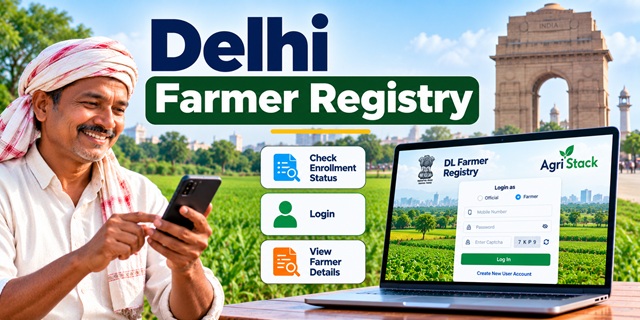
Farmers in Delhi can use the official Delhi Farmer Registry portal to access online services related to their Farmer ID enrollment. The website provides options to check enrollment status, view farmer details, open the dashboard for grievance redressal and log in as a farmer or an official.
If you have already registered through a Common Service Centre (CSC) or a registration camp, you may need to create your own portal account before using the self-login facility. This guide explains each available option in simple steps, including how to open the website on a mobile phone.
For a broader explanation of Farmer ID registration across India, read our Farmer ID India: Complete Guide.
What Is the Delhi Farmer Registry Portal?
The Delhi Farmer Registry portal is an online platform for Farmer ID-related services. Its homepage states that the registry will create a unique Farmer ID for each farmer in Delhi.
A Farmer ID is intended to help identify farmers within the wider AgriStack digital agriculture system. According to the official AgriStack portal, state-managed Farmer Registries connect farmer identification with farmland records for purposes such as planning, advisory services and government service delivery.
On the Delhi portal, users can access several options without searching through different websites. These include checking enrollment status, viewing farmer details, accessing the dashboard and signing in through the available login facility.
Official Delhi Farmer Registry Website and Important Links
Use the following official links to open the relevant section directly.
| Online Service | Official Link |
|---|---|
| Delhi Farmer Registry homepage | Open Farmer Registry |
| Check enrollment status | Check Status |
| View farmer details | View Farmer Details |
| Dashboard and grievance redressal | Open Dashboard |
| Delhi Agriculture Unit | Official Department Website |
| Farmer ID information across India | Read the Complete Guide |
Important: Always check that the address begins with https://dlfr.agristack.gov.in/ before entering personal information. Avoid unofficial websites that claim to provide Farmer ID registration or ask for unnecessary payments.
How to Check Delhi Farmer Registry Enrollment Status
If you have already submitted your Farmer Registry details, you can open the enrollment status page to check the status of your registration. Follow these steps:
- Open the official Delhi Farmer Registry Status page.
- Wait for the page to load completely.
- Read the fields and instructions displayed on the screen.
- Enter the requested information exactly as required by the portal.
- Submit the details using the option shown on the page.
- Read the result displayed on the screen and follow any further instructions.
Think of this page as a way to ask the portal, "What is the current status of my enrollment?" The exact information you must enter depends on the fields displayed on the live website.
Note: The public page's exact input fields could not be independently confirmed from the available page response. Therefore, this guide does not assume that the portal requires a particular Aadhaar number, mobile number, enrollment number or OTP.
How to View Delhi Farmer Details Online
The portal has a separate option for viewing farmer details. If you want to access this section, follow the steps below.
- Visit the official View Farmer Details page.
- Check the instructions and fields shown on the page.
- Enter the requested details, if the portal asks for them.
- Submit the information using the available button.
- If the portal displays your details, check them carefully before saving or printing the information, where those options are available.
This service is useful when you want to access the farmer information available through the registry. However, the information displayed will depend on the portal's current process and the details associated with your enrollment.
If the page does not open or the information is unavailable, return to the official homepage and try again. You can also contact the Delhi Agriculture Unit for guidance.
How to Log In to the Delhi Farmer Registry Portal
The Delhi Farmer Registry homepage provides two login options: Official and Farmer. Farmers should select the Farmer option when accessing their own account.
- Open the Delhi Farmer Registry website.
- Under "Login as", select Farmer.
- Enter the username or other login details requested by the portal.
- Enter your password and the CAPTCHA displayed on the screen.
- Click the login button to continue.
The homepage also displays options such as "Forgot Password?" and "Create New User Account". Use the password recovery option if you cannot remember your existing password. If you have not activated your own portal account, follow the account creation instructions below.
The Official login option is intended for authorized officials. Farmers should not use an official's login credentials or attempt to access an account that does not belong to them.
Already Registered Through CSC or a Camp? Create Your Portal Account First
This is an important instruction shown on the Delhi Farmer Registry homepage. If your Farmer Registry enrollment was completed through a Common Service Centre (CSC) or Camp Mode, you must first create your portal account to activate self-login access.
In simple words, registration through a CSC or camp and creating your personal website login are separate steps. Completing the first step does not automatically mean you can sign in using your own account.
- Open the official Delhi Farmer Registry homepage.
- Click Create New User Account.
- Read the instructions on the account creation page.
- Enter the information requested by the portal.
- Complete the verification steps displayed on the screen.
- Submit the form and follow any confirmation instructions.
- After completing the required process, return to the login section and try signing in with your own account.
The portal's homepage confirms that this is a one-time registration process for activating self-login access after CSC or camp enrollment. The exact fields and verification method should be followed as displayed on the live website.
If the website does not accept your details, do not create multiple accounts using different information. Contact the relevant Agriculture Unit or the registration centre that assisted you.
How to Use the Delhi Farmer Registry Website on a Mobile Phone
You do not necessarily need a computer to open the Delhi Farmer Registry website. You can try accessing the official portal through a mobile browser, such as Chrome, on an Android phone or another internet-enabled mobile device.
- Connect your phone to the internet.
- Open Chrome or another trusted browser.
- Type or open this official link: https://dlfr.agristack.gov.in/farmer-registry-dl/.
- Wait for the homepage to load.
- Tap the required option, such as Check Enrollment Status, View Farmer Details or Create New User Account.
- Enter information only in the fields requested by the official website.
- If the text is too small, use your browser's zoom controls or rotate your phone to landscape mode.
If the page appears blank, shows a loading symbol for a long time or does not respond when you tap an option, refresh the page and check your internet connection. You can also try opening the portal in another updated browser.
Is there a separate Delhi Farmer Registry mobile app? A dedicated farmer-facing mobile application for Delhi could not be verified from the official sources reviewed for this article. Therefore, use the official website for the online services listed above unless the Delhi Government or the registry portal publishes a verified app link.
Do not install an app simply because its name contains "Farmer Registry" or "AgriStack". Check that the app is officially linked by the relevant government department before entering personal details.
What Is the Delhi Farmer Registry Dashboard Used For?
The Delhi Farmer Registry homepage labels the Dashboard option as "Grievance Redressal". Farmers who face an issue with a registry-related service can open the official dashboard and check the available instructions.
To use it, open the dashboard link and read the options shown on the screen. Follow the portal's instructions if it provides a way to submit or track a grievance.
The available homepage information does not confirm the exact complaint fields, supporting documents, resolution period or grievance tracking procedure. Check the live dashboard for the current process. If you cannot find a suitable option, contact the Delhi Agriculture Unit.
Documents and Information to Keep Ready
The exact documents required for new Farmer Registry enrollment in Delhi could not be confirmed from the homepage information available for this guide. Do not treat the following as an official mandatory-document list.
If you are contacting a CSC or the Agriculture Unit about an existing registration, it may be helpful to keep any enrollment receipt, application reference or message you received during registration. Follow the official instructions before submitting identity or land-related documents.
Never share your password, OTP or other confidential login information with an unknown person. If a government portal requests information for verification, make sure you are using the genuine official website.
What to Do If the Delhi Farmer Registry Portal Is Not Working
Sometimes a government portal may load slowly or a particular service may not open. Try these basic steps before seeking assistance.
- Check whether your internet connection is working.
- Open the homepage again and select the required service from there.
- Refresh the page or try an updated browser.
- Check that you have entered the requested information correctly.
- If you registered through a CSC or camp, confirm whether you have completed the separate account creation process for self-login.
- If the problem continues, contact the Delhi Agriculture Unit using the official contact information below.
If your enrollment status or farmer details are not available, do not assume that your registration has been rejected. Ask the relevant department to clarify the status.
Delhi Farmer Registry Contact Details
For assistance with agriculture-related services, you can contact the Agriculture Unit listed on the official website of the Development Department, Government of NCT of Delhi.
- Department: Agriculture Unit, Development Department, Government of NCT of Delhi
- Office address: 11th Floor, MSO Building, I.P. Estate, New Delhi – 110002
- Telephone: 011-23319290, 011-23714472
- Email: [email protected]
- Official contact page: Delhi Agriculture Unit
When contacting the department, explain whether you need help with enrollment status, viewing farmer details, account creation after CSC registration or a portal error. This will help the office understand your query.
The contact information above comes from the Delhi Government's published Agriculture Unit directory. Confirm the latest details on the official page before visiting the office.
Important Links
| Purpose | Link |
|---|---|
| Delhi Farmer Registry homepage | Click Here |
| Check enrollment status | Click Here |
| View farmer details | Click Here |
| Dashboard / grievance redressal | Click Here |
| Delhi Agriculture Unit contact details | Click Here |
| AgriStack official information | Click Here |
| Farmer ID India Complete Guide | Click Here |
Use the official Delhi Farmer Registry portal for enrollment-related services and follow the instructions displayed on each page. If a service does not work or your details are unavailable, contact the Delhi Agriculture Unit rather than relying on an unofficial website or assuming that your registration has failed.
Add new comment