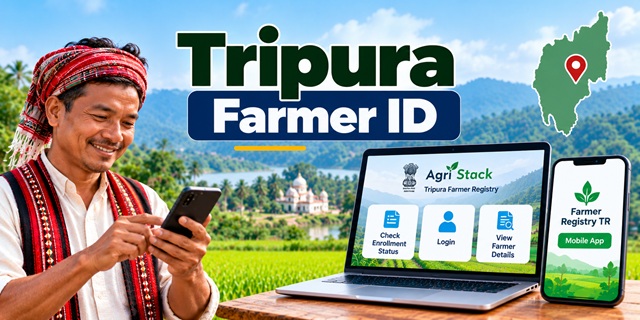
Farmers in Tripura can use the official Farmer Registry portal and the Farmer Registry TR mobile app to register their details, check enrollment status and access information linked to their agricultural land. The online system is part of AgriStack, the Government of India's digital agriculture initiative.
If you want to apply for a Tripura Farmer ID, check whether your registration is complete, or view your farmer details, this guide explains how to use the official website and mobile app step by step.
Tripura Farmer ID: Official Website and Mobile App
The Government of Tripura has a dedicated Farmer Registry portal. Farmers can visit the website to access available services, including enrollment status and farmer details. The state also has a mobile app called Farmer Registry TR.
- Official Farmer Registry website: Open Tripura Farmer Registry
- Check enrollment status: Check Farmer ID Enrollment Status
- View farmer details: View Farmer Registry Details
- Official mobile app: Download Farmer Registry TR from Google Play
Use these official links rather than entering your personal information on an unknown website. The website and mobile app provide different ways to access Farmer Registry services, so choose the option that suits you.
What Is Tripura Farmer ID?
Tripura Farmer ID is a digital farmer identity created through the state's Farmer Registry under AgriStack. The system helps connect a farmer's identity with relevant land records and agricultural information.
Think of it as a digital record that helps identify a farmer and connect the farmer's details with the agricultural land associated with them. It is different from a land ownership document and should not be treated as a replacement for a Record of Rights or other land records.
The Farmer Registry is intended to support the delivery of agricultural services. The Government of India has identified uses such as farmer-related registrations, direct benefit transfers, crop insurance, minimum support price procurement, agricultural credit and disaster relief. Actual access to any particular service depends on the relevant programme's rules and requirements.
For more information about Farmer ID services in different parts of India, read our complete guide to Farmer ID in India.
How to Register for Tripura Farmer ID Online
Farmers can begin by visiting the official Tripura Farmer Registry website. The available registration process may depend on whether the farmer is registering for the first time or already has a record created through a Common Service Centre (CSC) or a registration camp.
Step 1: Open the Official Website
Visit the Tripura Farmer Registry portal. Check that the website address is correct before entering any personal details.
Step 2: Check Whether You Already Have a Farmer Registry
If you have already registered through a CSC or a camp, you may not need to begin the enrollment process again. First, use the Check Enrollment Status option to see whether your registration is recorded.
If you are unsure whether your details have been registered, ask the CSC or camp where you completed the process for guidance.
Step 3: Create a Portal Account if Required
The website displays a Create New User Account option. According to the portal's instructions, farmers whose Farmer Registry was created through CSC or camp mode must first create an account on the portal to activate self-login access.
In simple words, the farmer's record may already exist, but a separate online login may still be needed to access it independently.
Choose Create New User Account and follow the instructions shown on the official website. Enter only the information requested by the portal and complete the steps displayed on the screen.
Step 4: Complete eKYC if You Are Registering Through the Mobile App
The official Farmer Registry TR app listing states that farmers can register through eKYC and create their login credentials. Open the app and follow its on-screen registration instructions.
eKYC is an electronic identity verification process. Follow the verification instructions displayed in the official app. Do not share your OTP, password or other confidential information with an unknown person claiming to help with registration.
Step 5: Create Your Login Credentials
Complete the account setup as instructed. Keep your registered mobile number and login details available because you may need them when accessing the portal or app later.
Important: The exact fields and verification steps can change. Follow the instructions currently displayed by the official portal or app instead of relying on screenshots or instructions from an unofficial website.
How to Check Tripura Farmer ID Enrollment Status
If you have submitted your Farmer Registry details and want to know whether your enrollment has been recorded, you can use the dedicated status-check page.
- Open the official Tripura Farmer Registry Enrollment Status page.
- Read the instructions displayed on the page.
- Enter the information requested by the portal.
- Complete any verification step shown on the screen.
- Submit the details and check the result displayed by the website.
The information requested by the portal may depend on its current interface. Use only the fields shown on the official page.
If the website does not show your enrollment details, do not immediately assume that your application has been rejected. Check that the information you entered is correct. If the problem continues, contact the relevant Agriculture Department office or the CSC where you registered.
How to View Tripura Farmer Registry Details
Farmers who want to view their recorded information can use the separate Farmer Details page.
- Visit the official View Farmer Details page.
- Read the instructions provided on the page.
- Enter the requested information, if prompted.
- Complete the verification process, if required.
- Review the farmer details displayed by the portal and follow any available instructions for viewing or printing the record.
If the page asks you to log in, use your registered account. If your registration was completed through a CSC or camp and you have not yet activated self-login, create your portal account first.
Check the information carefully when it appears. If your name, land linkage or another detail seems incorrect, contact the appropriate department for instructions on correcting the record.
How to Use the Tripura Farmer Registry Mobile App
Farmers who prefer using a smartphone can access the Farmer Registry TR app. Its official Google Play listing describes features for eKYC registration, account login, viewing linked land details, checking crop survey information and updating land linkages.
Step 1: Download the Correct App
Open the official Farmer Registry TR app listing on Google Play.
Check the app name before installing it. Do not confuse Farmer Registry TR with other agriculture-related apps that may have different purposes.
Step 2: Register Through eKYC
If you are a new user, open the app and follow the registration instructions. The app listing confirms that farmers can register through eKYC and create their user credentials.
Complete the verification steps displayed in the app. Once the account setup is complete, keep your login information safe.
Step 3: Log In to Your Account
Open the app and log in using the credentials you created. If you have already registered, follow the login process instead of creating another account unnecessarily.
Step 4: View Your Land Details
After logging in, you can use the app's available features to view land linkages associated with your Farmer Registry. A land linkage connects the farmer's record with relevant land information in the system.
Review the information carefully. If the land details do not appear as expected, seek assistance from the relevant department rather than entering information that you cannot verify.
Step 5: Check Crop Survey Information
The app listing also states that registered farmers can view crop survey information associated with their linked lands. The information available to you will depend on the records and services currently connected to your account.
Step 6: Update Land Linkages Where Available
The app provides a feature for updating land linkages. If you find an error or need to update the linked land information, open the relevant feature and follow the instructions shown in the app.
Before submitting a change, check that the details are accurate. If the app does not allow you to make the required correction, contact the Agriculture Department or seek help from an authorized service centre.
Step 7: Authorize Another Person Only When Needed
The app listing also describes a feature that allows farmers to authorize individuals to carry out tasks related to benefits or schemes associated with their land.
Read the authorization details carefully before approving anyone. Authorize only a person you trust and only for the purpose you understand.
Farmer Registry TR App vs Digital Crop Survey App
Tripura has more than one agriculture-related digital service. It is important to choose the correct app for the task you want to complete.
| Feature | Farmer Registry TR | DigitalCropSurvey Tripura |
|---|---|---|
| Main purpose | Farmer registration and access to linked farmer and land information | Field-level crop survey work |
| Listed users or use | Farmers can register through eKYC, log in and view or update available land linkages | Designed for surveyors to collect information about plots, crops and irrigation |
| Official app link | Farmer Registry TR | DigitalCropSurvey Tripura |
If your purpose is to register for a Farmer ID, log in to your farmer account or view your land linkages, start with Farmer Registry TR. The Digital Crop Survey app is described as a field-survey tool and should not be treated as a substitute for the farmer-facing registration app.
What Information or Documents Do You Need?
The exact information required can depend on whether you are creating a new Farmer Registry, activating an online account or checking an existing record.
The portal and app instructions should be treated as the final guide to the information required for your particular process. The app listing confirms that eKYC is used for registration, but it does not provide a complete, fixed document checklist for every type of user.
Before starting, keep your registered mobile number and relevant farmer or land-record information available. If the official system asks for identity verification or supporting details, provide them only through the official portal, app or an authorized registration channel.
Do not assume that uploading a particular document is compulsory unless the official system or the responsible department specifically asks for it.
Latest Tripura Farmer ID Registration Figures
According to the Press Information Bureau's state-wise Farmer ID figures, Tripura had generated 81,433 Farmer IDs as of 20 July 2026.
This is a dated official figure, not a live count of registrations. The number may have changed since the government published the data.
The wider AgriStack initiative connects farmer identity, land records and crop-related information to help improve the delivery of agricultural services. A Farmer ID does not, by itself, guarantee approval for a subsidy, insurance claim, loan or any other benefit. Each service has its own eligibility and verification requirements.
What to Do If You Face Problems with Tripura Farmer Registry
If you cannot register, log in or find your Farmer ID details, try these steps before submitting another registration:
- Check the website address: Use the official Tripura Farmer Registry portal and its linked service pages.
- Confirm your login details: Check that you are using the registered mobile number and the correct password.
- Use the account creation option: If your record was created through a CSC or camp, complete the one-time portal account registration required for self-login.
- Check your enrollment status: Use the official status-check page to look for your existing registration.
- Ask for local assistance: Contact the relevant Agriculture Department office or the CSC where you completed registration.
Avoid creating duplicate records simply because you cannot log in. First check whether your earlier registration exists and ask the department how to resolve the issue.
Tripura Agriculture Department Contact Details
For help with Farmer Registry issues that you cannot resolve through the website or app, you can contact the Tripura Agriculture Department using the details published on its official contact page.
- Director of Agriculture: Dr. D. P. Sarkar
- Telephone: (0381) 232-3778 (T/F), (0381) 232-3883 (T)
- Email: [email protected]
- Department email: [email protected]
- Deputy Director of Agriculture (Notified Authority): Rajib Debbarma
- Telephone: +91 94361 23124
Official contact source: Tripura Agriculture License Management System – Contact Us.
You can also find district-level Deputy Director of Agriculture contacts on the same page. When contacting the department, explain whether your problem concerns a new registration, an existing Farmer ID, login access, enrollment status or incorrect land details.
Important Links for Tripura Farmer ID
| Service | Official Link |
|---|---|
| Tripura Farmer Registry portal | Open Website |
| Check enrollment status | Check Status |
| View farmer details | View Details |
| Farmer Registry TR mobile app | Download on Google Play |
| Digital Crop Survey Tripura app | View on Google Play |
| Tripura Agriculture Department contact | Contact Details |
| Farmer ID guide for India | Read the Complete Guide |
Add new comment