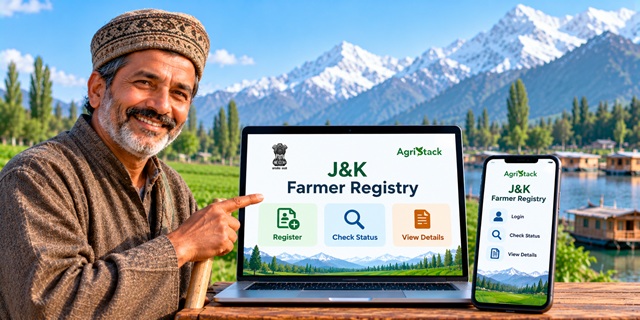
Farmers in Jammu and Kashmir can use the official J&K Farmer Registry portal to access Farmer ID services, check enrollment status and view their Farmer Registry details. The portal also provides separate login options for farmers and officials, along with a facility to create a user account.
If you have already completed your Farmer Registry through a Common Service Centre (CSC) or a registration camp, you may need to activate your portal account before logging in yourself. This guide explains how to use the official website on a computer or mobile phone, check your enrollment and access your Farmer Registry details.
Jammu and Kashmir Farmer Registry: Key Details |
|
|---|---|
| Service Name | Jammu and Kashmir Farmer Registry |
| Also Known As | J&K Farmer ID Registry |
| Initiative | AgriStack – Digital Agriculture Initiative |
| Objective | To create a unique digital identity for farmers |
| Official Portal | J&K Farmer Registry Portal |
| Online Services | Farmer login, account creation, enrollment status check and farmer details |
| Mobile Access | Official website through a mobile browser; confirm the availability of a farmer-specific mobile app through official sources |
| CSC Facility | The portal provides a Login with CSC option |
| Application Fee | Not confirmed on the official homepage |
What Is the Jammu and Kashmir Farmer Registry?
The Jammu and Kashmir Farmer Registry is a government initiative that aims to provide farmers with a unique Farmer ID. The official J&K Farmer Registry portal confirms that the initiative has started in the Union Territory.
The registry is part of AgriStack, the Government of India's digital agriculture initiative. It brings farmer-related information and digitised agricultural land records into a structured digital system to support agricultural services and government programmes.
Think of the Farmer ID as a digital identity for agricultural services. Instead of repeatedly relying on separate records for different purposes, authorised systems can use the registry to help identify farmers and connect relevant information.
The Union Ministry of Agriculture and Farmers Welfare explains that AgriStack includes the Farmer Registry, geo-referenced village maps and the Crop Sown Registry. State and Union Territory governments maintain these registries. You can read the government's explanation in this official PIB release on digital agriculture initiatives.
What Is a Farmer ID and Why Do Farmers Need It?
A Farmer ID is a unique digital identity created for a farmer under the Farmer Registry. The system is designed to help connect a farmer's identity with relevant agricultural records.
Depending on government policies and the requirements of a particular service, the Farmer ID system can support the delivery of agricultural schemes and services. The national AgriStack initiative is intended to help integrate farmer information with services relating to direct benefit transfers, crop insurance, agricultural credit, procurement and other farmer-focused programmes.
However, having a Farmer ID does not automatically guarantee approval for a government scheme, subsidy, loan or insurance claim. Farmers must still satisfy the eligibility rules and complete any separate application or verification required for the relevant service.
If you want to understand the wider Farmer ID system, read our complete guide to Farmer ID in India.
Jammu and Kashmir Farmer Registry Official Website
Farmers should use the official portal to access the Jammu and Kashmir Farmer Registry. Avoid entering personal details on unofficial websites that claim to offer Farmer ID registration.
Official website: https://jkfr.agristack.gov.in/farmer-registry-jk/#/
The portal displays several services, including Farmer Login, Official Login, Login with CSC, Check Enrollment Status and View Farmer Details. The steps below explain how to use these facilities.
How to Register for Jammu and Kashmir Farmer ID Online
The first step is to open the official J&K Farmer Registry website. Before starting, work out whether you need to create a new Farmer Registry entry or simply activate your online account for an existing registration.
This difference matters because the portal specifically instructs farmers whose registry was created through CSC or Camp Mode to create a portal account before using Self-Login.
Step 1: Open the Official Farmer Registry Portal
Visit the J&K Farmer Registry website. Wait for the homepage to load completely.
You will see the J&K Farmer Registry heading and the available login options. Look for the option that matches your situation.
Step 2: Check Whether You Already Have a Farmer Registry
If you have never registered, follow the current registration instructions provided through the official portal or an authorised registration facility.
If officials have already created your Farmer Registry through a CSC or Camp Mode, you may not need to start the process from the beginning. The portal instructs such farmers to create their online user account first so that they can access Self-Login.
Step 3: Use the Appropriate Registration Option
The homepage displays a Create New User Account option. Select it when you need to create your portal account, particularly if your Farmer Registry was created through CSC or Camp Mode.
Follow the instructions shown on the website. Enter only the information requested by the official portal and complete the required verification steps.
Important: Creating a portal login account and creating a Farmer Registry are not necessarily the same process. The portal specifically mentions account creation for farmers whose registry already exists through CSC or Camp Mode. Do not assume that creating a login account alone completes a new Farmer ID registration.
Step 4: Complete the Instructions Shown on the Portal
Read each instruction carefully and submit the requested information. If the portal asks you to verify your identity or provide additional details, follow the instructions displayed on the official website.
The homepage does not provide a complete list of registration fields, mandatory documents or verification steps. Therefore, check the current portal instructions rather than relying on an unverified document checklist.
Step 5: Keep Your Login Details Safe
After creating your account, keep your login credentials in a safe place. You will need them when you want to access your Farmer Registry account again.
Never share your password or an OTP with an unknown person. If you need assistance, use the official portal or seek help from an authorised registration facility.
How to Activate Self-Login After CSC or Camp Registration
This is an important step for farmers whose Farmer Registry was created with the help of a Common Service Centre or during a registration camp.
The official J&K portal displays a notice explaining that such farmers must create their portal account before logging in. The process is intended to activate their Self-Login access.
- Open the official J&K Farmer Registry portal.
- Find and select Create New User Account.
- Follow the instructions provided for one-time account registration.
- Complete the requested verification steps.
- After completing the process, return to the login section and try signing in with your registered credentials.
In simple terms, officials may have already created your Farmer Registry, but you still need to set up your own portal account to access it online. The account-creation step helps you activate Self-Login.
If you cannot complete the process, check the instructions on the portal or seek help through an authorised CSC or registration facility.
How to Log In to the J&K Farmer Registry Portal
If you have already created your portal account, you can use the Farmer Login option to access the website.
- Visit the official Farmer Registry website.
- Select the Farmer option under the login section.
- Enter your user ID, registered mobile number or email address, as supported by the login form.
- Enter your password.
- Type the CAPTCHA shown on the screen.
- Click Log In to continue.
Enter the details associated with your account. If the website rejects your credentials, check for typing mistakes and make sure you selected the correct login option.
The portal also displays a separate Official Login option. Farmers should select Farmer rather than Official unless they have authorised official credentials.
How to Check Jammu and Kashmir Farmer ID Enrollment Status
Have you completed your Farmer Registry but want to know whether your enrollment has been recorded? Use the status-check facility available on the official website.
Direct link: Check J&K Farmer Registry Enrollment Status
- Open the official enrollment-status page.
- Read the instructions displayed on the screen.
- Enter the information requested by the portal.
- Submit the details to check the status.
- Read the result and follow any further instructions shown on the website.
Think of this option as a way to check what has happened to your enrollment. You provide the information requested by the portal, and the system displays the status available for your record.
The exact fields required on the status page may change. Check the live form before entering information, and do not rely on an assumed application number or other field unless the portal asks for it.
How to View or Print Jammu and Kashmir Farmer Registry Details
The official J&K portal provides a separate facility for viewing farmer details. Farmers can open this page to access the available details and printing facility.
Direct link: View or Print Farmer Details
- Open the official View Farmer Details page.
- Check the instructions displayed on the screen.
- Enter the details requested by the portal.
- Submit the information to access the available record.
- If the page displays a print option, use it to print the details you need.
Before printing, check that the information shown on the screen belongs to you and is correct. Keep a copy for your records if needed.
The information required to retrieve a record is determined by the live portal form. If you cannot find your details, check your enrollment information and follow the instructions on the official website.
How to Use the J&K Farmer Registry on a Mobile Phone
You do not necessarily need a computer to open the Farmer Registry website. You can access the official portal using the browser on your smartphone, provided your phone has an internet connection and the website works correctly on your device.
Step 1: Open the Portal on Your Phone
Open Chrome or another browser on your smartphone. Type or open the official address: J&K Farmer Registry.
Make sure you are using the official government portal. Do not enter your credentials on a website with a different address simply because it uses a similar name or logo.
Step 2: Choose the Service You Need
Once the homepage loads, look for the relevant option. Depending on your requirement, you may need to log in, create a user account, check enrollment status or view farmer details.
If the page looks crowded on your phone, scroll down or use your browser's page controls to locate the required option.
Step 3: Enter the Requested Information
Tap the relevant field and enter the information requested by the portal. Check your entries before submitting them, especially if you are typing a mobile number, user ID or other identifying details.
Step 4: Check Your Result
After submitting the information, read the message or result shown on the screen. If you need to check enrollment, use the status-check facility. If you need to access your record, open the View Farmer Details page.
Is There an Official J&K Farmer Registry Mobile App?
The official J&K Farmer Registry homepage confirms access through its website, but the information verified for this article does not establish a public, farmer-specific mobile app for completing the full Farmer Registry process.
Google Play lists separate applications related to Jammu and Kashmir's digital agricultural work, including DCS J&K for Digital Crop Survey and Operator JK (Farmer Registry) for data capture by officials. These listings describe survey or operator functions; they should not be mistaken for confirmation of a general-purpose Farmer Registry app for farmers.
For this reason, farmers should use the official website on their mobile browser unless the J&K government or the official portal provides a verified farmer-facing app link. Avoid downloading an app from an unverified source or assuming that an app intended for officials is meant for public registration.
What to Do If You Forget Your Farmer Registry Password
If you have created an account but cannot remember your password, open the official portal and look for the Forgot Password? option.
- Visit the J&K Farmer Registry portal.
- Select the Forgot Password option.
- Follow the instructions displayed on the page.
- Complete any verification requested by the portal.
- Set or recover your password according to the instructions provided.
The precise recovery steps depend on the live portal workflow. Use only the official page and do not share your password or verification codes with anyone claiming to recover your account on your behalf.
J&K Farmer Registry Dashboard and Grievance Redressal
The official portal includes a Dashboard link labelled for Grievance Redressal. Farmers who need to explore this facility can open the dashboard and read the instructions available there.
Open the dashboard: J&K Farmer Registry Dashboard
The existence of the dashboard link confirms that the portal provides a dashboard-related facility. However, the homepage alone does not establish the complete complaint-submission process, the documents required for a grievance or the time taken to resolve it.
If you need to raise an issue, check the options shown on the dashboard and follow the instructions provided by the official system.
Documents Required for Jammu and Kashmir Farmer ID
Farmers often want to know which documents they must carry before registering. However, the official homepage information verified for this article does not provide a complete mandatory document list for Jammu and Kashmir.
The required information may depend on the registration method and the verification instructions applicable to the farmer's record. Therefore, do not assume that every farmer must submit the same set of documents.
Before visiting a CSC or registration camp, check the latest instructions available through the official portal or ask the authorised registration personnel which records you should bring. This can help you avoid a second visit because of missing information.
If you have already completed registration, keep any enrollment acknowledgement or reference information provided to you. It may help when checking your status or seeking assistance.
Benefits of the Jammu and Kashmir Farmer Registry
The Farmer Registry is designed to help establish a digital identity for farmers and connect relevant agricultural information with government systems. Its intended uses are part of the wider AgriStack initiative.
- Digital farmer identity: The system aims to create a unique Farmer ID for each registered farmer.
- Connected agricultural records: The registry can help link farmer information with digitised land records, subject to the applicable state processes.
- Support for agricultural services: Farmer IDs are intended to support the delivery of relevant agricultural services and government programmes.
- Better record access: The J&K portal provides facilities to check enrollment status and view farmer details.
- Digital service delivery: AgriStack aims to make the delivery of farmer-focused services more efficient.
The actual use of a Farmer ID depends on the rules of each scheme or service and the systems implemented by the concerned authorities. A Farmer ID alone does not guarantee that a farmer will receive financial assistance or qualify for a particular programme.
For the national policy background, see the Ministry of Agriculture and Farmers Welfare's official information on the outcomes of digital agriculture initiatives.
What If Your Farmer Registry Details Are Incorrect?
If the details displayed in your Farmer Registry appear incorrect, do not create another registration immediately. First, identify which information is wrong and check whether the portal provides instructions for correcting it.
For example, you may notice an issue while viewing your farmer details or checking your enrollment. Keep the available record or acknowledgement handy when seeking help.
The exact correction procedure for Jammu and Kashmir could not be confirmed from the official homepage information reviewed for this article. If the website does not provide a correction option, seek guidance from an authorised registration facility or the concerned government office.
Do not assume that a change in land ownership, inheritance or revenue records will automatically update every field in your Farmer Registry. The relevant records may need to be updated through the appropriate official process.
Important Links for Jammu and Kashmir Farmer Registry
| Service | Official Link |
|---|---|
| J&K Farmer Registry Homepage | Open Official Portal |
| Check Enrollment Status | Check Status |
| View or Print Farmer Details | View Farmer Details |
| Dashboard / Grievance Redressal | Open Dashboard |
| AgriStack Official Website | Visit AgriStack |
| Digital Agriculture Initiative Information | Read Government Information |
| Farmer ID Guide for India | Read the Complete Guide |
Conclusion
The Jammu and Kashmir Farmer Registry is part of the AgriStack initiative and aims to provide farmers with a unique digital identity. The official portal provides options to access Farmer Login, create a user account, check enrollment status and view farmer details.
If your Farmer Registry was created through CSC or Camp Mode, remember to complete the one-time portal account registration required to activate Self-Login. If you are using a smartphone, you can open the official website in your mobile browser. Always rely on the official portal for current instructions, and do not assume that a Farmer ID automatically qualifies you for a government benefit.
Add new comment