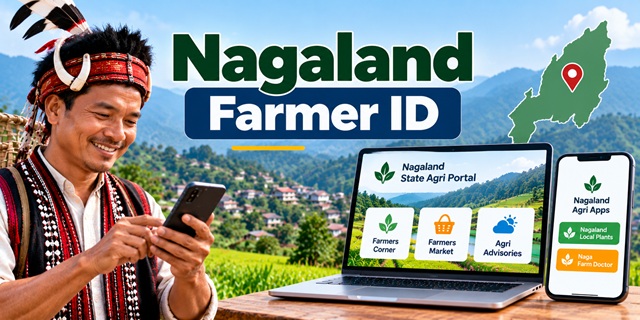
Farmers in Nagaland looking for a Farmer ID need to distinguish between the state's agricultural services and the national AgriStack Farmer Registry. The Nagaland government provides an official State Agri Portal for farmer-related services, while the Agriculture Department publishes information about agricultural programmes, mobile apps and other facilities.
However, the farmer registration option on the State Agri Portal is intended for its Farmers Market service. It should not be confused with registration for an AgriStack Farmer ID.
In this guide, you will find the official websites, available mobile apps, instructions for using the State Agri Portal, and contact details for asking about Farmer ID registration. We have also explained which services could not be independently verified, so you can avoid using the wrong website.
For information about Farmer ID services in other states, visit our complete Farmer ID guide for India.
Nagaland Farmer ID: Official Websites and Important Links
| Service | Official Link |
|---|---|
| Agriculture Department | Visit Official Website |
| State Agri Portal | Open Nagaland Agri Portal |
| Department's Mobile Apps | View Official App List |
| Department Contact Details | Contact the Agriculture Department |
| National AgriStack Portal | Visit AgriStack |
| Farmer ID Guide for All States | Read the Complete Guide |
Is Nagaland Farmer ID Registration Available Online?
The first step is to understand which service you need. Nagaland has an official State Agri Portal, and the national government has established the AgriStack framework for creating digital agricultural records.
However, I could not verify a dedicated public Nagaland AgriStack Farmer Registry page that allows individual farmers to apply for a new Farmer ID, check enrollment status or download a Farmer ID card.
The Nagaland State Agri Portal does provide a "Register as Farmer" option. According to the portal's description, this registration allows farmers to upload their products to the Farmers Market. It does not establish that the portal generates an AgriStack Farmer ID.
If you want a Farmer ID, visit the official Agriculture Department website and contact the department to confirm the current registration process.
Important: Do not register on the Farmers Market and assume that you have received an AgriStack Farmer ID. These are separate services unless the department confirms otherwise.
What Is the Nagaland State Agri Portal?
The State Agri Portal is an online platform provided by the Government of Nagaland for agricultural information and farmer-related services. It includes the Farmers Market and other facilities connected with agriculture in the state.
You can open the website here: Nagaland State Agri Portal.
The portal includes several useful sections.
1. Farmers Corner
Farmers Corner provides options for farmer registration and login. This section is intended for farmers who want to use the portal's Farmers Market facilities.
2. Farmers Market
The Farmers Market helps farmers list their agricultural products on the portal. Farmers can use the available facilities to display products and provide information to interested buyers.
This is useful for agricultural product listings, but it is not a verified AgriStack Farmer ID application service.
3. Agricultural advisories
The portal also provides access to agricultural advisory information. Farmers can visit the website to check the information and facilities currently available.
4. Agri Expo booking
The website includes an Agri Expo booking facility. Farmers and other eligible users should follow the portal's instructions to check the availability and conditions for using this service.
5. Grievance facility
The portal provides a grievance-related facility for users who need assistance with the services covered by the website. Check the available instructions before submitting a complaint.
To explore these features, visit the official Nagaland State Agri Portal.
How to Register as a Farmer on the Nagaland State Agri Portal
If your purpose is to list agricultural products on the Farmers Market, you can use the farmer registration option available on the State Agri Portal.
Follow these steps in simple language.
Step 1: Open the official website
Visit nagafarmer.nagaland.gov.in using your mobile phone or computer.
Step 2: Find Farmers Corner
Look for the Farmers Corner section on the website. It contains the options related to farmer accounts.
Step 3: Select Register as Farmer
Click the "Register as Farmer" option. Read the instructions displayed on the page before entering your information.
Step 4: Complete the registration process
Enter the details requested by the portal and follow its on-screen instructions. Use accurate information and check your entries before submitting the form.
Step 5: Log in and use the available services
After completing registration, follow the portal's login instructions to access the relevant facilities. If your purpose is to list agricultural products, use the Farmers Market features available to your account.
Please remember: These steps relate to registration on the State Agri Portal. They do not describe an AgriStack Farmer ID application, because a dedicated public Farmer Registry registration process for Nagaland could not be verified.
Nagaland Farmer ID Mobile App: Which Apps Are Available?
Farmers often search for a mobile app to register for a Farmer ID, check their status or download their card. Before installing an app, make sure it is intended for the service you need.
The official Nagaland Agriculture Department mobile apps page lists the following applications:
1. Nagaland Local Plants
The department lists Nagaland Local Plants among its mobile apps. It is an agriculture-related resource, but the official listing does not identify it as a Farmer ID registration or card-download app.
2. Naga Farm Doctor
Naga Farm Doctor is another application listed by the department. It is associated with agricultural assistance, rather than a verified AgriStack Farmer ID registration service.
You can review the apps and any available download links on the official mobile apps page.
Can I download my Nagaland Farmer ID through these apps?
I could not verify that either app provides a facility to create, check or download an AgriStack Farmer ID.
If you already have a Farmer ID or have completed a registration process through a government office, contact the Agriculture Department to ask whether a separate farmer-facing app or card-download service is available.
Do not install an app from another state and assume that it works for Nagaland. Use only a link published by the relevant government department or an official service portal.
What Is AgriStack and How Does It Relate to Nagaland Farmer ID?
AgriStack is the Government of India's digital agriculture framework. It aims to build connected digital records that can support agricultural services and improve the management of farmer-related information.
The framework includes three foundational registries:
- Farmer Registry: Maintains digital farmer records and supports the creation of unique Farmer IDs.
- Geo-referenced village maps: Provides mapped geographical information about villages and land areas.
- Crop Sown Registry: Records information about crops grown on agricultural plots.
Under the national framework, state governments and Union Territories are responsible for developing and maintaining their registries. Farmer ID creation involves synchronizing farmer information with digitized land records.
You can read more on the official AgriStack website.
Although this national framework explains how Farmer Registry services work, it does not confirm that Nagaland currently offers a public self-registration page. For the state's current process, check with the Nagaland Agriculture Department.
Documents Required for Nagaland Farmer ID
A current, Nagaland-specific public Farmer ID application form with a complete list of required documents could not be verified during this research.
For that reason, farmers should not assume that a document list published for another state also applies to Nagaland.
Before applying, contact the department and ask which documents are accepted for the current Farmer Registry process. In particular, confirm:
- Which identity proof the department accepts.
- Whether land ownership or cultivation records are required.
- Whether additional verification or local certificates are needed.
- Whether a photograph or bank account details must be provided.
- Whether applications can be submitted online or must be completed through an authorized office or registration team.
Keep your original documents available when contacting the department, but upload personal documents only through a verified official application process.
How to Check Nagaland Farmer ID Status or Download the Card
I could not verify a dedicated public Nagaland website for checking AgriStack Farmer ID enrollment status or downloading the Farmer ID card.
If you have already registered as a farmer through an official government process, contact the office that handled your registration and ask how to obtain your ID details.
You should confirm the following points:
- Whether a Farmer ID has been generated in your name.
- How to obtain your Farmer ID number.
- Whether an online status-check facility is available.
- Whether you can print or download a Farmer ID card.
- Whether the state has launched a separate mobile app for Farmer Registry services.
For assistance, use the contact information on the official Agriculture Department contact page.
If a website claims that it can instantly generate your Nagaland Farmer ID, verify the link with the department before entering your personal details.
Contact the Nagaland Agriculture Department for Farmer ID Assistance
If you are unsure how to register for a Farmer ID, which documents to submit or how to download an existing card, contact the Agriculture & Allied Department through its official channels.
| Contact Detail | Information |
|---|---|
| Department | Department of Agriculture, Government of Nagaland |
| Office Address | New Secretariat Area, Kohima, Nagaland – 797001 |
| Telephone | 0370-2243116 |
| [email protected] | |
| Official Website | agriculture.nagaland.gov.in |
The department's website also lists the telephone number 0370-2243116 and email address above. Check the official contact page for the latest details before contacting the office.
When contacting the department, explain that you need information about the AgriStack Farmer Registry, not registration for the State Agri Portal's Farmers Market. This will help clarify which service you are asking about.
Important Official Links for Nagaland Farmers
- Nagaland Agriculture Department – official department information and notices.
- Nagaland State Agri Portal – farmer accounts, Farmers Market and other agricultural services.
- Official Agriculture Mobile Apps – view apps listed by the department.
- Agriculture Department Contact Page – contact details for assistance.
- National AgriStack Portal – information about the digital agriculture framework.
- Farmer ID in India: Complete Guide – explore Farmer ID information for other states.
Add new comment