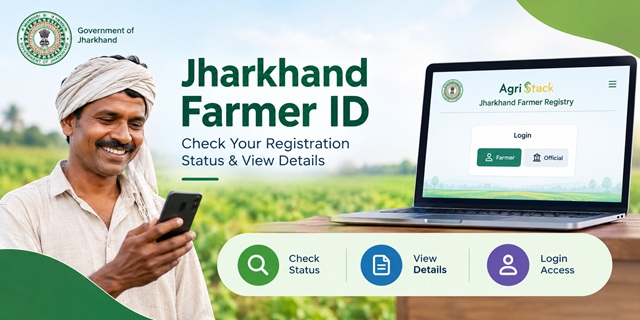
Farmers in Jharkhand can use the official Farmer Registry portal to check their enrollment status, access farmer details and manage their portal login. The portal provides options such as Check Enrollment Status, View Farmer Details and Login with CSC.
If you have already registered through a Common Service Centre (CSC) or a registration camp, you may need to create a separate user account before using the self-login facility. This guide explains how to use the Jharkhand Farmer Registry portal, check your enrollment, access your details and find the correct mobile application for your needs.
What Is Jharkhand Farmer Registry?
The Jharkhand Farmer Registry is part of AgriStack, a digital agriculture initiative designed to create a digital identity for farmers. The Farmer ID connects a farmer's identity with relevant agricultural information, including land records, to support the delivery of farmer-related services.
The Government of India explains that state governments and Union Territory administrations create and maintain their respective Farmer Registries. The system is intended to support agricultural services such as credit, crop insurance and procurement, depending on the services implemented by the concerned government.
Farmers should remember that a Farmer ID is a digital agricultural identity. It is not a replacement for land ownership documents or other legally recognised records.
What Is the Official Jharkhand Farmer ID Portal?
The official portal for Jharkhand Farmer Registry is available at the following address:
Official website: https://jhfr.agristack.gov.in/farmer-registry-jh/#/
When you open the portal, you can find options for checking enrollment status, logging in through CSC and viewing farmer details. The login interface also provides separate options for officials and farmers.
Here are the main portal links:
- Farmer Registry homepage: Open the official portal
- Enrollment status: Check enrollment status
- Farmer details: Open the farmer details page
Always check that you are using the official government portal before entering your personal information.
How Can Farmers Register for a Jharkhand Farmer ID?
The registration process depends on the facility made available to the farmer. Jharkhand's Farmer Registry portal provides a route for CSC login and also allows users to create an account for portal access.
If you have not registered yet, follow these steps to find the available registration facility.
- Visit the official Jharkhand Farmer Registry portal.
- Check the homepage for the available registration and login options.
- If you need assistance with enrollment, contact an authorised Common Service Centre (CSC) or ask the concerned agriculture office about the current registration arrangements.
- Provide the information and documents requested through the authorised registration process.
- Check the details entered during enrollment carefully, particularly your name and land-related information.
- Keep any enrollment reference or acknowledgement provided to you so that you can follow up on your application.
The exact documents, eligibility conditions and verification requirements should be confirmed through the authorised Jharkhand registration channel. Do not rely on an unverified list of documents or assume that completing an account registration automatically creates or approves a Farmer ID.
Can Farmers Complete Jharkhand Farmer Registry Registration Online?
The Jharkhand portal provides online account and login facilities, but creating a portal account and completing Farmer Registry enrollment are not necessarily the same process.
The homepage specifically displays a notice for farmers whose Farmer Registry enrollment was completed through CSC or camp mode. These farmers must first use the Create New User Account option to activate self-login on the portal.
Therefore, farmers should identify their current situation before proceeding:
- Not yet enrolled: Check the official portal and contact an authorised CSC or the concerned agriculture office to confirm the available enrollment method.
- Already enrolled through CSC: Follow the portal's instructions to create a user account and activate self-login.
- Enrolled through a camp: Follow the same account-creation notice displayed on the official portal if you want to use self-login.
- Already have login credentials: Use the appropriate login option to access the portal.
Do not assume that the Create New User Account option is a fresh Farmer ID application. Its purpose, in the circumstances described in the portal notice, is to enable self-login after enrollment through CSC or camp mode.
How to Check Jharkhand Farmer ID Enrollment Status?
If you have already submitted your Farmer Registry enrollment, use the official status-check page to find out whether information about your enrollment is available.
Direct link: Jharkhand Farmer Registry Enrollment Status
Follow these steps:
- Open the official enrollment status page.
- Read the instructions displayed on the page.
- Enter the enrollment details requested by the portal.
- Complete any verification step shown on the screen.
- Submit the information and check the result displayed by the portal.
The exact fields required may depend on the current portal interface. Enter only the information requested on the official page.
What If Your Enrollment Status Is Not Available?
If the portal does not display your enrollment details, it does not automatically mean that your application has been rejected. You may have entered incorrect information, your enrollment may not yet be reflected in the system, or the portal may be experiencing a technical issue.
You can take the following steps:
- Recheck the enrollment reference or other information you entered.
- Confirm that you are using the Jharkhand portal rather than another state's Farmer Registry website.
- If you enrolled through CSC, contact the centre that assisted you and ask it to verify your enrollment details.
- If you enrolled through a camp, contact the responsible registration team or the concerned agriculture office.
- Try again later if the website is temporarily unavailable.
If the problem continues, seek assistance through the relevant official channel. Keep your acknowledgement or enrollment reference available when making an inquiry.
How to View or Print Jharkhand Farmer ID Details?
The Jharkhand Farmer Registry homepage provides a View Farmer Details option. Farmers can use the following official page to access the facility:
Direct link: View or Print Farmer Details
To access your details, follow these steps:
- Open the official farmer details page.
- Read the instructions displayed on the screen.
- Enter the information requested by the portal.
- Complete any verification required by the system.
- Submit the details and check whether your farmer information is available.
- If the portal provides a print option or displays a printable record, use that facility to save or print your details.
The information available and the verification fields required may change as the portal is updated. If your details do not appear, first check the information you entered and then contact the authorised registration channel if necessary.
Do not treat a blank result as proof that your Farmer ID does not exist. Confirm your enrollment with the relevant official authority before submitting a new application.
How to Activate Jharkhand Farmer Registry Login After CSC Registration?
One important instruction on the Jharkhand portal concerns farmers whose enrollment was completed through CSC or camp mode. According to the portal notice, these farmers must create a user account before they can activate self-login.
If you have already completed enrollment, follow these steps:
- Visit the Jharkhand Farmer Registry homepage.
- Look for the Create New User Account option.
- Open the account creation page and follow the instructions shown there.
- Enter the information requested by the portal and complete the required verification.
- Follow any instructions provided to finish account creation.
- Return to the login page and select the appropriate login type.
- Enter your registered mobile number or other accepted username, password and CAPTCHA, as requested.
- Select Log In to access the portal.
The portal displays login options for officials and farmers. Choose the option that matches your account type.
Important: Creating a portal account activates the applicable login facility; it should not be confused with approval of a Farmer Registry application. If the account creation process does not recognise your enrollment, contact the CSC or registration team that handled your case.
Which Jharkhand Farmer Registry Mobile App Should Farmers Use?
Farmers should check the purpose of a mobile application before installing it. An app associated with AgriStack may be intended for officials or field surveyors rather than for farmers to register themselves.
1. Jharkhand Farmer Registry Operator App
The following Android app is listed as the Jharkhand Farmer Registry operator application:
Open Jharkhand Farmer Registry Operator App on Google Play
The app listing describes its use for officials or operators to capture farmer information in the farmer's presence and with explicit consent. It should not be treated as a confirmed self-registration app for ordinary farmers.
2. Digital Crop Survey App
Jharkhand also has a Digital Crop Survey system. Its purpose is different from creating or accessing a farmer's personal registry account.
The Android app is available here:
Open Jharkhand Digital Crop Survey App on Google Play
The app listing describes field-survey work related to agricultural plots and crop information. Farmers should not assume that installing this app will allow them to complete Farmer Registry enrollment or print their Farmer ID.
The state also maintains a Digital Crop Survey portal at jhdcs.agristack.gov.in.
Which option should you use? For enrollment status, portal login and farmer details, begin with the official Jharkhand Farmer Registry website. Use a mobile app only when its stated purpose matches the task you need to complete.
What Is the Difference Between Jharkhand Farmer Registry and e-Uparjan?
Farmers may come across both the Farmer Registry portal and Jharkhand's e-Uparjan website. Although both relate to farmers, they serve different purposes.
| Feature | Jharkhand Farmer Registry | Jharkhand e-Uparjan |
|---|---|---|
| Main purpose | Farmer digital identity and registry-related services under AgriStack. | Farmer registration and services related to the state's agricultural procurement system. |
| Official website | Jharkhand Farmer Registry | Jharkhand e-Uparjan |
| Available options | Enrollment status, portal login and farmer details. | Farmer registration, farmer login, farmer lists, mobile number updates and payment-related services. |
| When to use it | When you need to check or access your Farmer Registry information. | When you need to use a service provided through the state's procurement portal. |
The official e-Uparjan website is maintained for services related to agricultural procurement. Its farmer registration facility should not automatically be treated as the same process as AgriStack Farmer Registry enrollment.
If you need help with a Farmer ID, start with the Farmer Registry portal. If your question concerns procurement registration, procurement records or payment information, check the relevant e-Uparjan service.
What Should Farmers Do If Their Land Details Are Incorrect?
AgriStack Farmer IDs are created by linking farmer information with digitised land records. The Government of India has explained that state governments maintain their respective Farmer Registries, while land records are maintained and updated through the relevant state systems.
If you find an error in your land details, first identify where the error appears. A mistake in a land record may require a different process from an error in your Farmer Registry profile.
Follow these steps:
- Review the information displayed on your Farmer Registry record.
- Compare the details with your available land documents and the relevant official land records.
- Note the exact information that appears incorrect.
- Contact the CSC or authorised registration channel that handled your enrollment and ask how to report the discrepancy.
- If the underlying land record itself is incorrect, contact the appropriate revenue or land-record authority to learn about the correction process.
- After the relevant authority updates or verifies the information, check the Farmer Registry portal again.
Do not assume that changing your Farmer Registry account will automatically correct the underlying land record. The correction procedure depends on the type of error and the authority responsible for that record.
For official information about the wider AgriStack initiative, refer to the Ministry of Agriculture and Farmers Welfare's explanation of AgriStack.
What Should You Do If Your Jharkhand Farmer ID Details Are Missing?
If you have enrolled but cannot find your Farmer ID details, avoid submitting another application immediately. First, check whether your existing enrollment can be located.
- Open the official enrollment status page and enter the requested information carefully.
- Use the View Farmer Details page to check whether your information is available.
- If you registered through CSC, ask the centre to verify the enrollment details it submitted.
- If you registered at a camp, contact the team or office responsible for that registration.
- If you cannot access your account, use the portal's account-creation or login assistance options where applicable.
Keep any acknowledgement, enrollment reference or other confirmation you received. It can help the authorised team identify your record.
If the portal continues to show no information, seek confirmation from the responsible authority. The available information on the portal does not establish a fixed processing period for every enrollment, so avoid relying on an unofficial claim about how many days approval should take.
Where Can Farmers Get Official Assistance?
If you face problems with registration, account creation, enrollment status or farmer details, use the official portal and the registration channel relevant to your case.
- Farmer Registry portal: Open the official website
- Enrollment status: Check your enrollment
- Farmer details: Access the details page
- CSC assistance: Contact the centre that completed your enrollment if you registered through CSC.
- Camp registration: Contact the responsible registration team if you enrolled at a camp.
- e-Uparjan services: Visit the official e-Uparjan portal for procurement-related services.
The portal information reviewed for this article does not establish a verified, dedicated Jharkhand Farmer Registry helpline number. Therefore, confirm the current contact details through the official portal or the concerned agriculture office rather than relying on an unverified phone number.
Important Links for Jharkhand Farmer Registry
| Service | Official Link |
|---|---|
| Jharkhand Farmer Registry homepage | Click Here |
| Check enrollment status | Click Here |
| View or print farmer details | Click Here |
| Jharkhand Digital Crop Survey portal | Click Here |
| Jharkhand e-Uparjan portal | Click Here |
| Farmer Registry Operator App | Click Here |
| Digital Crop Survey Android App | Click Here |
| Government of India information on AgriStack | Click Here |
| Farmer ID guide for all India | Click Here |
Add new comment