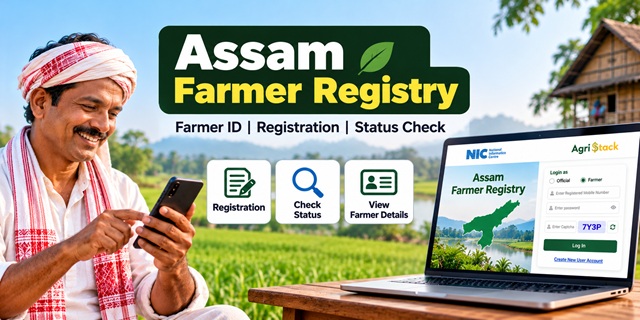
The Assam Farmer Registry provides farmers with a unique digital identity under the Government of India's AgriStack initiative. If you want to register for a Farmer ID, check your enrollment status, access your farmer details or resolve a land record mismatch, the official Assam Farmer Registry portal provides several useful services. This guide explains how the system works, where to register, how to activate your farmer login and what to do if your application remains pending.
Assam Farmer Registry: Key Details
Assam Farmer Registry 2026: Overview |
|
|---|---|
| Registry Name | Assam Farmer Registry |
| Initiative | AgriStack |
| Implementing Authorities | Government of India and Government of Assam |
| Official Portal | Assam Farmer Registry Portal |
| Purpose | To create a unique digital identity for farmers and link it with relevant farmland records |
| Login Options | Official and Farmer |
| Registration Support | Common Service Centres (CSCs), farmer registration camps and designated agriculture officials |
| Enrollment Status | Available through the official portal |
| Land Record System | Dharitree and other relevant Assam land record services |
What Is the Assam Farmer Registry?
The Assam Farmer Registry is a digital database developed under AgriStack, a government initiative designed to improve access to agricultural services and make the delivery of government benefits more efficient.
Under this system, each registered farmer receives a unique Farmer ID. The registry uses Aadhaar-based identification and links the farmer's digital profile with relevant farmland records. This helps authorized government systems identify farmers and assess their eligibility for agricultural schemes and services.
The Government of India has designed AgriStack as a federated system, which means states maintain their respective farmer registries according to common standards. Assam operates its registry through the Assam Farmer Registry portal.
A Farmer ID is a digital identity for agricultural purposes. It is not a replacement for your Aadhaar card, land ownership documents or other records required by a particular government scheme.
If you want to understand how Farmer IDs work across different states, read our complete guide to Farmer ID in India.
Why Is a Farmer ID Important for Assam Farmers?
A Farmer ID can help government departments identify eligible farmers and connect agricultural services with verified farmer information. AgriStack aims to improve the delivery of benefits and make it easier for farmers to access relevant services.
Depending on the applicable scheme rules and the arrangements adopted by the concerned department, Farmer Registry information may support services such as:
- PM-KISAN: Farmer identification and verification for eligible beneficiaries, subject to the scheme's applicable requirements.
- Crop insurance: Farmer identification and registration under applicable crop insurance programmes.
- Minimum Support Price (MSP) procurement: Identification of farmers participating in procurement systems where the registry is integrated.
- Agricultural credit: Support for digital verification and access to eligible credit-related services.
- Government agricultural assistance: Improved identification of eligible farmers for relevant subsidies, inputs and other benefits.
- Disaster relief: Support for identifying eligible agricultural beneficiaries under applicable relief programmes.
However, obtaining a Farmer ID does not automatically guarantee approval for any scheme. You must still meet the eligibility conditions and complete any additional registration, verification or application requirements imposed by the relevant department.
Is Farmer ID Mandatory for PM-KISAN in Assam?
The requirement depends on the applicable government instructions. A Ministry of Agriculture and Farmers Welfare release dated 5 August 2025 stated that Farmer ID had been made mandatory for new PM-KISAN registrations in 14 states, but that release did not identify those states by name.
Therefore, do not assume that the same requirement applies to every farmer in Assam without checking the current instructions. Visit the official PM-KISAN portal or contact your district agriculture office to confirm the requirements for your application.
You should also remember that a Farmer ID and PM-KISAN e-KYC are separate requirements. If you are already a PM-KISAN beneficiary, check your e-KYC status independently through the official portal.
Assam Farmer Registry Statistics and Progress
The number of Farmer IDs generated in Assam has increased as the state continues implementing the registry. Official government releases and the state portal provide different snapshots of this progress.
| Reporting Date | Farmer IDs Generated or Approved | Source |
|---|---|---|
| 19 March 2026 | 12,78,378 generated Farmer IDs | Ministry of Agriculture and Farmers Welfare |
| 16 July 2026 | 13,37,992 generated Farmer IDs | As reported in the July 2026 parliamentary data supplied for this article |
| 20 October 2026 | 15,52,725 approved Farmer IDs | Assam Farmer Registry live dashboard, as checked for this article |
Important: These figures refer to different reporting dates and may use different categories, such as generated IDs and approved IDs. The live dashboard may change as the department processes additional enrollments.
You can check the latest available figures on the official Assam Farmer Registry dashboard. For nationwide progress, refer to the latest available Press Information Bureau update on Farmer IDs.
How to Register for a Farmer ID in Assam
Farmers can use the registration channels made available under the AgriStack programme. These include assisted registration through Common Service Centres, farmer registration camps and designated field personnel. The appropriate route may depend on the facilities and arrangements available in your district.
1. Registration Through a Common Service Centre (CSC)
If you need assistance with online registration, visit a Common Service Centre that provides Farmer Registry services.
- Visit a CSC and ask the operator about Assam Farmer Registry enrollment.
- Carry your Aadhaar card, land-related documents and other supporting documents requested by the operator.
- Provide the required information and complete the prescribed identity verification.
- Allow the operator to submit your enrollment details through the authorized system.
- Keep any acknowledgment or enrollment reference provided to you.
- Use the official status-check service to follow your application.
Before leaving the centre, confirm that the operator has submitted your enrollment successfully. An application acknowledgment does not necessarily mean that your Farmer ID has already been approved.
2. Registration Through a Village Camp
Agriculture departments may organize Farmer Registration Camps to help farmers enroll in AgriStack. These camps can be particularly useful for people who do not have reliable internet access or need assistance with the registration process.
- Ask your local Krishi Sahayak, Agricultural Development Officer or district agriculture office whether a registration camp is available in your area.
- Visit the camp with your Aadhaar card and relevant land documents.
- Provide the information requested by the authorized staff.
- Complete the required verification and submit the enrollment details.
- Ask how you can check your application status after registration.
Availability and arrangements may differ between districts. Contact your local agriculture office before travelling to a camp.
3. Get Help from the Agriculture Department
If you are unsure which registration method is available in your area, contact your local Krishi Sahayak or Agriculture Development Officer. The District Agriculture Office can guide you about enrollment, verification and the documents required for your case.
The Morigaon District Agriculture Office's Farmer Registry document describes registration through village camps and CSCs, with assistance from agriculture officials.
Important: The Assam portal's public homepage provides login and account-related options but does not display a separate, clearly labelled new-farmer registration button. If you have not enrolled yet, confirm the available registration method with an authorized CSC or your district agriculture office rather than creating an account and assuming that it completes your Farmer Registry enrollment.
Documents Required for Assam Farmer Registry
Keep the following documents and details ready before visiting a CSC or registration camp. The exact requirements may depend on the verification process and your circumstances.
- Aadhaar card: Required for Aadhaar-based identity verification.
- Aadhaar-linked mobile number: Keep access to your registered mobile number for OTP-based verification where required.
- Land ownership or lease documents: Carry your relevant land papers so officials can verify your agricultural land details.
- Dag and patta details: Keep these numbers available if they appear in your Assam land records.
- Bank passbook: The Morigaon District Agriculture Office's guidance lists the first page of the bank passbook among the required documents.
Officials may request additional information or verification depending on your application. Confirm the current document checklist with your local agriculture office or CSC before visiting.
Make sure your name and other identity details are consistent across your Aadhaar and land records. Differences in spelling or ownership information may require additional verification.
How to Create an Assam Farmer Portal Account After CSC or Camp Registration
If your Farmer Registry was created through CSC or Camp Mode, the Assam portal instructs you to create a separate portal account before using Farmer login. This is a one-time process that activates your self-login access.
Follow these steps:
- Open the official Assam Farmer Registry portal.
- Find the Login as section.
- Select Farmer instead of Official.
- Read the notice explaining that farmers registered through CSC or Camp Mode must create a portal account before logging in.
- Tap OK to close the notice.
- Select Create New User Account.
- Follow the instructions on the Aadhaar e-KYC screen.
- Enter your Aadhaar number and provide consent for the verification requested by the portal.
- Submit the details and complete any further verification steps displayed on the screen.
Keep your Aadhaar-linked mobile phone available if the portal requests OTP verification. Follow the instructions shown on the official website, as the screens or verification steps may change.
How to Log In to the Assam Farmer Registry Portal
After creating your portal account, follow these steps whenever you need to log in:
- Visit the Assam Farmer Registry login page.
- Select Farmer under the Login as option.
- Enter the username or other login credential requested by the portal.
- Enter your password.
- Type the displayed captcha code.
- Click Log In.
If you cannot remember your password, use the Forgot Password? option and follow the instructions on the portal.
How to Check Assam Farmer Registry Enrollment Status
You can check your enrollment status through the Assam Farmer Registry's public status-check page. You do not need to use the regular Farmer login just to open this service.
- Open the official Check Enrollment Status page.
- Choose the identification option available on the screen, such as Aadhaar Number or Farmer ID.
- Enter the requested number carefully.
- Click the OTP option if prompted.
- Complete the verification steps displayed on the page.
- Check the status shown by the portal.
If the portal requests an OTP, use the mobile number associated with the verification process. If the OTP does not arrive, check that your phone is active and that you entered the requested details correctly.
Direct link: Check Assam Farmer Registry Status Online
How to View Assam Farmer Registry Details
After enrolling, check your farmer details to confirm that the information recorded in the registry is correct. This can help you identify a name mismatch or an issue with your land information before it affects a related application.
- Visit the official View Farmer Details page.
- Enter the Aadhaar number or other information requested by the portal.
- Complete OTP verification if prompted.
- Review the details displayed on the screen.
- If you find an error, identify whether it concerns your identity details or your land records before approaching the relevant office.
Pay particular attention to your name and land-related information. If the details do not match your documents, do not submit a duplicate registration simply to try to correct the problem. First confirm the proper correction process with the concerned authority.
How to Check Jansamarth KCC Status
The Assam Farmer Registry portal also provides a service to check Jansamarth Kisan Credit Card (KCC) status. Farmers who have submitted a relevant KCC application can visit this page to see the available status information.
- Open the Check Jansamarth KCC Status page.
- Select the identification method offered on the page.
- Enter the requested details.
- Complete OTP verification if required.
- Review the status information displayed by the portal.
Remember that checking KCC status through the registry does not mean your loan has been sanctioned. The lending institution makes the credit decision under its applicable rules.
How to Check Assam Farmer Registry and Land Record Synchronization
The Assam portal provides a RoR Sync Dashboard. RoR stands for Record of Rights, a term used for land ownership and related revenue records.
The dashboard is intended to provide information about synchronization between land records and the Farmer Registry. Depending on the information made available, users may find filters for locations and dates, along with synchronization-related figures.
This dashboard is not the same as the personal enrollment status service. If you want to know whether your own application has been processed, use the Check Enrollment Status page.
How to Correct Assam Land Records for Farmer Registry
Land-related discrepancies can create problems during farmer verification. If your name, landholding or other details are incorrect, first identify the record that needs correction and contact the appropriate revenue authority.
Assam provides online land-related services through its Integrated Land Records Management System (ILRMS) and related portals.
1. Check Your Jamabandi and Land Details
Use the official Dharitree land records portal to access the available land record services.
Check the details recorded against your landholding, including your name and relevant dag and patta information. Compare the information with your available land documents before requesting a correction.
2. If Your Land Record Does Not Appear Online
If you cannot find your land record online, contact your local circle office for guidance. The office can advise you about the record and the procedure applicable to your case.
Do not assume that an unavailable online record means that your landholding is invalid. The reason must be checked with the relevant revenue authority.
3. Apply for Relevant Land Record Services
The Mission Basundhara portal provides access to various land and revenue services. Depending on the service and eligibility conditions, these may include mutation, partition in eligible cases, conversion of annual patta to periodic patta and corrections or updates to certain land record details.
Review the service descriptions and current instructions before submitting an application. Not every correction can be completed through the same process.
4. Get Help with Land Record Issues
If you need help identifying the appropriate service, contact your circle office or consult the official Mission Basundhara portal. The portal has listed the helpline number 1800-345-3574; check the official website to confirm that the contact information remains current before calling.
Once the relevant land record has been corrected, check your Farmer Registry details again and follow any further instructions provided by the agriculture or revenue department.
Common Assam Farmer Registry Problems and Their Solutions
| Problem | What You Can Do |
|---|---|
| Unable to log in as a farmer | If your registry was created through CSC or Camp Mode, complete the one-time account creation process using the official portal's Create New User Account option. |
| The portal opens on Official login | Select Farmer under the Login as section before entering your login details. |
| Forgotten password | Use the Forgot Password option and follow the portal's recovery instructions. |
| OTP not received | Check your mobile network, confirm that you entered the requested information correctly and follow the portal's verification instructions. |
| Enrollment is still pending | Check the status again after some time. If it remains pending, contact the CSC operator, camp official or agriculture office that handled your enrollment. |
| Name mismatch between Aadhaar and land records | Compare both records and ask the appropriate authority how to correct the discrepancy. Avoid submitting another registration without guidance. |
| Land record not found online | Check the available land record services and contact your local circle office if the record remains unavailable. |
| Farmer details appear incorrect | Keep copies of the relevant documents and contact the responsible registration or revenue authority to identify the correct amendment process. |
| Unable to find KCC status | Check the identification details entered and revisit the official Jansamarth KCC status service. For loan-specific questions, contact the concerned lending institution. |
Important Links for Assam Farmer Registry
| Service | Official Link |
|---|---|
| Assam Farmer Registry Portal | Open Portal |
| Farmer Registry Dashboard | View Dashboard |
| Check Enrollment Status | Check Status |
| View Farmer Details | View Details |
| Check Jansamarth KCC Status | Check KCC Status |
| RoR Sync Dashboard | Open Dashboard |
| AgriStack Official Website | Visit AgriStack |
| PM-KISAN Official Portal | Visit PM-KISAN |
| Assam Land Records (Dharitree) | Open Dharitree |
| Mission Basundhara | Visit Portal |
| Farmer ID Guide for India | Read Complete Guide |
| Aadhaar Card Guide | Read Aadhaar Card Guide |
Conclusion
The Assam Farmer Registry is an important part of the state's implementation of AgriStack. It gives registered farmers a unique digital identity and helps connect farmer information with relevant agricultural records and services.
If you have not enrolled yet, contact an authorized CSC, farmer registration camp or local agriculture office to confirm the available registration process. If you have already registered, use the official portal to activate your farmer login, check enrollment status and review your details. For land-related discrepancies, consult Assam's official land record services or your circle office before requesting changes to your Farmer Registry information.
Always use the official Assam Farmer Registry portal and relevant government websites for current instructions. Avoid sharing your Aadhaar details or OTP with unauthorized people.
Add new comment