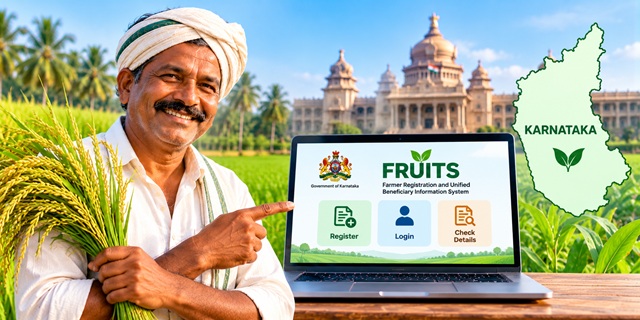
Farmers in Karnataka can register through the official FRUITS portal to create a digital record of their farmer details and agricultural land. The Government of Karnataka allows citizens to register online through the Citizen Login section or seek assistance at a Raitha Samparka Kendra. This guide explains what the Karnataka Farmer ID is, how to register through FRUITS, which details you need, how the approval process works, and where to get help if you face a problem.
What Is Karnataka Farmer ID?
Karnataka Farmer ID refers to the farmer registration identity associated with the state's FRUITS system. FRUITS stands for Farmer Registration and Unified Beneficiary Information System. The Government of Karnataka developed this digital platform with the National Informatics Centre (NIC) and the Department of Personnel and Administrative Reforms (DPAR), e-Governance.
The portal maintains farmer information, including relevant land details, and helps agriculture and allied departments manage farmer records and deliver government services. Instead of repeatedly collecting the same information for different services, departments can use the organized farmer database to support their work.
According to the official FRUITS website, the platform has crossed one crore farmer registrations.
If you want to understand the broader Farmer ID system used across India, read our complete guide to Farmer ID in India.
What Is the FRUITS Portal in Karnataka?
The FRUITS portal is Karnataka's farmer registration and beneficiary information platform. It brings farmer information into an organized digital system and supports the work of multiple government departments.
Farmers in Karnataka may use the portal to register their details, attach eligible agricultural land records, and update certain information in their existing records.
The portal supports several agriculture-related departments, including:
- Agriculture
- Horticulture
- Sericulture
- Animal Husbandry and Veterinary Science
- Fisheries
Each department handles its own services and schemes. FRUITS helps maintain farmer information so that departments can use relevant records when processing services and benefits.
How to Register for Karnataka Farmer ID Online
The Government of Karnataka confirms that citizens can register themselves through the Citizen Login section of the FRUITS website. Farmers who need assistance can also visit a Raitha Samparka Kendra or the nearest taluk-level Horticulture Department office.
Follow the steps below to start your online registration.
Step 1: Open the Official FRUITS Website
Visit the FRUITS Karnataka official website. Make sure you are using the government website before entering your personal information.
On the homepage, find the Citizen Login option. You can also open the direct Citizen Login page.
Step 2: Select Citizen Registration
On the Citizen Login page, click Citizen Registration. This option is for citizens who want to create a new account on the FRUITS portal.
If you have already registered, you generally need to use your existing login rather than create another account. If you are unsure whether a record already exists, contact the FRUITS helpdesk or visit an authorized assistance centre before submitting another registration.
Step 3: Enter Your Aadhaar Details
The official FRUITS FAQ states that the registration process requires your Aadhaar number and the name recorded against Aadhaar. The system verifies these details through OTP authentication.
Enter your details carefully and follow the instructions displayed on the official portal. The OTP is sent to your Aadhaar-linked mobile number.
Simple explanation: The portal needs to verify that the person registering is the same person whose details are being submitted. The OTP helps complete this verification.
Step 4: Verify Your Details Using the OTP
Enter the OTP received on your Aadhaar-linked mobile number when the portal asks you to do so. Complete the verification process according to the on-screen instructions.
If you do not receive the OTP or cannot access your Aadhaar-linked mobile number, check the available instructions on the portal. You can also seek assistance from the FRUITS helpdesk.
Never share your OTP, password, or other authentication details with an unknown person.
Step 5: Attach Your Agricultural Land Details
For registration as a land-owning farmer, the FRUITS FAQ states that land details, including the RTC, are required. The portal allows the applicant to fetch eligible land details from Karnataka's Bhoomi land-record system.
After completing the required identity verification, follow the portal's instructions to fetch and attach the relevant land record.
Before proceeding, check that the land information matches your actual record. If the expected land details do not appear, or the ownership information is incorrect, do not select unrelated land records to complete the application.
You may need to resolve the underlying land-record issue with the appropriate Revenue Department authority.
Step 6: Select the Approving Officer
After attaching the relevant land details, select the approving officer as directed by the FRUITS registration process.
The official FAQ explains that the application is not considered complete merely because you have entered your details. The concerned officer must approve the registration.
Step 7: Wait for Approval
Once you submit the registration, the concerned officer reviews the application. According to the official FRUITS FAQ, registration is completed after the officer approves it.
In simple terms, submitting the form is like sending a request to the government. The department must verify and approve the request before the registration process is complete.
Keep your registered mobile number available and follow any instructions provided by the portal or the concerned office. If the application remains pending, contact the FRUITS helpdesk for guidance.
Official registration page: FRUITS Citizen Login and Registration
Documents and Details Required for Karnataka Farmer ID
The documents and information you need depend on the type of registration and the details you want to add to your farmer record. The official FRUITS FAQ specifically identifies the following requirements.
- Aadhaar number: Required for registration and identity verification.
- Name as recorded in Aadhaar: Enter the name accurately during verification.
- Aadhaar-linked mobile number: Required to receive the OTP used in the registration process.
- RTC or land details: Required when registering as a land-owning farmer.
- Relevant category certificate: If you are registering under a specific category, such as Scheduled Caste or Scheduled Tribe, the relevant certificate may also be required.
These requirements are based on the official FRUITS FAQ. Check the portal for any additional requirements applicable to your individual case.
How to Log In to the Karnataka FRUITS Portal
If you already have a FRUITS account, you can use the Citizen Login page to access it.
- Open the FRUITS Citizen Login page.
- Enter your registered mobile number.
- Enter your password.
- Complete the captcha displayed on the screen.
- Click the login option to continue.
The login page also provides a Reset Password option and a separate option to update your mobile number. Use these official options if you cannot access your account or need to update your registered mobile number.
For security, access your account only through the official government portal.
How to Update Your Details in FRUITS
If you have already registered but some information has changed, you may not need to create a new registration. The official FRUITS FAQ confirms that certain details can be updated in the system.
The information that may be updated includes:
- Land details
- Phone number
- Address
- Name, when it has changed in Aadhaar
- Gender, if previously entered incorrectly
- Bank details
- Caste details
- Date of birth
To begin, open the official FRUITS portal and sign in through Citizen Login. Check the options available for updating your record.
If the information you need to correct is not available through the portal, contact the FRUITS helpdesk or the relevant department for instructions.
Can Joint Landowners Register for Karnataka Farmer ID?
Yes. The official FRUITS FAQ explains that joint landowners can be registered under different arrangements, depending on how their land record and ownership details are handled.
The FAQ describes these possibilities:
- The joint land record may be treated as one record, with a FRUITS ID assigned to one of the joint owners.
- Each first owner may be registered separately through self-declaration, with the land extent attached according to the declaration.
- Joint owners may be registered separately with equal shares.
The appropriate option depends on the land record and the circumstances of the applicants. Joint owners should review the official instructions or seek help from the relevant office before choosing an arrangement.
Read the FRUITS official FAQ for the department's explanation of joint-owner registration.
What Is the Difference Between FRUITS and AgriStack Farmer ID?
FRUITS is Karnataka's farmer registration and beneficiary information system. AgriStack is the Government of India's broader digital agriculture initiative, under which states maintain Farmer Registries and issue digital Farmer IDs.
The central government's official AgriStack website explains that the Farmer Registry connects farmer information with relevant farmland records to support the delivery of government services.
The Ministry of Agriculture and Farmers Welfare has also explained that AgriStack Farmer IDs are created by synchronizing farmer details with digitized land records. You can read the explanation in the government's official PIB release on AgriStack implementation.
Although both systems relate to farmer information, their names should not automatically be treated as interchangeable. If a particular scheme or service specifically asks for an AgriStack Farmer ID, confirm whether your existing FRUITS registration satisfies that requirement.
For a broader explanation of Farmer ID registration across states, visit our Farmer ID India complete guide.
Benefits of Karnataka Farmer Registration
FRUITS helps Karnataka maintain an organized database of farmers, land details and benefits provided through government departments. The system aims to reduce repeated document collection and support more efficient administration.
Its main purposes include:
- Organized farmer information: Farmer details are maintained in a structured digital database.
- Land record integration: Relevant land information can be attached to a farmer's registration.
- Support for government services: Agriculture and allied departments can use the database to support their services and beneficiary processes.
- Reduced repeated paperwork: A unified database can help reduce the need to collect the same information repeatedly.
- Record updates: Eligible information, such as land, address and bank details, can be updated through the available process.
Registration does not automatically guarantee approval for every government scheme. Each scheme has its own eligibility conditions, verification requirements and application process.
Where to Get Help with Karnataka Farmer ID Registration
If you cannot complete registration online, the official FRUITS FAQ identifies two options for assistance: a Raitha Samparka Kendra or the nearest taluk-level Horticulture Department office.
You can also contact the FRUITS Programme Management Unit using the details published on the official website.
- Official website: fruits.karnataka.gov.in
- Citizen Login: Open Citizen Login
- Official FAQ: Read FRUITS Frequently Asked Questions
- Phone: 080-22208333, 080-22209331, 080-22209332
- Email: [email protected]
These contact details are listed on the Official FRUITS contact and help page.
Important Links
| Service | Official Link |
|---|---|
| FRUITS Karnataka Official Website | Visit FRUITS Portal |
| Citizen Login and Registration | Open Citizen Login |
| FRUITS Frequently Asked Questions | Read Official FAQ |
| FRUITS Help and Contact Details | Contact FRUITS Helpdesk |
| AgriStack Official Website | Visit AgriStack |
| Farmer ID Guide for India | Read Complete Farmer ID Guide |
Add new comment