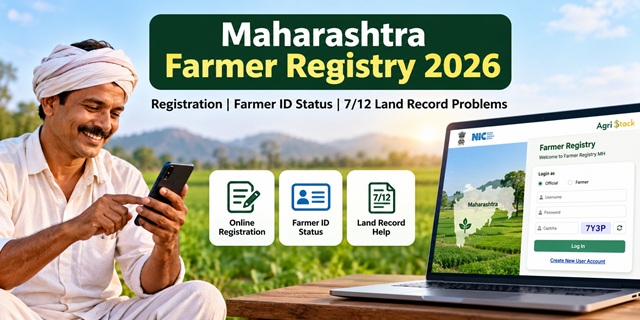
Maharashtra farmers can use the official Farmer Registry portal to access registration and related services. However, problems with land records, account access or enrollment status can make the process confusing. This guide explains how to access the Maharashtra Farmer Registry, check your enrollment, view farmer details and understand what to do if your 7/12 land record contains incorrect information.
Maharashtra Farmer Registry: Overview
The Maharashtra Farmer Registry portal provides access to Farmer Registry services for the state. Farmers can use the portal to access login facilities, check enrollment status and view farmer details.
Before starting, keep your Aadhaar details and relevant agricultural land information ready. The exact information required may depend on the service you use.
Maharashtra Farmer Registry: Key Details |
|
|---|---|
| Service Name | Maharashtra Farmer Registry |
| Official Portal | mhfr.agristack.gov.in |
| Available Services | Farmer login, enrollment status, farmer details and other portal facilities |
| Land Record Portal | Maha Bhulekh |
| Helpdesk Number | 020 25712712 |
Documents and Information Required for Registration
Keep the following information ready before starting the registration process:
- Aadhaar details: Keep your Aadhaar information available for identity verification, if requested by the portal.
- Mobile number: Keep your mobile phone nearby if the registration process requires OTP verification.
- Agricultural land details: Check the relevant survey or Gat number and ownership information in your land records.
- 7/12 and 8A records: Keep the relevant land records available so you can check your details when needed.
If you need to understand Aadhaar or its purpose, read our guide to the Aadhaar Card. Check the official registration page for the final list of required information and documents.
How to Register for Maharashtra Farmer Registry
To begin, open the official Maharashtra Farmer Registry portal. Follow the registration options displayed on the website.
- Open the official portal: Visit the Maharashtra Farmer Registry website using the link above.
- Find the registration option: Look for New Farmer Registration (नवीन शेतकरी नोंदणी), if displayed.
- Enter the requested information: Fill in the details asked for by the registration system. Read each field carefully before entering your information.
- Complete identity verification: Follow the verification instructions shown on the portal, if required.
- Check your land details: Make sure the agricultural land information you provide matches the relevant records.
- Review and submit: Check the information you entered before submitting the registration.
- Save your reference details: Keep any enrollment number or acknowledgment provided by the portal. You may need it later to check your application.
Important: The portal's actual fields and verification steps determine the registration procedure. Follow the instructions displayed on the official website rather than relying on an assumed sequence.
How to Activate Your Farmer Registry Login
Farmers who registered through a Common Service Centre (CSC) or a registration camp may need to activate their own portal login before accessing self-login facilities.
The official Maharashtra Farmer Registry portal displays a notice instructing these farmers to create an account first. Follow these steps:
- Open the Maharashtra Farmer Registry portal.
- Look for the Create New User Account option.
- Open the option and complete the one-time account registration as instructed.
- After activating your account, return to the login page.
- Select the appropriate login option and enter the credentials requested by the portal.
If you have already registered through a CSC or camp, creating a login account is a separate step from completing your original registration. Follow the portal's instructions to activate self-login access.
How to Check Maharashtra Farmer Registry Enrollment Status
After submitting your registration, use the official status page to check the enrollment information available for your application.
- Open the Check Enrollment Status page.
- Read the instructions displayed on the page.
- Enter the information requested by the portal.
- Complete any verification shown on the screen.
- Submit the details and check the status displayed.
If you cannot find your enrollment information, check the details you entered and try again. If the problem continues, contact the official helpdesk at 020 25712712.
How to View Maharashtra Farmer Registry Details
If you want to access your Farmer Registry details, use the separate facility available on the official portal.
- Visit the View Farmer Details page.
- Read the instructions provided on the page.
- Enter the details requested by the system.
- Complete any required verification and proceed as directed.
Use the official page to confirm which information is required. Do not enter your Aadhaar details or other personal information on an unofficial website.
How to Fix 7/12 and Land Record Problems
Incorrect or outdated land records can create difficulties when you try to verify your agricultural land details. Check your records before submitting information to the Farmer Registry.
1. Check Your 7/12 Utara and 8A Records
The 7/12 Utara and 8A extract contain land-related information maintained in Maharashtra's revenue records. You can view the available records through the official Maha Bhulekh portal.
To check your record:
- Open the Maha Bhulekh website.
- Select the relevant record type, such as 7/12 or 8A.
- Select the required location details, including district, taluka and village.
- Enter the requested survey or Gat number, name or other search details.
- Check the displayed record carefully.
The available search fields may vary according to the record type. Also, the ordinary online record-viewing facility is different from the digitally signed documents available through Maharashtra's official land-record services.
2. Your Name Is Missing from the 7/12 Record
If your name does not appear in the land record, first check whether the ownership or mutation entry has been updated. For example, a land record may still show an earlier owner's name after an inheritance or ownership change.
Contact the relevant Talathi or revenue office to understand which record needs correction and what documents are required. Do not assume that submitting a Farmer Registry application will automatically change the land record.
3. Your Name or Land Details Are Incorrect
If the online 7/12 differs from the relevant land documents, compare the name, survey or Gat number, area and other details carefully.
Maharashtra's land-record department provides the official land-record services website, which includes information about the e-Hakk facility for submitting certain land-record correction requests.
Follow the instructions applicable to your type of error. Keep the relevant supporting records ready and contact the Talathi or concerned revenue office if you are unsure which correction process applies.
Other Services Available on the Maharashtra Farmer Registry Portal
Apart from registration-related facilities, the Maharashtra Farmer Registry website lists other services that farmers and authorized users may need.
- Check Jansamarth KCC Status: Open the KCC status page.
- Login with CSC: Access the CSC login option available on the main portal.
- RoR Sync Dashboard: Access the relevant dashboard through the official website.
- Dashboard: Open the portal dashboard, which includes a grievance redressal facility.
The availability of a service does not necessarily mean that every farmer can use it directly. Follow the instructions and access conditions displayed on the relevant page.
Maharashtra Farmer Registry Helpdesk
If you face difficulties with registration, login or another Farmer Registry service, contact the helpdesk number displayed on the official Maharashtra portal.
- Helpdesk number: 020 25712712
- Official portal: Maharashtra Farmer Registry
- Land record services: Maha Bhulekh
When contacting support, explain the problem clearly. If you have an enrollment reference or error message, keep it available. Never share your password or OTP with an unknown person claiming to provide registration assistance.
Important Links
| Service | Official Link |
|---|---|
| Maharashtra Farmer Registry | Open Portal |
| Check Enrollment Status | Check Status |
| View Farmer Details | View Details |
| Jansamarth KCC Status | Check KCC Status |
| Maharashtra Land Records | Open Maha Bhulekh |
| Land Record Department | Official Website |
| Farmer Registry Guide for India | Read Complete Farmer ID Guide |
| Aadhaar Card Information | Read Aadhaar Card Guide |
Add new comment