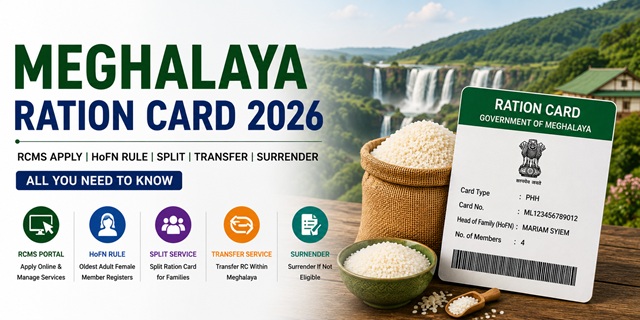
Meghalaya has a fully digital Ration Card Management System (RCMS) that allows citizens to apply for new ration cards, split cards, transfer cards between talukas, and surrender cards entirely online. One critical rule to know before applying: the oldest adult female member of the family (HoFN) must register in the RCMS portal for all ration card services. Only if the family has no female member above 18 years can the eldest male member (HoF) register. This rule is confirmed in the official RCMS User Manual published by the Food Civil Supplies and Consumer Affairs Department, Government of Meghalaya at megfcsca.gov.in. Another important rule: using two ration cards in Meghalaya carries a fine of Rs. 500 under the Meghalaya Food Security Rules 2018. Government employees are required to surrender their ration cards.
- RCMS/EPDS Portal: epds.meghalaya.gov.in - apply, RC details, beneficiary list, transfer, split, surrender
- Food Dept Portal: megfcsca.gov.in - notifications, tenders, forms, RCMS manual
- State Portal: meghalaya.gov.in - announcements, surrender notices
Key Details at a Glance
| Detail | Information |
|---|---|
| Issuing Authority | Food Civil Supplies and Consumer Affairs Dept., Govt. of Meghalaya |
| RCMS/EPDS Portal | epds.meghalaya.gov.in |
| Food Dept Portal | megfcsca.gov.in |
| HoFN Rule | Oldest female member (18+) must register. Male HoF only if no adult female exists. |
| Reference Number Format | Starts with M (e.g. M03091700035) |
| PHH Entitlement | 5 kg per person per month at subsidised rates |
| AAY Entitlement | 35 kg per family per month at subsidised rates |
| Fine for Dual RC | Rs. 500 (Meghalaya Food Security Rules 2018) |
| PDS Helpline | 1967 (Toll Free) |
Types of Ration Card in the State
| Type | Who Gets It | Monthly Entitlement |
|---|---|---|
| PHH (Priority Household) | Low-income families identified under NFSA criteria. Includes rural poor, marginal farmers, daily wage workers, and tribal households. | 5 kg per person per month at subsidised rates |
| AAY (Antyodaya Anna Yojana) | Poorest of the poor - no stable income, elderly with no support, widows, daily wage earners with irregular income, primitive tribal groups | 35 kg per family per month at lowest subsidised rates |
Important: Government employees and deficit/adhoc teachers are NOT eligible for PHH or AAY Ration Cards under NFSA. They must surrender their ration card at the Sub-Divisional Officer (Supply) office. This has been notified across all districts including Pynursla, North Garo Hills, and others.
HoFN Rule - Who Must Register on RCMS
This is the most important rule for Meghalaya ration card - confirmed directly from the official RCMS User Manual at megfcsca.gov.in:
- The HoFN (Head of Family - Oldest Female Member) aged 18 years or above must register in the RCMS portal for all ration card services including new RC application, modification, transfer, split, and surrender.
- Only if the family has no female member above 18 years can the Head of Family male member (HoF) register.
- Login is possible using Registered Username and Password or Aadhaar OTP.
- A Nominee must also be registered during the application. OTP is sent to both the applicant's and nominee's Aadhaar-linked mobile numbers for verification.
Who Can Apply
- Must be a permanent resident of Meghalaya
- Must not already hold a Ration Card anywhere in India
- Must be an eligible income group - PHH or AAY criteria as set by the Meghalaya government
- Aadhaar card must be available and linked to mobile number for UIDAI real-time authentication
- Government employees including deficit and adhoc teachers are not eligible
- Families with members engaged in government service must surrender their ration card
Documents You Need to Apply
- Aadhaar cards of all family members (mandatory - real-time UIDAI verification required)
- Aadhaar-linked mobile number for OTP authentication (HoFN and Nominee both)
- Address details - district, tehsil/block, village, PIN code
- Gas connection details (LPG consumer number and agency name if applicable)
- Kerosene oil details (if applicable)
- Identity proof - Voter ID or other government-issued ID
- Income certificate (for PHH and AAY categories)
- Photograph
- Documents must be in PDF format, file size 0 to 100 KB
How to Apply Online via RCMS Portal
This process is confirmed step-by-step from the official RCMS User Manual at megfcsca.gov.in:
- Go to epds.meghalaya.gov.in.
- Click Public Login on the homepage.
- Click New User! Sign up here.
- Select language English, click No Ration Card.
- Fill in personal details: Name, Aadhaar number, mobile number, date of birth - all exactly matching your Aadhaar card details. Click Verify. Real-time authentication with UIDAI server happens at this step.
- After successful Aadhaar authentication, enter Login ID, Password (minimum 8 characters with at least one numeric, one alphabetic, and one special character), district name, tehsil/block, village, address, PIN code, and service required. Click Submit.
- Click Login Option and sign in using your Username and Password or Aadhaar OTP.
- On the dashboard, click Public RC and mod Appl (UMA33).
- Add all family members with their Aadhaar numbers. Each member must have an Aadhaar number.
- Fill in Card Type Details, Address Details, Gas and Kerosene Oil Details, FPS Details, and Nominee Details.
- Click Submit Ration Card for Verification and Approval.
- A Reference Number is generated (format: M03091700035). Save this for tracking.
- Request goes to Inspector for verification, then TSO/ADSO, then DFSO, and finally the Director for approval.
How to Check Application Status
- Log in to epds.meghalaya.gov.in using your HoFN credentials.
- On the dashboard, click Public RC mod View Dash (UMD36).
- All ration card details including RC Number, Application ID, Applicant Name, Status, and Modification Date are displayed.
How to Check Beneficiary List and RC Details
- Go to epds.meghalaya.gov.in.
- On the homepage, select Beneficiary Details or RC Details.
- Choose your District, Sub-Division, Block, and Village.
- Enter your Ration Card Number.
- Complete ration card details and beneficiary list for your FPS are displayed.
For district-wise RC count:
- On the homepage, click District Wise RC Count.
- Enter the captcha and click Submit.
- Select month, year, state, and district. Click View Reports.
- District-wise ration card count is displayed.
How to Transfer Your Ration Card Online
Meghalaya allows online RC transfer in two types - confirmed from the official RCMS manual:
Intra-Taluka Transfer (within same district/subdivision)
- Log in to epds.meghalaya.gov.in with HoFN credentials.
- Click RC TSSD(X) Appl SRC (RXA03).
- Select Transfer and choose Intra-Taluka.
- Select village/town name, enter PIN code, type remarks.
- Attach required documents in PDF format (0 to 100 KB).
- Click Submit for Transfer. A Reference Number is generated. Request goes to Inspector for verification.
Inter-Taluka Transfer (between districts or subdivisions)
- Select Inter-Taluka as transfer type.
- Fill district, taluka/tehsil, village, Destination DFSO, Destination AFSO, PIN code, and remarks.
- Attach documents and click Submit. Reference Number is generated.
- Request goes to Inspector for verification.
How to Split Your Ration Card
If a family member wants to create a separate Ration Card, the RC Split feature allows them to split from the existing card within the same Taluka:
- Log in and click RC Split(Y) Appl SRC (RYA04) under the Split folder.
- Select Intra-Taluka as split type.
- Select the FPS and Ration Card from the dropdown.
- Select the members to be split using the checkbox.
- Select the new HoF for the split card using the radio button.
- Select new village/town and card type for the split card.
- Fill address details, gas and kerosene details.
- Upload required documents (PDF, 0 to 100 KB).
- Click Submit Request for Split. Reference Number is generated. Request goes to AFSO officer for approval.
- Download the split certificate after approval by clicking View/Download Certificate.
How to Surrender Your Ration Card
Government employees, deficit teachers, adhoc teachers, and families whose income now exceeds eligibility must surrender their ration card:
- Log in to epds.meghalaya.gov.in with HoFN credentials.
- Click RC TSSD(X) Appl SRC (RXA03) and select Surrender.
- Confirm the surrender request and submit.
- Alternatively, visit your nearest Sub-Divisional Officer (Supply) office for offline surrender.
How to Link Aadhaar
Aadhaar linkage is mandatory for all PHH and AAY card holders in Meghalaya. The department has issued notices across all districts for mandatory e-KYC completion. Meghalaya has a large tribal population including Khasi, Garo, and Jaintia communities in remote hilly areas where FPS connectivity can be limited. OTP-based authentication is available where fingerprint fails.
- Visit your designated Fair Price Shop with Aadhaar cards of all family members
- Each member completes biometric authentication on the ePoS device
- If biometric fails, OTP on Aadhaar-linked mobile is used
- Check seeding status - mobile number seeded RC count is displayed on megfcsca.gov.in homepage
For the complete guide: How to Link Aadhaar with Ration Card.
Using Your Card in Another State (ONORC)
Meghalaya has many residents who migrate to Guwahati, Shillong's outskirts, Delhi, and other cities for education and work. Khasi, Garo, and Jaintia community members working in other states can collect their entitled ration at any Fair Price Shop in India under ONORC. Similarly, workers from Assam and other states who come to Meghalaya for construction, mining, and agricultural work can collect their ration at Meghalaya FPS shops. Only Aadhaar authentication is needed - no paperwork required.
For complete details: One Nation One Ration Card (ONORC) Complete Guide.
How to File a Grievance
- PDS Helpline: 1967 (Toll Free)
- Food Dept Portal: megfcsca.gov.in - check for grievance redressal contact details
- District Supply Office: Visit your nearest District Food and Civil Supplies office with your ration card and complaint
- Sub-Divisional Officer (Supply): For local grievances related to FPS distribution, ration card surrender, or inclusion
- State Food Commission: Meghalaya has a State Consumer Disputes Redressal Commission. Contact details at megfcsca.gov.in.
Official Portals and Useful Links
- RCMS/EPDS Meghalaya - epds.meghalaya.gov.in (Apply, RC details, transfer, split, surrender)
- Food Civil Supplies Dept - megfcsca.gov.in (Notifications, forms, RCMS manual)
- Official RCMS User Manual - megfcsca.gov.in
- Meghalaya State Portal - meghalaya.gov.in (Surrender notices, announcements)
- Download Ration Card - DigiLocker
- Check Aadhaar Seeding Status - nfsa.gov.in
PDS Helpline: 1967 (Toll Free)
Disclaimer: This article is for informational purposes only. Processes are subject to change by the Meghalaya Government. Always refer to epds.meghalaya.gov.in and megfcsca.gov.in for the latest official information.
Add new comment