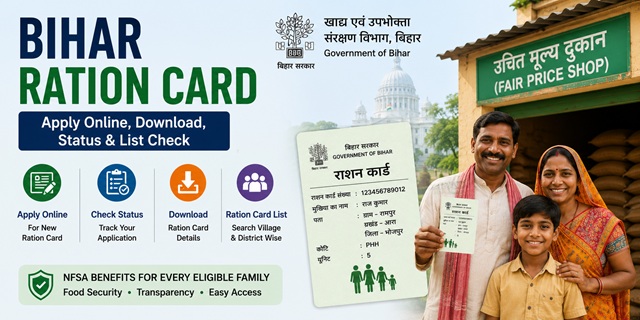
Bihar has one of the largest Public Distribution System (PDS) networks in India, serving crores of families with subsidised food grains under the National Food Security Act (NFSA). The state manages its ration card system through a dedicated digital platform called the Jan Vitran Ann (JVA) portal, also known as the Ration Card Management System (RCMS).
All Bihar ration card services are managed by the Department of Food and Consumer Protection, Government of Bihar through two official portals:
- EPDS Bihar: epds.bihar.gov.in for RCMS reports, RC details, and ration card list
- RC Online Bihar: rconline.bihar.gov.in for new ration card application, corrections, and member updates
Key Details at a Glance
| Detail | Information |
|---|---|
| Issuing Authority | Department of Food and Consumer Protection, Government of Bihar |
| EPDS Portal | epds.bihar.gov.in |
| Online Application Portal | rconline.bihar.gov.in |
| AePDS (Biometric Auth) Portal | epos.bihar.gov.in |
| Food Department Portal | state.bihar.gov.in/fcp |
| Monthly Food Entitlement (PHH) | 5 kg per person per month (rice and wheat) |
| Monthly Food Entitlement (AAY) | 35 kg per family per month |
| Toll Free Helpline | 1800-3456-194 or 1967 |
Types of Ration Card in the State
| Type | Full Name | Who Gets It | Monthly Entitlement |
|---|---|---|---|
| AAY | Antyodaya Anna Yojana | Poorest of the poor families no stable income, landless labourers, widows, elderly with no support | 35 kg per family per month |
| PHH | Priority Household | BPL families identified under NFSA and verified in SECC database | 5 kg per person per month |
| NPHH | Non-Priority Household | Families above the poverty line who need a ration card as identity/address proof | No food subsidy under NFSA |
Who Can Apply
To be eligible for a Bihar ration card under NFSA, the following conditions must be met:
- Must be a permanent resident of Bihar with valid address proof in the state
- Must be at least 18 years old to apply as head of family
- The family must not already hold a valid ration card anywhere in India
- Must be listed in the Socio-Economic Caste Census (SECC) database or meet state-specific eligibility criteria
- Annual household income must be within the limits prescribed by the Bihar government for PHH category
- For AAY category: annual income must be below Rs. 15,000 per year or no stable income source
- Families owning four-wheelers, paying income tax, or holding large agricultural land holdings may be excluded
- Newly married couples without any ration card can apply for a fresh card
Documents You Need to Apply
Keep these documents ready before applying on rconline.bihar.gov.in:
- Aadhaar cards of all family members name in Aadhaar must match exactly as it will be entered in the ration card
- Proof of residence electricity bill, water bill, rent agreement, or bank passbook showing Bihar address
- Income certificate (for PHH and AAY category)
- Passport-size photographs of the head of household
- Bank passbook (first page) of the head of household
- Mobile number linked to Aadhaar for OTP verification
- For newly married couples: marriage certificate
- For split family: split family declaration
The official user manual for online application is available at rconline.bihar.gov.in/Content/UserManual.pdf
How to Apply Online
Bihar provides a fully online application system through the Jan Vitran Ann (JVA) portal. Unlike many states, Bihar citizens can apply for a new ration card directly online without visiting any office.
- Go to rconline.bihar.gov.in.
- Click Apply for Online RC on the homepage.
- Register using your mobile number linked to Aadhaar. Verify with OTP. Set a password to create your account.
- After logging in, select New Apply from the dashboard menu. Read the instructions carefully before proceeding.
- Select whether you are applying for Rural or Urban area.
- Fill in the applicant (head of family) details name exactly as in Aadhaar, address, district, block, panchayat, and ward details.
- Click Add Member to add all family members one by one. Each member's Aadhaar number and name must be entered correctly the name must match the Aadhaar database exactly.
- After adding all members, click Go for Upload Document.
- Upload scanned copies of all required documents in the specified format.
- Review all details carefully. You have 30 days from starting the application to complete and do the Final Submit after that you will need to re-enter family details (registration is retained).
- Click Final Submit. An acknowledgement with your application reference number is generated. Save this for status tracking.
After submission, a field officer verifies your application and documents. On approval, your ration card is issued and linked to your nearest Fair Price Shop.
How to Check Application Status
- Go to rconline.bihar.gov.in and log in with your registered mobile number and password.
- On the dashboard, click Track Application Status.
- Your application status is displayed showing whether it is under review, approved, or rejected.
You can also check RC details directly on the EPDS portal:
- Go to epds.bihar.gov.in/SearchByRCID.aspx.
- Enter your Ration Card ID (RC number).
- Your complete ration card details including member list and Aadhaar seeding status are displayed.
How to Check Ration Card List (RCMS Report) District-wise
The RCMS Report on the EPDS Bihar portal shows the complete category-wise ration card count for every district in Bihar. To find your name:
- Go to epds.bihar.gov.in and click RCMS Report.
- Select your District from the dropdown showing all 38 districts of Bihar.
- The district page shows the category-wise count. Click on your district to drill down.
- Select Urban or Rural as applicable.
- Select your Block.
- Select your Panchayat.
- Select your Village.
- Select your Fair Price Shop (FPS) dealer.
- The list of all ration cards under that FPS is displayed. Click on your ration card number to view all family member details.
How to Download Your e-Ration Card
Method 1 Via EPDS Bihar Portal
- Go to epds.bihar.gov.in/SearchByRCID.aspx.
- Enter your Ration Card ID and click Search.
- Your ration card details are displayed. Use your browser’s print function (Ctrl+P) to save or print the ration card details page as PDF.
Method 2 Via DigiLocker
- Go to digilocker.gov.in or open the DigiLocker app.
- Log in with your Aadhaar-linked mobile number.
- Search for Ration Card and select the issuer as Food and Consumer Protection Department, Bihar.
- Enter your ration card number and required details.
- Click Get Document. Your Bihar ration card is fetched and saved in DigiLocker.
DigiLocker integration for ration cards is confirmed on the official rconline.bihar.gov.in portal which explicitly mentions DigiLocker as a digitization service for ration cards.
How to Add or Remove a Family Member in Ration Card
Member addition and removal (Praptra-KHA) is done through the RC Online portal:
- Log in to rconline.bihar.gov.in.
- Search for your existing ration card using your RC number.
- Select Praptra-KHA (correction/modification option) from the menu.
- For adding a member: click Add Member, enter their Aadhaar number and name, upload relevant proof (birth certificate for newborn, marriage certificate for spouse).
- For removing a member: select the member and choose the appropriate reason (deceased, migrated, etc.) and upload supporting documents.
- Submit the modification request. An acknowledgement number is generated for tracking.
The official Praptra-KHA user manual is available at rconline.bihar.gov.in/Content/PraptraKHA.pdf
How to Link Aadhaar with Ration Card
Aadhaar linking is mandatory for all members. In Bihar it is done through the AePDS (Aadhaar-enabled PDS) system at the Fair Price Shop:
- Visit your designated Fair Price Shop with Aadhaar cards of all family members and your ration card.
- Ask the FPS dealer to do Aadhaar seeding on the ePoS machine.
- Each member provides their fingerprint biometric for authentication on the ePoS device.
- Confirmation SMS is sent to your registered mobile number.
Check Aadhaar seeding status at epds.bihar.gov.in/SearchByRCID.aspx using your RC number. For the complete guide: How to Link Aadhaar with Ration Card.
Using Your Ration Card in Another State (ONORC)
Bihar is one of the states with a very high migrant worker population. If you are a Bihar resident working or living in another state, you can collect your entitled food grains from any Fair Price Shop anywhere in India under the One Nation One Ration Card (ONORC) scheme. Only your Aadhaar number is needed at the FPS no transfer or new card required.
For complete details: One Nation One Ration Card (ONORC) Complete Guide.
How to File a Grievance
- Online Grievance: state.bihar.gov.in/fcp click Bihar PDS Grievance
- Toll Free Helpline: 1800-3456-194 (free, all networks) or 1967
- District Supply Officer: Visit your district food office with ration card and complaint details
Official Portals and Useful Links
- EPDS Bihar Portal - epds.bihar.gov.in (RC details, RCMS report, ration card list)
- RC Online Bihar - rconline.bihar.gov.in (Apply for new ration card, corrections, member updates)
- Search RC Details - epds.bihar.gov.in
- RCMS Report (Ration Card List) - epds.bihar.gov.in
- Food and Consumer Protection Department - state.bihar.gov.in/fcp
- Online Application User Manual - rconline.bihar.gov.in
- Download e-Ration Card - DigiLocker
- Check Aadhaar Seeding Status - nfsa.gov.in
Bihar Ration Card Helpline: 1800-3456-194 or 1967 (Toll-free)
Also read:
Ration Card in India - Complete Guide (2026)
How to Link Aadhaar with Ration Card
One Nation One Ration Card (ONORC) - Complete Guide
Disclaimer: This article is for informational purposes only. Eligibility criteria and processes are subject to change by the Bihar Government. Always refer to epds.bihar.gov.in and rconline.bihar.gov.in for the latest official information.
Add new comment