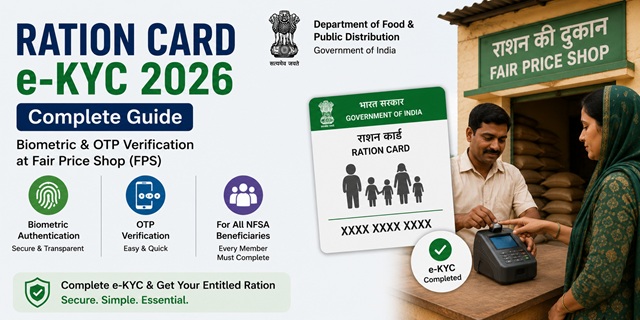
Ration Card e-KYC (electronic Know Your Customer) is a verification process through which each member listed on a ration card confirms their identity using Aadhaar-based authentication. The Department of Food and Public Distribution has directed all states to complete 100% e-KYC of NFSA ration card beneficiaries to ensure that food grains reach only genuine and eligible families.
If e-KYC is not completed, a member may face authentication failure at the Fair Price Shop and could be denied their monthly ration entitlement. Every member of the household must complete e-KYC individually.
What is Ration Card e-KYC?
e-KYC for ration cards is the process by which the demographic details stored in the PDS (Public Distribution System) database for each beneficiary are verified and validated against their Aadhaar records held by UIDAI. In simple terms, the system confirms that the person claiming the ration is the same person whose details are in the ration card database.
This is different from simply linking Aadhaar to the ration card (Aadhaar seeding). Aadhaar seeding adds the Aadhaar number to the ration card record. e-KYC goes a step further by actually verifying the person’s identity through biometric or OTP authentication at the time of ration collection or at a designated e-KYC camp.
e-KYC vs Aadhaar Seeding - Key Difference
| Feature | Aadhaar Seeding | e-KYC |
|---|---|---|
| What it does | Links Aadhaar number to ration card record in database | Verifies the person’s identity by matching biometric or OTP against UIDAI records |
| How it is done | Entering Aadhaar number online or at FPS/CSC | Physical biometric (fingerprint/iris) or OTP authentication at ePoS machine |
| Physical presence needed? | Not always — can be done online | Yes — member must be physically present at FPS or e-KYC camp |
| One-time or repeated? | One-time process per member | Completes during every ration collection using biometric authentication |
Who Needs to Complete e-KYC?
- Every individual member listed on the NFSA ration card (AAY and PHH categories)
- Head of family as well as all other members including children
- Members who have Aadhaar seeded but have not yet authenticated biometrically at the FPS
- Members whose e-KYC failed in a previous attempt due to biometric mismatch or connectivity issues
How to Complete Ration Card e-KYC at Fair Price Shop (Primary Method)
The primary and most common method for e-KYC is at the Fair Price Shop (FPS) during or outside the regular ration distribution cycle. This is confirmed in the official DFPD advisory on 100% e-KYC at dfpd.gov.in.
- Visit your designated Fair Price Shop (your regular ration dealer). Carry your Aadhaar card and ration card.
- Inform the dealer that you want to complete e-KYC. The FPS dealer can initiate the e-KYC request on the ePoS machine during or after the regular distribution hours.
- The dealer enters your Aadhaar number or Ration Card number on the ePoS device.
- Your details from the PDS database are displayed on the ePoS screen.
- Place your finger on the biometric device for fingerprint authentication. The system sends your biometric to UIDAI for real-time verification.
- UIDAI returns your demographic data (name, address, date of birth, gender, photograph) which is then matched against your PDS record.
- If the details match, your e-KYC is marked as completed in the system. You will typically receive an SMS confirmation on your registered mobile number.
- Repeat this for each family member. All members must be physically present for their own biometric authentication.
FPS dealers are required to keep the shop open during pre-announced slots for e-KYC so that all household members can visit and complete the process. The e-KYC cycle is repeated each month during ration collection for members who could not complete it previously.
e-KYC via OTP (When Biometric Fails)
If a member’s fingerprint authentication fails repeatedly, the state government may allow OTP-based e-KYC as an alternative. In this case:
- The FPS dealer selects the OTP authentication option on the ePoS machine.
- An OTP is sent to the Aadhaar-linked mobile number of the member.
- The member provides the OTP to the dealer who enters it on the device.
- UIDAI verifies the OTP and returns the demographic data for matching.
- e-KYC is completed on OTP basis.
The availability of OTP-based e-KYC depends on the state’s PDS system configuration. Not all states have enabled this option at FPS level. Contact your state food department helpline or call 1967 for confirmation.
e-KYC via Common Service Centre (CSC)
In some states, beneficiaries can also complete Ration Card e-KYC at a Common Service Centre (CSC) or Jan Seva Kendra:
- Visit your nearest CSC with your Aadhaar card and ration card. Find the nearest CSC at locator.csccloud.in.
- Request the CSC operator to initiate Ration Card e-KYC.
- Complete biometric authentication on the CSC’s biometric device.
- Collect the acknowledgement receipt after completion.
What Happens If e-KYC Is Not Completed?
- Members who have not completed e-KYC may face authentication failure at the Fair Price Shop when trying to collect ration
- In states with strict e-KYC enforcement, ration may be withheld for members whose e-KYC is pending
- The member’s name may be flagged as unverified in the PDS database
- ONORC portability may not work for members with incomplete e-KYC
However, the official DFPD advisory at dfpd.gov.in clearly states: no beneficiary shall be denied their entitled quota of ration solely due to authentication failure. If biometric fails, the FPS dealer must use alternative authentication (OTP or physical ID verification) to ensure genuine beneficiaries are not denied food grains.
e-KYC for Special Categories
Children Below 5 Years
Children below 5 years do not have biometrics in the Aadhaar database (only photograph is captured at this age). For e-KYC of such members, the parent’s biometric authentication may be accepted by some states. Check with your state food department for the applicable rule.
Elderly and Differently-Abled Members
For members whose fingerprints are worn out or damaged (common in elderly manual labourers), iris authentication should be tried. If both fingerprint and iris fail, OTP-based authentication or physical ID verification by the FPS dealer must be used to ensure they are not denied ration.
Members Who Are Bedridden or Unable to Visit FPS
If a member is genuinely unable to visit the FPS due to illness or disability, the state food department or BLO (Booth Level Officer equivalent for PDS) may arrange doorstep e-KYC in some states. Contact your state food department helpline or call 1967 for assistance in such cases.
How to Check e-KYC Status
You can check whether e-KYC has been completed for each member of your Ration Card:
- Go to nfsa.gov.in and enter your ration card number.
- Your ration card details along with member-wise Aadhaar seeding status are displayed.
- For detailed e-KYC status, visit your state food department portal and use the beneficiary verification or e-KYC status check option.
- You can also check at the FPS by asking the dealer to show your record on the ePoS machine.
Official Portals and Useful Links
- National Food Security Act Portal - nfsa.gov.in
- Check Ration Card and e-KYC Status - nfsa.gov.in
- Department of Food and Public Distribution - dfpd.gov.in
- IMPDS Dashboard - impds.nic.in
- Locate Aadhaar Seva Kendra - uidai.gov.in
- Locate Nearest CSC - locator.csccloud.in
Central PDS Helpline: 1967 (Toll-free)
UIDAI Helpline: 1947 (Toll-free, Monday to Saturday)
Also read:
How to Link Aadhaar with Ration Card
One Nation One Ration Card (ONORC) - Complete Guide
Ration Card in India - Complete Guide (2026)
Disclaimer: This article is for informational purposes only. e-KYC processes and rules vary by state and are subject to change by DFPD and state governments. Always refer to nfsa.gov.in for the latest official information.
Add new comment