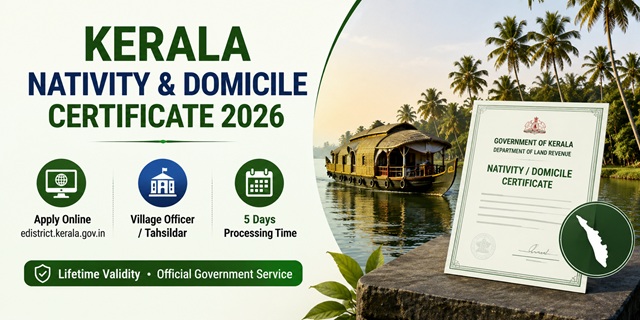
Kerala has three distinct residence-related certificates under the Department of Land Revenue: the Nativity Certificate, the Domicile Certificate, and the Residential Certificate. Each has a different issuing authority, purpose, and eligibility - all described on the official Department of Land Revenue website clr.kerala.gov.in (last modified 05 May 2026). Applications are submitted online at edistrict.kerala.gov.in - managed by Kerala State IT Mission (KSITM) and developed by National Informatics Centre (NIC), Kerala. Assistance is available at Akshaya Centres across the state. Processing time is 5 days. All three certificates have lifetime validity. In February 2026, the Kerala government introduced the Kerala Nativity Card Bill in the state Assembly - a new legal framework replacing the existing nativity certificate with a standardised card. Applications continue at edistrict.kerala.gov.in and Tahsildar offices in the meantime.
- eDistrict Kerala Portal: edistrict.kerala.gov.in
- Sign In: edistrict.kerala.gov.in/login
- Create Account: edistrict.kerala.gov.in/register
- Track Application: edistrict.kerala.gov.in/track
- Certificate Verification: edistrict.kerala.gov.in/verify
- Services List: edistrict.kerala.gov.in/services
- Department of Land Revenue: clr.kerala.gov.in/certificates
- eDistrict Contact: 0471-2525444 | [email protected]
- Revenue Toll Free: 18004255255
Key Details
| Detail | Information |
|---|---|
| eDistrict Portal | edistrict.kerala.gov.in |
| Managed By | Kerala State IT Mission (KSITM) |
| Developed By | National Informatics Centre (NIC), Kerala |
| Processing Time | 5 days from date of application |
| Validity | Lifetime |
| Akshaya Centre Fee | Rs. 28 (Rs. 18 service + Rs. 7 govt charge + Rs. 3/page scanning/printing) |
| SC/ST Fee at Akshaya | Rs. 12 |
| eDistrict Phone | 0471-2525444 |
| eDistrict Email | [email protected] |
| Revenue Toll Free | 18004255255 |
| Address | Vrindavan Gardens, Saankethika, near EPF Office, Pattom P.O, Thiruvananthapuram, Kerala 695004 |
Three Types of Residence Certificates in Kerala
Kerala's revenue system has three distinct residence-related certificates - all described on the official Department of Land Revenue website clr.kerala.gov.in:
| Certificate | Issuing Authority | Who Is Eligible | Purpose |
|---|---|---|---|
| Nativity Certificate | Village Officer (general), Tahsildar (central govt/outside state), ADM/Deputy Collector General (defence) | Citizens born in Kerala OR children of non-Kerala born citizens who are married and have permanent residence in Kerala | Educational admissions, scholarships, government job applications where nativity proof is needed |
| Domicile Certificate | Tahsildar | Person born and brought up and holding citizenship - by birth, choice, or dependency. Can be used as nationality/citizenship certificate | Used in lieu of nationality/citizenship certificate. Issued after verifying citizenship/birth/permanent residence of parents |
| Residential Certificate | Village Officer | Those who are not eligible for nativity certificate but need to prove residence | For residents who do not meet nativity criteria - proves residence in a locality without nativity claim |
Kerala Nativity Card Bill 2026 - Important Update
The Kerala government introduced the Kerala Nativity Card Bill in the state Assembly on 23 February 2026. Revenue Minister K. Rajan presented the Bill, calling it a "historic and rarest of the rare piece of legislation." Key features of the proposed Nativity Card:
- The Nativity Card will replace the existing nativity certificate as a standardised identity document
- Application will be submitted in a prescribed format to the Tahsildar with Affidavit, Birth Certificate, Ration Card, and School Certificates
- Applications can be submitted at the Tahsildar office or online at edistrict.kerala.gov.in
- The Tahsildar will maintain a permanent register of Nativity Cards at the Taluk office
- The Card is intended to serve as an authoritative document for accessing Government of Kerala services
- Until the law comes into full effect, existing nativity certificate applications continue through the current process at edistrict.kerala.gov.in and Village Officer/Tahsildar offices
Who Can Apply for Kerala Nativity Certificate
The eligibility criteria are from the official Department of Land Revenue website clr.kerala.gov.in:
- Citizens who were born in Kerala
- Children of citizens born in other states who are married and have permanent residence in Kerala
- For all other cases: a Residential Certificate is to be given instead of Nativity Certificate
- Nativity certificates for defence purposes are issued by the Additional District Magistrate/Deputy Collector (General) - not the Village Officer
Documents Required
- Birth Certificate (for nativity based on birth in Kerala)
- Ration Card (family and address proof)
- Aadhaar Card (mandatory for eDistrict portal registration - Aadhaar-linked)
- School Certificates (SSLC or Transfer Certificate showing place of birth/schooling in Kerala)
- Affidavit declaring nativity details (for Nativity Card Bill process)
- Marriage Certificate (for women married to Kerala residents who were not born in Kerala)
- Address Proof: Utility bill, rent agreement, or property document
How to Register on eDistrict Kerala
eDistrict registration is Aadhaar-linked - one person can register only once:
- Go to edistrict.kerala.gov.in/register.
- Fill in your personal details with your Aadhaar-linked mobile number.
- Verify via OTP. Your account is created.
- Note: The Aadhaar linkage ensures only one registration per person. Garbage or junk values in the profile may lead to deactivation.
How to Apply Online at eDistrict Kerala
- Go to edistrict.kerala.gov.in/login and sign in with your login name, password, and captcha.
- Navigate to Certificate Service from the main menu and select Nativity Certificate (or Domicile/Residential Certificate as needed).
- In Applicant Registration: complete the one-time registration (OTR) process for the person who needs the certificate. Fill the New Registration form and submit.
- Select the registered person using their registration number.
- In the Certificate Purpose section, select the appropriate option:
- Within state purposes
- Outside state purposes
- Defence purposes
- Fill the application form with all required details.
- Upload the required documents.
- Pay the government service charge online.
- Submit. An Application Reference Number is generated. Note it.
- Track status at edistrict.kerala.gov.in/track.
- After receiving the "certificate issued" SMS, log in to eDistrict and download/print the certificate.
How to Apply via Akshaya Centre
- Visit your nearest Akshaya Centre with all required documents.
- Tell the operator which certificate you need: Nativity, Domicile, or Residential.
- The Akshaya operator applies on edistrict.kerala.gov.in on your behalf.
- Pay the fee at the counter:
- General category: Rs. 28 (Rs. 18 Akshaya service charge + Rs. 7 government charge + Rs. 3 per page for scanning/printing)
- SC/ST category: Rs. 12
- BPL families: Reduced rate applies
- Collect the acknowledgement with Application Reference Number.
- Receive SMS when certificate is issued. Collect print from Akshaya or download from eDistrict.
How to Apply at Village Office / Tahsildar Office
- For Nativity Certificate (general purpose): Visit your Village Office. The Village Officer issues after scrutinizing evidence and local enquiry.
- For Nativity Certificate for central government or outside state purposes: Visit the Taluk/Tahsildar Office.
- For Nativity Certificate for defence purposes: Visit the Office of Additional District Magistrate/Deputy Collector (General) of your district.
- For Domicile Certificate: Visit the Tahsildar Office. Proof of permanent residence must be produced before the Village Officer first, who issues the certificate after scrutiny and local enquiry. The Tahsildar then processes based on Village Officer report.
- Submit the application in prescribed form with all required documents.
- Collect acknowledgement and track status.
How to Track Application and Verify Certificate
- Track Application: Go to edistrict.kerala.gov.in/track. Enter your Application Reference Number and view status.
- Verify Certificate: Go to edistrict.kerala.gov.in/verify. Scan or enter the QR/reference details to verify the certificate's authenticity.
- SMS notification is sent when the certificate is issued.
Official Links
- eDistrict Kerala - edistrict.kerala.gov.in
- Sign In - edistrict.kerala.gov.in
- Create Account - edistrict.kerala.gov.in
- Track Application - edistrict.kerala.gov.in
- Certificate Verification - edistrict.kerala.gov.in
- Services List - edistrict.kerala.gov.in
- FAQ - edistrict.kerala.gov.in
- Department of Land Revenue - clr.kerala.gov.in
eDistrict: 0471-2525444 | [email protected]
Revenue Toll Free: 18004255255 | [email protected]
Related articles:
Domicile Certificate in India - Complete Guide
Kerala Ration Card - Full Apply Process
Kerala Income Certificate - eDistrict Guide
Disclaimer: This article is for informational purposes only. Always verify the latest process at edistrict.kerala.gov.in and clr.kerala.gov.in before applying.
Add new comment