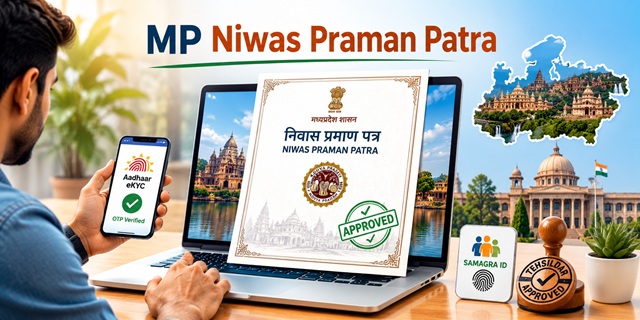
In Madhya Pradesh, the Domicile Certificate is officially called Niwas Praman Patra (निवास प्रमाण पत्र) and is issued by the Tehsildar under the Revenue Department. Apply at mpedistrict.gov.in - the Lok Seva Guarantee Portal - governed by the MP Lok Seva Guarantee Act. Two things are unique to MP: first, Samagra ID is mandatory for the application - a 9-digit family or 8-digit individual ID from Madhya Pradesh's Samagra registration system. Second, online registration on the portal uses Aadhaar eKYC instead of a standard email/password - enter your Aadhaar number, receive OTP on the Aadhaar-linked mobile, and your details are auto-filled. Application through the Lok Seva Guarantee Portal is completely free. Lok Seva Kendra assistance costs Rs. 20. Processing time is 7 to 15 working days. The application moves from the portal to the Patwari for field verification, then to the Tehsildar for final approval.
- Lok Seva Guarantee Portal: mpedistrict.gov.in
- Aadhaar eKYC Login: mpedistrict.gov.in/eKYC-login
- Citizen Login: mpedistrict.gov.in/citizen-login
- Application Status: mpedistrict.gov.in/status
- Lok Seva Kendra List: mpedistrict.gov.in/lok-seva-kendra-list
- MP Online Kiosk List: mponline.gov.in/kiosk-list
- Samagra Portal (update eKYC): samagra.gov.in
- Contact Details: mpedistrict.gov.in/contact
Eligibility Criteria
- Born in Madhya Pradesh and currently residing in the state
- Residing in Madhya Pradesh continuously for at least 10 years
- A woman married to a permanent resident of MP (husband's permanent residence in MP qualifies)
Note: Domicile Certificate can be obtained from only one state or UT at a time. Having domicile certificates from two states simultaneously is an offence.
What is Samagra ID and Why It Is Mandatory
Samagra ID is Madhya Pradesh's unique family and individual registration system managed at samagra.gov.in. Every MP family has a 9-digit Samagra Family ID and every individual member has an 8-digit Samagra Member ID. The MP eDistrict portal uses Samagra ID to verify family composition and residential details. Before applying:
- Ensure your Samagra ID exists and is updated at samagra.gov.in
- Samagra eKYC must be completed - your Aadhaar must be linked and verified in the Samagra system. If eKYC is not updated, the portal will not allow you to complete the application
- Update Samagra eKYC at samagra.gov.in before starting the application
Documents Required
- Aadhaar Number (mandatory for portal eKYC)
- Samagra ID (9-digit family or 8-digit individual member)
- Mobile Number (Aadhaar-linked for OTP)
- Residence Proof of Madhya Pradesh (Ration Card, Electricity Bill, Voter ID, or Property Document)
- Passport-size photograph
How the Verification Workflow Works
After submission, the application moves through a two-stage verification before the Tehsildar issues the certificate:
- Stage 1 - Patwari field verification: If application status shows "Pending at Patwari", it means the Patwari (village-level revenue officer) of your area has not yet visited and submitted the field enquiry report. If stuck here for more than 7 working days, visit the Tehsil office with your Registration Number to follow up.
- Stage 2 - Tehsildar approval: If status shows "Pending at Tehsildar", it means field verification is complete and the certificate is awaiting final approval from the Tehsildar. Certificate is issued shortly after.
How to Apply Online at Lok Seva Guarantee Portal
Portal: mpedistrict.gov.in
- Visit mpedistrict.gov.in and click Citizen Registration.

- Fill the citizen registration form.

- Mobile Number is verified through OTP.

- Log in with Email ID or Mobile Number and Password.

- Alternatively, use Aadhaar eKYC login at mpedistrict.gov.in/eKYC-login - enter Aadhaar number, get OTP on Aadhaar-linked mobile, and your details auto-fill.
- After login, click Citizen Services Apply.

- Choose Domicile Certificate Application Format and click View and Apply.

- Click Apply next to Online.

- Fill the detailed domicile certificate application form including Samagra ID and personal details.

- Upload all required documents in PDF format.
- Pay fee if applicable (online portal: free). Payment modes: Internet Banking, Credit Card, Debit Card, or e-wallet.
- Submit. A Registration Number is generated. Note it for tracking and certificate download.
How to Apply at Lok Seva Kendra
All Lok Seva Kendras in MP are located inside Tehsil offices - not at separate locations. This makes it easy to visit in person.
- Find your nearest Lok Seva Kendra at mpedistrict.gov.in/lok-seva-kendra-list - complete list with addresses and contact numbers for all districts.
- Examples: Indore Lok Seva Kendra - Satellite Building Behind Collectorate, PIN 452004. Anuppur - [email protected], PIN 484224.
- Visit with all documents. Officials fill the application and upload scanned documents.
- Pay Rs. 20 (fee may vary by district) at the counter.
- Collect the acknowledgement receipt with Registration Number.
- Certificate issued within 7 to 15 working days. Download from mpedistrict.gov.in after approval.
How to Apply via MP Online Kiosk
- Find your nearest MP Online Kiosk at mponline.gov.in/kiosk-list - district-wise list available.
- Visit with all documents. Kiosk operator fills and uploads the application.
- Pay Rs. 20 (fee may vary by district) service fee. Collect acknowledgement receipt with Registration Number.
- After verification, certificate available for download from mpedistrict.gov.in.
How to Apply via CSC Centre
- Visit the nearest CSC with all original documents.
- Agent fills and uploads the domicile certificate application on mpedistrict.gov.in.
- Pay nominal charge (Rs. 20 or fee may vary by district). Collect acknowledgement receipt.
- Download certificate from mpedistrict.gov.in after approval.
Check Application Status
- Go to mpedistrict.gov.in/status and click Application Status.

- Enter Registration Number or Mobile Number and click Search.

- Status options: Pending at Patwari (field verification pending) → Pending at Tehsildar (verification done) → Approved (certificate ready for download).
- If stuck at "Pending at Patwari" for more than 7 working days, visit the Tehsil office with your Registration Number.
Download Certificate
- Log in to mpedistrict.gov.in.
- Click My Applications from the sidebar.

- Select the Domicile Certificate application and click Download Certificate.
- The digitally signed Madhya Pradesh Niwas Praman Patra downloads in PDF.
Fee Details
| Application Mode | Fee |
|---|---|
| Lok Seva Guarantee Portal (online) | Free (no fee) |
| Lok Seva Kendra | Rs. 20 (fee may vary by district) |
| MP Online Kiosk | Rs. 20 (fee may vary by district) |
| CSC Centre | Rs. 20 (fee may vary by district) |

Processing time: 7 to 15 working days under the MP Lok Seva Guarantee Act. Validity: Lifetime.
Add new comment