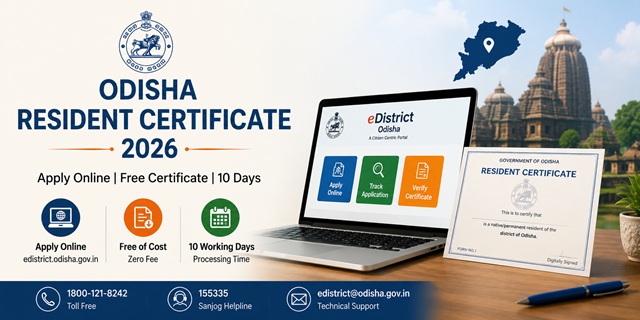
In Odisha, what most states call a domicile or residence certificate is officially called a Resident Certificate. The precise legal language on the certificate reads: "is a native/permanent resident of the district of [X] in the state of Odisha and he or his family is presently residing at Village/town [X] Tahasil [X] in the district [X]." This certificate is issued under FORM No. I as a digitally signed document under the IT Act 2000 (sections 4, 5, and 6) and the Revenue and Disaster Management Department Notification IMU-13/10. It is completely free - zero government service charge. The ORTPS timeline is 10 working days. The eligibility rule is specific: continuous residence of at least 1 year within the jurisdiction of the concerned Tahasil - with relaxation for government employees transferred to new locations and women married within the past 1 year. Apply at edistrict.odisha.gov.in. For verification, enter the Application Reference Number and Token Number printed on the certificate.
- eDistrict Odisha Portal: edistrict.odisha.gov.in
- Apply Resident Certificate: edistrict.odisha.gov.in/Resident-Certificate
- Revenue Department Email: [email protected]
- Toll Free: 1800-121-8242
- Sanjog Helpline: 155335
- Technical Support: [email protected]
- OCAC Address: OCAC Building, Plot No. N-1/7-D, Acharya Vihar, Bhubaneswar-751013
Resident Certificate in Odisha - Key Facts
| Detail | Information |
|---|---|
| Certificate Name | Resident Certificate (FORM No. I) |
| Department | Revenue and Disaster Management Department, Odisha |
| Government Service Charge | Zero (Free) |
| ORTPS Timeline | 10 working days |
| Residence Requirement | Continuous residence for at least 1 year within the concerned Tahasil |
| Relaxation | Government employees who have been transferred; Women married within the past 1 year |
| Application Methods | Online / CSC / Tahasil office |
| Certificate Verification | Application Reference Number + Token Number |
| Legal Basis | IT Act 2000 sections 4, 5, 6 + Revenue & DM Notification IMU-13/10 |
| Validity | 1 year from date of issue |
| Toll Free | 1800-121-8242 |
| Sanjog Helpline | 155335 |
The 1-Year Tahasil Residence Rule
Odisha's eligibility rule for Resident Certificate is based on the Tahasil - the lowest revenue administrative unit in Odisha (equivalent to Tehsil or Taluk in other states). The rule states:
"Resident Certificate for a locality in the State shall be issued to a person who has been residing continuously for a period of at least one year within the jurisdiction of the concerned Tahasil."
Two categories get a relaxation from the 1-year rule:
- Government employees who have been transferred: If you are a government employee and have recently been transferred to a new location in Odisha, you can apply for a Resident Certificate for your current posting location even if you have not completed 1 year there.
- Women married within the past 1 year: If you are a woman who has recently married and moved to a new Tahasil, you can apply for a Resident Certificate there even within the first year of your stay.
What is ROR and Why It Is Listed as a Document
ROR stands for Record of Rights - the official land record document in Odisha. For a Resident Certificate, a copy of ROR is listed as one of the accepted address/residence proof documents. If you own agricultural or other land in Odisha, the ROR is a strong residence proof. ROR entries in Odisha are maintained at the Tahasil level and can be accessed through the official Bhulekh portal at bhulekh.odisha.gov.in. Non-landowners can use other documents from the list instead.
Complete Documents List
Any one or more of these documents - directly from the official edistrict.odisha.gov.in service description:
- Electricity Bill
- Copy of ROR (Record of Rights)
- EPIC (Voter ID Card)
- Aadhaar Card
- Landline Telephone Bill
- Ration Card
- Holding Tax Receipt
- Lease agreement with house owner
- Certificate from the Employer
- First page of Bank Passbook
- Extract of latest Voter List
- NREGA Job Card
- Any other relevant document
The wide list is intentional - Odisha's eDistrict portal allows uploading any other relevant document beyond this list. Rural residents, migrant workers, and those with non-standard living arrangements all have options.
How to Apply Online at eDistrict Odisha
- Go to edistrict.odisha.gov.in.
- If you are a new user, click Register. Registration is a one-time process - create your login ID and password.
- After registration, click Login and enter your username and password.
- Click on Resident Certificate under the e-Certificates section. A pop-up window shows the guidelines - read and click Proceed. Or go directly to edistrict.odisha.gov.in/Resident-Certificate.
- Fill in the application form with your personal details, current Tahasil address, period of residence, and purpose.
- Upload supporting documents - any from the list above as applicable.
- Submit. There is no government fee. An Application Reference Number is generated. Save it.
- Track status from the homepage using "Check Your Application Status" or after login via View Status → Track Application Status.
- When the certificate is issued, login → View Status → Track Application Status → click Delivered against your Application Reference Number → click Output Certificate → the certificate appears on screen. Print or download it.
How to Apply via CSC (Common Service Centre)
- Visit your nearest CSC in Odisha with all required documents
- The CSC operator applies on edistrict.odisha.gov.in on your behalf
- No government fee. The CSC may charge a small service fee
- Collect the acknowledgement with your Application Reference Number
- Track status on the portal. Download certificate once issued
How to Apply Offline at Tahasil Office
- Visit the Tahasil office of the Tahasil where you reside
- Collect the Resident Certificate application form
- Fill the form with your details and duration of residence in the Tahasil
- Attach supporting documents - Aadhaar, Voter ID, Ration Card, ROR, or any other applicable document
- Submit at the Revenue counter
- The Tahasildar processes and issues the certificate within the ORTPS timeline of 10 working days
How to Verify the Certificate
Odisha uses a two-field verification system - unique to this state's eDistrict setup:
- Go to edistrict.odisha.gov.in
- Click Verify your Certificate button on the homepage
- Enter the Application Reference Number AND the Token Number - both are printed on the certificate
- Click Download Certificate. The certificate downloads if both values are correct
The certificate also carries this note: "It is a digitally signed, electronically generated certificate and therefore needs no ink-signed signature. Tampering of this Certificate will attract penal action."
Other Revenue Certificates Available on eDistrict Odisha
Beyond the Resident Certificate, these are available under the Revenue and Disaster Management Department on edistrict.odisha.gov.in:
- Income Certificate
- Scheduled Caste (SC) Certificate
- Scheduled Tribe (ST) Certificate
- OBC Certificate
- SEBC Certificate (Socially and Educationally Backward Classes - Odisha-specific)
- Income and Asset Certificate (EWS)
- Legal Heir Certificate
- Guardianship Certificate
Official Links
Revenue Department: [email protected] | Toll Free: 1800-121-8242
Sanjog Helpline: 155335 | Technical Support: [email protected]
OCAC: Plot No. N-1/7-D, Acharya Vihar, Bhubaneswar-751013
Related articles:
Domicile Certificate in India - Complete Guide
Odisha Ration Card Guide
Odisha Income Certificate Guide
Disclaimer: Always verify latest details at edistrict.odisha.gov.in before applying.
Add new comment