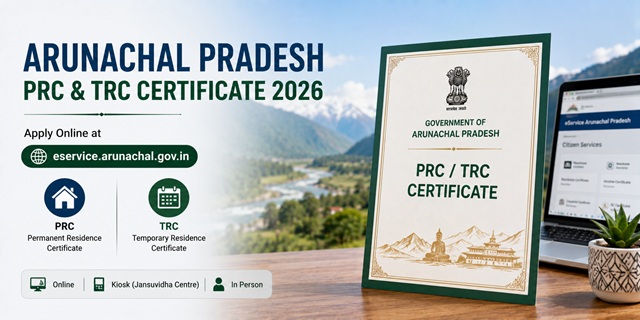
Arunachal Pradesh issues two different residence certificates through the same portal. The PRC (Permanent Residence Certificate) is for those who are permanently settled in Arunachal Pradesh. The TRC (Temporary Residence Certificate) is specifically for people from other states who are currently residing in Arunachal Pradesh for a fixed period - such as workers, professionals, or students from outside. Both are applied at eservice.arunachal.gov.in - the NIC ServicePlus platform for Arunachal Pradesh. The same portal handles Schedule Tribe certificates, Income Certificate, Dependent Certificate, and Character Certificate. Three official ways to apply: Online at the portal, through a Kiosk (Jansuvidha Centre at DC office), or In Person at the DC office by downloading and submitting the application form. After approval, an SMS is sent. The certificate is verified using the Application Reference Number and Token Number printed at the bottom of the certificate - the same verification system used for all eservice.arunachal.gov.in certificates.
- Arunachal eServices Portal: eservice.arunachal.gov.in
- East Kameng District: eastkameng.nic.in/eservices
- Itanagar Capital Complex: itanagar.nic.in/residence-certificate
- Namsai District: namsai.nic.in/residence-certificate
- East Kameng DC: Ph: 03787-222576 | [email protected] | Seppa PIN 790102
- Itanagar DC: Ph: 0360-2292199 | [email protected] | PIN 791113
- Namsai DC: District Secretariat, Namsai PIN 792103
PRC vs TRC - Which Certificate Do You Need
| Certificate | Who Needs It | Key Difference |
|---|---|---|
| PRC (Permanent Residence Certificate) | Citizens permanently settled in Arunachal Pradesh - born here or long-term residents | Permanent proof of residence - used for state reservation, ST certificate, government jobs, educational admissions |
| TRC (Temporary Residence Certificate) | People from other states currently residing in Arunachal Pradesh temporarily | Confirms address for a specific period - does not grant state rights or reservation benefits. An individual can have only one PRC but can have multiple TRCs for different places |
The key legal principle: a person can have only one domicile (PRC) but may have multiple residence certificates (TRC) from different places where they stay temporarily.
Services Available on eservice.arunachal.gov.in
The same portal processes multiple certificates for Arunachal Pradesh residents:
- Permanent Residence Certificate (PRC)
- Temporary Residence Certificate (TRC)
- Scheduled Tribe (ST) Certificate
- Income Certificate
- Dependent Certificate
- Character Certificate
All six are available through the same Online / Kiosk / In Person application process on eservice.arunachal.gov.in.
Check Your Entitlement - A Useful Feature
Before applying on eservice.arunachal.gov.in, use the Check Your Entitlement feature under the Citizen Section on the homepage. Select your profile details - state, caste category (APST/Non-APST), and other relevant information. The portal displays the list of services for which you are eligible based on your profile. This helps you confirm you are applying for the right certificate type before proceeding.
Who Can Apply for PRC in Arunachal Pradesh
- Citizens who are permanently settled in Arunachal Pradesh - born in the state or with long-term continuous residence
- Those currently not residing in Arunachal Pradesh but who intend to permanently settle there
- APST (Arunachal Pradesh Scheduled Tribe) applicants whose families have ancestral roots in the state
- Non-APST citizens who have been living permanently in Arunachal Pradesh
Documents Required
For PRC - Address Proof (any one):
- Voter's ID Card
- Aadhaar Card
- LPC (Land Possession Certificate)
- Land Allotment Passbook
- Ration Card
- LPG Card
- Driving Licence
- Passport
For PRC - Income/Residence Proof based on APST or Non-APST category:
- APST applicants with agriculture/horticulture/veterinary income: Certificate from DAO (District Agriculture Officer), DHO (District Horticulture Officer), or DVO (District Veterinary Officer) respectively
- Non-APST applicants: Income Tax Return or Form 16
- Government employees: Salary statement for last 12 months from DDO
- Rural applicants: Certificate from BDO (Block Development Officer)
For TRC (Temporary Residence Certificate):
- Address proof of the temporary residence in Arunachal Pradesh
- Identity proof from home state
- Proof of reason for temporary stay (employment letter, admission letter, etc.)
How to Apply Online
- Go to eservice.arunachal.gov.in.
- Click Citizen Registration under Citizen Section to register. Provide your name, address, mobile number, email ID. Registration is one-time.
- After registration, log in with your credentials.
- Use Check Your Entitlement under Citizen Section to confirm you are eligible for PRC or TRC.
- Select Permanent Residence Certificate or Temporary Residence Certificate from the service list.
- Fill the online form with personal details and residence information.
- Upload scanned supporting documents in the required format.
- Pay the applicable fee through the payment gateway.
- Submit. An Application Reference Number is generated. Save it.
- Track status under Track Application Status in Citizen Section.
- Receive SMS notification when the authority approves or requires additional action.
- Download the certificate. Verify using Application Reference Number + Token Number at the Verify Certificate link on eservice.arunachal.gov.in.
How to Apply via Kiosk (Jansuvidha Centre)
- Visit the Jansuvidha Centre / Jan Suvidha Kendra at the DC office of your district
- Kiosk details are available on the service page on eservice.arunachal.gov.in by clicking on the specific certificate service
- Carry all required documents
- The Kiosk operator submits your application on eservice.arunachal.gov.in
- Pay the applicable fee plus Kiosk service charge
- Collect acknowledgement with Application Reference Number
- Receive SMS when certificate is ready. Download and verify online
How to Apply In Person at DC Office
- Download the PRC or TRC application form from eservice.arunachal.gov.in or collect it from the DC office
- Fill completely and attach all required documents
- Submit at the DC office of your district:
- Itanagar Capital Complex: DC Office, Itanagar PIN 791113 | Ph: 0360-2292199 | [email protected]
- East Kameng: DC Office, Seppa PIN 790102 | Ph: 03787-222576 | [email protected]
- Namsai: District Secretariat, Namsai PIN 792103
- Collect acknowledgement. The Dealing Assistant processes and routes to the concerned officer
- The DC issues the certificate after verification. Receive SMS notification
How to Verify Certificate
- Go to eservice.arunachal.gov.in
- Click Verify Certificate
- Enter the Application Reference Number AND the Token Number - both printed at the bottom of the issued certificate
- Click Download Certificate. The certificate downloads only if both numbers are correct
Official Links
- Arunachal eServices - eservice.arunachal.gov.in
- East Kameng - eastkameng.nic.in
- Itanagar Capital Complex - itanagar.nic.in
- Namsai District - namsai.nic.in
Related articles:
Domicile Certificate in India - Complete Guide
Arunachal Pradesh Income Certificate Guide
Arunachal Pradesh Ration Card Guide
Disclaimer: Always verify latest details at eservice.arunachal.gov.in before applying.
Add new comment