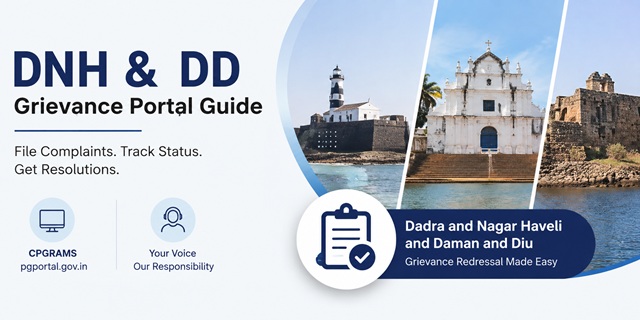
The Union Territory of Dadra and Nagar Haveli and Daman and Diu (DNH & DD) uses the national Centralised Public Grievance Redress and Monitoring System (CPGRAMS) as its official platform for public grievance redressal. Citizens can submit complaints online through pgportal.gov.in against departments, government offices, public services, welfare schemes, and administrative authorities functioning under the UT Administration.
The official UT Administration portal ddd.gov.in also directs citizens to CPGRAMS through its Grievances & Complaints section. Since Dadra and Nagar Haveli and Daman and Diu is a Union Territory without a Legislative Assembly or Chief Minister, there is no separate CM Helpline portal. Public grievances are handled through CPGRAMS and routed to the concerned department or authority for resolution.
The Union Territory is administered by an Administrator appointed by the President of India. The current Administrator is Shri Praful Khoda Patel, who has been serving since 26 January 2020, the date on which the erstwhile Union Territories of Dadra and Nagar Haveli and Daman and Diu were officially merged into a single Union Territory. The Administrator serves as the highest executive authority in the UT and oversees governance across Daman, Diu, and Silvassa.
For delivery of government services, certificates, licences, and citizen-centric applications, residents can use the SUGAM e-Governance Portal available at sugam.dddgov.in. Similarly, citizens seeking information under the Right to Information Act can submit RTI applications online through the dedicated portal at rti.dddgov.in.
Whether the issue relates to revenue services, municipal matters, electricity, water supply, education, healthcare, social welfare schemes, or delays in government services, CPGRAMS remains the primary grievance escalation mechanism for residents of Dadra and Nagar Haveli and Daman and Diu.
Quick Facts
| Detail | Information |
|---|---|
| Official grievance channel | pgportal.gov.in (CPGRAMS) |
| UT Administration portal | ddd.gov.in |
| Grievances & Complaints page | ddd.gov.in/grievances-complaints/ |
| SUGAM citizen services portal | sugam.dddgov.in |
| Online RTI portal | rti.dddgov.in |
| DNH district portal | dnh.gov.in |
| Daman district portal | daman.nic.in |
| Diu district portal | diu.gov.in |
| Administrator | Praful Khoda Patel (since 26 January 2020) |
| Chief Secretary | Amit Singla, IAS |
| UT formation date | 26 January 2020 (merger of former Dadra and Nagar Haveli and Daman and Diu UTs) |
| Administrative headquarters | Daman |
| Major administrative centres | Silvassa, Daman and Diu |
| IT Department address | 4th Floor, Vidyut Bhavan, Kachigam, Daman - 396210 |
| IT Department phone | 0260-2230003 |
| Web Information Manager email | [email protected] |
| IT Department email (Silvassa) | [email protected] |
| Languages commonly used | English, Hindi and Gujarati |
| Districts | Dadra and Nagar Haveli (Headquarters: Silvassa), Daman and Diu |
| High Court jurisdiction | Bombay High Court |
| Complaint filing fee | No fee |
Understanding the DNH & DD Administrative Structure
Dadra and Nagar Haveli and Daman and Diu became a single Union Territory on 26 January 2020 following the merger of the erstwhile Union Territories of Dadra and Nagar Haveli and Daman and Diu. The merger was approved by Parliament through the Dadra and Nagar Haveli and Daman and Diu (Merger of Union Territories) Act, 2019 and came into force on Republic Day 2020.
Unlike Indian states, the Union Territory does not have a Legislative Assembly or a Chief Minister. The administration is headed by an Administrator appointed by the President of India, who exercises executive powers on behalf of the Central Government. At present, Praful Khoda Patel serves as the Administrator and oversees governance across all regions of the UT.
The Union Territory comprises three distinct geographical regions. Dadra and Nagar Haveli, with its headquarters at Silvassa, is located between Gujarat and Maharashtra. Daman is situated on the Gujarat coast, while Diu is a coastal island off the southern coast of Gujarat. Although geographically separated, all three regions are administered under a unified UT Administration headquartered in Daman.
For public grievances, the official UT Administration website ddd.gov.in provides a direct link to CPGRAMS under its Citizens Corner and Grievances & Complaints section. Citizens seeking redressal against any UT department, office, authority, or public service can therefore use CPGRAMS as the designated online grievance platform.
What is SUGAM?
SUGAM is the integrated e-Governance service delivery portal of the Government of Dadra and Nagar Haveli and Daman and Diu. Available at sugam.dddgov.in, the portal allows citizens to apply online for a wide range of certificates, permissions, licences, and government services without visiting offices repeatedly.
Services available through SUGAM include various citizen-centric applications such as domicile certificates, income certificates, caste certificates, trade licences, permissions issued by Mamlatdar offices, and several departmental services offered by the UT Administration.
It is important to understand that SUGAM is a service delivery platform, not a grievance portal. If your application remains pending for an unreasonable period, is wrongly rejected, or you face difficulties in obtaining a government service through SUGAM, you may escalate the matter by filing a grievance through CPGRAMS.
What Complaints Can Be Filed Through CPGRAMS?
CPGRAMS can be used to raise complaints relating to departments, offices, authorities, and public services functioning under the Administration of Dadra and Nagar Haveli and Daman and Diu. Some common categories include:
- Revenue, land records, mutation, and Mamlatdar office-related complaints.
- Public Distribution System (PDS), ration card, and Civil Supplies grievances.
- Electricity supply, billing, and power distribution complaints.
- Roads, public works, drainage, and infrastructure-related issues.
- Delays, deficiencies, or wrongful rejection of applications submitted through the SUGAM portal.
- Government hospital, public health, and healthcare service complaints.
- Education department, school administration, and scholarship-related grievances.
- Collectorate, district administration, and local authority complaints.
- Complaints regarding misconduct, negligence, corruption, or abuse of authority by government officials.
- Welfare scheme implementation issues and benefit delivery delays.
What Complaints Cannot Be Filed Through CPGRAMS?
CPGRAMS is intended for public grievances and service delivery issues. Certain matters fall outside its scope and should be pursued through the appropriate legal or administrative channel.
- Right to Information (RTI) applications. Use rti.dddgov.in instead.
- Cases that are already pending before any court, tribunal, or judicial authority.
- Service matters relating to recruitment, promotions, transfers, disciplinary proceedings, or other personal employment issues of government employees.
- Matters governed by statutory appeal mechanisms where a specific appellate authority has already been prescribed.
- Anonymous or vague complaints that do not contain sufficient details for examination.
- Complaints relating to Central Government ministries or departments where the grievance should be filed directly against the concerned ministry on CPGRAMS.
Before filing a grievance, ensure that you select the correct department and provide complete details, supporting documents, and relevant references. This helps the concerned authority examine the matter quickly and improves the chances of timely resolution.
How to File a Complaint on CPGRAMS for Dadra and Nagar Haveli and Daman and Diu
Residents of Dadra and Nagar Haveli and Daman and Diu can submit grievances against UT Administration departments through the Centralised Public Grievance Redress and Monitoring System (CPGRAMS). The UT Administration's official website ddd.gov.in also redirects citizens to CPGRAMS through its Grievances & Complaints section.
- Visit pgportal.gov.in. You may also access the portal through the Grievance Redressal link available under the Citizens Corner section of the official UT Administration website.
- Click Lodge Grievance. If you are a first-time user, create an account using your mobile number and email address and complete OTP verification.
- After successful login, select Lodge Public Grievance.
- Choose Union Territory of Dadra and Nagar Haveli and Daman and Diu as the grievance authority.
- Select the concerned department, office, directorate, or authority from the available list.
- Enter your personal details carefully, including your full postal address, mobile number, and email address.
- Clearly mention whether the grievance relates to Silvassa (Dadra and Nagar Haveli), Daman, or Diu, so that the complaint reaches the appropriate office without delay.
- Write a detailed description of the issue, including relevant dates, application numbers, reference numbers, office names, and details of any previous correspondence made with the department.
- Upload supporting documents such as acknowledgements, certificates, receipts, screenshots, letters, or photographs, wherever applicable.
- Review all information carefully and submit the grievance.
- After submission, the system generates a unique Grievance Registration Number. The number is also sent to your registered email address and mobile number. Keep it safely for future tracking, reminders, and appeals.
Providing complete information and supporting documents at the time of filing helps the concerned department examine the matter faster and reduces the chances of the grievance being returned for clarification.
How to Track Complaint Status
CPGRAMS provides an online tracking facility that allows citizens to monitor the progress of their grievance at every stage.
- Visit pgportal.gov.in/status.
- Enter your Grievance Registration Number and the required verification details.
- View the current status of the complaint, the department handling the matter, and any action taken by officials.
- You can also log in to your CPGRAMS account to access your grievance dashboard, submit additional information, and review communication from the department.
CPGRAMS sends SMS and email notifications whenever a grievance is forwarded, replied to, disposed of, or moved to another authority. Therefore, ensure that your mobile number and email address remain active throughout the grievance process.
CPGRAMS Appeal Mechanism
If you are dissatisfied with the resolution provided by the department, CPGRAMS offers a structured appeal mechanism that allows citizens to seek a review of the decision.
- Once the department closes the grievance, review the response carefully.
- Provide feedback by rating the quality of the resolution received.
- If you believe the issue has not been resolved satisfactorily, select the Poor rating option.
- After submitting a Poor rating, the system activates the appeal facility.
- File your appeal within 30 days from the date of grievance closure.
- Clearly explain why the response is unsatisfactory and upload any additional supporting documents if required.
- The appeal is forwarded to the designated Nodal Appellate Authority of the concerned department for review.
- You can monitor the appeal status using the same registration number through the CPGRAMS portal.
The appeal mechanism provides an additional level of scrutiny and is particularly useful when a grievance has been closed without adequate action, when important facts were overlooked, or when the complainant believes that the department's response does not address the actual issue raised.
Tips for Faster Resolution
- Select the correct department before submitting the grievance.
- Attach relevant documents, screenshots, receipts, acknowledgements, or application numbers.
- Mention exact dates, locations, and office names wherever possible.
- Avoid filing multiple complaints on the same issue simultaneously.
- Keep a copy of the registration number and all supporting records.
- Respond promptly if the department seeks clarification or additional documents.
- Use the appeal mechanism if the grievance is closed without satisfactory action.
What to Do if Your Complaint is Not Resolved
Most grievances filed through CPGRAMS are forwarded to the concerned department for examination and action. However, if you are not satisfied with the response or the matter remains unresolved, you still have several options available.
- Use the CPGRAMS appeal facility after the grievance is closed. If you rate the resolution as unsatisfactory, you can file an appeal within the prescribed period through your CPGRAMS account.
- Review the action taken report carefully. Sometimes departments upload replies or documents on the portal that require additional clarification from the complainant.
- Contact the concerned department directly and quote your CPGRAMS registration number. This helps officials quickly locate your case and provide an update.
- For portal-related technical issues, contact the Department of Information Technology. The official support channels are:
- Phone: 0260-2230003
- Email: [email protected]
- Email (DNH IT Office): [email protected]
- Visit the district administration office with your grievance number and supporting documents if the matter requires physical verification or local administrative intervention:
- Silvassa – for Dadra and Nagar Haveli matters
- Daman – for Daman district matters
- Diu – for Diu district matters
- If your grievance relates to alleged misconduct, abuse of authority, or improper conduct by police personnel and satisfactory action has not been taken through normal channels, you may approach the Police Complaint Authority (PCA) constituted by the UT Administration.
नई टिप्पणी जोड़ें