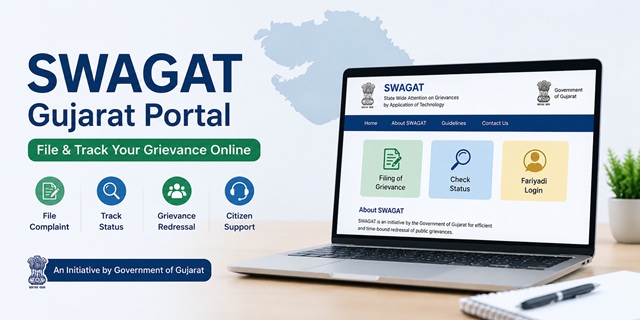
SWAGAT (State Wide Attention on Grievances by Application of Technology) is the official public grievance redressal system of the Government of Gujarat. Citizens can use the SWAGAT Portal to submit grievances relating to various State Government departments, monitor their status online, and participate in the Government's structured grievance redressal process.
The official portal is swagat.gujarat.gov.in. SWAGAT was launched on 24 April 2003 and is administered by the Government of Gujarat. The system combines online grievance registration with periodic grievance review meetings conducted at different administrative levels, including the State level.
SWAGAT Gujarat: Quick Facts
| Particular | Details |
|---|---|
| Official Portal | swagat.gujarat.gov.in |
| Official Name | SWAGAT (State Wide Attention on Grievances by Application of Technology) |
| Launched | 24 April 2003 |
| Administered By | Government of Gujarat |
| Online Grievance Registration | Available |
| Complaint Status | Available through the SWAGAT Portal |
| State-Level SWAGAT | Held on the 4th Thursday of every month |
| Write to Chief Minister | Official CMO Portal |
| Mobile App | SWAGAT Online (Android) |
| Application Fee | No Fee |
How the SWAGAT Grievance Redressal System Works
SWAGAT follows a structured grievance redressal process in which complaints are examined by the appropriate authority at different administrative levels. Depending on the nature of the grievance and the action taken by the concerned department, eligible cases may be reviewed at higher levels under the SWAGAT system.
The Government of Gujarat conducts SWAGAT grievance review meetings at multiple administrative levels to facilitate the resolution of public grievances.
- Sub-District Level (Taluka SWAGAT): Grievances relating to Taluka-level offices are examined by the competent authorities during the Taluka SWAGAT process.
- District Level (District SWAGAT): District-level grievances are reviewed by the District Administration under the supervision of the District Collector.
- State Level (State SWAGAT): State-level SWAGAT meetings are generally conducted on the 4th Thursday of every month. Eligible grievances are reviewed by the Government of Gujarat through the State SWAGAT mechanism.
The SWAGAT system combines online grievance registration with administrative review, allowing citizens to submit grievances electronically while enabling Government departments to monitor and process cases through a common platform.
Ways to Submit a Grievance Under SWAGAT
The Government of Gujarat provides multiple official channels through which citizens can submit grievances based on their convenience.
- SWAGAT Portal: Register your grievance online through the official SWAGAT Portal.
- SWAGAT Online Mobile App: Citizens can also submit and track grievances using the official SWAGAT Online mobile application available for Android and iPhone (iOS).
- Write to the Chief Minister: Submit your representation through the official Write to CMO facility.
- District Collector Office: If your grievance requires offline assistance, you may approach the concerned District Collector Office for guidance or submission through the appropriate Government process.
For most citizens, the SWAGAT Portal and the official SWAGAT Online mobile app are the easiest ways to register a grievance and check its status online.
What Types of Grievances Can Be Submitted Through SWAGAT?
Citizens can use the SWAGAT Portal to submit grievances relating to State Government departments, public services, and matters falling under the jurisdiction of the Government of Gujarat. Common examples include:
- Revenue and land administration matters, including land records, mutation, survey, and related services.
- Public Distribution System (PDS) and ration card-related grievances.
- Water supply, irrigation, and other public utility services.
- Roads, bridges, and other public infrastructure maintained by State Government departments.
- State Government welfare schemes and public service delivery issues.
- Government hospitals, public health facilities, and health department services.
- School education and other services provided by the State Education Department.
- Municipal or local authority services, wherever covered under the concerned Government department.
- Any grievance relating to a Gujarat State Government department that has not been resolved through the normal administrative process.
What Types of Grievances Should Not Be Submitted Through SWAGAT?
SWAGAT is intended for grievances that fall within the jurisdiction of the Government of Gujarat. The following matters should generally not be submitted through the portal:
- Cases that are pending before any court or tribunal.
- Applications or requests under the Right to Information (RTI) Act.
- Matters relating to Central Government Ministries or Departments.
- Issues that do not fall under the jurisdiction of the Government of Gujarat.
If your grievance relates to a Central Government Ministry or Department, you may use the CPGRAMS Portal to submit your complaint online.
What to Keep Ready Before Filing a Grievance
Keeping the required information and supporting documents ready before starting the application will help you complete your grievance submission smoothly.
- A valid mobile number for OTP verification and future communication.
- Your full name, complete postal address, district, taluka, and village or city details, as applicable.
- The name of the concerned Government department or office against which you want to file the grievance.
- A clear and concise description of your grievance, including important dates and relevant facts.
- Copies of supporting documents, such as previous applications, acknowledgements, letters, notices, or any other evidence related to the grievance.
Providing complete and accurate information along with relevant supporting documents can help the concerned department examine your grievance more effectively.
How to Attend a SWAGAT Session in Person
If your complaint has not been resolved through the portal and you want to present your case directly to the officer, attend the relevant SWAGAT session.
For Sub-District SWAGAT: Visit your nearest Mamlatdar office on the 4th Wednesday of the month. Carry all documents related to your complaint and your application number if you have already filed online.
For District SWAGAT: Visit the District Collector office on the 4th Thursday of the month. The session runs simultaneously with the State SWAGAT and is connected via live video conferencing.
For State SWAGAT: If your case has not been resolved at district level, it may be taken up at the State SWAGAT held every 4th Thursday from 9 AM to 12 PM at Gandhinagar. Citizens selected for the State SWAGAT are connected live with the Chief Minister through video conferencing at their respective district or sub-district office. You do not need to travel to Gandhinagar. The video conferencing infrastructure at 248 sub-district offices connects you to the State session from your own district.
How to File a Complaint Through the SWAGAT Portal (Fariyadi Login)
You can submit your grievance online through the official SWAGAT Portal using your mobile number. The entire process takes only a few minutes if you keep your details and supporting documents ready.
- Visit the official SWAGAT Portal using your mobile phone or computer.
- On the home page, click on Fariyadi Login.
- Enter your registered mobile number and click Get OTP.
- Enter the OTP received on your mobile phone to log in to the portal.
- After logging in, choose the appropriate grievance category available on the dashboard. Select the option that best matches the office or authority related to your complaint.
- Fill in the online grievance form carefully. Enter your personal details, address, the concerned department, and explain your grievance in simple and clear language.
- Upload the supporting documents required for your grievance. Attach clear copies of any letters, acknowledgements, notices, or other relevant documents, if available.
- Review all the information you have entered and click Submit.
- After successful submission, the portal generates a Grievance/Application Number. Save this number carefully, as you will need it later to check the status of your complaint.
How to Submit a Grievance Using the SWAGAT Online Mobile App
If you prefer using your smartphone, you can also register your grievance through the official SWAGAT Online mobile application.
- Download the official SWAGAT Online app for Android or iPhone (iOS).
- Open the app and sign in using the mobile number and OTP verification process available in the application.
- Select the option to register a new grievance.
- Enter your personal details, choose the concerned department, and describe your grievance clearly.
- Upload the required supporting documents, if applicable.
- Review the information and submit your grievance.
- After submission, note down the generated Grievance/Application Number for future reference and status tracking.
How to Submit a Representation Through the Write to CMO Facility
If you want to send your representation directly to the Chief Minister's Office, you can use the official Write to CMO service.
- Open the official Write to CMO page.
- Fill in your name, mobile number, address, and other required details.
- Select the concerned department or subject related to your grievance.
- Write your grievance clearly and provide all the necessary information.
- If the portal allows document uploads, attach the relevant supporting documents.
- Review the information and click Submit to send your representation to the Chief Minister's Office.
How to Send Your Grievance Through WhatsApp
The Chief Minister's Office also allows citizens to send their grievances through the official WhatsApp service. This option is useful if you want to submit your complaint directly from your mobile phone without visiting the portal.
- Save the official CMO WhatsApp number +91 70309 30344 in your phone's contacts.
- Open WhatsApp and start a chat with this number.
- Type your grievance clearly. Include your name, mobile number, complete address, district, the concerned Government department, and a brief description of the issue.
- If you have supporting documents, photographs, or other relevant evidence, attach them to your WhatsApp message before sending it.
- Send the message and wait for further communication from the Chief Minister's Office or the concerned department.
Before sending your grievance, make sure all the information and supporting documents are correct. Providing complete details helps the concerned authority understand your grievance and process it more efficiently.
How to Check Your SWAGAT Complaint Status
After submitting your grievance, you can track its progress online through the SWAGAT Portal or the official SWAGAT Online mobile app.
- Visit the official SWAGAT Portal.
- Open the Complaint Status or Track Grievance section available on the portal.
- Enter your Grievance/Application Number and any other details required for verification.
- Click on the Search or View Status button.
- The portal will display the latest status of your grievance along with the action taken, if available.
You can also check the status of your grievance through the official SWAGAT Online mobile application after logging in.
What to Do If Your Grievance Is Still Pending
If your grievance has not been resolved or you are not satisfied with the action taken, you can take the following steps:
- Check the latest status of your grievance on the SWAGAT Portal to see whether any further action or document is required.
- If the concerned department requests additional information or documents, submit them as soon as possible to avoid unnecessary delays.
- If your grievance remains unresolved, you may submit a representation through the official Write to CMO facility, mentioning your existing Grievance/Application Number.
- If an official WhatsApp grievance service is available, you may also mention your existing Grievance/Application Number while communicating with the Chief Minister's Office.
Always keep your Grievance/Application Number and copies of the supporting documents safely until your grievance is fully resolved.
नई टिप्पणी जोड़ें