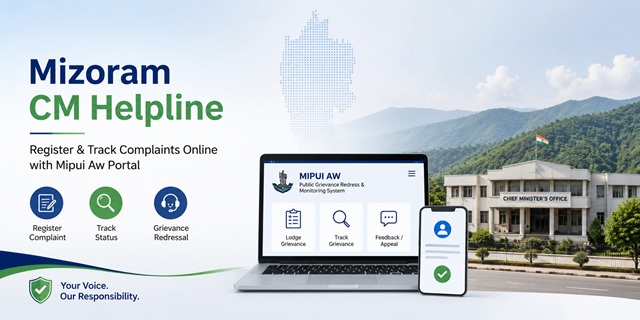
The Government of Mizoram accepts public grievances through its official Mipui Aw (Public Grievance Redress and Monitoring System - PGRAMS) portal at mipuiaw.mizoram.gov.in. Citizens can use this platform to register grievances online, upload supporting documents, track complaint status, submit feedback and file an appeal if they are not satisfied with the resolution.
Mizoram does not operate a separate toll-free Chief Minister Helpline number for public grievances. Instead, citizens are encouraged to submit complaints through the official Mipui Aw portal, where grievances are forwarded to the concerned Government department for necessary action. District-level Government offices also continue to accept grievances through their respective administrative channels.
The Chief Minister's Office (CMO) maintains its official website at cmonline.mizoram.gov.in, which provides information about the Chief Minister's Office and various online services. However, for registering public grievances, citizens should use the Mipui Aw portal.
The official Mizoram State Portal is available at mizoram.gov.in. It is developed and maintained by the Mizoram State e-Governance Society (MSeGS) under the Department of Information & Communication Technology, Government of Mizoram.
Quick Facts
| Detail | Information |
|---|---|
| Official grievance portal | mipuiaw.mizoram.gov.in |
| Portal name | Mipui Aw (Public Grievance Redress and Monitoring System) |
| Chief Minister's Office website | cmonline.mizoram.gov.in |
| Mizoram State Portal | mizoram.gov.in |
| Application fee | Free |
| Complaint status | Available online using the Registration ID |
| Appeal facility | Available after grievance closure through the portal |
| User manual | Available on the official Mipui Aw portal |
| Video tutorial | Available on the official Mipui Aw portal |
| Official warning | Grievances sent by email are not entertained. Complaints should be submitted through the Mipui Aw portal. |
| Developed & maintained by | Mizoram State e-Governance Society (MSeGS), Department of Information & Communication Technology |
Which Portal Should You Use?
The Government of Mizoram provides different online platforms for different purposes. Before submitting your request, it is important to choose the correct portal.
If you want to register a grievance against a department or public service provided by the Government of Mizoram, use the official Mipui Aw (Public Grievance Redress and Monitoring System) at mipuiaw.mizoram.gov.in. This portal allows citizens to lodge grievances, upload supporting documents, check complaint status, submit feedback and file an appeal after grievance disposal, wherever applicable.
The Chief Minister's Office website is meant for official information and online services provided by the CMO. It should not be treated as the primary platform for registering public grievances, as the Government officially directs citizens to use Mipui Aw for grievance registration.
For complaints relating to Central Government Ministries or Departments, such as Income Tax, EPFO, Railways, Passport, UIDAI (Aadhaar) or India Post, citizens should use the CPGRAMS Portal.
What is the Inner Line Permit (ILP)?
Mizoram is one of the states where an Inner Line Permit (ILP) is required for Indian citizens who are not permanent residents of the state before entering Mizoram. The permit is issued under the Bengal Eastern Frontier Regulation, 1873.
The official Chief Minister's Office website provides access to online ILP-related services. However, issues relating to Government departments or public services should be submitted through the Mipui Aw grievance portal.
What Types of Grievances Can You Register?
You can use the Mipui Aw portal to submit grievances relating to departments and public authorities under the Government of Mizoram. Common examples include:
- Revenue, land records and other district administration services.
- Public Distribution System (PDS) and ration card-related issues.
- Delay or non-receipt of Government welfare scheme benefits.
- Electricity supply and power distribution-related grievances.
- Water supply and Public Health Engineering services.
- Roads, bridges and other public infrastructure.
- Government hospitals and healthcare services.
- Schools, colleges and Education Department services.
- Public services delivered by Government departments and local authorities.
- Deficiency, delay or negligence in Government service delivery.
What Types of Matters Are Normally Not Accepted?
According to the grievance guidelines, certain matters are generally outside the scope of the public grievance system.
- Cases that are pending before any court or tribunal.
- Applications or requests under the Right to Information (RTI) Act.
- Personal or private disputes that do not involve Government service delivery.
- Service matters relating to Government employees.
- Grievances concerning Central Government Ministries or Departments, which should be submitted through the CPGRAMS Portal.
Important: The Mipui Aw portal clearly states that grievances sent through email are not entertained. Citizens should submit complaints through the official online grievance portal for proper registration and tracking.
What Should You Keep Ready Before Registering a Grievance?
Keeping a few basic details ready before starting your application will help you complete the grievance registration process smoothly.
- Mobile Number: Keep an active mobile number ready for registration, OTP verification and future updates.
- Email Address: Enter a valid email ID, as the portal may send important notifications regarding your grievance.
- Personal Details: Keep your full name, complete postal address, district and other contact details ready.
- Department Name: Identify the Government department or office responsible for the issue you want to report.
- Grievance Description: Write a clear explanation of your problem. Mention important dates, locations and any previous communication, if applicable.
- Supporting Documents: Keep scanned copies of letters, receipts, photographs or any other relevant documents ready for upload, if required.
How to Register a Complaint on the Mipui Aw Portal
The Government of Mizoram accepts public grievances through the official Mipui Aw (Public Grievance Redress and Monitoring System) portal. Follow the steps below to submit your complaint online.
- Open the official Mipui Aw Portal on your mobile phone or computer.
- If you are a new user, click Register and create your account by entering the required details. Existing users can simply log in using their registered credentials.
- After logging in, click on Lodge Grievance.
- Read the grievance guidelines displayed on the screen carefully and proceed to the application form.
- Select the Government Department related to your complaint from the available list.
- Fill in your personal details, including your name, mobile number, email address and complete postal address.
- Enter the details of your grievance. Explain your problem in simple language and provide all relevant information that can help the concerned department understand the issue.
- If you have supporting documents, upload them in the prescribed format wherever required.
- Review all the information carefully to ensure everything is correct.
- Click the Submit button to register your grievance.
- After successful submission, the portal generates a Registration ID. Save this number carefully because it will be required to check your grievance status and for any future correspondence.
Important: The official Mipui Aw portal clearly states that grievances sent through email are not entertained. Always submit your complaint through the online portal to ensure it is officially registered.
How to Contact the Chief Minister's Office (CMO)
If you need to contact the Chief Minister's Office for official enquiries or information, you can use the following contact details.
- Official Website: cmonline.mizoram.gov.in
- Telephone: 0389-2322517, 0389-2346134
- Office Address: Chief Minister's Office, McDonald Hill, Zarkawt, Aizawl, Mizoram - 796001
How to Submit a Grievance Offline
If you are unable to use the online portal, you may visit the concerned Government department or your nearest Deputy Commissioner's Office with a written representation and supporting documents. The concerned office will guide you on the appropriate grievance submission procedure applicable to your case.
How to Check Your Grievance Status
After submitting your grievance through the Mipui Aw portal, you can check its progress online at any time. Keep your Registration ID ready before tracking the status.
- Visit the official Mipui Aw Portal.
- Click on Login and sign in using your registered account.
- Open your Dashboard or the grievance tracking section.
- Select the grievance whose status you want to check.
- The portal will display the latest information available, such as the current stage of your grievance and any action taken by the concerned department.
Keep your Registration ID safely until your grievance is fully resolved, as it may be required for future reference or follow-up.
What If You Are Not Satisfied With the Decision?
The Mipui Aw portal provides a feedback and appeal facility after a grievance has been disposed of. If you are not satisfied with the action taken, you can request a further review through the portal.
- Log in to the Mipui Aw Portal.
- Open the grievance that has been marked as Disposed or Closed.
- Submit your feedback regarding the resolution provided by the concerned department.
- If you are dissatisfied with the resolution, select the appropriate feedback option. The portal provides an Appeal facility after grievance disposal.
- Submit the appeal with a brief explanation of why you are not satisfied and, if required, attach supporting documents.
- You can continue checking the status of your appeal through your Mipui Aw account until the review process is completed.
Note: The official Mipui Aw portal provides the feedback and appeal facility after grievance disposal. Follow the instructions displayed on the portal while submitting your appeal.
नई टिप्पणी जोड़ें