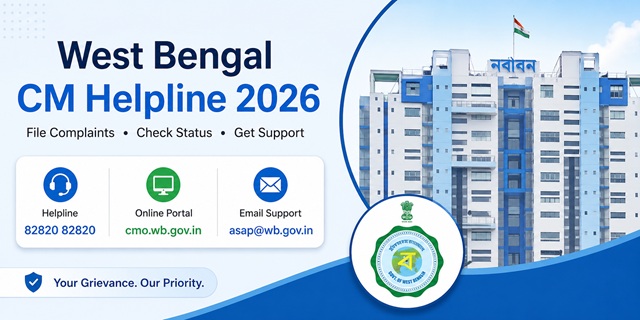
The Chief Minister's Office (CMO), Government of West Bengal provides an online Public Grievance Monitoring System (PGMS) that enables citizens to submit grievances relating to State Government departments and monitor their progress online. Citizens can register a grievance through the official portal at cmo.wb.gov.in.
In addition, the Government of West Bengal has introduced the Apnar Sarkar Apnar Pashe initiative to strengthen public grievance redressal through a dedicated toll-free helpline and email support. Both grievance channels are available without any application fee and are intended to help citizens communicate their concerns with the appropriate authorities.
Quick Facts
| Detail | Information |
|---|---|
| Portal Name | CMO Public Grievance Monitoring System (PGMS) |
| Official Grievance Portal | cmo.wb.gov.in |
| Grievance Status | Check Complaint Status |
| Apnar Sarkar Apnar Pashe Helpline | 82820 82820 (Toll Free) |
| Apnar Sarkar Apnar Pashe Email | [email protected] |
| Portal Languages | English and Bengali |
| Application Fee | No Fee |
| Chief Minister's Office Address | Nabanna, 325 Sarat Chatterjee Road, Shibpur, Howrah, West Bengal - 711102 |
Grievance Channels Available in West Bengal
The Government of West Bengal provides multiple channels through which citizens can communicate their grievances and seek assistance from the concerned authorities.
The primary online platform is the CMO Public Grievance Monitoring System (PGMS), where citizens can register grievances, track their status, and view updates using the official grievance portal. The portal is accessible in both English and Bengali and can be used from a mobile phone or computer.
In addition, the Government has introduced the Apnar Sarkar Apnar Pashe grievance support initiative with a dedicated toll-free helpline and email address to help citizens communicate their concerns and obtain assistance regarding government services and public grievances.
Citizens may choose the grievance channel that best suits their needs. If you wish to submit a detailed written grievance and monitor its progress online, the CMO Public Grievance Monitoring System is the appropriate option. If you require assistance through the dedicated helpline or email support, you may use the Apnar Sarkar Apnar Pashe contact channels.
What Types of Grievances Can Be Submitted?
The CMO Public Grievance Monitoring System (PGMS) is intended for grievances relating to departments, offices, authorities, and public services under the Government of West Bengal. Citizens commonly use the portal to report issues such as:
- Delay in receiving government services or benefits.
- Problems relating to land administration and revenue matters handled by State Government authorities.
- Administrative grievances relating to district offices and other State Government establishments.
- Issues relating to Panchayats, Municipalities, or other local authorities functioning under the State Government.
- Delay or non-receipt of benefits under State Government welfare schemes.
- Complaints relating to government hospitals and public health services.
- Grievances concerning government schools, higher education institutions, or education-related services.
- Public infrastructure issues relating to roads, drinking water, sanitation, and other civic services under the jurisdiction of the State Government.
- Any other grievance relating to a department, office, authority, or public service of the Government of West Bengal.
Before submitting a grievance through the CMO portal, it is advisable to approach the concerned department or local office first. If the issue remains unresolved, you may register your grievance through the online portal for further examination.
What Types of Grievances Cannot Be Submitted?
Certain matters are generally outside the scope of the CMO Public Grievance Monitoring System and should be taken up through the appropriate authority or legal process.
- Matters that are pending before or have already been decided by a court or tribunal.
- Service matters relating to Government employees, including appointments, transfers, promotions, disciplinary proceedings, or other employment-related issues.
- Personal or private disputes that do not involve a Government department or public authority.
- Grievances relating to Central Government Ministries or Departments.
If your grievance relates to a Central Government Ministry or Department, such as EPFO, Income Tax, India Post, Passport Seva, or Indian Railways, you should submit it through the official CPGRAMS Portal.
What to Keep Ready Before Filing a Grievance
Keeping the required information and supporting documents ready before starting the application will help you complete the grievance registration process without interruptions.
- A valid mobile number for OTP verification and future communication.
- Your full name and complete postal address, including district, subdivision, block, village, ward, or city, as applicable.
- The name of the concerned Government department, office, or authority against which you want to submit the grievance.
- A brief subject summarising your grievance.
- A clear description of the issue, including the relevant facts, important dates, and the relief or action you expect from the concerned authority.
- Supporting documents, such as acknowledgement receipts, letters, notices, photographs, certificates, or any other relevant evidence, if available.
Providing complete and accurate information along with relevant supporting documents helps the concerned department examine your grievance more effectively.
How to File a Complaint Through the West Bengal CMO Public Grievance Monitoring System (PGMS)
You can submit your grievance online through the official CMO Public Grievance Monitoring System (PGMS) using your mobile phone, tablet, or computer. Before you begin, keep your mobile phone, address, department details, and supporting documents ready.
- Open the official grievance portal: https://cmo.wb.gov.in/landing/raise-grievance.
- Enter your mobile number in the login box provided on the page.
- Type the Captcha Code exactly as displayed on the screen.
- Click on the Send OTP button.
- You will receive a One-Time Password (OTP) on your registered mobile number. Enter the OTP in the verification box and click Verify OTP to continue.
- After successful verification, the online grievance application form will open.
- Fill in all the required personal details carefully, including your name, complete address, district, subdivision, block, village, ward, or city, wherever applicable.
- Select the concerned Government department or grievance category from the list available on the portal.
- Enter a short and meaningful Subject for your grievance. For example, "Delay in Pension Payment", "Road Repair Pending", or "Scholarship Not Received".
- In the Grievance Details section, explain your problem in simple language. Mention when the issue started, the office or department concerned, the action already taken by you (if any), and the relief or action you expect from the Government.
- If you have supporting documents such as acknowledgement receipts, letters, notices, certificates, or photographs, upload them using the document upload option provided on the portal.
- Review all the information entered in the application form carefully. Once you are satisfied that everything is correct, click on the Submit button.
- After successful submission, the portal generates a Grievance Reference Number. Save this number carefully, as you will need it to check your grievance status and for any future communication with the concerned department.
How to Contact the Apnar Sarkar Apnar Pashe Helpline
If you prefer to seek assistance over the phone or by email, you can use the official Apnar Sarkar Apnar Pashe grievance support channels.
- Call the toll-free helpline 82820 82820 during the official working hours announced by the Government of West Bengal.
- Provide your name, mobile number, address, and complete details of your grievance to the support executive.
- Answer any additional questions that may be asked to identify the concerned department or office.
- You may also send your grievance by email to [email protected]. Include your full name, mobile number, complete address, and a detailed description of your grievance. Attach supporting documents, if available.
- Follow the instructions provided by the support team regarding the next steps or any reference details issued for your grievance.
How to Check Your Grievance Status
After submitting your grievance, you can check its latest status online through the CMO Public Grievance Monitoring System (PGMS).
- Visit the official grievance portal: https://cmo.wb.gov.in/landing/landing-dashboard.
- Click on the Know Your Grievance option.
- Enter your registered mobile number.
- Click on Get OTP and enter the One-Time Password received on your mobile phone.
- After successful verification, your grievance details will be displayed. Depending on the current stage of processing, you may be able to view the grievance status, registration details, department information, and other updates available on the portal.
What Happens After You Submit a Grievance?
After your grievance is successfully submitted, it is processed through the CMO Public Grievance Monitoring System. The concerned authority examines the grievance and updates its progress through the online system.
- Your grievance is successfully registered on the portal.
- A unique Grievance Reference Number is generated for future tracking.
- The grievance is examined by the concerned authority through the Public Grievance Monitoring System.
- The status of the grievance is updated on the portal as the case progresses.
- Once the grievance has been examined, the final status or action taken can be viewed by logging into the portal using your registered mobile number.
You should keep your Grievance Reference Number and registered mobile number safely, as both may be required to access your grievance details online.
What to Do If Your Grievance Is Not Resolved
If your grievance remains unresolved or you are not satisfied with the action taken, you may consider the following options:
- Log in to the CMO Public Grievance Monitoring System and review the latest status of your grievance.
- If additional information or supporting documents are required, provide them through the appropriate channel, wherever permitted.
- Contact the Apnar Sarkar Apnar Pashe helpline or send an email to [email protected] and mention your Grievance Reference Number while seeking assistance.
- If your grievance relates to a notified public service covered under the West Bengal Right to Public Services Act, 2013, you may use the appeal mechanism available under that Act, wherever applicable.
- For grievances that remain unresolved, continue to monitor the status through the official portal and follow any instructions communicated by the concerned authority.
Official Contact Details
| Particular | Details |
|---|---|
| Chief Minister's Office | Nabanna, 325 Sarat Chatterjee Road, Shibpur, Howrah, West Bengal - 711102 |
| CMO Grievance Cell Helpline | 1800 345 8244 |
| Grievance Cell Email | [email protected] |
| Apnar Sarkar Apnar Pashe Helpline | 82820 82820 |
| Apnar Sarkar Apnar Pashe Email | [email protected] |
टिप्पणियाँ
Dugra puja probleam
Dugra puja probleam
Annapurna
Takapaine Application 3122031***** shasta sathi card number190712093296***** aadhar number5884499*****,TGC22***** ration card 00169*****
नई टिप्पणी जोड़ें