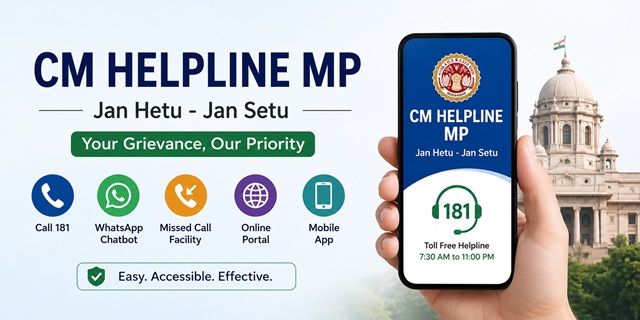
The CM Helpline MP is the official public grievance redressal platform of the Government of Madhya Pradesh. It allows residents to report issues related to government departments, public services, welfare schemes, civic amenities, and other administrative matters through a single integrated system. Citizens can submit complaints online, call the toll-free helpline, use the official mobile application, or access the WhatsApp chatbot for assistance.
Managed by the Public Service Management Department, Government of Madhya Pradesh, the portal operates under the motto "Jan Hetu - Jan Setu". Every complaint receives a unique registration number that can be used to monitor its progress online. The system connects citizens with the concerned department and enables transparent grievance tracking until the matter is resolved.
CM Helpline MP: Quick Facts
| Particular | Details |
|---|---|
| Official Portal | cmhelpline.mp.gov.in |
| Portal Name | CM Helpline MP (Jan Hetu - Jan Setu) |
| Managed By | Public Service Management Department, Government of Madhya Pradesh |
| CM Helpline Number | 181 (Toll-Free) |
| Service Availability | Daily, 7:30 AM to 11:00 PM |
| WhatsApp Chatbot | 7552555582 (Send Hi to start) |
| Missed Call Complaint Facility | 0755-2706666 |
| Public Toilet Complaint | 0755-2599999 (Missed Call) |
| Email Support | [email protected] |
| Complaint Status | Track Grievance Status |
| Mobile App | CM Helpline MP Citizen (Android & iOS) |
| Applicable Charges | Free of Cost |
| Legal Framework | Madhya Pradesh Public Services Guarantee Act, 2010 |
Ways to Register a Complaint Through CM Helpline MP
The Government of Madhya Pradesh provides multiple ways to register a grievance through the CM Helpline MP. Whether you prefer calling the helpline, using the online portal, sending a WhatsApp message, or using the mobile app, you can choose the method that is most convenient for you. Every complaint is recorded in the same system and receives a unique grievance number for future tracking.
- Toll-Free Helpline (181): Call 181 and explain your grievance to the customer support executive. The representative registers your complaint on your behalf and provides a complaint registration number. The helpline operates daily from 7:30 AM to 11:00 PM.
- Online Grievance Portal: Visit the official portal at cmhelpline.mp.gov.in, verify your mobile number through OTP, and submit your complaint online.
- WhatsApp Chatbot: Send "Hi" to 7552555582 on WhatsApp to access the official chatbot. It helps you register a complaint, check complaint status, and use other available citizen services directly from WhatsApp.
- Missed Call Facility: Give a missed call to 0755-2706666. A CM Helpline representative will call you back and assist you in registering your grievance over the phone.
- CM Helpline MP Citizen App: Install the official CM Helpline MP Citizen mobile application available for Android and iOS devices to submit complaints and monitor their status from your smartphone.
Types of Grievances You Can Submit Through CM Helpline MP
The CM Helpline MP accepts grievances related to departments and public services under the Government of Madhya Pradesh. In addition to complaints, citizens can also submit service-related demands and constructive suggestions through the same platform.
Some of the commonly reported issues include:
- Revenue and land-related matters, including issues with land records, Patwari offices, Tehsil offices, and revenue authorities.
- Non-receipt or delay in benefits under government welfare schemes such as pensions, ration cards, scholarships, housing assistance, and other social welfare programmes.
- Electricity-related grievances involving state power distribution companies, including supply interruptions, billing disputes, or connection-related issues.
- Problems relating to drinking water supply, sanitation services, and public toilet maintenance.
- Complaints regarding roads, bridges, drainage systems, and other public infrastructure maintained by government departments.
- Issues associated with government hospitals, public health facilities, medical staff, or healthcare services.
- School education matters, including admissions, teachers, scholarships, and other services provided by the Education Department.
- Complaints concerning Gram Panchayats, Panchayati Raj Institutions, and rural local governance.
- Administrative complaints relating to police functioning where appropriate under the grievance redressal mechanism.
- Allegations of corruption, misconduct, or bribery involving officials of the State Government.
- Civic grievances relating to Municipal Corporations, Nagar Palikas, Nagar Parishads, and other Urban Local Bodies.
Citizens may also use the portal to submit suggestions for improving public services or raise genuine public demands relating to civic infrastructure and government facilities.
Complaints That Cannot Be Registered
Certain categories of matters are outside the scope of the CM Helpline. Such submissions may not be accepted or may be redirected to the appropriate authority.
- Applications or requests under the Right to Information (RTI) Act.
- Matters that are already pending before a court or tribunal.
- Requests seeking direct financial assistance, personal grants, or employment opportunities.
For complaints relating to Central Government departments such as Income Tax, EPFO, Railways, Passport, India Post, or other Central Ministries, use the official CPGRAMS Portal.
Information Required Before Registering a Complaint
Keeping the following details ready before starting your complaint will help you complete the registration process more smoothly.
- A valid mobile number for OTP verification and future communication.
- Your full name and complete residential address, including district, tehsil/block, and village or city.
- The name of the concerned department, office, or authority against which the grievance is being filed.
- A clear and factual description of the issue, including important dates and relevant information.
- Supporting documents, photographs, or other evidence in the prescribed format, if available.
How to Register a Complaint Online Through the CM Helpline MP Portal
If you have internet access, the official CM Helpline MP portal allows you to register a complaint within a few minutes. Follow the steps below carefully.
- Open the official website cmhelpline.mp.gov.in using your mobile phone, tablet, or computer.
- On the homepage, click the Register Complaint / Demand / Suggestion (शिकायत / मांग / सुझाव दर्ज करें) option.
- A declaration page will appear on your screen. Read the instructions carefully to understand which types of grievances are accepted. Tick the declaration checkbox and click the Submit button to continue.
- Enter your mobile number, type the security captcha exactly as displayed, and click Get OTP.
- Enter the OTP received on your registered mobile number to verify your identity.
- After successful verification, the online complaint form will open. Fill in all the required information carefully, including:
- Your full name.
- Complete residential address.
- District, Tehsil/Block, and Village or City.
- Select the concerned government department.
- Write a clear description explaining your grievance.
- If you have supporting evidence such as photographs or documents, upload them in the prescribed format. Although optional, supporting documents can help the department understand your grievance more effectively.
- Review all the information once again to ensure there are no mistakes.
- Click the Submit button to complete the complaint registration process.
- Once your complaint is successfully submitted, the portal generates a unique Complaint Number (शिकायत क्रमांक). You will also receive this number through SMS on your registered mobile number. Keep it safe because it will be required to track your complaint status later.
How to Register a Complaint by Calling the 181 Helpline
If you are unable to use the online portal, you can register your grievance by speaking directly with a CM Helpline representative over the phone.
- Dial the toll-free helpline number 181 from your mobile or landline during the service hours.
- Listen to the IVR instructions carefully. If required, choose the appropriate option to connect with a customer support executive.
- When the executive answers your call, explain your grievance in simple and clear words.
- Provide the required information, such as your name, mobile number, address, and the name of the concerned government department.
- The customer support executive will register your complaint in the CM Helpline system on your behalf.
- After registration is completed, a unique complaint number will be sent to your mobile phone through SMS.
- Save this complaint number carefully, as you will need it to check the status of your grievance or submit a reminder later.
This facility is especially useful for senior citizens, rural residents, and people who are not comfortable using online services.
How to Register a Complaint Using the Official WhatsApp Chatbot
The Government of Madhya Pradesh also provides an official WhatsApp chatbot that allows citizens to access CM Helpline services directly from WhatsApp.
- Save the official WhatsApp number 7552555582 on your mobile phone.
- Open WhatsApp and send the message "Hi" to this number.
- The chatbot will automatically reply with the available service options.
- Select the option for registering a new complaint.
- Enter the requested information and provide a clear description of your grievance by following the chatbot instructions.
- After submitting all the required details, your complaint will be registered successfully.
- The chatbot will provide a complaint reference number, which should be saved for future tracking.
The same WhatsApp chatbot can also be used to check the latest status of an existing complaint without visiting the official website.
How to Register a Complaint Through the Missed Call Facility
If you cannot stay on a phone call for a long time, you can use the official missed call service to request a callback from the CM Helpline team.
- Give a missed call to 0755-2706666 from your registered mobile number.
- After some time, a CM Helpline representative will call you back.
- Explain your grievance and provide the necessary personal details requested by the executive.
- The executive will register your complaint in the official CM Helpline portal.
- Once the registration process is completed, you will receive a complaint number through SMS.
If your grievance relates specifically to the maintenance or cleanliness of a public toilet, you can use the dedicated missed call number 0755-2599999.
How to Register a Complaint Using the CM Helpline MP Citizen App
You can also submit your grievance through the official mobile application if you prefer using your smartphone.
- Download the official CM Helpline MP Citizen app from the Google Play Store or Apple App Store.
- Open the application and complete the mobile number verification using the OTP received on your phone.
- Tap the Register Complaint option available on the home screen.
- Select the concerned government department and fill in your personal details along with the complete complaint description.
- If required, upload photographs or supporting documents related to your grievance.
- Review the entered information and tap the Submit button.
- After successful submission, the application will generate a unique complaint number, which can be used to monitor the progress of your grievance.
How to Check CM Helpline MP Complaint Status
After submitting your grievance, you can monitor its progress online at any time using your unique Complaint Number (शिकायत क्रमांक). The status page displays the latest updates, including the department handling your complaint and the action taken so far.
- Open the official CM Helpline MP Complaint Status page.
- Enter your Complaint Number (शिकायत क्रमांक) in the search box.
- Click the Search button.
- Your complaint details will appear on the screen. Depending on the current stage of processing, you may be able to view information such as:
- Current complaint status.
- Name of the concerned department.
- Assigned officer or office.
- Action taken and department remarks, if available.
If you do not have internet access, you can also check your complaint status by sending "Hi" to the official WhatsApp chatbot on 7552555582 or by calling the 181 CM Helpline and providing your complaint number to the customer support executive.
What to Do If Your Complaint Remains Unresolved
If you are not satisfied with the action taken or your grievance is still pending, you should first review the latest status using your complaint number. Depending on the nature of the complaint and the applicable government procedure, additional follow-up options may also be available.
- Visit the official CM Helpline MP Portal or call the 181 helpline and request an update on your registered complaint.
- If your grievance has not been resolved, ask the customer support executive about the available follow-up or escalation process for your complaint.
- If your grievance relates to a service notified under the Madhya Pradesh Public Services Guarantee Act, 2010, you may also use the appeal mechanism available under the Act through the designated appellate authorities, wherever applicable.
- For grievances that require personal interaction with government officials, you may also attend government-organised public grievance camps or citizen outreach programmes conducted in your district whenever such programmes are officially announced.
Always keep your Complaint Number (शिकायत क्रमांक) safe, as it will be required whenever you check the status, seek clarification, or request further action on your grievance.
नई टिप्पणी जोड़ें