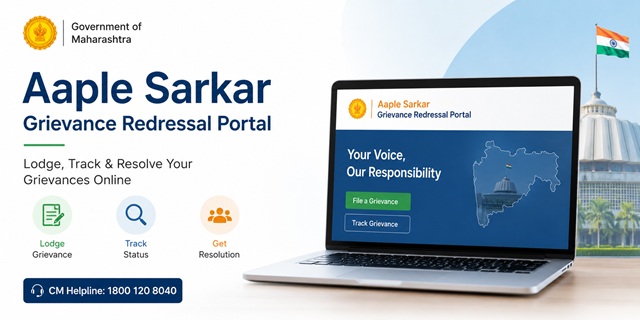
The Aaple Sarkar Grievance Redressal Portal is the official online grievance platform of the Government of Maharashtra. It enables citizens to submit complaints related to state government departments, public services, government offices, welfare schemes, and administrative matters through a single digital portal. Residents can also track the progress of their grievances online after submission.
The portal is managed by the Chief Minister's Office, Government of Maharashtra, with technical support from the Directorate of Information Technology (DIT). It aims to make grievance redressal more transparent by allowing citizens to submit complaints electronically and monitor the action taken by the concerned department. The portal is available in both English and Marathi and can be accessed free of cost.
Aaple Sarkar Grievance Portal: Quick Facts
| Particular | Details |
|---|---|
| Official Portal | grievances.maharashtra.gov.in |
| Portal Name | Aaple Sarkar Grievance Redressal Portal |
| Managed By | Chief Minister's Office, Government of Maharashtra |
| Technical Support | Directorate of Information Technology (DIT), Government of Maharashtra |
| Citizen Registration | Register Here |
| Citizen Login | Login Portal |
| Grievance Status | Track Grievance |
| CM Helpline Number | 1800 120 8040 (Toll-Free) |
| Technical Support Number | 022-40293000 |
| Supported Languages | English and Marathi |
| Mobile Application | Aaple Sarkar App |
| Service Charges | No Application Fee |
District Level or Mantralaya Level: Which Grievance Option Should You Select?
While submitting a grievance on the Aaple Sarkar Grievance Redressal Portal, you will be asked to choose the appropriate complaint level. Selecting the correct option helps ensure that your grievance reaches the concerned authority without unnecessary delays.
- District Level Grievance: Select this option if your complaint relates to government offices functioning at the village, taluka, city, or district level. This category is generally suitable for issues involving local government departments, public services, revenue offices, ration cards, local infrastructure, certificates, schools, hospitals, and district administration.
- Mantralaya Level Grievance: Choose this option if your grievance is related to a State Government department functioning from the Mantralaya, policy-related matters, or issues that require consideration by the Secretariat or higher departmental authorities.
If you are unsure which option to choose, read the grievance category carefully before submitting your application. In most routine public service matters, citizens generally select the District Level option, while policy or higher administrative matters may fall under the Mantralaya Level category.
Types of Complaints Accepted on the Aaple Sarkar Grievance Portal
The portal allows citizens to submit grievances relating to various departments and public services under the Government of Maharashtra. Depending on the nature of the issue, complaints can be filed against the concerned department or local authority.
Some of the commonly reported grievance categories include:
- Delay in issuing certificates such as caste, income, domicile, Non-Creamy Layer, solvency, birth, or other government certificates.
- Land and revenue matters, including 7/12 (Satbara) extracts, mutation entries, property records, and other revenue-related services.
- Ration card services, Public Distribution System (PDS) issues, or delays in food and civil supplies services.
- Delay or non-receipt of benefits under Government of Maharashtra welfare schemes.
- Electricity-related grievances concerning power supply, billing, connections, or distribution companies.
- Complaints relating to drinking water supply, sanitation, drainage, and other civic services.
- Road maintenance, public infrastructure, bridges, and works carried out by government departments.
- Issues concerning government hospitals, public health centres, healthcare facilities, or health department services.
- School education matters, scholarship-related issues, admissions, or services provided by the Education Department.
- Complaints involving Gram Panchayats, Municipal Councils, Municipal Corporations, Zilla Parishads, or other district-level government offices.
- Cases involving alleged misconduct, negligence, corruption, or inappropriate behaviour by officials of State Government departments.
Grievances That Cannot Be Submitted Through the Aaple Sarkar Portal
The Aaple Sarkar Grievance Redressal Portal is meant for complaints relating to departments and authorities under the Government of Maharashtra. Certain types of matters fall outside the scope of this grievance mechanism and may not be accepted.
- Cases that are already pending before any court, tribunal, or judicial authority.
- Personal or family disputes that do not involve a Government of Maharashtra department or public authority.
- Complaints relating to organisations, institutions, or authorities that are not under the administrative control of the Government of Maharashtra.
- Grievances that fall under the jurisdiction of Central Government ministries or departments.
If your grievance relates to Central Government departments such as Income Tax, EPFO, Railways, Passport, UIDAI (Aadhaar), or India Post, you should use the official CPGRAMS Portal instead of the Maharashtra grievance portal.
Documents and Information Required Before Filing a Grievance
Before you start filling out the grievance form, keep the required details ready. This will help you complete the application smoothly without having to stop midway.
- A valid mobile number and email address for OTP verification and future updates.
- Your full name along with your complete address, district, and taluka.
- The name of the government department or office against which you want to file the grievance.
- The appropriate grievance category or subject available on the portal.
- A detailed explanation of your issue, including important dates and relevant facts.
- Supporting documents, photographs, or PDF files, if available, to strengthen your grievance.
How to Create an Account on the Aaple Sarkar Grievance Portal
You must register on the Aaple Sarkar Grievance Portal before you can submit a grievance online. The registration process only takes a few minutes.
- Open the official citizen registration page by visiting Aaple Sarkar Citizen Registration.
- Enter your mobile number and email address in the required fields.
- Click the Send OTP button.
- You will receive separate OTPs on your registered mobile number and email address. Enter both OTPs in the respective fields.
- Complete the verification process to create your citizen account successfully.
- If you already have an account on supported Maharashtra Government services that use Single Sign-On (SSO), such as MahaDBT or other integrated portals, you may be able to sign in using the same credentials instead of creating a new account.
How to File a Grievance on the Aaple Sarkar Portal
Once your account has been created, you can log in and submit your grievance online by following the steps below.
- Visit the official Citizen Login page.
- Sign in using your registered account by completing the required login verification.
- After logging in successfully, select the option to File a Grievance from your dashboard.
- Choose the appropriate Administration Type.
- Select District Level if your grievance relates to a local government office, taluka office, or district authority.
- Select Mantralaya Level if your grievance relates to a State Government department functioning at the Secretariat or involves higher administrative matters.
- Select your District and Taluka from the available drop-down lists.
- Choose the concerned Department and then select the most appropriate Grievance Subject from the list provided.
- Enter the complete details of your grievance in the description box. Explain the issue in simple language, mentioning when the problem started, the office or department involved, and the action you expect from the concerned authority.
- If you have supporting documents such as photographs, letters, receipts, or PDF files, upload them using the document upload option.
- Review all the information carefully before submitting the application to ensure everything is correct.
- Click the Submit button to register your grievance.
- After successful submission, the portal will generate a unique Grievance Token Number. This reference number will also be sent to your registered mobile number and email address. Keep it safe because you will need it later to track your grievance status.
How to Register a Grievance Through the Toll-Free Helpline
If you are unable to use the online portal or do not have easy access to the internet, you can register your grievance by calling the official Aaple Sarkar toll-free helpline.
- Dial the toll-free helpline number 1800 120 8040 from your mobile or landline.
- When your call is connected, the customer support representative will ask for basic information such as your name, mobile number, district, taluka, the concerned government department, and the details of your grievance.
- Explain your grievance clearly so that the representative can record the correct information in the system.
- After all the required details have been entered, your grievance will be registered successfully.
- You will receive a unique Grievance Token Number. Write it down or save it carefully, as it will be required to check your grievance status in the future.
How to File a Grievance Using the Aaple Sarkar Mobile App
The Government of Maharashtra also provides the official Aaple Sarkar mobile application, allowing citizens to submit and monitor grievances directly from their smartphones.
- Download and install the official Aaple Sarkar application from the appropriate app store:
- Open the application and sign in using your registered account.
- Select the File Grievance option available on the home screen.
- Choose the appropriate Administration Type, then select your District, Taluka, Department, and Grievance Subject.
- Enter a clear description of your grievance and upload supporting documents, if available.
- Review all the information carefully and tap the Submit button.
- After successful submission, the application will generate a unique Grievance Token Number. Save this number because it will be required whenever you check the status of your grievance.
How to Check Your Grievance Status on the Aaple Sarkar Portal
After submitting your grievance, you can monitor its progress online at any time through the official Aaple Sarkar Grievance Portal. The status page allows you to view the latest updates, remarks, and action taken by the concerned department.
- Open the official Citizen Login page and sign in to your account.
- After logging in, open the Track Grievance Status or My Grievances section available on your dashboard.
- You will see a list of all grievances submitted from your account.
- Select the grievance you want to check.
- The portal will display the latest information available for your grievance, such as:
- Current grievance status.
- Concerned department.
- Action taken by the department.
- Remarks or updates, if available.
You may also receive updates through your registered mobile number or email address. If you have your Grievance Token Number, you can also use the grievance tracking facility available on the official portal.
What to Do If Your Grievance Is Still Pending
If your grievance has not been resolved or you are not satisfied with the response provided by the concerned department, you can use the follow-up options available on the portal.
- Log in to your Aaple Sarkar Grievance Portal account.
- Open the grievance for which you want to request further action.
- Review the response provided by the concerned department.
- If the portal provides a feedback option and you are not satisfied with the resolution, submit your feedback through the available option.
- Depending on the grievance type and the portal workflow, additional follow-up or escalation options may also be available.
Always keep your Grievance Token Number safe, as it may be required while communicating with the concerned department or checking the status of your grievance.
Maharashtra Right to Public Services Act, 2015
The Maharashtra Right to Public Services Act, 2015 aims to ensure the timely delivery of notified public services by Government departments. Under this Act, eligible citizens have the right to receive notified services within the prescribed time limits.
If a notified public service is delayed or rejected, the Act provides an appeal mechanism through the designated appellate authorities. Citizens can submit appeals relating to notified services through the official Aaple Sarkar Portal, wherever applicable under the provisions of the Act.
It is important to note that the grievance redressal system and the Right to Public Services appeal mechanism are separate processes. The availability of appeals depends on the nature of the service and whether it has been notified under the Maharashtra Right to Public Services Act, 2015.
Official Contact Details
| Official Portal | grievances.maharashtra.gov.in |
| CM Helpline | 1800 120 8040 |
| Technical Support | 022-40293000 |
| Languages | English, Marathi |
नई टिप्पणी जोड़ें