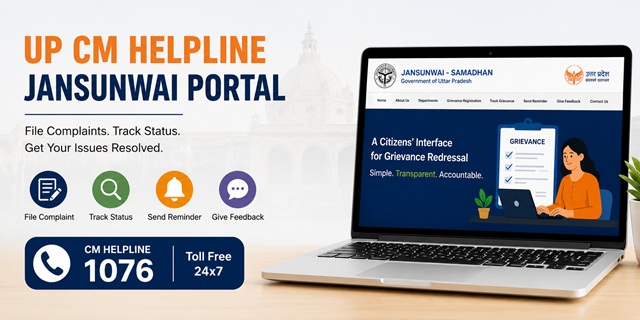
The Government of Uttar Pradesh operates its online public grievance redressal system through the Jansunwai - Samadhan Portal (IGRS). Citizens can register grievances relating to Government departments, offices, and public authorities in Uttar Pradesh through the official portal at jansunwai.up.nic.in. The service is available free of cost and allows citizens to submit grievances without visiting a Government office.
The Jansunwai system was introduced at the district level on 25 January 2016 and was expanded to other levels of Government from 20 February 2016. The portal has been developed by the National Informatics Centre (NIC), Uttar Pradesh for the Chief Minister's Office and serves as the State's Integrated Grievance Redressal System (IGRS). Citizens can register grievances, track their status, send reminders for pending cases, and submit feedback through a single online platform.
Besides the general grievance portal, the Government of Uttar Pradesh also provides dedicated online platforms such as the Anti Bhu-Mafia Portal for reporting illegal land encroachments and the Anti-Corruption Portal for reporting corruption-related matters. Both services are accessible directly from the Jansunwai portal.
Quick Facts
| Detail | Information |
|---|---|
| Official Portal Name | Jansunwai - Samadhan (IGRS) |
| Official Website | jansunwai.up.nic.in |
| CM Helpline Number | 1076 (Toll Free) |
| Registration Method | Mobile OTP Verification |
| Grievance Tracking | Registered Mobile Number or Email ID |
| Reminder Facility | Available |
| Feedback Facility | Available |
| Official Mobile App | Available for Android and iOS |
| Technical Support Email | [email protected] |
| Application Fee | No Fee |
What Complaints You Can File on UP Jansunwai
The Jansunwai - Samadhan Portal accepts grievances relating to Government departments, offices, public authorities, and services under the Government of Uttar Pradesh. Common examples include:
- Revenue and land record issues, including complaints relating to tehsil offices, Lekhpal services, mutation, and other revenue matters.
- Illegal land occupation or encroachment through the Anti Bhu-Mafia Portal.
- Complaints relating to bribery or corruption through the Anti-Corruption Portal.
- Problems relating to Government welfare schemes, including pension, ration card, scholarship, housing, and other public benefit schemes.
- Electricity-related grievances concerning supply, billing, or other services provided by the concerned electricity authorities.
- Water supply, sanitation, drainage, and other civic service complaints.
- Roads, public infrastructure, and other development-related issues.
- Administrative grievances relating to police services.
- Complaints concerning Government hospitals, public health services, and medical facilities.
- Education-related grievances involving Government schools or education department services.
What You Cannot File on Jansunwai
The official Jansunwai portal specifies certain matters that are not treated as public grievances. Such submissions may not be processed through the portal.
- Applications or requests under the Right to Information (RTI) Act.
- Matters that are already pending before a court, tribunal, or judicial authority.
- Requests seeking financial assistance, employment, or similar benefits without any grievance component.
- Service matters of Government employees, such as transfer, promotion, or disciplinary proceedings, unless the prescribed departmental remedies have already been exhausted.
If your grievance relates to a Central Government department or organisation, you should submit it through the CPGRAMS Portal instead of the Uttar Pradesh Jansunwai system.
What to Keep Ready Before Filing
The Jansunwai portal uses mobile OTP verification for complaint submission, so you do not need to create a separate user account. Before starting your application, keep the following information ready:
- Your mobile number for OTP verification.
- Your email ID (optional but useful for receiving updates).
- Your complete address, including district, tehsil, block, Gram Panchayat or ward, and village or locality, wherever applicable.
- The name of the Government department, office, or authority related to your grievance.
- A short subject and a clear description of your grievance with relevant dates, facts, and supporting details.
- Supporting documents, photographs, or other evidence, if available, to help explain your grievance.
How to File a Complaint on the UP Jansunwai Portal
- Open the official UP Jansunwai - Samadhan Portal by visiting https://jansunwai.up.nic.in.
- On the homepage, click Complaint Registration (शिकायत पंजीकरण).
- A page containing important instructions and the list of complaints that are not accepted through the portal will appear. Read the information carefully, tick the declaration checkbox, and click Submit to continue.
- Enter your mobile number, email ID (optional), and the security captcha shown on the screen. Then click Send OTP.
- Enter the OTP received on your mobile phone and click Submit to verify your number.
- The complaint registration form will now open. Fill in your personal details, including:
- Your full name.
- Father's or husband's name.
- Gender.
- Alternative mobile number (optional).
- Your complete address, including district, tehsil, block, Gram Panchayat or ward, and village or locality, wherever applicable.
- Select the Government department related to your grievance. If required, choose the appropriate office or sub-department from the available list.
- Enter a short subject for your grievance and then write the complete complaint in the description box. Clearly explain what happened, when the problem started, the office or official involved, and the relief or action you expect. Write only factual information.
- If you have any supporting documents, photographs, or other evidence, upload them using the attachment option. Although optional, supporting documents can help the concerned department understand your grievance more clearly.
- Review all the information carefully. If everything is correct, click Submit to register your complaint.
- After successful submission, the portal generates a unique Grievance Registration Number. Save this number carefully because you will need it later to check your complaint status, send reminders, and submit feedback.
How to File a Complaint Using the Jansunwai Mobile App
If you prefer using a smartphone, you can also submit your grievance through the official Jansunwai mobile application.
- Android App: Download from Google Play Store
- iPhone/iPad App: Download from the Apple App Store
- Install and open the official Jansunwai app.
- Tap Complaint Registration.
- Verify your mobile number using the OTP sent to your phone.
- Fill in your personal details, select the concerned department, enter the grievance subject and description, and attach supporting documents if available.
- Review the information and tap Submit.
- Save the generated grievance registration number for future reference.
How to File a Complaint Through the UP CM Helpline (1076)
- Dial the toll-free UP CM Helpline Number 1076.
- When connected, provide your name, mobile number, address, and complete details of your grievance.
- The call centre executive will record your complaint in the Jansunwai system.
- After your complaint is registered, note down the grievance registration number provided to you.
- You can later visit jansunwai.up.nic.in to track the progress of your complaint, send reminders if required, and submit feedback after disposal.
How to File a Corruption or Bribery Complaint
If your grievance relates to bribery, corruption, or misconduct by a Government official, you can use the Anti-Corruption Portal provided through the Uttar Pradesh Jansunwai system.
- Visit the official Anti-Corruption Portal.
- Read the instructions displayed on the page.
- Verify your mobile number, if required.
- Enter the details of the alleged corruption or bribery incident.
- Upload supporting documents or evidence, if available.
- Review the information and submit your complaint.
Use this portal specifically for corruption-related grievances instead of the general Jansunwai complaint registration page.
How to File an Illegal Land Occupation Complaint
If your grievance relates to illegal occupation of Government land or private land, you can submit it through the official Anti Bhu-Mafia Portal.
- Open the Anti Bhu-Mafia Portal.
- Select the option to register a new complaint.
- Complete the required details about the land and the alleged encroachment.
- Upload relevant supporting documents, such as land records, photographs, or other available evidence.
- Review the information and submit your complaint.
- Save the reference number generated after successful submission for future tracking.
How to Check Your Complaint Status
- Visit the official UP Jansunwai Portal.
- Click Track Grievance (शिकायत की स्थिति जानें) on the homepage.
- Enter your Grievance Registration Number along with the required details shown on the page, such as your registered mobile number or email ID and the security captcha.
- Click Submit.
- The portal will display the latest status of your grievance, including the concerned department and the action recorded on your complaint.
What to Do if Your Complaint is Still Pending
If your grievance has not been resolved or you are dissatisfied with the action taken, the Jansunwai portal provides additional facilities to help you follow up.
Send a Reminder (अनुस्मारक भेजें)
- Visit jansunwai.up.nic.in.
- Click Send Reminder (अनुस्मारक भेजें).
- Enter your grievance registration number and the required details.
- Verify the complaint information displayed on the screen.
- Submit your reminder request.
The reminder facility allows you to request further action on a pending grievance through the official Jansunwai system.
Submit Feedback (प्रतिक्रिया दें)
- Open the official Jansunwai portal.
- Click Give Feedback (प्रतिक्रिया दें).
- Enter your grievance registration number and the required details.
- Provide your feedback on the action taken against your grievance.
- Submit the feedback through the portal.
The feedback facility enables citizens to share their experience regarding the disposal of their grievance through the official Jansunwai system.
नई टिप्पणी जोड़ें