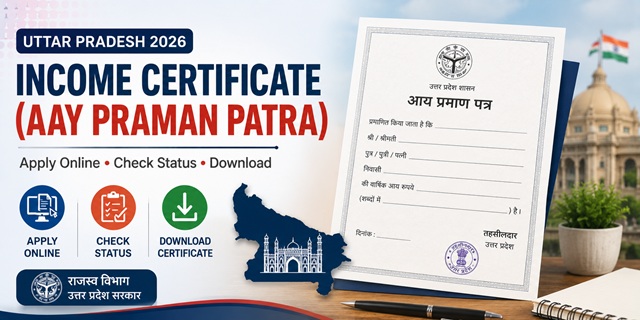
Uttar Pradesh calls its income certificate Aay Praman Patra (आय प्रमाण पत्र). It is issued by the Revenue Department through the Tehsildar and is one of the most requested documents on the edistrict.up.gov.in portal. Two things that make UP different from most other states: first, Aadhaar e-KYC verification is mandatory during the application - basic details like name and photo are auto-filled from your Aadhaar once verified. Second, the certificate is valid for 3 years in Uttar Pradesh, which is longer than the 1 year validity seen in most other states. The application process requires you to select either Rural (Gramin) or Urban (Nagariya) at the start - choose based on your actual place of residence, not your district headquarters. Field verification is done by the Lekhpal (village revenue officer) before the Tehsildar issues the certificate.
- Portal: edistrict.up.gov.in
- Login: Citizen Login (e-Sathi) on homepage
- Helpdesk Phone: 0522-2304706
- Helpdesk Email: [email protected]
- Technical Support Email: [email protected]
Key Details
| Detail | Information |
|---|---|
| Official Name | Aay Praman Patra (आय प्रमाण पत्र) |
| Portal | edistrict.up.gov.in |
| Issuing Authority | Tehsildar, Revenue Department, Govt. of Uttar Pradesh |
| Field Verification By | Lekhpal (rural) / Revenue Inspector (urban) |
| Application Fee | Rs. 10 to Rs. 15 |
| Processing Time | 7 to 15 working days after Lekhpal field verification |
| Validity | 3 years from date of issue |
| Aadhaar e-KYC | Mandatory - OTP sent to Aadhaar-registered mobile |
| Document Format | PDF or JPEG, under 100 KB each |
| Helpline | 0522-2304706 |
Who Can Apply
- Must be a permanent resident of Uttar Pradesh
- Aadhaar Card must be active and linked to a mobile number for e-KYC verification
- Anyone needing proof of income - students for scholarships, families for government schemes, job applicants for EWS certificate, farmers, daily wage workers, self-employed persons
- Parents applying on behalf of their children for scholarship purposes must apply with family income details
- Those applying for EWS reservation must ensure family income is below Rs. 8 lakh per annum from all sources
Documents Required
- Aadhaar Card - mandatory for e-KYC verification. OTP will be sent to your Aadhaar-registered mobile number.
- Self-Declaration Form (Swaprashit Ghoshna Patra) - download from the portal footer, fill with total annual family income and sign it. This is the most important document.
- Income Proof - whichever is applicable:
- Salary certificate or recent salary slips (for salaried employees)
- ITR or Form 16 (if filing income tax)
- Bank account statements (last 3-6 months)
- Agricultural income proof (khasra/khatauni)
- Residence Proof - electricity bill, water bill, or ration card showing UP address
- Photo - either upload a separate photo or select the "Use Aadhaar Photo" option available in the form
- All documents must be in PDF or JPEG format and under 100 KB each
How to Apply Online - Step by Step
- Go to edistrict.up.gov.in on any browser.
- On the homepage, click Login - Citizen Login (e-Sathi).
- If you are a new user, click New User Registration. Enter your name, date of birth, address, mobile number, and email. Create a login ID and password and submit.
- After registration, log in with your credentials.
- On the dashboard, click Apply for Certificate and select Aay Praman Patra (Income Certificate).
- Enter your Aadhaar number. An OTP is sent to your Aadhaar-registered mobile. Enter the OTP for e-KYC verification. Your name and photo are auto-fetched from UIDAI.
- Select Rural (Gramin) or Urban (Nagariya) based on your actual residence. This determines which Lekhpal or Revenue Inspector will verify your application.
- Fill in the application form: mother's and father's name, occupation, family details, and total annual family income from all sources. Mention each source separately - salary, agriculture, business, pension, rent, etc.
- Select the purpose for which you need the certificate - Scholarship, Admission, EWS, Government Scheme, or Other.
- For photo: either upload a separate photo or select Use Aadhaar Photo to use the photo from your Aadhaar record.
- Upload the Self-Declaration Form and other supporting documents (PDF or JPEG, under 100 KB each).
- Pay the fee of Rs. 30 online through the payment gateway.
- Submit the form. An Application Reference Number is generated. Save this number for tracking.
How to Apply via CSC (Common Service Centre)
If you do not have a smartphone or internet access, visit your nearest Jan Seva Kendra (Common Service Centre) with all documents. The CSC operator will apply online on your behalf. The CSC may charge an additional service fee of Rs. 30 to Rs. 50 over and above the portal fee. Always take a printed copy of the acknowledgement slip from the CSC operator.
How to Apply Offline
- Visit your nearest Tehsil office with all documents.
- Collect the Aay Praman Patra application form from the counter or download it from edistrict.up.gov.in.
- Fill the form, attach all documents, and submit at the Tehsil counter.
- Collect the acknowledgement slip with your application number.
What Happens After You Apply
- Your application goes to the concerned Lekhpal (for rural) or Revenue Inspector (for urban) for field verification.
- The Lekhpal visits your residence or locality to verify your income details through local enquiries.
- After Lekhpal's verification report, the application moves to the Tehsildar for final approval.
- The Tehsildar issues the digitally signed Aay Praman Patra.
- You receive an SMS on your registered mobile number once the certificate is ready.
- Download the certificate from the portal using your login credentials.
How to Check Application Status
- Go to edistrict.up.gov.in.
- On the homepage, click Application Status.
- Enter your Application Reference Number and click Search.
- The current status is displayed - whether it is pending with Lekhpal, under verification, approved, or rejected.
How to Download the Certificate
- Log in to edistrict.up.gov.in with your e-Sathi credentials.
- Go to your application and click Download Certificate once the status shows Approved.
- The digitally signed PDF certificate downloads. This is legally valid for all purposes across India.
How to Verify a Certificate
Anyone - a university, employer, or government office - can verify a UP income certificate online:
- Go to edistrict.up.gov.in.
- Click Certificate Verification on the homepage.
- Enter the Certificate Number printed on the certificate.
- Click Search. If the certificate is genuine, complete details are displayed.
UP Income Certificate Validity - 3 Years
This is a point that confuses many UP residents. In most states, income certificates are valid for only 1 financial year. In Uttar Pradesh, the Aay Praman Patra is valid for 3 years from the date of issue. This means if you got one in March 2024, it remains valid until March 2027. However, specific scholarship schemes or admission processes may require a certificate issued in the current or previous financial year - always check the specific scheme's requirements. For EWS certificate applications, a fresh certificate is typically required.
EWS Income Certificate in UP
For the 10% EWS reservation in central government jobs and IIT/NIT admissions, the income and asset certificate must show family income below Rs. 8 lakh per annum from all sources. The process is the same as a regular Aay Praman Patra on edistrict.up.gov.in - select "EWS" as the purpose when filling the form. The Tehsildar issues it after Lekhpal verification. The certificate is accepted at IITs, NITs, central universities, and for central government job applications.
Common Reasons for Rejection
- Self-declaration form not uploaded or unsigned
- Mismatch between declared income and bank statements or salary slips
- Rural or Urban selection not matching actual address
- Documents blurry or above 100 KB size limit
- Aadhaar address not matching current UP residence address - update Aadhaar first if you have recently moved
- Income from one source declared but proof for another source missing
Official Links
Helpdesk Phone: 0522-2304706
Helpdesk Email: [email protected]
Technical Support: [email protected]
Related articles:
Income Certificate in India - Complete Guide
UP Ration Card - Apply Online and Download
How to Apply for Aadhaar Card
Disclaimer: This article is for informational purposes only. Always verify the latest process at edistrict.up.gov.in before applying.
Add new comment