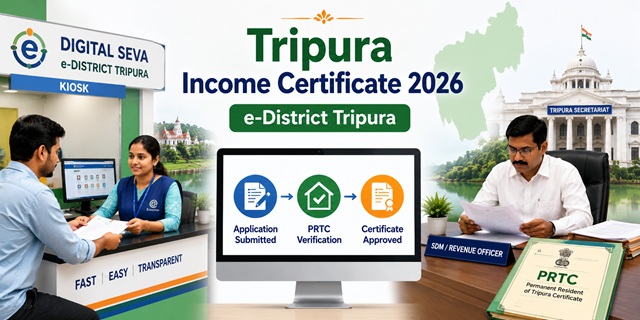
Tripura processes income certificates through the Tripura e-District Portal at edistrict.tripura.gov.in - branded as Digital Seva and running on NIC's ServicePlus platform. It is managed by the eService Delivery and Transformation Division (eSDT) under the National Informatics Centre. The income certificate is under the Revenue Department with a mandated timeline of 15 working days from application submission (excluding government holidays). Three application methods are officially available - confirmed directly from the official service description page on edistrict.tripura.gov.in: By Hand at your SDM office, Online at the portal, and through a Kiosk. A unique document requirement in Tripura: applicants must submit a copy of their PRTC (Permanent Resident of Tripura Certificate) or Citizenship Certificate along with the income certificate application. This PRTC requirement is specific to Tripura and confirms permanent residency status. The DDO Certificate (from Disbursing Officer) or Pay Slip is required for salaried employees as income proof.
- eDistrict Portal: edistrict.tripura.gov.in
- Income Certificate Service: edistrict.tripura.gov.in/Income-Certificate
- Apply Online: edistrict.tripura.gov.in/Apply-Income-Certificate
- Citizen Registration: edistrict.tripura.gov.in/Register
- Tripura State Portal: tripura.gov.in
- NIC ServicePlus: serviceonline.gov.in
Key Details
| Detail | Information |
|---|---|
| Portal | edistrict.tripura.gov.in (Digital Seva - NIC ServicePlus) |
| Managed By | eService Delivery and Transformation Division (eSDT), NIC |
| Department | Revenue Department, Government of Tripura |
| Timeline | 15 working days (excluding government holidays) |
| Application Methods | Online / By Hand at SDM Office / Kiosk |
| PRTC Required | Yes - Permanent Resident of Tripura Certificate mandatory |
| Income Proof for Salaried | DDO Certificate or Pay Slip from Employer |
| Who Can Apply | Individual, Family, Community, Group |
| Service Type | Regulatory (can be denied by government) |
| Validity | 1 year from date of issue |
| Districts Covered | All 8 districts of Tripura |
PRTC - Why It Is Required for Tripura Income Certificate
The PRTC (Permanent Resident of Tripura Certificate) is a unique Tripura government certificate that establishes permanent residency in the state. It is different from a regular residence certificate. Confirmed directly from the official income certificate service description page on edistrict.tripura.gov.in, PRTC is listed as a mandatory document for the income certificate application under "PRTC of the Applicant" - either the PRTC itself or a Citizenship Certificate is accepted.
You can apply for PRTC on the same edistrict.tripura.gov.in portal (service ID 2790011). Once you have your PRTC, you can proceed with the income certificate application. If you already have a PRTC, keep a photocopy ready to attach with the income certificate application.
What is a DDO Certificate
DDO stands for Drawing and Disbursing Officer - the officer who draws and disburses salary in a government department. For salaried applicants in Tripura, the income certificate application requires a DDO Certificate for Income or a Pay Slip from the employer. This is the standard income proof for government and organised-sector employees. For non-salaried applicants (farmers, daily wage workers, self-employed), the "Other" document category applies - typically a self-declaration of income.
SDM Office Locations Across Tripura Districts
Confirmed from official Tripura district government websites. The Sub-Divisional Magistrate (SDM) office is the offline submission point for income certificate applications in Tripura. Each district has multiple SDM offices:
| District | SDM Offices | Official Website |
|---|---|---|
| South Tripura | Belonia, Santirbazar, Sabroom | southtripura.nic.in |
| Dhalai | Ambassa, Gandacherra, Kamalpur, Longtharai Valley | dhalai.nic.in |
| North Tripura | SDM offices of North Tripura | northtripura.nic.in |
| Gomati | DM & Collector, Udaipur | gomati.nic.in |
| Sepahijala | SDM offices of Sepahijala | sepahijala.nic.in |
| West Tripura (Agartala) | West Tripura SDM offices | westtripura.nic.in |
| Unakoti | Unakoti SDM offices | unakoti.nic.in |
| Khowai | Khowai SDM offices | khowai.nic.in |
Who Can Apply
- Any permanent resident of Tripura with a valid PRTC or Citizenship Certificate
- Individual, Family, Community, or Group applicants are all eligible
- Students applying for scholarships, reservation benefits, or college admissions
- Families applying for welfare schemes and government benefits
- For EWS reservation in central government jobs: family income must be below Rs. 8 lakh per annum from all sources
Documents Required
Confirmed directly from the official income certificate service description page on edistrict.tripura.gov.in:
| Document | Type | Attestation |
|---|---|---|
| Family Ration Card | Photocopy | Not Required |
| PRTC of the Applicant (Permanent Resident of Tripura Certificate or Citizenship Certificate) | Photocopy | Not Required |
| Photo ID Proof (Aadhaar Card, PAN Card, Bank Passbook, Passport, Voter ID, or Driving Licence) | Photocopy | Not Required |
| DDO Certificate (Pay Slip from Employer or DDO Certificate for Income) | Photocopy | Not Required |
| Common Application Form | Original | Not Required |
| Other supporting documents (if applicable) | Original | Not Required |
How to Register on Tripura eDistrict Portal
Confirmed from the official citizenRegistration page at edistrict.tripura.gov.in (fetched directly):
- Go to edistrict.tripura.gov.in/Register.
- Fill in: Full Name, Email ID, Mobile Number, Password, and select State (Tripura).
- Enter the captcha shown on the page.
- Check the box: "I agree to abide by the Terms of Use outlined by ServicePlus."
- Click Submit. Your account is created.
- Password requirements: Must include lowercase, uppercase, a number, a special character, minimum 8 characters, no sequential or repeated characters (e.g., abc, 123, AAA).
How to Apply Online
- Register on the portal (if not already done). Then log in at edistrict.tripura.gov.in.
- Click Services in the menu and select Certificate.
- Click Income Certificate. Or go directly to edistrict.tripura.gov.in/Apply-Income-Certificate.
- Fill in the application form with your personal details, family income from all sources, and purpose of certificate.
- Upload all required documents - Ration Card photocopy, PRTC photocopy, ID proof photocopy, and DDO Certificate/Pay Slip photocopy. The Common Application Form must be uploaded as original (scanned).
- Pay any applicable fee through the payment gateway.
- Submit. An Application Reference Number is generated. Save it for tracking.
- Track status by logging in and checking application history.
How to Apply By Hand at SDM Office
- Visit the SDM office of your Sub-Division. Find your SDM office from your district's official website (refer to the SDM locations table above).
- Collect the Common Application Form from the SDM office or download and print it.
- Fill the form completely with income details from all sources.
- Attach photocopies of Ration Card, PRTC, Photo ID, and DDO Certificate/Pay Slip.
- Submit at the SDM office counter. No attestation is required on any document.
- Collect the Acknowledgement Receipt with your Application Reference Number.
- The certificate is issued within 15 working days (excluding government holidays).
How to Apply via Kiosk
Kiosk application is the third official method confirmed from the income certificate service description on edistrict.tripura.gov.in:
- Visit your nearest government or CSC kiosk in Tripura.
- Carry all required documents - Ration Card, PRTC, Photo ID proof, and DDO/Pay Slip.
- The kiosk operator submits the application on edistrict.tripura.gov.in.
- Pay any applicable fee and service charge.
- Collect the acknowledgement with Application Reference Number.
How to Track Application Status
- Log in to edistrict.tripura.gov.in.
- Go to your Dashboard and check submitted applications.
- Find your Income Certificate application and click on it to see the current status.
- You can also track by entering your Application Reference Number.
Official Links
- Tripura eDistrict Portal - edistrict.tripura.gov.in
- Income Certificate Service - edistrict.tripura.gov.in
- Apply Income Certificate - edistrict.tripura.gov.in
- Citizen Registration - edistrict.tripura.gov.in
- PRTC Service - edistrict.tripura.gov.in
Related articles:
Income Certificate in India - Complete Guide
Tripura Ration Card Guide
Disclaimer: This article is for informational purposes only. Always verify the latest process at edistrict.tripura.gov.in before applying.
Add new comment