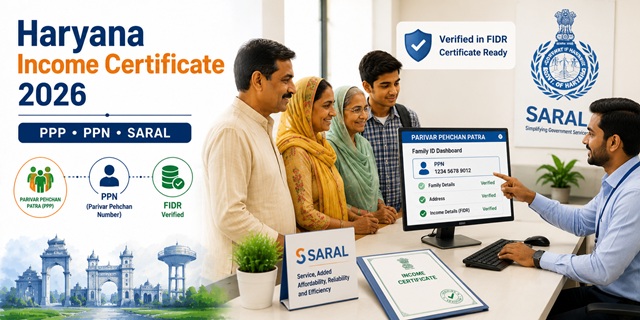
Haryana's income certificate system is built around the state's unique Parivar Pehchan Patra (PPP) or Family ID database. To get an income certificate in Haryana, you must have a PPN (Parivar Pehchan Number) - the unique number assigned to your family under PPP. Your income details must be verified in the FIDR (Family Information Data Repository) - the state's central database. Once your income is verified in FIDR, the income certificate is issued across the counter through the SARAL portal at saralharyana.gov.in. Unlike most states where a Tehsildar signs the certificate, in Haryana it is signed by the ADC-cum-DCRIO (Additional Deputy Commissioner cum District Citizen Resources Information Officer) using a facsimile (digital) signature. Another key difference: if your PPP is fully updated and income is verified, you do not need to submit separate ID or address proof documents - the SARAL portal auto-fills your verified details from PPP. The Right to Service Act 2014 governs timelines - if your certificate is not issued on time, you can appeal to a higher authority directly from the SARAL portal.
- SARAL Portal: saralharyana.gov.in
- Income Certificate Application: saralharyana.gov.in/Income-Certificate
- EWS Income and Asset Certificate: saralharyana.gov.in/EWS-Certificate
- Check Application Status: status.saralharyana.nic.in
- Verify/Update Income in PPP: meraparivar.haryana.gov.in
- Official Income Certificate Policy: hppa.haryana.gov.in/income-certificate
- Income Certificate PDF: saralharyana.gov.in/Income-Certificate-PDF
- SARAL Helpline: 0172-3968400
Key Details
| Detail | Information |
|---|---|
| Portal | saralharyana.gov.in (Antyodaya SARAL) |
| PPN Required | Yes - Parivar Pehchan Number (Family ID) is mandatory |
| Income Must Be Verified In | FIDR (Family Information Data Repository) |
| Issuing Authority | ADC-cum-DCRIO (Additional Deputy Commissioner cum District Citizen Resources Information Officer) |
| Signature Type | Facsimile (digital) signature of ADC-cum-DCRIO |
| ID/Address Proof Needed | Not required if PPP is fully updated - auto-filled from Parivar Pehchan Patra |
| PPP Integration | Auto-fills verified citizen details during application |
| Mobile App | Jansahayak Mobile App (integrated with SARAL) |
| Total SARAL Services | 550+ government services |
| Processing Time | 7 to 15 working days |
| Validity | Current financial year from date of issue |
| BPL Income Limit | Below Rs. 1,80,000 per annum |
| Governing Act | Haryana Right to Service Act 2014 |
| Status Check | status.saralharyana.nic.in |
| SARAL Helpline | 0172-3968400 |
PPP and PPN - The Foundation of Haryana's Income Certificate
This is what makes Haryana completely different from every other state. Confirmed directly from the official Haryana government policy document at hppa.haryana.gov.in/income-certificate:
- PPP (Parivar Pehchan Patra) is Haryana's Family ID system. Every family in Haryana has a unique 8-digit Family ID and each member has a PPN (Parivar Pehchan Number).
- Income certificate is issued on provision of PPN only - confirmed from the official policy document. Without a valid PPN, you cannot get an income certificate through the SARAL portal.
- Your income details must be verified in the FIDR (Family Information Data Repository). FIDR is the central database where verified income data is stored against each family's PPN.
- If your income is NOT yet verified in FIDR, you must first request income verification at meraparivar.haryana.gov.in. A Local Committee (LC) verifies and marks the income in FIDR. Only after this can you apply for the certificate.
- Once income is verified in FIDR, the certificate is issued across the counter - you apply on SARAL and the certificate is generated almost immediately based on the FIDR data.
Why No Separate Documents Are Needed
This is confirmed directly from the official SARAL portal homepage at saralharyana.gov.in - "No need to refer to Identification and address proofs from SARAL applicants. Integrated with Parivar Pehchan Patra (PPP) for auto filling authentic and verified details of citizens." Because your Aadhaar, address, income, and family details are already verified and stored in the PPP/FIDR database, the SARAL portal simply pulls this verified data when you apply with your PPN. This eliminates the need to upload separate documents. However, if your PPP data is outdated or income not yet verified, you will need to update it first at meraparivar.haryana.gov.in.
Who Issues the Income Certificate
In Haryana, the ADC-cum-DCRIO (Additional Deputy Commissioner cum District Citizen Resources Information Officer) issues income certificates under their jurisdiction - confirmed from the official hppa.haryana.gov.in policy document. The certificate carries the facsimile (digital) signature of the ADC-cum-DCRIO. This is different from other states where the Tehsildar or Mamlatdar signs. The ADC-cum-DCRIO operates at the district level, making this a district-level certification - which is why Haryana's income certificate carries more weight in certain situations than certificates from some other states.
Income Certificate Validity in Haryana
The validity is strictly defined in the official Haryana government policy:
- An income certificate is valid for the current financial year with respect to date of issue - confirmed from hppa.haryana.gov.in/income-certificate.html official policy.
- If a certificate is issued in January 2026, it is valid until March 31, 2026 (end of that financial year) - not for 12 months from January.
- A certificate may also become invalid if it is found that the income was incorrectly mentioned or wrongly verified in FIDR - confirmed from the official policy.
- Apply for a fresh certificate at the start of each new financial year (April) for scholarship and scheme applications.
Who Can Apply
- Must be a resident of Haryana with a valid PPP (Parivar Pehchan Patra) Family ID
- Income must be verified in FIDR (Family Information Data Repository)
- Any resident needing income proof - students for scholarships, families for welfare schemes, individuals for BPL benefits
- BPL category in Haryana: annual income below Rs. 1,80,000
- For EWS reservation in central government jobs: separate Income and Asset Certificate application available at saralharyana.gov.in (ServiceID 13980008)
Step 1 - Verify Your Income in PPP/FIDR First
Before applying for the income certificate on SARAL, check if your income is already verified in FIDR:
- Go to meraparivar.haryana.gov.in.
- Log in with your Family ID (PPN) and OTP.
- Check your income details shown in the family profile.
- If income is not verified, click on the grievance/verification request option at meraparivar.haryana.gov.in/ReportGrievance.
- Request income verification. The Local Committee (LC) will verify your income and update FIDR.
- Once FIDR is updated with verified income, proceed to apply for the income certificate on SARAL.
How to Apply Online at SARAL Portal
Confirmed from the official SARAL portal process and official Income Certificate service page at saralharyana.gov.in:
- Go to saralharyana.gov.in.
- If you are a new user, click New User? Register Here. Enter your name, email, mobile number, and password. Verify your mobile via OTP. Registration is free.
- After registration, log in with your credentials.
- In the search box on the dashboard, type "Income Certificate" and select it from the dropdown.
- The application form opens. Enter your Parivar Pehchan Number (PPN) / Family ID.
- Your details from PPP are auto-filled - name, address, family members, and verified income from FIDR. Verify the auto-filled information for accuracy.
- Fill any remaining required details such as purpose of certificate.
- Tick the self-declaration checkbox confirming the details are true and correct.
- Fill the Captcha code and click Submit.
- Download the Acknowledgement Receipt. Note your Reference ID for status tracking.
How to Apply at SARAL Kendra (Offline Assisted)
- Visit your nearest SARAL Kendra (also called Antyodaya SARAL Centre) with your PPP Family ID card.
- The operator at the SARAL Kendra applies on your behalf using your PPN.
- Collect the acknowledgement slip with your Reference ID.
- Since PPP auto-fills all data, you generally do not need to carry separate documents if your PPP is updated.
How to Apply via Jansahayak Mobile App
Haryana's SARAL portal is integrated with the Jansahayak Mobile App - confirmed from the official saralharyana.gov.in portal homepage. Citizens can track application status and access SARAL services through the app:
- Search "Jansahayak" on Google Play Store or Apple App Store and install the app.
- Log in with your SARAL credentials.
- Apply for Income Certificate, track status, and receive notifications through the app.
How to Check Application Status
- Go to status.saralharyana.nic.in.
- Enter your Application Reference ID from the acknowledgement receipt.
- Click Submit. Your current application status is displayed.
How to Appeal Under RTS Act 2014
If your income certificate is not issued within the prescribed time limit under the Haryana Right to Service Act 2014, you can appeal:
- On the saralharyana.gov.in income certificate service page, click on "Know About RTS" to see the complete appeal procedure - confirmed from the official Income Certificate PDF at saralharyana.gov.in/resources/homePage/6/pdf/Revenue/Income%20Certificate.pdf.
- The RTS appeal can be filed with the designated higher authority.
- For general service queries, contact the SARAL helpdesk at 0172-3968400.
Official Links
- Antyodaya SARAL Portal - saralharyana.gov.in
- Apply Income Certificate - saralharyana.gov.in
- Apply EWS Certificate - saralharyana.gov.in
- Check Status - status.saralharyana.nic.in
- Verify Income in PPP - meraparivar.haryana.gov.in
- Income Certificate Policy - hppa.haryana.gov.in
- Income Certificate PDF Guide - saralharyana.gov.in
SARAL Helpline: 0172-3968400
Related articles:
Income Certificate in India - Complete Guide
Haryana Ration Card - Apply Online
Disclaimer: This article is for informational purposes only. Always verify the latest process at saralharyana.gov.in and hppa.haryana.gov.in before applying.
Add new comment