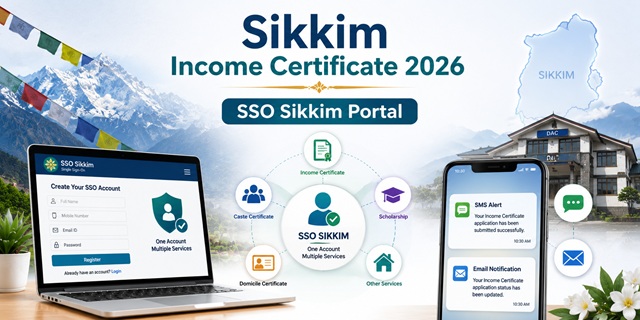
Sikkim has a dedicated income certificate portal at incomecertificate.sikkim.gov.in. Login is through Sikkim SSO (Single Sign-On) at sso.sikkim.gov.in - Sikkim's single platform for all state government services based on the principle of "One User, One Account." The income certificate is completely free with no application fee. It is issued by the SDM (Sub-Divisional Magistrate) or BDO (Block Development Officer) under the Department of Land Revenue and Disaster Management in each of Sikkim's four districts. The application process is: register at sso.sikkim.gov.in → login → enter details and upload documents → track status → receive SMS/email notification. Once approved, download the certificate from the portal. A User Manual PDF for the income certificate process is available at sso.sikkim.gov.in/user-manual.
- Income Certificate Portal: incomecertificate.sikkim.gov.in
- Login (SSO): incomecertificate.sikkim.gov.in/login
- SSO Registration: sso.sikkim.gov.in/register
- SSO Login: sso.sikkim.gov.in/login
- User Manual PDF: sso.sikkim.gov.in/user-manual
- SSO Help: sso.sikkim.gov.in/help
- Gangtok DAC: gangtokdistrict.nic.in/sso-sikkim
- Mangan (North Sikkim) DAC: mangan.nic.in/income-certificate
Key Details
| Detail | Information |
|---|---|
| Dedicated Portal | incomecertificate.sikkim.gov.in |
| Login System | Sikkim SSO (Single Sign-On) - One User, One Account |
| SSO Portal | sso.sikkim.gov.in |
| Fee | Free - No application fee |
| Department | Land Revenue and Disaster Management |
| Issuing Authority | SDM (Sub-Divisional Magistrate) or BDO (Block Development Officer) |
| Notification | SMS and Email at every stage |
| User Manual | Available as PDF at sso.sikkim.gov.in/usermanual |
| Districts Covered | All 4 districts: East (Gangtok), North (Mangan), South (Namchi), West (Gyalshing) |
| Validity | 1 year from date of issue |
What is Sikkim SSO and How It Works
Sikkim SSO (Single Sign-On) at sso.sikkim.gov.in is Sikkim's unified citizen authentication platform.sikkim.gov.in portal and firmregistration.sikkim.gov.in. Key features of Sikkim SSO:
- One User, One Account - register once and access all Sikkim government services
- Single credentials - no need to remember multiple usernames and passwords for different portals
- Register with your name, address, email ID, contact number, and residential address
- Certificates available through SSO: Income Certificate, Employment Card, Firm Registration, Scheduled Tribe Certificate, OBC Certificate, SC Certificate.nic.in
- Dashboard shows New Application button, Application Updates section, and Rejection section
- Instructions/Guidelines section shows required documents before applying
DAC - District Administrative Centre in Sikkim
The DAC (District Administrative Centre) is Sikkim's district-level service delivery office.nic.in : "The District Administrative Centre (DAC) Gangtok is committed to making essential services more accessible and convenient for general public. You can easily apply for as well as download the following certificates online from the comfort of your home, eliminating the need to visit the office in person." The DAC is the physical office where offline applications can be submitted and where the SDM or ADC issues the income certificate.
Four Districts - DAC Locations
Sikkim has four districts. The income certificate is applied under the SDM or BDO office of your district:
| District | HQ | DAC Contact | Official Site |
|---|---|---|---|
| East District | Gangtok | DAC Sichey, Gangtok 737101 | Email: [email protected] | gangtokdistrict.nic.in |
| North District | Mangan | District Administrative Centre, Mangan 737116 | Office of Addl. DC/SDM/RO | mangan.nic.in |
| South District | Namchi | DAC Namchi | namchi.nic.in |
| West District | Gyalshing | DAC Gyalshing | gyalshing.nic.in |
Who Can Apply
Any resident of Sikkim who is employed, self-employed, or an agriculturist is eligible to apply.
- Any resident of Sikkim - any of the four districts
- Employed individuals, self-employed persons, and agriculturists
- Students needing income certificate for scholarships, Sikkim University admissions, or fee reimbursement
- The certificate can be used for general purpose or specifically for fee reimbursement.india.gov.in Sikkim official page
- For EWS reservation in central government jobs and IIT/NIT admissions: family income must be below Rs. 8 lakh per annum from all sources
Documents Required
The following documents are required at the time of submitting the application:
- Age Proof (any one): Birth Certificate, School Leaving Certificate, or PAN Card
- Address Proof (any one): Ration Card, Voter ID, Passport, Driving Licence, Electricity Bill, Water Bill, or Property Tax Receipt
- Photograph: Passport-size photograph of the applicant
- Identity Proof (any one): Aadhaar Card, Voter ID, or Driving Licence
- Proof of Income (any one as applicable):
- Salary slip (for salaried employees)
- Self-declaration certificate stating income from all sources
- Income details from all sources (agriculture, business, rent, pension, etc.)
How to Register on Sikkim SSO
- Go to sso.sikkim.gov.in/register.
- Fill in your personal details: name, address, email ID, contact number, and residential address.
- Create a username and password for your Sikkim SSO account.
- Complete registration. Your single SSO account gives access to all Sikkim government online services.
How to Apply Online for Income Certificate
Confirmed directly from the official incomecertificate.sikkim.gov.in portal homepage and user manual at sso.sikkim.gov.in:
- Register at sso.sikkim.gov.in/register if you have not done so. Registration is free.
- Go to incomecertificate.sikkim.gov.in/login and log in with your Sikkim SSO credentials.
- On your SSO Dashboard, click New Application to start a fresh income certificate application.
- The Instructions/Guidelines section on your dashboard shows the required documents. Review these before proceeding.
- Enter all required applicant details: personal information, income from all sources, purpose of certificate.
- Upload all required scanned documents.
- Confirm and submit the application.
- The application is forwarded to the SDM or BDO of your district.
- Check the Application Updates section on your SSO dashboard for status changes. SMS and email notifications are sent at every stage.
- If the application is rejected, it appears in the Rejection section with the reason. Reapply after addressing the issue.
- Once approved, download the digitally signed income certificate from your dashboard.
How to Apply Offline at DAC / SDM Office
- Visit the District Administrative Centre (DAC) of your district - the Office of the Additional DC/SDM/Revenue Officer.
- For East District: DAC Sichey, Gangtok (Phone: [email protected]).
- For North District: District Administrative Centre, Mangan, North Sikkim 737116.
- Collect the income certificate application form at the counter.
- Fill the form with all required income details and purpose.
- Attach copies of all required documents - Age Proof, Address Proof, Identity Proof, Photo, Income Proof.
- Submit at the DAC counter. The SDM or BDO reviews and issues the certificate.
Official Links
- Income Certificate Portal - incomecertificate.sikkim.gov.in
- Apply/Login - incomecertificate.sikkim.gov.in
- SSO Registration - sso.sikkim.gov.in
- SSO Login - sso.sikkim.gov.in
- User Manual PDF - sso.sikkim.gov.in
- SSO Help - sso.sikkim.gov.in
- Gangtok DAC - gangtokdistrict.nic.in
- North Sikkim (Mangan) - mangan.nic.in
- Sikkim Government - sikkim.gov.in
Related articles:
Income Certificate in India - Complete Guide
Sikkim Ration Card Guide
Disclaimer: This article is for informational purposes only. Always verify the latest process at incomecertificate.sikkim.gov.in before applying.
Add new comment