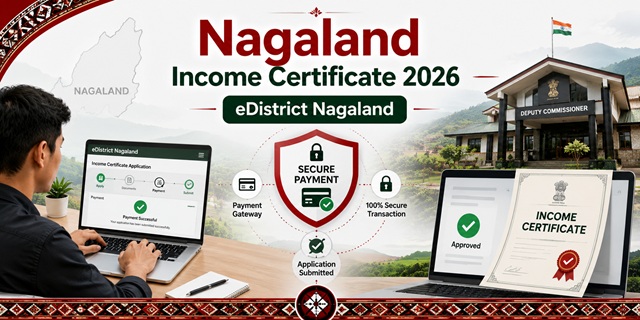
Nagaland issues income certificates through the eDistrict Nagaland portal at edistrict.nagaland.gov.in - the official eDistrict platform for all 12 districts of Nagaland. The certificate is issued by the Deputy Commissioner or Assistant Deputy Commissioner under the Department of District Collectorate. An important note confirmed from the official eDistrict Nagaland portal: income certificate applications require payment through a Payment Gateway - non-payment of service fees will be considered an incomplete application and will not be submitted for processing. Three application methods are available: online at the portal, through a CSC (Common Service Centre), or in person at the Deputy Commissioner's office of your district. The portal also covers domicile certificates, caste certificates, birth and death certificates, ration card services, and social welfare scheme applications for all 12 Nagaland districts.
- eDistrict Nagaland Portal: edistrict.nagaland.gov.in
- Register: edistrict.nagaland.gov.in/register
- Service List: edistrict.nagaland.gov.in/service-list
- Nagaland State Portal eServices: nagaland.gov.in/eservices
- Dimapur District: dimapur.nic.in
Key Details
| Detail | Information |
|---|---|
| Portal | edistrict.nagaland.gov.in (eDistrict Nagaland) |
| Concerned Department | Department of District Collectorate |
| Issuing Authority | Deputy Commissioner / Assistant Deputy Commissioner |
| Offline Office | Office of Deputy Commissioner of your district (e.g., DC Office, Kohima) |
| Fee | Applicable - paid through Payment Gateway during online application |
| Non-Payment Rule | Non-payment = incomplete application, not submitted for processing |
| Application Methods | Online (eDistrict portal) / CSC / DC Office (offline) |
| Districts Covered | All 12 districts of Nagaland |
| Validity | 1 year from date of issue |
| Eligibility | Resident of Nagaland and citizen of India |
Payment is Mandatory - Key Rule for Nagaland Income Certificate
This is directly confirmed from the official eDistrict Nagaland portal notice that appears during the application process: "After filling up the form, users will be redirected to the Payment Gateway for paying the necessary fees as prescribed for Services. Non-payment of Service Fees will be considered an incomplete application and the Application will not be submitted for further processing by the Service Providing Department."
What this means:
- After filling the application form, you will be redirected to a payment gateway
- Complete the payment - do not close the browser or navigate away before payment confirmation
- Only after successful payment is the application submitted to the Deputy Collector's office
- Save the payment receipt - it serves as additional proof of application submission
What is the Income Certificate Used For in Nagaland
Confirmed from the official edistrict.nagaland.gov.in portal description and official Nagaland district websites:
- Students applying for scholarships - central NSP scholarships and Nagaland state scholarships
- Students needing fee concession at educational institutions
- School admissions under income-based quotas
- Government job applications requiring income proof
- Applying for Old Age, Widow, and Handicap pensions under social welfare schemes
- Benefiting from government schemes and subsidies
- EWS reservation in central government jobs and IIT/NIT admissions (family income below Rs. 8 lakh)
All 12 Districts of Nagaland - Where to Apply Offline
Nagaland has 12 districts. The income certificate is applied at the Deputy Commissioner's office of your district:
| District | HQ | Official Website |
|---|---|---|
| Kohima | Kohima | kohima.nic.in |
| Dimapur | Dimapur | dimapur.nic.in |
| Mokokchung | Mokokchung | mokokchung.nic.in |
| Mon | Mon | mon.nic.in |
| Phek | Phek | phek.nic.in |
| Tuensang | Tuensang | tuensang.nic.in |
| Wokha | Wokha | wokha.nic.in |
| Zunheboto | Zunheboto | zunheboto.nic.in |
| Longleng | Longleng | longleng.nic.in |
| Kiphire | Kiphire | kiphire.nic.in |
| Peren | Peren | peren.nic.in |
| Noklak | Noklak | noklak.nic.in |
Who Can Apply
- Must be a resident of Nagaland
- Must be a citizen of India
- Any person - salaried, farmer, daily wage worker, self-employed, student, pensioner
- For EWS reservation in central government jobs and IIT/NIT admissions: family income must be below Rs. 8 lakh per annum from all sources
Documents Required
Confirmed from the official eDistrict Nagaland application process and tesz.in citing official portal:
- Residential Proof (any one): Residential Certificate issued by Local Administration Office, Aadhaar Card, Passport, Driving Licence, Ration Card, Government ID Card, Defence ID Card, or PAN Card
- Income Proof (any one or more as applicable):
- Salary Certificate (for salaried employees)
- Income proof from a competent authority (for self-employed, daily wage, or agricultural income)
- Income Tax Return (ITR) acknowledgement (for income tax payers)
- Passport-size photograph
- Completed application form
How to Register on eDistrict Nagaland Portal
Confirmed from the official edistrict.nagaland.gov.in registration page and homepage:
- Go to edistrict.nagaland.gov.in/register.
- Click Sign Up if you are a new user.
- Fill up your profile information with basic personal details - name, email, mobile number, and address. This information will be used while applying for any services.
- Complete registration. Your account is created.
How to Apply Online at eDistrict Nagaland
Confirmed from the official eDistrict Nagaland portal process and tesz.in citing official portal steps:
- Go to edistrict.nagaland.gov.in.
- Click Login to E-District. If you are an existing user, log in with your User ID and Password. If new, click Sign Up and register.
- After logging in, click E-District Services (or Certificate Services) from the menu.
- Select Income Certificate from the list of services.
- The application form opens. Enter all required details - personal information, residential address, income from all sources, purpose of certificate.
- Upload required documents - residential proof and income proof.
- After filling, you are redirected to the Payment Gateway. Pay the prescribed service fee. Non-payment will make the application incomplete and it will not be processed.
- After successful payment, the application is submitted. Note your Application Reference Number.
- Track your application status from the portal using the Reference Number.
- Download the digitally signed certificate once approved.
How to Apply via CSC (Common Service Centre)
- Visit your nearest CSC (Common Service Centre) in your district with all required documents
- The CSC operator applies on edistrict.nagaland.gov.in on your behalf
- Pay the prescribed service fee plus any nominal CSC service charge
- Collect the acknowledgement with your Application Reference Number
- Track status and download certificate from the portal
How to Apply Offline at DC Office
- Visit the Office of the Deputy Commissioner of your district on any working day
- Collect the income certificate application form from the District Collectorate office
- Fill the form completely with income from all sources
- Attach all required documents - residential proof and income proof with photograph
- Submit at the revenue counter. Collect the acknowledgement receipt
- The certificate is issued by the Deputy Commissioner or Assistant Deputy Commissioner
How to Track Application Status
- Log in to edistrict.nagaland.gov.in.
- Go to your application history or track status section.
- Enter your Application Reference Number to see the current status.
Official Links
- eDistrict Nagaland - edistrict.nagaland.gov.in
- Register - edistrict.nagaland.gov.in
- Service List - edistrict.nagaland.gov.in
- Nagaland eServices - nagaland.gov.in
- Kohima District - kohima.nic.in
- Dimapur District - dimapur.nic.in
- Mokokchung District - mokokchung.nic.in
Related articles:
Income Certificate in India - Complete Guide
Nagaland Ration Card Guide
Disclaimer: This article is for informational purposes only. Always verify the latest process at edistrict.nagaland.gov.in before applying.
Add new comment