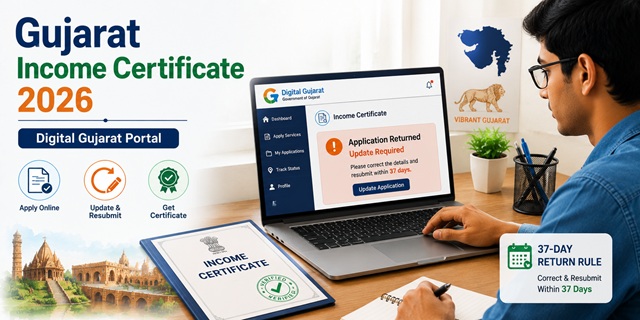
Gujarat calls its income certificate Aavak Praman Patra (આવક પ્રમાણ પત્ર). It is issued by the Mamlatdar (Taluka-level Revenue Officer) and can be applied for free through the Digital Gujarat portal at digitalgujarat.gov.in. Gujarat's portal covers 100+ government services and also has a dedicated Digital Gujarat mobile app available for applying on the go. One critical rule that catches many applicants off guard: if your application is returned for correction or to fill incomplete details, you must resubmit it within 37 days of return. If you miss this window, the application is disposed with rejection and the application fee is not refunded. The same certificate can be used for multiple scholarship applications within the same academic year - you do not need to apply again for each scholarship if the certificate is still valid.
- Digital Gujarat Portal: digitalgujarat.gov.in/Citizen/CitizenService
- Income Certificate Login: digitalgujarat.gov.in/Income-Certificate-Login
- Income Certificate Description: digitalgujarat.gov.in/Income-Certificate-Details
- All Citizen Services: digitalgujarat.gov.in/All-Services
- Ahmedabad Helpline: 18002335500 (Toll Free) / 079-27551681
Key Details
| Detail | Information |
|---|---|
| Gujarati Name | Aavak Praman Patra (આવક પ્રમાણ પત્ર) |
| Portal | digitalgujarat.gov.in |
| Application Fee | Free |
| Issuing Authority | Mamlatdar (Taluka Revenue Officer) |
| Also Applied At | Talati office / Jan Seva Kendra |
| Processing Time | 7 to 14 working days |
| 37-Day Return Rule | If returned for correction, resubmit within 37 days or application is rejected. Fee not refunded. |
| Validity | 1 year from date of issue |
| Mobile App | Digital Gujarat App (available on Play Store and App Store) |
| Total Services on Portal | 100+ government services |
| Toll Free Helpline | 18002335500 |
The 37-Day Return Rule - Read Before You Apply
This is the most critical rule on the Digital Gujarat portal for income certificate - confirmed directly from the official service description page at digitalgujarat.gov.in:
- After submitting your application, if the Mamlatdar's office finds any incomplete or incorrect information and returns the application for correction, you will be notified
- You must log in and resubmit the corrected application within 37 days from the date it was returned
- If you fail to resubmit within 37 days, your application is automatically disposed with rejection
- The application fee, if any was charged, will not be refunded
- You will need to start a completely new application after rejection
To avoid this: check your application status regularly on the portal after submission. Enable SMS/email notifications. If returned, act immediately - do not wait till the last few days.
Who Can Apply
- Must be a permanent resident of Gujarat
- Must be registered on digitalgujarat.gov.in with login credentials
- All categories of residents - students, farmers, salaried employees, self-employed, daily wage workers
- Students applying for Digital Gujarat scholarships need a fresh income certificate every academic year
- The same certificate can be used for multiple scholarship applications within the same academic year - upload the same PDF for both state and central scholarship portals (NSP, Digital Gujarat) without applying again
- For EWS reservation: family income must be below Rs. 8 lakh per annum from all sources
Documents Required
Confirmed from the official service description at digitalgujarat.gov.in/CitizenNew/ServiceDescriptionNew.aspx?ServiceID=63:
- Passport-size photograph of the applicant (mandatory for all applications)
- Address Proof - True Copy of Telephone Bill or any of the following:
- Electricity Bill
- Ration Card
- Aadhaar Card with Gujarat address
- Voter ID with Gujarat address
- Identity Proof - Aadhaar Card, PAN Card, Voter ID, Driving Licence, or Passport
- Income Proof - whichever applies:
- Salary certificate or pay slips (salaried employees)
- Form 16 or ITR acknowledgement (income tax filers)
- Self-declaration of total annual family income from all sources
- For agricultural income: 7/12 land records from e-Dhara portal
- Ration Card (for family composition if applicable)
How to Apply Online via Digital Gujarat Portal
Confirmed from the official digitalgujarat.gov.in service process and services.india.gov.in Gujarat income certificate page:
- Go to digitalgujarat.gov.in/Citizen/CitizenService and click on Services.
- If you are a new user, click Register to create your Digital Gujarat account. Use your mobile number and email to register.
- After registration, log in. You can also directly access the Income Certificate service at digitalgujarat.gov.in/Income-Certificate-Login.
- Select Income Certificate from the Revenue Department services.
- Read the service description and instructions carefully. Click Apply Online.
- Fill in the complete application form: personal details, family details, occupational details of all earning members, and income from all sources - salary, business, agriculture, rental, pension, and any other source. Declare each source separately.
- Upload required documents - passport-size photo and address proof are mandatory.
- Review all details before submitting.
- Submit the application. An Application Reference Number is generated. Save it.
- Track your application status using the reference number. If the application is returned for correction, act within 37 days.
How to Apply via Digital Gujarat Mobile App
Gujarat also has a Digital Gujarat mobile app - confirmed from the services.india.gov.in Gujarat income certificate official page:
- Download the Digital Gujarat app from Google Play Store or Apple App Store. Search "Digital Gujarat" and install the official Government of Gujarat app.
- Log in with your Digital Gujarat credentials or register as a new user.
- Navigate to Revenue Department services.
- Select Income Certificate (Aavak Praman Patra).
- Fill the form, upload documents, and submit. Track status from the app dashboard.
How to Apply at Mamlatdar Office / Jan Seva Kendra (Offline)
Confirmed from ahmedabad.nic.in (official Ahmedabad district government website) and services.india.gov.in:
- Visit your nearest Mamlatdar office - one exists at every Taluka headquarters across Gujarat. Or visit the nearest Jan Seva Kendra (Common Service Centre).
- Ask for the Aavak Praman Patra (Income Certificate) application form. Alternatively, download it from digitalgujarat.gov.in and print it.
- Fill the form completely with all family income details from all sources.
- Attach photocopies of all required documents along with originals for verification.
- Pay any nominal stamp duty if required at the counter.
- Submit. Collect the acknowledgement receipt with your application number.
- Your certificate is issued within 7 to 14 working days. Some offices now issue it digitally with a QR code for online verification.
How to Check Application Status
- Log in to digitalgujarat.gov.in.
- Go to your Application Status section on the dashboard.
- Enter your Application Reference Number to see the current status.
- If status shows "Returned" - you must log in and resubmit the corrected application within 37 days.
How to Download the Certificate
- Log in to digitalgujarat.gov.in.
- Go to your completed applications dashboard.
- Find your approved income certificate and click Download.
- The digitally signed certificate downloads as a PDF. It is valid for all official purposes.
- For Mamlatdar office applications, some offices now issue certificates with a QR code that can be verified online. Collect the certificate directly from the Mamlatdar office or Jan Seva Kendra.
How to Get Agricultural Income in Your Certificate
If part of your family income comes from agricultural land in Gujarat, you need to declare it separately in the income certificate. The Mamlatdar verifies this against land records. You can download your 7/12 (Satbara/Satbara) land records from the official e-Dhara portal at anyror.gujarat.gov.in and attach them as income proof for the agricultural component.
Official Links
- Digital Gujarat Citizen Services - digitalgujarat.gov.in
- Apply Income Certificate - digitalgujarat.gov.in
- Income Certificate Details - digitalgujarat.gov.in
- All Services - digitalgujarat.gov.in
- 7/12 Land Records (e-Dhara) - anyror.gujarat.gov.in
Toll Free: 18002335500
Ahmedabad: 079-27551681
Related articles:
Income Certificate in India - Complete Guide
Gujarat Ration Card - Digital Gujarat Guide
Disclaimer: This article is for informational purposes only. Always verify the latest process at digitalgujarat.gov.in before applying.
Add new comment