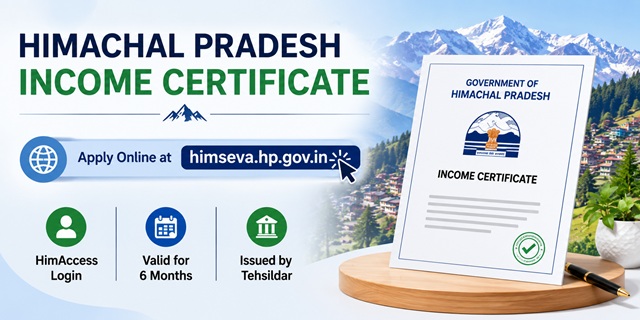
Himachal Pradesh's eDistrict portal has been renamed as HimSeva Portal - the new address is himseva.hp.gov.in. The old address edistrict.hp.gov.in now redirects there automatically - confirmed from the official redirect notice on the edistrict.hp.gov.in homepage. Login to HimSeva is through HimAccess at himaccess.hp.gov.in - Himachal Pradesh's Single Sign-On system. The income certificate is issued by the Tehsildar and is valid for only 6 months from the date of issue - the same short validity as Rajasthan. This means students need to apply every 6 months for ongoing scholarship or scheme requirements. Two application methods exist: online through HimSeva with HimAccess login, and offline at the Tehsildar office using plain paper with a court fee of 25 paise. CSC (Common Service Centre) operators can also apply on your behalf. The portal is managed under the Department of Digital Technologies and Governance, Government of Himachal Pradesh.
- HimSeva Portal: himseva.hp.gov.in
- HimAccess Login: himaccess.hp.gov.in
- Service List: himseva.hp.gov.in/serviceList
- Income Certificate Info: himseva.hp.gov.in/Income-Certificate-Info
- Verify Certificate: himseva.hp.gov.in/verifyCertificate
- Download Forms: Available in DOWNLOAD FORMS section on himseva.hp.gov.in
- Feedback/Grievance: Available in FEEDBACK / GRIEVANCE section on himseva.hp.gov.in
- Citizen Helpline: 1800-180-8076 (Toll Free)
Key Details
| Detail | Information |
|---|---|
| Portal (Current) | himseva.hp.gov.in (HimSeva - renamed from eDistrict HP) |
| Old Portal | edistrict.hp.gov.in - now redirects to himseva.hp.gov.in |
| Login System | HimAccess at himaccess.hp.gov.in (Single Sign-On) |
| Department | Department of Digital Technologies and Governance, HP |
| Issuing Authority | Tehsildar |
| Validity | 6 months from date of issue |
| Online Fee | As displayed during payment on portal (check portal at time of application) |
| Offline Fee | Plain paper application with court fee stamp of 25 paise |
| Application Methods | Online (HimSeva) / CSC Centre / Tehsildar Office (offline) |
| Citizen Helpline | 1800-180-8076 (Toll Free) |
eDistrict HP Renamed to HimSeva - What You Need to Know
This is the most important update for HP residents in 2026. The official confirmation appears directly on the edistrict.hp.gov.in homepage:
"The eDistrict Himachal Pradesh Portal has now been renamed as HimSeva Portal. Please visit the portal for all citizen services and applications at: https://himseva.hp.gov.in/"
What this means for you:
- If you have bookmarked edistrict.hp.gov.in, it still works - it redirects automatically to himseva.hp.gov.in
- All services including income certificate, caste certificate, bonafide certificate, and others are now on himseva.hp.gov.in
- Your existing account credentials may need to be migrated to HimAccess - login through himaccess.hp.gov.in with your registered mobile or email
- Any applications submitted on the old portal can still be tracked through the Track Application section on himseva.hp.gov.in
6-Month Validity - What It Means for HP Residents
Himachal Pradesh income certificates are valid for only 6 months from the date of issue - confirmed from services.india.gov.in HP income certificate page. This is shorter than most states which give 1 year. Practical implications:
- Students applying for annual scholarships must apply twice a year
- For HP government jobs or HP PSC exams, apply fresh if the certificate is more than 6 months old
- For central government job EWS applications, check the date of issue before submitting - an expired HP income certificate will not be accepted
- Apply at least 15 to 20 days before your scholarship or admission deadline to account for processing time
Who Can Apply
- Must be a permanent resident of Himachal Pradesh
- Any person needing income certification - students, farmers, salaried employees, daily wage workers, self-employed persons
- Income certificate is needed for ration card, government subsidies, allotment of house sites, weaker sections housing, scholarships, and government welfare schemes - confirmed from the official income certificate description at himseva.hp.gov.in
- For EWS reservation: a separate EWS Certificate service is also available on himseva.hp.gov.in
Documents Required
- Identity Proof: Aadhaar Card, Voter ID, Driving Licence, or Passport
- Address/Residence Proof: Ration Card, electricity bill, or any other document confirming HP address
- Income Proof from all sources - whichever applies:
- Salary certificate or pay slip (salaried employees)
- ITR acknowledgement or Form 16 (income tax filers)
- Self-declaration affidavit of total annual family income from all sources
- NOC issued by banks (for those with loans where income is certified)
- Capital grant certificate (where applicable)
- Ration Card (family composition verification)
- For offline at Tehsildar: plain paper application with a court fee stamp of 25 paise affixed
How to Apply Online at HimSeva Portal
Confirmed from the official HimSeva portal process and hphamirpur.nic.in official HP district website:
- Go to himseva.hp.gov.in.
- Click CITIZEN CORNER and then CITIZEN LOGIN. The login page redirects to himaccess.hp.gov.in - the HimAccess Single Sign-On system.
- If you are a new user, click Sign up for Citizen Login on the HimAccess page. Register with your mobile number, email, and Aadhaar details. Create a username and password.
- After registration, log in through HimAccess. You are redirected back to HimSeva dashboard.
- On the dashboard, go to CITIZEN CORNER and browse services, or visit the service list at himseva.hp.gov.in/serviceList.
- Find and click Income Certificate under Revenue Department services.
- Fill the application form with complete family details, income from all sources, and purpose of the certificate.
- Upload required documents in the specified format.
- Pay the applicable fee online. The exact fee is displayed during the payment step on the portal.
- Submit. An Application Reference Number (ARN) is generated. Save it for tracking.
- Once approved, download the digitally signed certificate from your HimSeva account.
How to Apply at CSC Centre
- Visit your nearest CSC (Common Service Centre) in Himachal Pradesh with all required documents
- The CSC operator applies for the income certificate on himseva.hp.gov.in on your behalf
- Pay the fee at the CSC counter plus any service charge
- Collect the acknowledgement slip with your Application Reference Number
- Track your application using the ARN at himseva.hp.gov.in
How to Apply Offline at Tehsildar Office
Confirmed from the official income certificate service description and indiafilings.com citing the official HP process:
- Visit your nearest Tehsildar office in Himachal Pradesh.
- Write your income certificate application on plain paper. Affix a court fee stamp of 25 paise on the application. This is a unique requirement specific to HP's offline process.
- Attach all required documents - identity proof, residence proof, and income proof.
- Submit the application at the Tehsildar's office.
- The Tehsildar verifies the application and conducts any necessary field enquiry.
- Collect the income certificate from the Tehsildar's office after processing.
How to Track Application Status
- Go to himseva.hp.gov.in.
- Click TRACK APPLICATION from the top menu.
- Enter your Application Reference Number (ARN) and click Search.
- Your current application status is displayed.
How to Verify a Certificate
- Go to himseva.hp.gov.in/verifyCertificate.
- Enter the certificate details to verify authenticity.
- Digitally signed certificates issued through HimSeva can be verified here.
EWS Certificate in HP - Separate Service
The EWS (Economically Weaker Section) Certificate is a separate service on himseva.hp.gov.in under Revenue Department. Applicants who want to apply for the 10% EWS reservation in central government jobs or IIT/NIT admissions must apply specifically for the EWS certificate. Family income must be below Rs. 8 lakh per annum from all sources. The EWS certificate information page is at himseva.hp.gov.in/EWS-Certificate-Info.
Official Links
- HimSeva Portal - himseva.hp.gov.in
- HimAccess Login - himaccess.hp.gov.in
- Service List - himseva.hp.gov.in
- Income Certificate Info - himseva.hp.gov.in
- Verify Certificate - himseva.hp.gov.in
- EWS Certificate Info - himseva.hp.gov.in
- Dept of Digital Technologies - ddtg.hp.gov.in
Citizen Helpline: 1800-180-8076 (Toll Free)
Related articles:
Income Certificate in India - Complete Guide
HP Ration Card - HimSeva Guide
Disclaimer: This article is for informational purposes only. Always verify the latest process at himseva.hp.gov.in before applying.
Add new comment