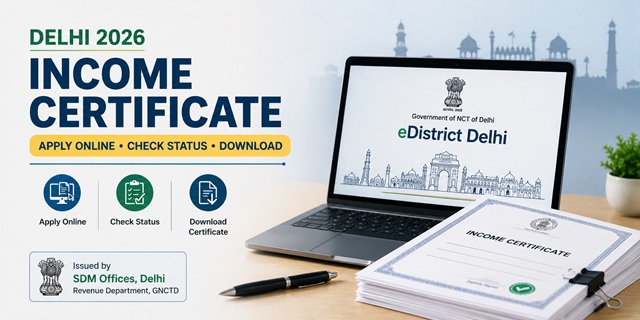
Delhi income certificates are issued by the Sub-Divisional Magistrate (SDM) of the applicant's local area through the edistrict.delhigovt.nic.in portal of the Revenue Department, Government of NCT of Delhi. Online application is completely free. One critical rule in Delhi that many applicants miss: even after submitting your application online, you must send the original Self-Declaration form to the concerned SDM/Tehsildar/CSC by hand or speedpost/registered post along with your Application Acknowledgement number. Without this, your application will not move forward. The beneficiary photograph is also mandatory - either upload it online or have the beneficiary present physically at a CSC for photograph. This is confirmed directly from the official guidelines published on the Delhi district government website at dmnorthwest.delhi.gov.in.
- e-District Portal: edistrict.delhigovt.nic.in
- Self-Declaration Form: Download from edistrict.delhigovt.nic.in
- Download/Verify Certificate: edistrict.delhigovt.nic.in/DownloadCertificate
- Application Form PDF: edistrict.delhigovt.nic.in/ApplicationForm
Key Details
| Detail | Information |
|---|---|
| Portal | edistrict.delhigovt.nic.in |
| Issuing Authority | Sub-Divisional Magistrate (SDM) of applicant's local area |
| Online Application Fee | Free (zero fee) |
| CSC Service Fee | Nominal charge if applying through CSC |
| Critical Rule | Original Self-Declaration must be sent to SDM/Tehsildar/CSC by hand or speedpost after online submission |
| Photograph | Mandatory - upload online or present at CSC |
| Document Format | PDF or JPG, under 1 MB each |
| Processing Time | 7 to 21 working days depending on field verification |
| Validity | 1 financial year (April to March) |
| Eligibility | Indian citizen and permanent resident of NCT of Delhi |
The Original Self-Declaration Rule - Read Before Applying
This is the most important step that many Delhi applicants miss. When you apply online at edistrict.delhigovt.nic.in:
- Upload a scanned copy of the Self-Declaration form during online application - mandatory
- After submitting online and getting your Application Acknowledgement Number, you must also send the original physical Self-Declaration form to the concerned SDM office, Tehsildar office, or CSC
- Send it by hand, speedpost, or registered post along with your Application Acknowledgement Number written on it
- If you do not send the original, your application will remain stuck and the certificate will not be issued
Download the Self-Declaration form from: edistrict.delhigovt.nic.in/Self-Declaration-Form. Fill it completely, sign it, keep a scanned copy for upload, and send the original by speedpost to your SDM office after submission.
Who Can Apply
- Must be an Indian citizen
- Must be a permanent resident of NCT of Delhi - the Delhi address must be verifiable through documents
- Aadhaar card required for registration on the portal
- Students applying for EWS school admissions, scholarships, or fee concessions in Delhi schools and colleges
- Families applying for government welfare schemes requiring income proof
- Applicants for EWS reservation in central government jobs and admissions - must show family income below Rs. 8 lakh per annum
Documents Required
- Self-Declaration Form (mandatory) - scanned copy for online upload, original to be sent to SDM by speedpost
- Identity Proof (any one mandatory): Aadhaar Card, PAN Card, Ration Card with Photo, Voter ID Card, Passport, or Driving Licence
- Residence Proof (showing permanent Delhi address - any one): Electricity Bill, Water Bill, Telephone Bill, Aadhaar Card with Delhi address, Voter ID with Delhi address, Ration Card, or Rent Agreement
- Income Proof (whichever applies): Salary slip or salary certificate, Form 16, Bank account statements, ITR acknowledgement, or employer certificate
- Photograph of the beneficiary (upload online or present at CSC)
- All documents scanned clearly in PDF or JPG format, under 1 MB each
How to Register on Delhi e-District Portal
- Go to edistrict.delhigovt.nic.in.
- Under Our Services, click Apply Service.
- The Citizen Login Form opens. Click Register if you are a new user.
- Enter your Aadhaar Card number and the captcha code. Click Continue.
- The Citizen Registration Form opens. Fill in your complete personal details.
- Click Continue Registration. An Access Code and password are sent to your registered mobile number.
- Enter the Access Code, password, and captcha. Click Complete Registration.
How to Apply Online - Step by Step
- Log in to edistrict.delhigovt.nic.in with your registered User-ID and password.
- Click Apply Online and select Apply for Services from the dropdown.
- Go to the Department of Revenue section.
- Find Issuance of Income Certificate and click Apply.
- Your basic personal details appear pre-filled from your registration. Click Edit Details if anything needs correction. Otherwise click Continue.
- Fill the complete application form with accurate information - family income from each source, purpose of certificate.
- Upload scanned copy of Self-Declaration form, identity proof, residence proof, income proof, and beneficiary photograph. Each file must be PDF or JPG under 1 MB.
- Submit the form. An Application Acknowledgement Number is generated. Note it down and save the acknowledgement.
- Immediately after submission: Send the original signed Self-Declaration form by speedpost or registered post to the concerned SDM/Tehsildar office along with your Application Acknowledgement Number. This step is mandatory.
How to Apply via CSC (Common Service Centre)
- Visit your nearest Common Service Centre (CSC/Jan Seva Kendra) in Delhi
- Carry all original documents for scanning at the counter
- The CSC operator will fill and submit the application online
- Present yourself for photograph at the CSC counter - this fulfils the photograph requirement
- The original Self-Declaration will be submitted by the CSC operator directly
- A nominal service charge applies at CSC over and above the zero government fee
How to Apply Offline at SDM Office
- Download the application form from edistrict.delhigovt.nic.in/ApplicationForm or collect from the SDM office.
- Fill the form completely. Attach self-attested copies of all required documents.
- Carry original documents for verification at the counter.
- Submit at your nearest SDM office or Tehsildar office between 9:00 AM and 6:30 PM on working days.
- Collect the receipt with your application number.
How to Check Application Status
- Go to edistrict.delhigovt.nic.in and log in.
- Click Track Your Application.
- Enter your Application Acknowledgement Number.
- Current status is displayed. If the status shows pending, check whether your original Self-Declaration has been received at the SDM office.
How to Download the Certificate
- Go to edistrict.delhigovt.nic.in/DownloadCertificate.
- Enter your Certificate Number and Date of Birth.
- Click Download. The digitally signed PDF certificate is downloaded.
- This is legally valid for all purposes - scholarships, admissions, government jobs, and welfare schemes.
Which SDM Office Should You Go To
Delhi is divided into 11 districts and each district has multiple sub-divisions. Your income certificate must be applied under the SDM of the sub-division where you permanently reside. Applying under the wrong SDM jurisdiction will lead to rejection. Find your SDM office from your Delhi district's official website. For example:
- North West Delhi: dmnorthwest.delhi.gov.in
- East Delhi: dmeast.delhi.gov.in
- All Delhi districts: Visit delhi.gov.in and navigate to your district page
Official Links
- Delhi e-District Portal - edistrict.delhigovt.nic.in
- Self-Declaration Form - edistrict.delhigovt.nic.in
- Application Form PDF - edistrict.delhigovt.nic.in
- Download/Verify Certificate - edistrict.delhigovt.nic.in
- North West Delhi District - dmnorthwest.delhi.gov.in
- East Delhi District - dmeast.delhi.gov.in
- Delhi Government Portal - delhi.gov.in
Related articles:
Income Certificate in India - Complete Guide
Delhi Ration Card - Apply Online
Disclaimer: This article is for informational purposes only. Always verify the latest process at edistrict.delhigovt.nic.in before applying.
Add new comment