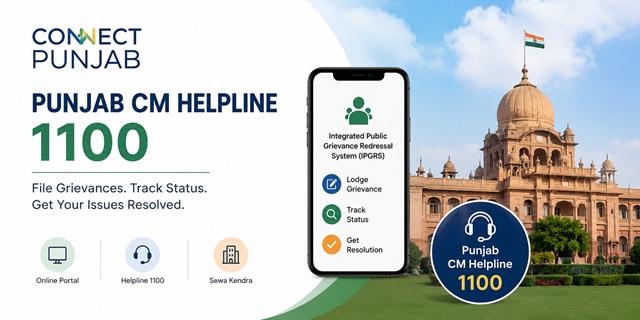
The Government of Punjab provides its online public grievance redressal system through the Connect Punjab Portal at connect.punjab.gov.in. Public grievances are handled through the Integrated Public Grievance Redressal System (IPGRS), which allows citizens to submit complaints against Government departments, track their grievance status, and receive updates online. Citizens can also register grievances through the unified State Helpline by dialling 1100.
The IPGRS has been developed by the Department of Governance Reforms and Public Grievances (DGR&PG) through the Punjab e-Governance Society (PSeGS) using the Punjab Enterprise Architecture (PunEA). The system operates under the Policy on Public Grievance Redressal, 2020, which provides a unified grievance redressal platform for Government departments across Punjab. It is also integrated with the Central Government's CPGRAMS for grievance forwarding where applicable.
Punjab has also enacted the Punjab Anti Red Tape Act, 2021 and the Punjab Anti Red Tape Rules, 2022 to improve transparency, accountability, and the time-bound delivery of notified Government services across the State.
Quick Facts
| Detail | Information |
|---|---|
| Official Grievance Portal | connect.punjab.gov.in |
| Grievance System | Integrated Public Grievance Redressal System (IPGRS) |
| Punjab CM Helpline Number | 1100 (Toll Free) |
| Police Grievance Portal | pgd.punjabpolice.gov.in |
| CPGRAMS Integration | pgportal.gov.in |
| Official Mobile App | m-Sewa (Punjab) |
| Offline Service Centres | Sewa Kendras across Punjab |
| Complaint Tracking | Available online through Connect Punjab |
| Legal Basis | Punjab Anti Red Tape Act, 2021 and Punjab Anti Red Tape Rules, 2022 |
| Policy Framework | Policy on Public Grievance Redressal, 2020 |
| Developed By | Department of Governance Reforms and Public Grievances (DGR&PG) through Punjab e-Governance Society (PSeGS) on Punjab Enterprise Architecture (PunEA) |
| DGR&PG Office | Plot No. D-241, Industrial Area, Phase 8B, Sector 74, Mohali – 160071, Punjab |
| Application Fee | No Fee |
What is Connect Punjab?
Connect Punjab is the integrated citizen service portal of the Government of Punjab, available at connect.punjab.gov.in. It provides online access to Government services, public grievance redressal, application tracking, and other citizen-centric services through a single platform.
The portal includes the Integrated Public Grievance Redressal System (IPGRS), which enables citizens to register grievances relating to Government departments and public authorities in Punjab, track their complaint status, receive updates, and submit feedback after disposal.
What is the Punjab Anti Red Tape Act, 2021?
The Punjab Anti Red Tape Act, 2021 and the Punjab Anti Red Tape Rules, 2022 were introduced to improve transparency, accountability, and the time-bound delivery of notified Government services in Punjab. The Act provides a legal framework for reducing unnecessary delays in public service delivery and fixing responsibility where applicable under its provisions.
What Complaints Can You File Through Connect Punjab?
The IPGRS accepts grievances relating to Government departments, offices, public authorities, and services under the Government of Punjab. Common examples include:
- Revenue, land records, property mutation, and other revenue-related matters.
- Health and Family Welfare Department services.
- School Education, Higher Education, Technical Education, and related services.
- Transport, Public Works, Housing, Urban Development, Water Supply, and Sanitation services.
- Agriculture, Horticulture, Fisheries, Animal Husbandry, and allied department services.
- Social Security, Women and Child Development, Scheduled Castes Welfare, and other welfare schemes.
- Public Distribution System (PDS), ration card, and food supply-related grievances.
- Administrative grievances relating to Punjab Police services. A dedicated Punjab Police Grievance Portal is also available.
- Complaints relating to misconduct or other administrative issues involving Government officials.
What Complaints Cannot Be Filed Through Connect Punjab?
Certain matters are not treated as public grievances through the IPGRS. These generally include:
- Matters that are already pending before a court, tribunal, or other judicial authority.
- Applications or requests under the Right to Information (RTI) Act.
- Service matters of Government employees, unless permitted under the applicable grievance policy.
- Grievances relating to Central Government Ministries, Departments, or organisations.
If your grievance relates to a Central Government department such as Income Tax, EPFO, Railways, India Post, Passport Seva, or UIDAI, you should submit it through the official CPGRAMS Portal.
What to Keep Ready Before Filing
Before registering your grievance through the Connect Punjab Portal, keep the following information and documents ready to make the application process quick and hassle-free:
- Your full name, mobile number, and email ID.
- Your complete address, including district, tehsil, block, village, town, or city, as applicable.
- The name of the Government department, office, or authority related to your grievance.
- A short subject and a clear description of your grievance, including relevant dates, facts, officer names (if known), and the action or resolution you expect.
- Supporting documents, photographs, or any other evidence that may help explain your grievance.
How to File a Complaint on the Connect Punjab Portal
- Open the official Connect Punjab Portal by visiting connect.punjab.gov.in.
- If you are using the portal for the first time, click Register and create your account using your mobile number and other required details. Existing users can simply sign in using their login credentials.
- After logging in, open the Integrated Public Grievance Redressal System (IPGRS) and select the option to register or lodge a new grievance.
- Select the Government department or office related to your grievance from the available list.
- Enter your personal details and complete address, including your district, tehsil or block, village, town, or city, wherever applicable.
- Enter a short subject for your grievance and then describe the issue clearly. Include important facts such as when the problem started, the office or official involved (if known), and the action or resolution you expect.
- Upload supporting documents, photographs, or other evidence if available. Although optional, supporting documents help the concerned department understand your grievance more effectively.
- Review all the information carefully and click Submit.
- After successful submission, the portal generates a unique Grievance Reference Number. Save this number carefully because you will need it to track your grievance and for future correspondence.
How to Register a Complaint Through the Punjab CM Helpline (1100)
- Dial the toll-free Punjab CM Helpline Number 1100.
- When your call is connected, provide your name, mobile number, address, and complete details of your grievance.
- The call centre executive will register your grievance in the official system.
- Note down the grievance reference number provided after your complaint is registered. You can use this reference number to follow up on your grievance.
How to Register a Complaint Using the Punjab m-Sewa App
If you prefer using a smartphone, you can also access Government services through the official Punjab m-Sewa mobile application.
- Android App: Download Punjab m-Sewa from Google Play Store
- iPhone/iPad App: Download Punjab m-Sewa from the Apple App Store
- Install and open the official Punjab m-Sewa app.
- Sign in with your existing Connect Punjab account or create a new account if required.
- Open the grievance section and choose the option to register a new grievance.
- Select the concerned Government department, enter your grievance details, and attach supporting documents if available.
- Review the information and submit your grievance.
- Save the generated grievance reference number for future tracking.
How to Register a Complaint at a Sewa Kendra
If you are unable to use the online portal or mobile app, you can visit your nearest Sewa Kendra. A Sewa Kendra operator will help you register your grievance through the official Connect Punjab system. After your grievance is submitted, keep the reference number provided by the operator safely, as it will be required to track the status of your grievance later.
Punjab Police Grievances: Dedicated Online Portal
If your grievance relates specifically to the Punjab Police, you can use the official Punjab Police Grievance Portal available at pgd.punjabpolice.gov.in. The portal allows citizens to register and monitor grievances relating to Punjab Police services. For other Government department grievances, use the Connect Punjab Portal.
How to Check Your Complaint Status
- Visit the official Connect Punjab Portal.
- Sign in using the same account that you used while registering your grievance.
- Open your dashboard or grievance section to view the list of grievances submitted through your account.
- Select the grievance you want to check.
- The portal will display the latest status of your grievance along with the updates available in the system.
What to Do if Your Grievance is Still Pending
If your grievance has not been resolved or you are not satisfied with the action taken, you can log in to the Connect Punjab Portal to review the latest status and use the grievance-related options made available for your application, wherever applicable. You may also contact the Punjab CM Helpline by dialling 1100 for general assistance regarding the grievance redressal process.
Official Contact Details
| Official Portal | connect.punjab.gov.in |
| Punjab CM Helpline | 1100 (Toll Free) |
| Punjab Police Grievance Portal | pgd.punjabpolice.gov.in |
| CPGRAMS | pgportal.gov.in |
| DGR&PG Office | Plot No. D-241, Industrial Area, Phase 8B, Sector 74, Mohali – 160071, Punjab |
Add new comment