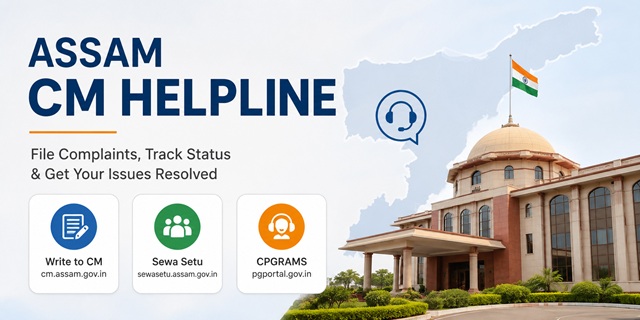
The Government of Assam provides multiple official channels through which citizens can submit grievances, contact the Chief Minister's Office and seek redressal of public issues. The primary platforms include the Write to CM portal at cm.assam.gov.in/write-to-cm, the Sewa Setu Grievance Portal at sewasetu.assam.gov.in/grm-v2, and the Centralised Public Grievance Redress and Monitoring System (CPGRAMS) at pgportal.gov.in for grievances relating to Government departments.
The Write to CM facility allows citizens to submit grievances and suggestions directly to the Chief Minister's Office online. The Chief Minister's Office also publishes its official contact details, including telephone numbers, email address and postal address for public communication.
Quick Facts
| Detail | Information |
|---|---|
| Write to CM Portal | cm.assam.gov.in/write-to-cm |
| Sewa Setu Grievance Portal | sewasetu.assam.gov.in/grm-v2 |
| CPGRAMS | pgportal.gov.in |
| Complaint Registration | Available Online |
| CMO Telephone | 0361-2262222 / 0361-2237043 (Verify from the latest official CMO contact page before publishing.) |
| Fax | 0361-2262069 (Verify from the latest official CMO contact page before publishing.) |
| CMO Email | [email protected] (Verify from the latest official CMO contact page before publishing.) |
| Chief Minister's Office | CM Block, Janata Bhawan, Dispur, Guwahati, Assam – 781006 |
| Pension Grievances | Sadbhavna Grievance Portal (Government employee pension-related complaints) |
| Pension & Public Grievances Department | ppg.assam.gov.in |
| Administrative Reforms, Training, Pension & Public Grievances Department | artppg.amtron.in |
| Language Support | English and Assamese (Add Hindi only if officially supported.) |
| Fee | No fee for submitting grievances |
Three Official Channels: Which One Should You Use?
Write to CM at cm.assam.gov.in/write-to-cm allows citizens to submit grievances, suggestions and public issues directly to the Chief Minister's Office. It is suitable for complaints relating to Assam Government departments, public services and welfare schemes.
Sewa Setu Grievance Portal at sewasetu.assam.gov.in/grm-v2 enables citizens to register grievances relating to Government services available through the Sewa Setu platform. It also provides an online mechanism to monitor grievances submitted through the portal.
CPGRAMS at pgportal.gov.in is the Centralised Public Grievance Redress and Monitoring System of the Government of India. It should be used for complaints relating to Central Government Ministries, Departments and Organisations. State Government grievances may also be forwarded through the system wherever applicable.
What is Sewa Setu?
Sewa Setu is the Government of Assam's integrated online service delivery platform. Citizens can access various Government services, certificates and grievance-related facilities through sewasetu.assam.gov.in. The grievance module enables users to submit complaints relating to services available on the portal.
What is the Sadbhavna Grievance Portal?
The Sadbhavna Grievance Portal is intended for pension-related grievances of Assam Government employees and pensioners. If your issue relates to pension processing or pension benefits, you should use the Sadbhavna portal instead of the general public grievance channels.
Types of Complaints You Can Submit
Depending on the nature of your grievance, you can raise complaints relating to various Assam Government departments and public services. Common examples include:
- Revenue and land record related issues.
- Ration Card and Public Distribution System (PDS) complaints.
- Delay in Government services or welfare scheme benefits.
- Electricity-related grievances.
- Water supply and Public Health Engineering issues.
- Roads, bridges and other public infrastructure complaints.
- Government hospital and public health service complaints.
- School education and higher education related grievances.
- Administrative complaints against Government offices.
- Municipal and local body related grievances.
Grievances That Should Be Submitted Elsewhere
- Cases pending before any court or tribunal.
- Applications under the Right to Information (RTI) Act.
- Pension-related grievances of Assam Government employees (use the Sadbhavna Portal).
- Complaints relating to Central Government Ministries or Departments (use CPGRAMS).
Documents and Information Required Before Filing a Complaint
- Your name and contact details.
- Mobile number and email address.
- Complete address.
- Name of the concerned Government department or office.
- A clear description of the grievance.
- Supporting documents, if available.
How to Submit a Complaint Through the Assam Write to CM Portal (Step-by-Step)
The Write to CM facility allows citizens to send grievances, suggestions and public issues directly to the Chief Minister's Office. Follow these simple steps to submit your complaint online.
-
Step 1: Open the Official Write to CM Portal
Visit https://cm.assam.gov.in/write-to-cm using your mobile phone, tablet or computer. -
Step 2: Select Your Preferred Language
If multiple language options are available on the page, choose the language in which you want to submit your grievance before filling in the form. -
Step 3: Enter Your Personal Details
Fill in your name, mobile number and email address. Make sure all the information is correct so that the Chief Minister's Office can contact you if required. -
Step 4: Provide Your Address
Enter your complete address, including your district and other details requested in the form. -
Step 5: Describe Your Grievance Clearly
Explain your problem in simple language. Mention the concerned Government department or office, when the issue started, what action has already been taken (if any) and the relief you are seeking. -
Step 6: Upload Supporting Documents
If you have any acknowledgement receipt, application number, photographs or other supporting documents, upload them along with your grievance. These documents help the authorities understand your complaint more effectively. -
Step 7: Verify and Submit the Form
Complete the security verification (Captcha), review all the information carefully and click the Submit button. -
Step 8: Save Your Reference ID
After your complaint is submitted successfully, the system generates a Reference ID. Save this number carefully because it will be required to track your grievance or communicate with the concerned office later.
How to Register a Grievance on the Assam Sewa Setu Portal
If your grievance relates to a Government service available through Sewa Setu, you can register it online by following these steps.
-
Step 1: Visit the Official Sewa Setu Grievance Portal
Open https://sewasetu.assam.gov.in/grm-v2. -
Step 2: Open the Grievance Registration Form
Select the option to register a new grievance on the portal. -
Step 3: Fill in the Required Details
Enter your name, mobile number, district, department and other information requested by the portal. -
Step 4: Explain Your Complaint
Describe your grievance clearly and upload supporting documents, if available. -
Step 5: Submit Your Grievance
Review all the details and submit the form. Keep the acknowledgement or reference number generated by the portal for future reference.
Official Contact Details of the Assam Chief Minister's Office
If you need to contact the Chief Minister's Office regarding your grievance or require general assistance, you can use the following official contact details.
- Telephone: 0361-2262222 / 0361-2237043
- Fax: 0361-2262069
- Email: [email protected]
- Address: CM Block, Janata Bhawan, Dispur, Guwahati, Assam – 781006
How to Submit a Complaint Through CPGRAMS
If your grievance relates to a Central Government Ministry, Department or Organisation, or you wish to use the national grievance redressal system, you can register your complaint through CPGRAMS.
-
Step 1: Open the Official CPGRAMS Portal
Visit https://pgportal.gov.in. -
Step 2: Click on "Lodge Grievance"
Register or log in using your mobile number and complete the OTP verification process. -
Step 3: Select the Appropriate Authority
Choose the concerned Ministry, Department or the Government of Assam, wherever applicable. -
Step 4: Fill in the Complaint Details
Enter all the required information, describe your grievance clearly and upload supporting documents if available. -
Step 5: Submit and Save the Registration Number
After successful submission, a Registration Number is generated. Save it carefully because it is required for tracking your grievance and sending reminders through the CPGRAMS portal.
How to Check Your Complaint Status
After submitting your grievance, keep the acknowledgement or reference number safely. It will help you check the progress of your complaint or communicate with the concerned authority.
Track a Write to CM Complaint
- Visit the official Write to CM Portal.
- If the portal provides a complaint status or tracking facility, enter your Reference ID in the relevant section.
- Follow the on-screen instructions to view the latest status of your grievance.
- If online tracking is not available, contact the Chief Minister's Office using your Reference ID to enquire about your complaint.
Track a Sewa Setu Grievance
- Open the Sewa Setu Grievance Portal.
- Log in using the same credentials used while submitting the grievance, if required.
- Open the grievance section or dashboard.
- Select your grievance to view the latest action taken by the concerned department.
Track a CPGRAMS Complaint
- Visit https://pgportal.gov.in.
- Click on Track Grievance.
- Enter your Registration Number and the required details.
- Click Submit to view the current status, action taken and any response provided by the concerned department.
What to Do if Your Complaint Is Still Not Resolved
If you do not receive a satisfactory response or your grievance remains unresolved, you can take the following steps.
- Contact the Chief Minister's Office. Call 0361-2262222 or 0361-2237043 and keep your Reference ID ready while discussing your complaint.
- Send an Email. Write to [email protected]. Mention your Reference ID, explain the issue clearly and state why you are not satisfied with the action taken.
- Submit a Fresh Representation. If required, submit your grievance again through the same official portal and mention the earlier Reference ID so that the authorities can refer to the previous complaint.
- Use the Reminder Facility on CPGRAMS. If your complaint was submitted through CPGRAMS, you can use the reminder facility available on the portal to seek an update from the concerned department.
- Visit the Concerned Government Office. If the issue relates to a district-level office or department, you may also visit the concerned office personally with copies of your complaint and supporting documents for further assistance.
Add new comment