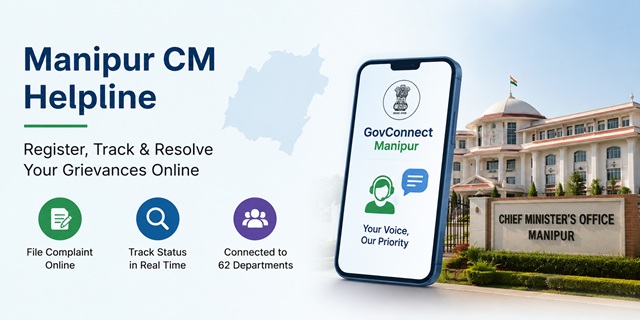
The Government of Manipur operates its official public grievance redressal system through GovConnect Manipur, the State's Integrated Public Grievance Redressal System available at govconnectmanipur.mn.gov.in. The platform enables citizens to register grievances online, track their complaint status and communicate with Government departments through a single digital portal. It currently connects 62 Government departments and supports digital routing through the State's E-Office system for faster grievance disposal.
Citizens who wish to contact the Chief Minister's Office (CMO) may do so through the New Secretariat, Imphal. The office can be reached by telephone at 0385-2450137 or 0385-2451833, by email at [email protected] or [email protected], or through the official website cmmanipur.gov.in.
For grievances relating to Central Government Ministries or Departments, citizens should use the Centralised Public Grievance Redress and Monitoring System (CPGRAMS). Complaints concerning departments under the Government of Manipur should normally be submitted through GovConnect Manipur.
Quick Facts
| Detail | Information |
|---|---|
| Official Grievance Portal | govconnectmanipur.mn.gov.in |
| National Grievance Portal | CPGRAMS (pgportal.gov.in) |
| Official CMO Website | cmmanipur.gov.in |
| CMO Telephone | 0385-2450137 / 0385-2451833 |
| Official Email | [email protected] / [email protected] |
| Chief Minister's Office | 4th Floor, Western Block, New Secretariat, Imphal, Manipur - 795001 |
| Departments Connected | 62 Government departments |
| WhatsApp Integration | Available |
| E-Office Integration | Complaints are digitally routed to the concerned department through the E-Office system. |
| Grievance Tracking | Real-time complaint status tracking available. |
| Escalation Mechanism | Supports automated grievance escalation workflow. |
| User Manual | Official user manual available on the portal. |
| Video Guide | Official video tutorial available on the portal. |
| Application Fee | Free |
What is GovConnect Manipur?
GovConnect Manipur is the Government of Manipur's official Integrated Public Grievance Redressal System. Available at govconnectmanipur.mn.gov.in, the platform enables citizens to submit grievances online, monitor their status and communicate with Government departments through a single digital portal.
The portal has been developed to promote transparent, accountable and citizen-centric governance by providing a common platform where public grievances can be registered, forwarded to the concerned department and monitored until disposal.
Some of the key features of GovConnect Manipur include:
- Online Grievance Registration: Citizens can register complaints online at any time without visiting a Government office.
- WhatsApp Integration: The platform supports grievance services through WhatsApp integration for easier citizen access.
- E-Office Integration: Complaints are digitally routed to the concerned Government department through the State's E-Office system for quicker processing.
- Automated Escalation Workflow: The system supports escalation of pending grievances to higher authorities as per the configured workflow.
- Paperless Digital Processing: Grievances are managed through an online workflow, reducing paperwork and improving transparency.
- Coverage of 62 Government Departments: The portal connects 62 departments of the Government of Manipur, allowing citizens to submit grievances through a single platform.
What Types of Complaints Can You Register?
GovConnect Manipur accepts grievances relating to departments and organisations under the Government of Manipur. Citizens commonly register complaints regarding:
- Revenue administration, land records, mutation and Deputy Commissioner office services.
- Public Distribution System (PDS), ration cards and food security services.
- Delay or non-receipt of Government welfare scheme benefits.
- Electricity supply and billing issues relating to Manipur State Power Distribution Company Limited (MSPDCL).
- Water supply and Public Health Engineering (PHE) services.
- Roads, bridges and other public infrastructure.
- Government hospitals, healthcare facilities and Health Department services.
- School, college and Education Department-related issues.
- Administrative matters relating to Government offices and public authorities.
- Negligence, delay or deficiency in services provided by State Government officials.
What Complaints Are Not Accepted?
Certain matters cannot normally be processed through the State Government's public grievance system. These include:
- Cases that are pending before or have already been decided by a court of law.
- Applications or requests under the Right to Information (RTI) Act.
- Service matters relating to Government employees.
- Grievances concerning Central Government Ministries, Departments or organisations.
If your grievance relates to a Central Government Ministry or Department, such as Income Tax, EPFO, Railways, India Post, Passport or UIDAI (Aadhaar), you should submit it through the Centralised Public Grievance Redress and Monitoring System (CPGRAMS).
What Should You Keep Ready Before Registering a Complaint?
Keeping the required information ready before submitting your grievance will help you complete the process quickly and ensure that the concerned department can process your complaint without unnecessary delays.
- Mobile Number: Keep an active mobile number ready for registration, OTP verification and future communication, wherever applicable.
- Address Details: Note your complete address, including your district, sub-division and locality or village.
- Concerned Department: Identify the Government department or office against which you want to register the grievance.
- Complaint Details: Prepare a clear and factual description of the issue. Mention important dates, locations and other relevant information that can help officials understand your grievance.
- Supporting Documents: Keep copies of documents, photographs, bills, acknowledgements or any other evidence ready, if available. These may help the concerned department verify and resolve your complaint more efficiently.
How to Register a Complaint Through GovConnect Manipur
You can register your grievance online through the official GovConnect Manipur portal. Follow the simple steps below to submit your complaint.
- Open the official GovConnect Manipur Portal on your mobile phone, tablet or computer.
- On the homepage, click Online Complaint Registration to start the grievance registration process.
- If you are a new user, register using your mobile number and complete the OTP verification process. If you already have an account, simply log in using your registered credentials.
- After logging in, the online grievance application form will open.
- Select the Government Department related to your complaint from the available list.
- Enter your personal details, including your name, mobile number and complete address. Fill in your district, sub-division and other required information carefully.
- Write a detailed description of your grievance. Clearly explain what happened, where the issue occurred, when it happened and, if known, mention the office or department involved.
- If you have any supporting documents, photographs, bills, letters or other evidence, upload them wherever the portal allows.
- Review all the information entered in the application form to ensure there are no mistakes.
- Click the Submit button to register your grievance.
- After successful submission, the portal generates a Unique Grievance Reference Number. Save this number carefully, as you will need it to track the status of your complaint or contact the concerned department later.
If you need assistance while using the portal, you can refer to the official User Manual and the video tutorial available on the GovConnect Manipur homepage.
How to Register a Complaint Through WhatsApp
GovConnect Manipur also supports grievance services through WhatsApp Integration. If you prefer using WhatsApp instead of the web portal, follow these steps.
- Visit the official GovConnect Manipur Portal.
- Locate the WhatsApp Integration option available on the portal.
- Open the official WhatsApp service by following the instructions provided on the website.
- Follow the on-screen instructions to enter your grievance details.
- Provide complete information about your complaint and upload supporting documents if the service allows.
- Submit your grievance and keep the acknowledgement or reference number provided for future follow-up.
How to Contact the Chief Minister's Office (CMO)
If you need to contact the Chief Minister's Office regarding your grievance or any other official matter, you can use the following contact details.
- Telephone: 0385-2450137, 0385-2451833
- Email: [email protected], [email protected]
- Official Website: cmmanipur.gov.in
- Office Address: Chief Minister's Office, 4th Floor, Western Block, New Secretariat, Imphal, Manipur - 795001
How to Check Your GovConnect Manipur Complaint Status
After submitting your grievance, you can track its progress online through the GovConnect Manipur portal. Keep your Grievance Reference Number ready before checking the status.
- Visit the official GovConnect Manipur Portal.
- Log in using your registered mobile number or other login credentials.
- Open your Complaint Dashboard or the grievance tracking section.
- Select the complaint you want to check.
- The portal will display the latest information available, such as the current status of your grievance, the concerned department and the progress made so far.
If you submitted your grievance through the WhatsApp service, you may also use the same channel for updates wherever this facility is available.
How to Check CPGRAMS Complaint Status
If you submitted your grievance through the Centralised Public Grievance Redress and Monitoring System (CPGRAMS), you can track it online.
- Visit the official CPGRAMS Status Portal.
- Enter your Grievance Registration Number.
- Click on Submit.
- The portal will display the latest status of your grievance.
How Does the Auto-Escalation System Work?
GovConnect Manipur supports an automated grievance escalation workflow. If a grievance remains pending beyond the prescribed timeline, the system is designed to escalate it to the next competent authority according to the configured workflow. Citizens do not need to submit a separate request for this automated process.
You can continue checking your grievance status through the GovConnect Manipur portal to view the latest updates available for your complaint.
What Should You Do if Your Complaint Is Not Resolved?
If you are not satisfied with the action taken on your grievance or your complaint remains pending for a long time, you may follow these steps.
- Log in to the GovConnect Manipur Portal and check the latest status of your grievance.
- If additional information or supporting documents are required, upload or submit them so that the concerned department can process your complaint without delay.
- If your grievance is still pending, contact the Chief Minister's Office (CMO) by calling 0385-2450137 or 0385-2451833. Keep your Grievance Reference Number ready while seeking assistance.
- You may also send an email to [email protected] or [email protected]. Mention your Grievance Reference Number and clearly explain why your issue has not been resolved.
- If your grievance relates to a Central Government Ministry or Department, you may submit or follow up on your complaint through the CPGRAMS Portal using the grievance process applicable to that portal.
Add new comment