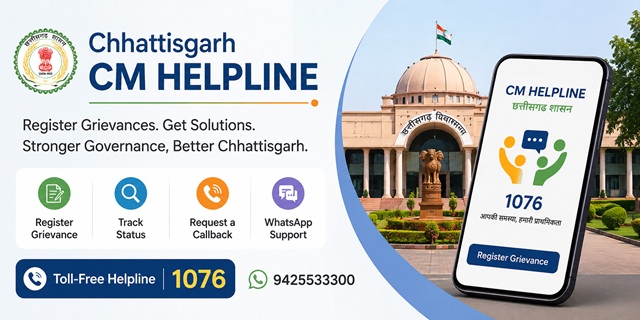
The Chhattisgarh CM Helpline Portal is the official online grievance redressal platform of the Government of Chhattisgarh. It enables citizens to submit grievances relating to State Government departments, monitor the status of their complaints, and receive updates on the action taken by the concerned authorities through a single digital platform.
The portal is operated by the Chief Minister's Office, Government of Chhattisgarh and is accessible through cmhelpline.cg.gov.in. Citizens can register grievances online, use the toll-free helpline, or choose the available callback facility to receive assistance from the helpline team. The portal is available in both Hindi and English and can be used without paying any registration fee.
Besides registering grievances, the portal also allows citizens to submit demands for public facilities and suggestions for improving government services. However, applications for government certificates, revenue services, and other citizen services are processed separately through the official Seva Setu Portal, which is linked from the CM Helpline website.
Chhattisgarh CM Helpline Portal: Quick Facts
| Particular | Details |
|---|---|
| Official Portal | cmhelpline.cg.gov.in |
| Portal Name | Chhattisgarh CM Helpline Portal |
| Managed By | Chief Minister's Office, Government of Chhattisgarh |
| Online Grievance Registration | Register Grievance |
| Department List | View Departments |
| CM Helpline Number | 1076 (Toll-Free) |
| WhatsApp Support | 9425533300 |
| Android App | CG CM Helpline Citizens |
| iPhone App | CG CM Helpline Citizens |
| Seva Setu Portal | cgedistrict.cgstate.gov.in |
| Legacy NIDAAN Portal | nidaan.cg.gov.in |
| Available Submission Types | Grievance, Demand and Suggestion |
| Request a Callback | Available on the portal |
| Supported Languages | Hindi and English |
| Application Fee | No Fee |
CM Helpline Portal and NIDAAN Portal: What's the Difference?
The Government of Chhattisgarh currently provides two online grievance platforms. Understanding their purpose will help you choose the correct portal for submitting or tracking your grievance.
CM Helpline Portal (1076) is the Government's primary grievance redressal platform for new grievances. Citizens can register complaints online, track their grievance status, use the callback facility, and communicate with the concerned department through a modern, OTP-based system.
NIDAAN Portal (1100) is the earlier public grievance portal of the Government of Chhattisgarh. It continues to provide access to grievances registered through the NIDAAN system. If you have an existing grievance on the NIDAAN portal, you should continue tracking it there.
For new grievances, the Government of Chhattisgarh encourages citizens to use the official CM Helpline Portal.
What Is the "Request a Callback" Facility?
The CM Helpline Portal offers a convenient Request a Callback feature for citizens who do not wish to call the helpline directly.
Using this facility, you can submit your mobile number through the official portal and request a callback from the CM Helpline support team. During the request, you can specify whether you need assistance regarding a grievance or general information about the portal.
Once your request is submitted, a helpline representative will contact you on the registered mobile number and provide the required assistance.
Types of Grievances You Can Register
The Chhattisgarh CM Helpline Portal accepts grievances relating to various departments and public authorities under the Government of Chhattisgarh. Before submitting your grievance, you can also view the official department-wise list on the Departments Page.
Some of the commonly reported grievance categories include:
- Revenue administration, land records, Patwari, Tehsil, Sub-Divisional Office, and Collector Office-related matters.
- Public Distribution System (PDS), ration card services, and food supply-related grievances.
- Non-receipt or delay in benefits under Government of Chhattisgarh welfare schemes.
- Electricity supply, billing, new connections, or other power distribution-related issues.
- Drinking water supply, sanitation, drainage, and other civic service complaints.
- Road construction, maintenance, and public works-related grievances.
- Government hospitals, primary health centres, and other Health Department services.
- School education, scholarships, admissions, and Education Department-related matters.
- Administrative grievances relating to Chhattisgarh Police or other State Government departments.
- Forest, tribal welfare, and other department-specific public service grievances.
- Alleged negligence, misconduct, or corruption involving officials of Government of Chhattisgarh departments.
In addition to grievances, citizens can also submit Demands for public facilities or development works and share Suggestions to improve government services and public administration.
Grievances That Cannot Be Submitted Through the CM Helpline Portal
The Chhattisgarh CM Helpline Portal is intended for grievances relating to departments and public authorities under the Government of Chhattisgarh. Certain matters are outside the scope of this grievance system and should be taken up through the appropriate authority.
- Cases that are pending before any court, tribunal, or judicial authority.
- Applications or requests under the Right to Information (RTI) Act.
- Service-related matters concerning Government employees that are handled through departmental procedures.
- Grievances relating to Central Government ministries, departments, or organisations.
If your grievance concerns Central Government departments such as Income Tax, EPFO, Railways, Passport, UIDAI (Aadhaar), or India Post, you should submit it through the official CPGRAMS Portal.
Documents and Information Required Before Registering a Grievance
Before you begin the online grievance registration process, keep the following information ready. This will help you complete the application quickly and accurately.
- A valid mobile number to receive the OTP required for verification.
- Your complete residential address, including your district, block, city, village, or ward, as applicable.
- The name of the Government department, office, or authority against which you want to register the grievance.
- A detailed description of the issue, including important dates, locations, and relevant facts.
- Supporting documents, photographs, or PDF files, if available, to help the concerned department understand your grievance.
How to Register a Grievance on the Chhattisgarh CM Helpline Portal
You can register a grievance online through the official Chhattisgarh CM Helpline Portal using your mobile phone or computer. Follow the steps below carefully.
-
Visit the Official CM Helpline Portal
Open your web browser and visit cmhelpline.cg.gov.in. If required, choose your preferred language from the homepage. -
Click "Register Grievance"
On the homepage, click the Register Grievance option to start the online registration process. -
Verify Your Mobile Number
Enter your mobile number and click Send OTP. After receiving the OTP on your phone, enter it in the required field and click Verify OTP. -
Enter Your Personal Details
After successful verification, the grievance form will open. Enter your name, complete address, district, block, village, town, or city, along with any other details requested on the portal. -
Select the Concerned Department
Choose the Government department or office related to your grievance. If you are unsure, you can check the official department list available on the portal before proceeding. -
Select the Submission Type
Choose the appropriate option from:- Grievance
- Demand
- Suggestion
-
Describe Your Issue Clearly
Explain your problem in simple and clear language. Mention:- What happened?
- When did the problem start?
- Which office or department is involved?
- What action or solution do you expect?
-
Upload Supporting Documents (If Available)
Attach relevant documents, photographs, or other supporting files that help explain your grievance. This step is optional but can help the concerned department understand your case better. -
Review and Submit the Form
Carefully check all the information you entered. If everything is correct, click the Submit button to register your grievance. -
Save Your Grievance Reference Number
After successful submission, the portal will generate a unique Grievance Reference Number. Save this number carefully, as you will need it later to track the grievance status or communicate with the concerned department.
How to Use the Request a Callback Facility
If you do not want to call the helpline yourself, you can request a callback from the CM Helpline support team by following these steps.
- Visit cmhelpline.cg.gov.in.
- Click the Request a Callback option available on the homepage.
- Enter your mobile number in the required field.
- Select whether your request is related to a Grievance or you need General Information.
- Click Submit to send your callback request.
- A CM Helpline representative will contact you on your registered mobile number and assist you with your query.
How to Register a Grievance by Calling 1076
If you prefer to speak with a helpline executive instead of using the online portal, you can register your grievance over the phone.
- Dial the toll-free 1076 CM Helpline number.
- When connected, provide your name, mobile number, address, department name, and complete details of your grievance.
- Answer any additional questions asked by the helpline executive to help them understand your issue correctly.
- After your grievance is registered, note down the Grievance Reference Number shared by the helpline executive or received through SMS for future tracking.
How to Contact the CM Helpline Through WhatsApp
The Chhattisgarh CM Helpline also provides WhatsApp support for citizen assistance.
- Save the official WhatsApp number 9425533300 on your mobile phone.
- Open WhatsApp and start a chat with this number.
- Send your name, district, department name, and a brief description of your grievance.
- Follow the instructions shared by the support team to complete the grievance registration process.
How to Register a Grievance Using the CG CM Helpline Mobile App
The Government of Chhattisgarh also provides the CG CM Helpline Citizens mobile application, allowing citizens to register grievances, check their grievance status, and access CM Helpline services directly from their smartphones.
You can download the official app from the links below:
- Android (Google Play): Download CG CM Helpline Citizens App
- iPhone (Apple App Store): Download CG CM Helpline Citizens App
- Install the CG CM Helpline Citizens app on your mobile phone and open it.
- Enter your mobile number and complete the OTP verification process.
- Tap the Register Grievance option available on the home screen.
- Fill in the required details, select the concerned department, and choose the appropriate submission type.
- Describe your grievance clearly and upload supporting documents if you have any.
- Review all the information carefully and tap Submit to complete the registration.
- After successful submission, save your Grievance Reference Number. You can use it later to check the latest grievance status through the mobile app or the official portal.
How to Check Grievance Status on the CM Helpline Portal
After submitting your grievance, you can check its latest status online at any time through the official Chhattisgarh CM Helpline Portal.
- Visit the official website: cmhelpline.cg.gov.in.
- Click the Track Status or the relevant grievance status option available on the homepage.
- Log in using your registered mobile number and complete the OTP verification process, if prompted.
- Your dashboard will display the grievances linked to your mobile number.
- Select the required grievance to view its current status, department handling the case, and the latest action taken.
You can also check the status through the official CG CM Helpline Citizens mobile application or contact the CM Helpline by calling 1076 and providing your Grievance Reference Number.
What to Do If Your Grievance Is Still Pending
If your grievance has not been resolved or you need additional information, you can follow these steps:
- Log in to the CM Helpline Portal and review the latest updates available for your grievance.
- Contact the CM Helpline by calling the toll-free number 1076 and provide your Grievance Reference Number while requesting an update.
- You may also contact the CM Helpline support team through the official WhatsApp number 9425533300 for assistance regarding your registered grievance.
- If required, visit the concerned Government department or your District Collector's Office with your grievance reference number and supporting documents for further assistance.
- If your issue relates to a Central Government department or organisation, submit the grievance through the official CPGRAMS Portal, which handles grievances relating to Central Government ministries and departments.
Official Contact Details
| Portal | https://cmhelpline.cg.gov.in |
| Helpline | 1076 |
| 9425533300 | |
| Seva Setu | https://cgedistrict.cgstate.gov.in |
Add new comment