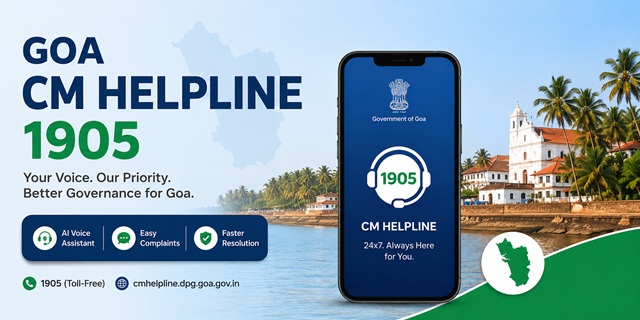
The Government of Goa operates its official public grievance redressal system through CM Helpline 1905, managed by the Directorate of Public Grievances (DPG). Citizens can register grievances through the official portal at cmhelpline.dpg.goa.gov.in, the official mobile application, or by calling the toll-free helpline 1905, which is available 24 hours a day, 7 days a week, including weekends and public holidays.
One of the key features of the Goa CM Helpline is its AI-enabled grievance management system. The 1905 helpline uses an AI-powered voice assistant that can interact with citizens in English, Hindi and Konkani. The official web portal and mobile application also provide an AI chatbot to assist users during grievance registration and to answer common queries. According to the Directorate of Public Grievances, the platform also uses AI-based grievance classification, multilingual processing and analytics to improve grievance management.
The grievance lifecycle follows four stages - Raise, Register, Process and Resolve. After a grievance is successfully registered, the system generates a unique Grievance ID, which can be used to track its status online.
Quick Facts
| Detail | Information |
|---|---|
| Official Portal | cmhelpline.dpg.goa.gov.in |
| Managing Department | Directorate of Public Grievances (DPG) |
| Complaint Status | Track Grievance Status |
| CM Helpline Number | 1905 (Toll-Free, available 24×7) |
| Office Address | Directorate of Public Grievances, SPACES Building, 5th Floor, Patto, Panaji, Goa – 403001 |
| Official Mobile App | CM Helpline Goa (Android and iOS) |
| Supported Languages | English, Hindi and Konkani |
| Key AI Features | AI Voice Assistant, AI Chatbot, Smart Grievance Classification, Multilingual Support and Analytics |
| Grievance ID | Generated after successful complaint registration |
| Expected Resolution Timeline* | Simple queries: 1–3 business days; Standard grievances: 7–15 business days; Complex cases: 30 days or more (as indicated on the official portal) |
| National Grievance Portal | CPGRAMS |
| Application Fee | No fee |
*The resolution timelines published on the CM Helpline portal are indicative and may vary depending on the nature and complexity of the grievance.
AI Features of Goa CM Helpline
The Goa CM Helpline is among the few state public grievance systems in India that integrates artificial intelligence (AI) into multiple stages of grievance registration and management. According to the Directorate of Public Grievances, AI technologies are used to improve citizen interaction, grievance routing and administrative monitoring.
AI Voice Assistant (1905): Citizens calling the toll-free helpline 1905 can interact with an AI-powered voice assistant that supports English, Hindi and Konkani. The system assists callers in registering grievances and collecting the required information through natural language conversations.
AI Chatbot on the Web Portal and Mobile App: The official CM Helpline portal and the Android and iPhone applications include an AI chatbot that helps users during grievance registration and answers common queries.
Smart Grievance Classification: AI-based classification helps categorise grievances and forward them to the appropriate Government department, reducing manual intervention and improving processing efficiency.
Speech-to-Text Processing: Voice inputs received through supported channels can be converted into text, helping the system process grievances more efficiently.
Analytics Dashboard: The platform provides analytical dashboards that help the Government monitor grievance trends, department-wise performance and recurring public issues.
Duplicate Detection: The system also includes duplicate grievance detection to minimise multiple registrations relating to the same issue.
Types of Complaints You Can File Through Goa CM Helpline
Citizens can submit grievances relating to various departments and public services of the Government of Goa. Common examples include:
- Roads, bridges, streetlights, water supply, drainage and other civic infrastructure.
- Electricity supply and other public utility related grievances.
- Delays in Government services and administrative matters.
- Government hospitals, health services and sanitation related issues.
- School education and other education department related grievances.
- Social welfare schemes and benefits.
- Environmental and pollution related complaints concerning State authorities.
- Administrative grievances relating to Goa Police or other State Government departments.
- Complaints regarding misconduct, negligence or improper functioning of Government officials.
If you are unsure about the appropriate department, you may still register your grievance. The system categorises complaints for processing through the concerned department.
Complaints That Should Be Submitted Through Other Channels
- Matters pending before any court or tribunal.
- Applications under the Right to Information (RTI) Act.
- Service matters relating to Government employees, where separate procedures apply.
- Complaints relating to Central Government Ministries, Departments or Organisations.
For grievances relating to Central Government Ministries or Departments, use the official CPGRAMS Portal.
Documents and Information Required Before Filing a Complaint
Keep the following information ready before registering your grievance:
- Your mobile number for OTP verification and future communication.
- Your full name and complete address, including district and taluka.
- Name of the concerned Government department or office.
- A clear description of the grievance along with relevant dates and location details.
- Supporting photographs or documents, wherever available.
How to Register a Complaint Through the Goa CM Helpline Portal
You can register your grievance online through the official Goa CM Helpline Portal. Follow these steps:
- Open the official CM Helpline Portal on your mobile phone, tablet or computer.
- Click the Citizen Login option available on the homepage.
- If you are using the portal for the first time, click Register Here. Enter your mobile number and complete the OTP verification process to create your account.
- After successful login, choose the option to register a new grievance.
- Select the Government department or grievance category that best matches your issue.
- Enter your personal details, including your name, mobile number, address, district and taluka.
- Describe your grievance clearly. Mention when the problem started, the exact location, the concerned office or department, and the action you expect from the Government. A detailed description helps the concerned department understand your issue more accurately.
- If you have supporting evidence such as photographs or documents, upload them in the prescribed format. Although optional, supporting documents can help during verification.
- Carefully review all the information entered before submitting the grievance.
- Click Submit to complete the registration process.
- After successful submission, the system generates a unique Grievance ID. You will also receive an SMS confirmation on your registered mobile number. Keep this Grievance ID safe, as it will be required to track the status of your complaint in the future.
How to Register a Complaint Through the 1905 CM Helpline
If you are unable to use the online portal or prefer speaking over the phone, you can register your grievance by calling the official 1905 CM Helpline.
- Dial 1905 from your mobile or landline. The toll-free helpline is available 24 hours a day, 7 days a week, including weekends and public holidays.
- The AI-powered voice assistant will guide you through the grievance registration process. You can communicate in English, Hindi or Konkani.
- Provide your name, mobile number, address and explain your grievance clearly when prompted.
- Answer any additional questions required to identify the concerned department and understand the nature of your complaint.
- Once the grievance is successfully registered, you will receive a unique Grievance ID by SMS on your registered mobile number. Save this number carefully for future tracking.
How to Register a Complaint Using the CM Helpline Goa Mobile App
You can also submit and monitor grievances through the official mobile application available for Android and iPhone users.
- Download the official CM Helpline Goa Android App or the CM Helpline Goa iPhone App.
- Open the application and register using your mobile number. Complete the OTP verification process to activate your account.
- Sign in to the application and select the option to register a new grievance.
- Fill in the grievance details, choose the concerned department and describe your issue clearly.
- If required, upload photographs or supporting documents directly from your mobile device.
- Review all the information and submit your grievance.
- After successful submission, the application displays your Grievance ID. You can also use the app to check the latest status of your grievance whenever required.
How to Check Goa CM Helpline Complaint Status
After registering your grievance, you can check its latest status online through the official tracking facility provided by the Directorate of Public Grievances.
- Visit the official Goa CM Helpline Complaint Status page.
- Enter your Grievance ID or the mobile number used while registering the complaint, as required.
- Complete the verification process, if prompted.
- Click the appropriate option to view the latest status of your grievance.
You can also log in to the official Goa CM Helpline Portal or use the official Android App or iPhone App to view the status of your registered grievances.
If you need assistance, you can also call the toll-free helpline 1905 and keep your Grievance ID ready while seeking an update.
What to Do if Your Complaint Is Still Pending
If your grievance has not been resolved within the expected timeframe or you are not satisfied with the action taken, you may consider the following steps:
- Check the latest status of your grievance through the official Complaint Status Portal.
- Contact the CM Helpline by dialling 1905 and provide your Grievance ID while requesting an update.
- If further assistance is required, contact or visit the Directorate of Public Grievances, SPACES Building, 5th Floor, Patto, Panaji, Goa – 403001, along with your Grievance ID and supporting documents.
- For grievances relating to Central Government Ministries or Departments, use the official CPGRAMS Portal. Complaints concerning the Government of Goa should normally be pursued through the Goa CM Helpline and the Directorate of Public Grievances.
Add new comment