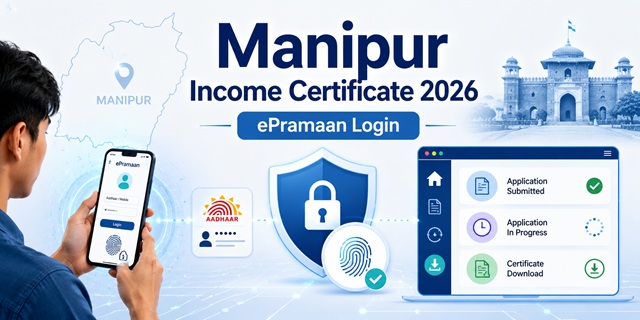
Manipur issues income certificates through the eDistrict Manipur portal at eservicesmanipur.gov.in - managed by the Department of Information Technology, Manipur. Login is through the ePramaan national authentication system. Three facts confirmed directly from the official portal FAQ page: First, the income certificate is completely free - no fee. Second, it is valid for the current financial year from the date of issuance - not 1 year from the date as in most states. Third, if your application is rejected, you must start a completely new application - no further action can be taken on a rejected one. The certificate is issued by the Deputy Collector/ADC/SDO (not below the rank of SDO/SDM) of your district. Income proof can come from a Gram Pradhan, Municipality Councillor, or salary certificate depending on your employment type. CSC locations are listed at eservicesmanipur.gov.in/csclist.
- eDistrict Manipur Portal: eservicesmanipur.gov.in
- Application Status: eservicesmanipur.gov.in/status
- Verify/Print Certificate: eservicesmanipur.gov.in/verify-certificate
- CSC List: eservicesmanipur.gov.in/csclist
- FAQ: eservicesmanipur.gov.in/faq
- User Manual: eservicesmanipur.gov.in/user-manual
- Services Fees: eservicesmanipur.gov.in/services-fee
Key Details
| Detail | Information |
|---|---|
| Portal | eservicesmanipur.gov.in (eDistrict Manipur) |
| Managed By | Department of Information Technology, Manipur |
| Login System | ePramaan (National Authentication) |
| Fee | Free - No payment required |
| Validity | Current financial year from date of issuance |
| Issuing Authority | Deputy Collector / ADC / SDO (not below rank of SDO/SDM) |
| Application Methods | Online (ePramaan login) / CSC / Deputy Collectorate Office (offline) |
| Rejected Application | Must start completely new application - no further action on rejected one |
| District Level Management | DeGS (District eGovernance Society) in each district |
Financial Year Validity - What It Means
Manipur's income certificate validity is unique - confirmed directly from the official FAQ at eservicesmanipur.gov.in: "Income certificate is valid for current financial year only from the date of issuance."
- If the certificate is issued on 15 June 2025, it is valid until 31 March 2026 (end of financial year 2025-26)
- If issued on 20 February 2026, it is valid only until 31 March 2026 - just about 5-6 weeks
- For scholarship applications with a deadline in March-April: apply for the income certificate in April (start of new financial year) to get the maximum validity period
- Unlike most states that give 12 months from date of issue, Manipur's validity is tied to the financial year end date
- Apply early in the financial year (April-June) to get the longest coverage within a single financial year
Rejected Application Policy
This is confirmed directly from the eservicesmanipur.gov.in FAQ: "You will have to apply again after completing the documents/procedure because once the application is rejected by the concerned authority; no further action can be taken."
Practical implication: Before submitting, ensure all documents are complete and correctly uploaded. Check the document requirements carefully. A rejected application cannot be revised or appealed - you must start afresh and pay nothing since the service is free, but you lose processing time.
Income Proof Requirements - Different for Different Employment Types
Manipur has a detailed permissible documents list confirmed from the official FAQ page. The income proof requirement varies by employment type:
| Your Employment Type | Required Income Proof |
|---|---|
| Government or PSU employee / Organised private sector | Salary slip or income statement issued by the DDO (Drawing and Disbursing Officer) or equivalent officer of the concerned office |
| Unorganised private sector worker, daily wage worker, self-employed | Affidavit on Rs. 5 stamp paper, sworn before an Executive Magistrate, Judicial Magistrate, Notary Public, or Oath Commissioner |
| Income Tax Payer | Income Tax Assessment Order |
| Village/rural resident without formal employment | Income Proof from Gram Pradhan (Village Head) |
| Urban area resident without formal employment | Income Proof from Municipality Councillor |
| Pensioner | Pension Payment Order or Certificate from Treasury |
Who Can Apply
- Any resident of Manipur - confirmed from the official FAQ: "Applicant should be a resident of Manipur"
- All categories: government employees, private sector employees, farmers, daily wage workers, self-employed
- Students needing income certificate for scholarships, Manipur University admissions, or central government scholarship portals
- For EWS reservation in central government jobs and IIT/NIT admissions: family income must be below Rs. 8 lakh per annum from all sources
Documents Required
Confirmed directly from the official eservicesmanipur.gov.in FAQ page:
- Residential Proof (any one): Residential Certificate issued by SDO, EPIC (Voter ID), Passport, Ration Card, Govt. ID Card, Defence ID Card, or PAN Card
- Income Proof (based on employment type - see table above):
- Salary Certificate (salaried employees)
- Income Proof from Gram Pradhan (rural residents)
- Income Proof from Municipality Councillor (urban residents)
- IT Return Certificate (income tax payers)
- Affidavit on Rs. 5 stamp paper (unorganised sector workers)
- Photograph of the applicant (passport-size)
How to Apply Online via ePramaan
Confirmed from the official eservicesmanipur.gov.in FAQ page (fetched directly) and indiafilings.com (August 2025) citing official process:
- Go to eservicesmanipur.gov.in.
- Click Citizen Login or the login option on the homepage.
- Click "Click here to Login with ePramaan" - this redirects to the ePramaan national authentication system.
- If you are a new user, click Register on the ePramaan page. You can register using:
- Aadhaar number (OTP to registered mobile - recommended)
- Or Registration without identity verification (not recommended)
- After successful registration, you are redirected to your eDistrict Manipur inbox automatically.
- For already registered ePramaan users: enter your Username/Aadhaar Number, Password, and captcha - click Login.
- After logging in, navigate to Income Certificate from the available services.
- Fill the application form with personal details, income from all sources, and purpose.
- Upload all required documents - residential proof, income proof, and photograph.
- There is no fee - submit directly.
- An Application ID is generated. Note it down. Track status from eservicesmanipur.gov.in/status.
How to Apply via CSC (Common Service Centre)
CSC locations across Manipur districts are listed at eservicesmanipur.gov.in/csclist:
- Find your nearest CSC from eservicesmanipur.gov.in/csclist
- Visit with all required documents - residential proof, income proof, photograph
- The CSC operator applies on eservicesmanipur.gov.in on your behalf
- No government fee - nominal CSC service charge may apply
- Collect the Application ID from the operator
- Track status at eservicesmanipur.gov.in/status
How to Apply Offline at Deputy Collectorate Office
Confirmed from indiafilings.com (August 2025 citing official process) and churachandpur.nic.in (official Churachandpur district website, April 2026):
- Visit your district's Deputy Collectorate Office (Revenue Department)
- Collect the income certificate application form from the revenue section at the DC office
- Fill the form with all required details - personal information, family income from all sources, purpose
- Attach all required documents - residential proof, income proof (salary certificate/Gram Pradhan letter/affidavit), and passport-size photograph
- Submit to the concerned officer at the revenue section
- Collect the acknowledgement slip
- The certificate is issued by the Deputy Collector/ADC/SDO of your district
How to Track Application Status
- Go to eservicesmanipur.gov.in/status.
- Enter your Application ID from the acknowledgement.
- Click Submit/Check. Current status is displayed.
How to Verify or Print Certificate
- Go to eservicesmanipur.gov.in/verify-certificate.
- Enter the certificate details to verify and download/print.
Official Links
- eDistrict Manipur - eservicesmanipur.gov.in
- Application Status - eservicesmanipur.gov.in
- Verify/Print Certificate - eservicesmanipur.gov.in
- CSC List - eservicesmanipur.gov.in
- FAQ - eservicesmanipur.gov.in
- User Manual - eservicesmanipur.gov.in
- Services Fees - eservicesmanipur.gov.in
- Churachandpur District - churachandpur.nic.in
- Imphal West District - imphalwest.nic.in
Related articles:
Income Certificate in India - Complete Guide
Manipur Ration Card Guide
Disclaimer: This article is for informational purposes only. Always verify the latest process at eservicesmanipur.gov.in before applying.
नई टिप्पणी जोड़ें