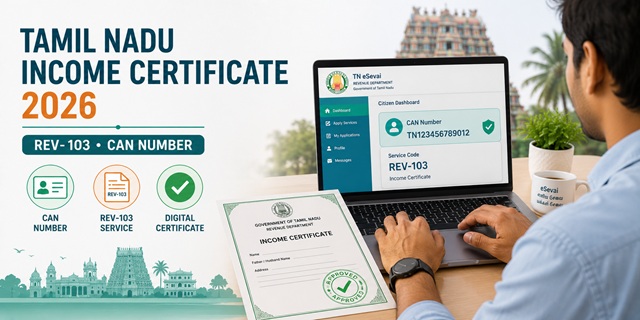
Tamil Nadu processes income certificates through the TN eSevai portal at tnesevai.tn.gov.in, managed by the Tamil Nadu e-Governance Agency (TNeGA). The income certificate service code is REV-103 under the Revenue Department. Tamil Nadu has one feature no other state covers here: a separate service REV-106 specifically for Agricultural Income Certificate - if your income is primarily from farming, you apply under REV-106, not REV-103. Tamil Nadu uses a CAN (Citizen Account Number) to identify registered citizens on the portal - OTP is generated on your CAN-registered mobile for all service applications. The portal currently has 92 services including all Revenue Department certificates. The certificate is issued by the Tahsildar within 15 working days and the fee is Rs. 60.
- TN eSevai Portal: tnesevai.tn.gov.in/citizen
- Citizen Login: tnesevai.tn.gov.in/citizen/login
- New Registration: tnesevai.tn.gov.in/citizen/registration
- Check Status: tnesevai.tn.gov.in/check-status
- Verify Certificate: tnedistrict.tn.gov.in/verify
- Download Certificate: tnedistrict.tn.gov.in/download
- All Revenue Services: tnedistrict.tn.gov.in/services
- Helpdesk: [email protected] | Toll Free: 18004256000
Key Details
| Detail | Information |
|---|---|
| Portal | tnesevai.tn.gov.in |
| Managed By | Tamil Nadu e-Governance Agency (TNeGA) |
| Income Certificate Service Code | REV-103 |
| Agricultural Income Certificate Code | REV-106 (separate application) |
| Issuing Authority | Tahsildar |
| Application Fee | Rs. 60 |
| Processing Time | 15 working days |
| Validity | 1 financial year or until specified period |
| Total Services on Portal | 92 services |
| Citizen ID System | CAN (Citizen Account Number) |
| TNeGA Address | 807, 7th Floor, PT Lee Chengalvarayan Naicker Building, Anna Salai, Chennai - 600 002 |
| Helpdesk Email | [email protected] |
| Toll Free | 18004256000 |
REV-103 vs REV-106 - Which Certificate Do You Need
Tamil Nadu is the only state in this cluster that offers two separate income certificate services. Choose the correct one before applying:
| Service Code | Certificate Name | Who Should Apply |
|---|---|---|
| REV-103 | Income Certificate | Salaried employees, business owners, daily wage workers, pensioners, self-employed - anyone whose primary income is NOT from agriculture |
| REV-106 | Agricultural Income Certificate | Farmers and individuals whose primary income is from cultivation of agricultural land. Required specifically when declaring income for farm loan waivers, Kisan schemes, or when agricultural income is being proven separately |
Both are available under Revenue Department services at tnedistrict.tn.gov.in/services.
What is CAN in Tamil Nadu eSevai
CAN stands for Citizen Account Number - Tamil Nadu's own citizen identification system on the TN eSevai portal. When you register on tnesevai.tn.gov.in, a unique CAN is assigned to you. For any service application, you search for yourself using CAN or any of six other search fields, and the portal auto-fills your registered details. OTP is generated to your CAN-registered mobile number to authenticate the session. Keep your CAN-registered mobile number active - if the number is lost or changed, update it before applying.
Who Can Apply
- Must be a permanent resident of Tamil Nadu
- Must be registered on tnesevai.tn.gov.in with a valid CAN
- Students needing income certificate for TN state scholarships, central scholarships, admission to professional colleges, or EWS quota - for EWS reservation, family income must be below Rs. 8 lakh per annum from all sources
- Families applying for CMCHIS (Chief Minister's Comprehensive Health Insurance Scheme) or other TN welfare schemes
- Applicants for fee concession in TN government and aided colleges
- For agricultural income certification, apply under REV-106
Documents Required
- Identity Proof (any one): Aadhaar Card, Voter ID, PAN Card, Driving Licence, or Passport
- Residence Proof confirming Tamil Nadu address: Electricity Bill, Water Bill, Ration Card, or Aadhaar with TN address
- Income Proof - whichever applies:
- Salary certificate or recent pay slips (salaried employees)
- Form 16 or ITR acknowledgement (income tax filers)
- Self-declaration affidavit of annual family income from all sources
- For REV-106 Agricultural Income: land records (Chitta and Adangal/Patta) showing land ownership and cultivation details
- Ration Card (family details)
- Passport-size photograph
How to Register on TN eSevai Portal
- Go to tnesevai.tn.gov.in/citizen/registration.
- Fill in your personal details - name, date of birth, mobile number, email ID, and address.
- Verify your mobile number via OTP.
- Set your login credentials. A CAN (Citizen Account Number) is assigned to you.
- Note your CAN - you will need it for all future service applications.
How to Apply Online - Step by Step
- Log in to tnesevai.tn.gov.in/citizen/login with your CAN/username and password.
- Navigate to Revenue Department services.
- Click on REV-103 Income Certificate (or REV-106 for Agricultural Income Certificate).
- Click Proceed.
- The portal searches for your CAN. Verify and select your CAN by clicking the radio button. Your mobile number field auto-fills.
- Click Generate OTP. An OTP is sent to your CAN-registered mobile. Enter the OTP and click Confirm OTP.
- Fill in the complete application form with income details from all sources, family member details, and purpose of certificate.
- Upload required documents.
- Pay Rs. 60 online.
- Submit. Note your Application Number for status tracking.
How to Apply at eSevai Centre
Tamil Nadu has eSevai Centres across all districts as physical service delivery points for those without internet access or unfamiliar with the portal:
- Visit your nearest eSevai Centre with all required documents
- Tell the operator you need REV-103 Income Certificate (or REV-106 for agricultural income)
- Carry all documents in original for scanning
- The operator applies on the portal on your behalf
- Pay Rs. 60 plus eSevai Centre service charge
- Collect the acknowledgement slip with your Application Number
How to Check Application Status
- Go to tnesevai.tn.gov.in/check-status.
- Enter your Application Number from the acknowledgement slip.
- Click Search. The current processing status is displayed.
Alternatively, log in to tnesevai.tn.gov.in and go to the Check Status tab. Enter your application number and click Search.
How to Download the Certificate
- Go to tnedistrict.tn.gov.in/download.
- Log in with your credentials.
- Find your approved income certificate application and download the digitally signed PDF.
How to Verify a Certificate
- Go to tnedistrict.tn.gov.in/verify.
- Enter the certificate details to verify authenticity.
- Click the Download Certificate link if the certificate is verified.
All Revenue Department Services on TN eDistrict
Confirmed from the official services page at tnedistrict.tn.gov.in/services, the Revenue Department offers the following certificates through the same portal:
- REV-101: Community Certificate
- REV-102: Nativity Certificate
- REV-103: Income Certificate
- REV-104: (not listed above - check portal)
- REV-105: Deserted Woman Certificate
- REV-106: Agricultural Income Certificate
- REV-107: Death Certificate for Villages / Family Migration Certificate
- REV-111: Certificate for Loss of School Records due to Disaster
- REV-113: Inter-caste Marriage Certificate
- REV-114: Legal Heir Certificate
- REV-115: OBC Certificate
Knowing these service codes helps you apply for the exact certificate needed without confusion at the eSevai Centre.
Official Links
- TN eSevai Citizen Portal - tnesevai.tn.gov.in
- Citizen Login - tnesevai.tn.gov.in
- New Registration - tnesevai.tn.gov.in
- Check Application Status - tnesevai.tn.gov.in
- Verify Certificate - tnedistrict.tn.gov.in
- Download Certificate - tnedistrict.tn.gov.in
- All Revenue Services - tnedistrict.tn.gov.in
- FAQs - tnesevai.tn.gov.in
Toll Free: 18004256000
Email: [email protected]
Address: 807, 7th Floor, PT Lee Chengalvarayan Naicker Building, Anna Salai, Chennai - 600 002
Related articles:
Income Certificate in India - Complete Guide
Tamil Nadu Ration Card - Smart Card Guide
Disclaimer: This article is for informational purposes only. Always verify the latest process at tnesevai.tn.gov.in before applying.
टिप्पणियाँ
Agriculture income certificate
I have received agriculture income certificate for fasli 2024-2025 on 21.04.2026. Valid till 20.04.2027. My requirement is for fasli 2025-2026. How can I get it?
नई टिप्पणी जोड़ें