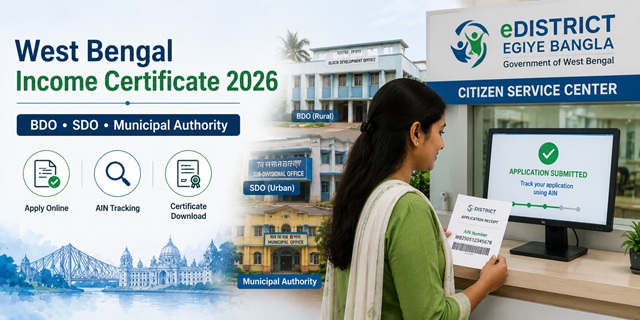
West Bengal issues income certificates through the eDistrict portal at edistrict.wb.gov.in, maintained by TATA Consultancy Services, hosted by Webel Technology Limited (WTL), under the P&AR (Personnel and Administrative Reforms) Department of the Government of West Bengal. The portal is also known as Egiye Bangla. It is integrated with Banglar Bhumi (land records), Kanyashree Portal (women welfare), and DigiLocker for seamless data verification. What makes WB unique is the three-way split of issuing authority based on your location: BDO (Block Development Officer) for rural areas, SDO (Sub-Divisional Officer) for urban areas under a subdivision, and Municipal Authority for areas under a municipality. When you apply, your application automatically routes to the correct authority based on the address you provide. Applications are tracked using an AIN (Application Identification Number). The income certificate is also required for one of West Bengal's most searched-for government schemes - the Lakshmir Bhandar financial assistance scheme for women.
- eDistrict Portal: edistrict.wb.gov.in
- Income Certificate Login: edistrict.wb.gov.in/Income-Certificate
- View/Download Certificate: edistrict.wb.gov.in/viewCertificate
- Third Party Verification: edistrict.wb.gov.in/verification
- Application Form PDF: edistrict.wb.gov.in/Income-Certificate-Form
- Help Desk: edistrict.wb.gov.in/helpdesk
Key Details
| Detail | Information |
|---|---|
| Portal Name | eDistrict WB / Egiye Bangla - edistrict.wb.gov.in |
| Maintained By | TATA Consultancy Services / P&AR Department, Govt. of West Bengal |
| Issuing Authority (Rural) | Block Development Officer (BDO) |
| Issuing Authority (Urban Sub-Division) | Sub-Divisional Officer (SDO) |
| Issuing Authority (Urban Municipality) | Municipal Authority |
| Application Tracking | AIN (Application Identification Number) |
| Portal Version | WB eDistrict 2.0 (version 1.0 Beta) |
| Processing Time | 7 to 15 working days |
| Validity | 1 year from date of issue |
| Third Party Verification | Available at edistrict.wb.gov.in/portal/third-party-verification |
| Offline Centres | Citizen Service Centres (CSC/Citizen Kiosk) |
| PDS Helpline | 1967 (Toll Free) |
BDO, SDO, or Municipal Office - Which One Issues Your Certificate
This is the most important thing to know before applying. Confirmed from official WB district government websites including bankura.gov.in and hooghly.nic.in:
| Your Area | Issuing Authority | Where to Apply Offline |
|---|---|---|
| Village, Gram Panchayat area, rural Block | Block Development Officer (BDO) | BDO Office of your Block |
| Urban area under Sub-Division (not a municipality) | Sub-Divisional Officer (SDO) | SDO Office of your Sub-Division |
| Municipal area, Municipality, Notified Area Authority | Municipal Authority / Executive Officer | Your Municipal Office or Town Office |
When applying online at edistrict.wb.gov.in, the form asks for your Block/Sub-Division. This determines which officer's queue your application enters. Enter your address accurately - a wrong block or sub-division entry will route your application to the wrong officer and cause delays or rejection.
Who Can Apply
- Must be a permanent resident of West Bengal
- Aadhaar Card is recommended for identity verification - required for the online form
- Students needing income certificate for WB government scholarships, central scholarships, or EWS quota in admissions - for EWS reservation in IITs, NITs and central government jobs, family income must be below Rs. 8 lakh per annum from all sources
- Families needing proof of income for government welfare schemes including Lakshmir Bhandar, Swasthya Sathi, and housing schemes
Documents Required
- Identity Proof (any one): Aadhaar Card, Voter ID, PAN Card, Driving Licence, Passport, or Ration Card
- Address Proof: Electricity Bill, Water Connection Bill, Bank Passbook with address, or Ration Card
- Income Proof: Salary slip or pay slip, ITR file, or Employer's Certificate. For self-employed or farmers: self-declaration with income details
- Ration Card (for family composition verification)
- Passport-size photograph
- Aadhaar Card details are used for verification during online application
How to Register on WB eDistrict Portal
- Go to edistrict.wb.gov.in.
- Click Login/Signup on the top right corner.
- Click Citizen Registration. Enter your name, mobile number, email ID, and other required details. Verify mobile number via OTP.
- Set your username and password. Complete registration.
How to Apply Online - Step by Step
Confirmed from the official WB eDistrict portal and hooghly.nic.in official district website:
- Go to edistrict.wb.gov.in/Income-Certificate or log in at edistrict.wb.gov.in/login.
- Log in with your registered username and password.
- Select Services and Certificates from the left menu.
- Under the Personal tab, click Income Certificate.
- Accept the terms and conditions.
- Fill in the application form: First Name, Last Name, Date of Birth, Age, Gender, Aadhaar Number, Mobile Number, Email ID.
- Fill your Present Address with Block Name and Sub-Division Name. If your permanent address is the same as the present address, select Present Address from the dropdown. If different, select NOT Same and enter your permanent address separately.
- Fill in family income details from all sources.
- Upload all required documents.
- Verify all details and submit the application form.
- Download or print the Acknowledgement Slip. Note your AIN (Application Identification Number) - this is used to track status and download the certificate.
How to Apply at Citizen Service Centre (CSC)
- West Bengal has set up Citizen Service Centres (Citizen Kiosks) across all districts for those without internet access or unable to apply online
- Visit your nearest Citizen Service Centre with all documents
- The operator applies on your behalf at edistrict.wb.gov.in
- A nominal service charge may apply at CSC
- Collect the acknowledgement slip with your AIN from the operator
How to Apply Offline
- Download the application form from edistrict.wb.gov.in/Income-Certificate-Form.
- Fill the form completely. Attach self-attested document copies.
- For rural areas: Submit at your BDO Office
- For urban sub-division: Submit at your SDO Office
- For municipal areas: Submit at your Municipal Office
- Collect the acknowledgement receipt with your Application Number.
How to Track Application Status Using AIN
- Log in to edistrict.wb.gov.in.
- Go to your Dashboard and navigate to your applications list.
- Search for your application using the AIN (Application Identification Number) from your acknowledgement slip.
- Click Check Status to see the real-time status of your application.
How to Download the Certificate
- Log in to edistrict.wb.gov.in.
- Go to your Dashboard and find your application using the AIN.
- Click the Download Certificate icon under the Actions column.
- The digitally signed certificate downloads as a PDF.
- Alternatively, use edistrict.wb.gov.in/viewCertificate to view and download by entering your AIN.
How to Verify a Certificate (Third Party Verification)
Employers, educational institutions, and government offices can verify a WB income certificate online:
- Go to edistrict.wb.gov.in/verification.
- Enter the certificate/application details to verify authenticity.
Income Certificate for Lakshmir Bhandar Scheme
The Lakshmir Bhandar scheme provides monthly financial assistance to women in West Bengal. Income proof is one of the required documents. Key note: Lakshmir Bhandar has two categories - General (income below Rs. 1.5 lakh per annum) and SC/ST (no income limit). If applying for the General category, you need an income certificate showing family income below Rs. 1.5 lakh per annum. Apply for the income certificate first, then submit it with the Lakshmir Bhandar application. The income certificate must be current - check the issue date before using it.
Official Links
- WB eDistrict Portal - edistrict.wb.gov.in
- Apply Income Certificate - edistrict.wb.gov.in
- Portal Login - edistrict.wb.gov.in
- View Certificate - edistrict.wb.gov.in
- Verify Certificate - edistrict.wb.gov.in
- Application Form PDF - edistrict.wb.gov.in
- Help Desk - edistrict.wb.gov.in
Related articles:
Income Certificate in India - Complete Guide
West Bengal Ration Card - WBPDS Guide
Disclaimer: This article is for informational purposes only. Always verify the latest process at edistrict.wb.gov.in before applying.
नई टिप्पणी जोड़ें