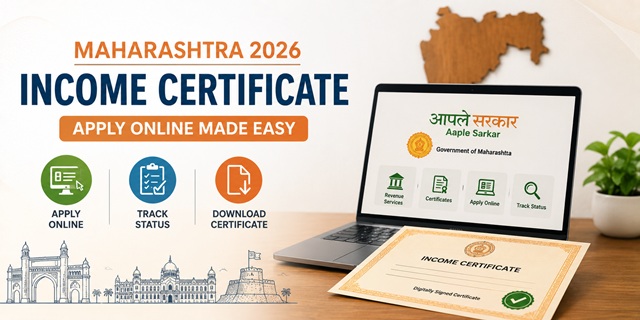
Maharashtra calls its income certificate Upanna Dakhala (उत्पन्नाचा दाखला). It is applied for through the Aaple Sarkar portal at aaplesarkar.mahaonline.gov.in, which runs under the Maharashtra Right to Services Act. The portal explicitly states: no physical visit is required for obtaining services on this portal unless mandated by law for the service. The certificate costs Rs. 59 - payable online at the time of application. Field verification is done by the Talathi (rural revenue officer) or Circle Officer, and the certificate is issued by the Tahsildar. Three things that make Maharashtra's system stand out: first, the certificate can be verified online by entering an 18-digit barcode value printed on it. Second, the portal has a robust 3-level appeal mechanism under the RTS Commission for delays or wrongful rejections. Third, landowners in Maharashtra must submit their 7/12 (Satbara) extract with Talathi report showing agricultural income - this is different from other states.
- Aaple Sarkar Portal: aaplesarkar.mahaonline.gov.in
- Income Certificate Direct Link: aaplesarkar.mahaonline.gov.in/Income-Certificate
- 24x7 Call Center: 1800-120-8040 (Toll Free)
Key Details
| Detail | Information |
|---|---|
| Marathi Name | Upanna Dakhala (उत्पन्नाचा दाखला) |
| Portal | aaplesarkar.mahaonline.gov.in |
| Application Fee | Rs. 59 (online payment) |
| Field Verification By | Talathi (rural) or Circle Officer |
| Issuing Authority | Tahsildar |
| Processing Time | 15 working days |
| Validity | 1 financial year (April to March). Can opt for 3 years in some cases. |
| Physical Visit Required | No - portal explicitly states no physical visit required |
| Certificate Verification | 18-digit barcode value on Aaple Sarkar portal |
| Governing Act | Maharashtra Right to Services Act 2015 |
| 24x7 Call Center | 1800-120-8040 (Toll Free) |
Who Can Apply
- Any resident of Maharashtra needing proof of income - students for scholarships, families for government schemes, individuals for EWS reservation, farmers, self-employed persons, daily wage workers
- Must have a valid Maharashtra residential address
- Aadhaar Card required for identity proof
- Landowners with agricultural income must have 7/12 (Satbara) extract ready - required as part of the application
Documents Required
- Self-Declaration - mandatory for all applicants. Declare total annual family income from all sources. Download the format from the portal.
- Identity Proof: Aadhaar Card, Voter ID, Passport, PAN Card, or Driving Licence
- Address Proof: Ration Card, Electricity Bill, Water Bill, Property Tax Receipt, or Rent Agreement showing Maharashtra address
- Income Proof: Whichever applies:
- Salary slip or Form 16 (salaried employees)
- ITR / income tax statement letter
- Bank account statements (showing income credits)
- Retirement/pension documents
- For landowners: 7/12 (Satbara) extract with 8-A Talathi report showing agricultural income - this is mandatory in Maharashtra if you own agricultural land
What is the 7/12 (Satbara) Extract
Maharashtra uses a unique land record document called the 7/12 (Satbara) extract for agricultural income verification. It is maintained by the village Talathi and shows ownership details, cultivation details, and estimated agricultural yield. If you own agricultural land, the Talathi prepares a separate report on your agricultural income based on the 7/12 and 8-A records. This Talathi report is mandatory for the income certificate application in Maharashtra for landowners. Non-landowners do not need it.
You can download your 7/12 extract from the Maharashtra land records portal: mahabhulekh.maharashtra.gov.in.
How to Apply Online - Step by Step
- Go to aaplesarkar.mahaonline.gov.in.
- If you are a new user, click New User? Register Here. Create your citizen login using your mobile number and OTP. Set your credentials.
- Log in with your user ID and password.
- Scroll down to the Services Available Online section and click Revenue Department.
- Click Income Certificate. Or use the direct link: aaplesarkar.mahaonline.gov.in/Income-Certificate.
- A window shows the required documents and time limit. Review it and click Apply.
- Fill the application form: name, address, income from each source, purpose (scholarship/EWS/government scheme/other).
- Upload required documents including the mandatory Self-Declaration. If you own agricultural land, upload the 7/12 Talathi report.
- Pay the government fee of Rs. 59 online through Net Banking or UPI.
- Submit the form. An Application ID is generated. Save it for tracking.
- The Talathi or Circle Officer conducts field verification. After verification and Tahsildar's approval, download the certificate from the portal.
How to Apply at Maha e-Seva Kendra
If you are not comfortable with online application, visit your nearest Maha e-Seva Kendra (Common Service Centre). The operator will fill the online form on your behalf. Services available at both self-service on the portal and through Maha e-Seva Kendra operators. Carry all your documents in original for scanning. The Rs. 59 government fee is payable regardless of whether you apply yourself or through Maha e-Seva Kendra.
How to Track Application Status
- Go to aaplesarkar.mahaonline.gov.in.
- Click Track your Application below the Citizen Login button.
- Select Department (Revenue), sub-department, and enter your Application ID.
- Click Go. Your Transaction History shows the current status: Submitted, Under Review, Approved, or Rejected.
- If the fee payment is pending, you can pay it directly from the Transaction History screen.
- Once approved, the download link is visible in Transaction History.
How to Verify a Maharashtra Income Certificate
Anyone - a university admissions office, employer, or government department - can verify a Maharashtra income certificate online:
- Go to aaplesarkar.mahaonline.gov.in.
- Click Verify Your Authenticated Certificate on the homepage.
- Select the correct option and enter the 18-digit barcode value printed on the certificate.
- Click Go. If the certificate is genuine, full details are displayed.
The 3-Level RTS Appeal System
Maharashtra has a strong citizen redressal mechanism. If your income certificate is delayed beyond the 15-day time limit or wrongfully rejected, you can appeal at three levels:
- First Appeal: File with the First Appellate Officer designated for the Tahsildar's office - within the Revenue Department
- Second Appeal: File with the Second Appellate Officer at the next level in the Revenue Department
- Third Appeal (Final): File before the Maharashtra Right to Services (RTS) Commission. Register for Third Appeal on the Aaple Sarkar portal itself at aaplesarkar.mahaonline.gov.in/Third-Appeal
All appeals can be filed online. You do not need to visit any office.
Offline Application at Tahsildar Office
If you prefer offline mode:
- Visit your nearest Tahsildar office.
- Collect the application form from the counter.
- Fill the form, attach all documents, and submit. Pay the applicable fee at the counter.
- Collect the acknowledgement receipt with Application ID for tracking.
- The Talathi verifies at your residence/fields before the Tahsildar issues the certificate.
Official Links
- Aaple Sarkar Portal - aaplesarkar.mahaonline.gov.in
- Income Certificate - aaplesarkar.mahaonline.gov.in
- 7/12 Extract - mahabhulekh.maharashtra.gov.in
- Register for RTS Appeal - aaplesarkar.mahaonline.gov.in
24x7 Call Center: 1800-120-8040 (Toll Free)
Related articles:
Income Certificate in India - Complete Guide
Maharashtra Ration Card - Apply Online
Disclaimer: This article is for informational purposes only. Always verify the latest process at aaplesarkar.mahaonline.gov.in before applying.
नई टिप्पणी जोड़ें