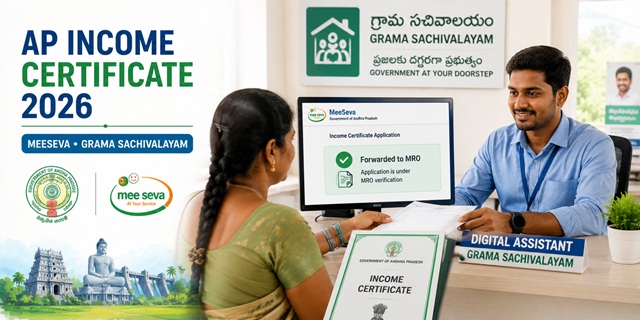
Andhra Pradesh issues income certificates through two parallel systems: the MeeSeva portal at ap.meeseva.gov.in and the Grama/Ward Sachivalayam (Secretariat) system at your nearest village or ward office. MeeSeva - whose name means "at your service" in Telugu - is the state's flagship e-governance platform handling over 300 government services. The Grama Sachivalayam system, introduced later, brings certificate services to every village doorstep through a dedicated Digital Assistant (DA). The key verification stage unique to AP is the MRO (Mandal Revenue Officer): when your application status shows "Forwarded to MRO", it means the Mandal Revenue Officer is reviewing and may conduct verification before final approval. Income certificate is heavily used in AP for one purpose not seen in other states: fee reimbursement for engineering and professional college students under the AP government's fee reimbursement scheme.
- MeeSeva Portal: ap.meeseva.gov.in
- MeeSeva Services List: ap.meeseva.gov.in/Services
- MeeSeva Applications: ap.meeseva.gov.in/Applications
- PMU Helpdesk: 9100797268 (Mr. K. Bhagath) | [email protected]
Key Details
| Detail | Information |
|---|---|
| MeeSeva Portal | ap.meeseva.gov.in |
| Application Channels | MeeSeva portal / MeeSeva centre / Grama Sachivalayam |
| Verification Officer | MRO (Mandal Revenue Officer) |
| Approval Workflow | VRO → Revenue Inspector (RI) → Tahsildar → RDO |
| Status "Forwarded to MRO" | Normal - application is under MRO review and verification |
| Status "Approved" | Certificate is ready - print from MeeSeva or Grama Sachivalayam |
| Processing Time | 3 to 7 working days typically |
| Validity | 1 year from date of issue |
| SMS Updates | Real-time SMS at every stage of processing |
| Track By | Application number OR Aadhaar number |
| Agricultural Income | Separate service - Agricultural Income Certificate |
| PMU Contact | 9100797268 | [email protected] |
Two Systems for Applying - MeeSeva and Grama Sachivalayam
This is what makes AP different from most states. You can apply through two separate channels and both are official:
| Channel | How It Works | Best For |
|---|---|---|
| MeeSeva Portal / Centre | Online at ap.meeseva.gov.in or visit nearest MeeSeva centre. Operator or self-apply. Application goes through MRO for verification. | Urban residents, those comfortable with online applications, students needing certificates quickly |
| Grama/Ward Sachivalayam | Visit your village or ward secretariat. The Digital Assistant (DA) at the Grama Sachivalayam fills and submits the application through the CSP portal. Real-time SMS updates throughout. | Rural residents, elderly citizens, those without internet access |
Both channels route the application through the same MRO approval workflow. The certificate issued is identical regardless of the channel used.
What is "Forwarded to MRO" Status
When you apply for an income certificate in AP and check the status, you will see it change from submitted to "Forwarded to MRO". This is the normal verification stage - confirmed from official AP district government guidance and Quora answers from AP government officials:
- "Forwarded to MRO" means the application has been routed to the Mandal Revenue Officer for review and verification
- The MRO may conduct a home verification or request additional documents through the system
- If the MRO requests clarification, status changes to "Sent for Clarification" - you will receive an SMS. Respond quickly to avoid delays.
- After MRO approval, status changes to "Approved" and the certificate is available for printing
- Typical time at MRO stage: 2 to 5 working days for straightforward applications
- If status remains "Forwarded to MRO" for more than 10 working days without change, visit your Mandal Revenue Office with the application number
Income Certificate for Fee Reimbursement - AP Specific
One major use of income certificate in Andhra Pradesh that other states do not have at this scale: the AP fee reimbursement scheme for engineering, polytechnic, and professional college students. Students whose family income is below the state government's prescribed limit receive full or partial fee reimbursement. For this:
- The income certificate must be in the name of the parent (father or mother), not the student - it reflects total family income, not the student's individual income
- Income certificate is applied fresh every year before the reimbursement application deadline
- A fresh certificate is needed even if the previous year's certificate shows the same income - most reimbursement portals check the date of issue
- Apply at least 3 weeks before the fee reimbursement submission deadline to allow time for MRO verification
Agricultural Income Certificate - A Separate Service
Andhra Pradesh offers a separate Agricultural Income Certificate through MeeSeva - confirmed from official district sites including eastgodavari.ap.gov.in and guntur.ap.gov.in. This is for farmers who need to certify income specifically from agricultural activities. It appears separately in the Revenue Department services list at ap.meeseva.gov.in/Services. If you are a farmer needing to certify agricultural income for a loan, government subsidy, or scheme, apply for the Agricultural Income Certificate specifically rather than the general income certificate.
Who Can Apply
- Must be a permanent resident of Andhra Pradesh
- All categories: students, farmers, salaried employees, daily wage workers, self-employed persons
- For students applying for AP fee reimbursement: certificate must be in the parent's name showing total family annual income
- For EWS reservation in central government jobs: family income must be below Rs. 8 lakh per annum from all sources
Documents Required
- Aadhaar Card of the applicant (mandatory for identity and tracking)
- Ration Card or any other residence proof showing AP address
- Income proof - whichever applies:
- Salary certificate or pay slips from employer (salaried employees)
- Form 16 or ITR acknowledgement (income tax filers)
- Self-declaration affidavit stating total annual family income from all sources
- For agricultural income: land records (pattadar passbook, 1B)
- Address proof: electricity bill, water bill, or ration card
- Passport-size photograph
- Application form (duly signed) with court stamp fee
How to Apply Online at MeeSeva Portal
- Go to ap.meeseva.gov.in.
- Click on Login at the top right. If you are a new user, click Register and create your account with your mobile number, Aadhaar, and email.
- After login, click on Revenue Department Services from the list of departments.
- Click on Income Certificate from the Revenue Department service list.
- The application form opens. Fill in:
- Personal details: full name, date of birth, gender, Aadhaar number, mobile number
- Address details: mandal name, village/ward, district
- Income details: occupation of all earning members, income from each source - salary, agriculture, business, pension, and other income separately
- Upload all required documents - scanned clearly in the required format.
- Complete payment.
- Submit. An Application Number / Transaction ID is generated. Save it immediately - you will receive it via SMS also.
- Track status at ap.meeseva.gov.in using the application number or your Aadhaar number.
- Once status shows "Approved", download or print the certificate from the portal.
How to Apply at MeeSeva Centre
- Visit your nearest MeeSeva centre with all original documents and self-attested photocopies
- The operator at the counter fills the online application on your behalf
- Pay the applicable fee at the counter
- Collect the acknowledgement slip with your application number and transaction ID
- Return to collect or download the certificate once the SMS notification of approval is received
How to Apply at Grama/Ward Sachivalayam
- Visit your nearest Grama Sachivalayam (village) or Ward Sachivalayam (urban ward office)
- Meet the Digital Assistant (DA) or Revenue Volunteer at the Sachivalayam
- Carry your Aadhaar card, ration card, and income proof documents
- The DA fills the Common Service Provider (CSP) portal application on your behalf
- You receive real-time SMS updates at every stage - submission, forwarding to MRO, and approval
- Once approved, collect the printed certificate from the Grama Sachivalayam or download it from ap.meeseva.gov.in
How to Track Application Status
Two ways to track your AP income certificate application status:
- By Application Number: Go to ap.meeseva.gov.in, click "Know Your Application Status" or "Track Application Status", enter your Application Number or Transaction ID and click Go.
- By Aadhaar Number: On the Grama Sachivalayam portal or MeeSeva, enter your Aadhaar number to see all applications submitted under your Aadhaar - confirmed from Quora AP official responses.
How to Download the Certificate
- Go to ap.meeseva.gov.in.
- On the homepage, click Meeseva Certificate section.
- Enter your Application ID and click Go.
- Your approved certificate is displayed. Click Download to save the PDF.
- Alternatively, log in and go to your submitted applications list to find and download the approved certificate.
Official Links
- AP MeeSeva Portal - ap.meeseva.gov.in
- Revenue Services List - ap.meeseva.gov.in
- MeeSeva Applications - ap.meeseva.gov.in
PMU Helpdesk: 9100797268 | [email protected]
Related articles:
Income Certificate in India - Complete Guide
Andhra Pradesh Ration Card - Smart Rice Card Guide
Disclaimer: This article is for informational purposes only. Always verify the latest process at ap.meeseva.gov.in before applying.
नई टिप्पणी जोड़ें